What are Macros & Modules?
By Richard Rost

 5 years ago
What are Macros & Modules in Microsoft Access?
Macros are generally used to automate repetitive tasks or carry out simple actions. Modules contain Visual Basic for Applications (VBA) programming code that can really take your database to a professional level.
PrerequisitesWhat's NextRecommended Courses
Keywords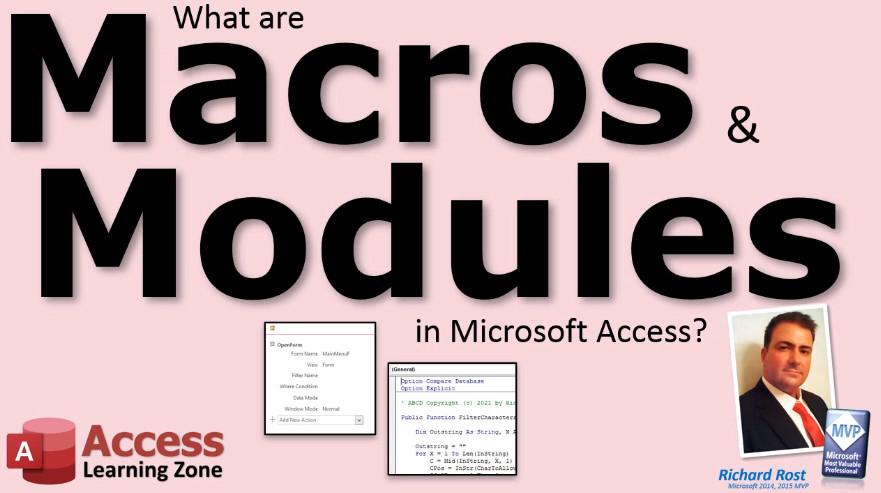 TechHelp Access, what are macros and modules what are macros what are modules
More InformationTranscript What are macros and modules in Microsoft Access? An Access database can optionally contain macros and/or modules. These are more advanced topics that I cover in my developer classes.
In a nutshell, macros are generally used to automate repetitive tasks or to carry out simple actions like opening a form. Modules contain the full Visual Basic programming language and can really take your database to a professional level.
The good news is you can build a really great database without ever touching a macro or writing a line of code. So if you do not consider yourself a programmer, do not worry about it. You do not have to know these things to build great Access databases.
On the other hand, they are very easy to learn in my developer classes. Intro In this video, we will talk about what macros and modules are in Microsoft Access, how they differ, and what roles they play in automating tasks or adding custom programming to your database. We will discuss how macros can help you perform simple actions without coding and how modules allow for more advanced functionality with Visual Basic. You will also learn whether you need to use these features when building your own Access databases. Quiz Q1. What is the primary purpose of macros in Microsoft Access?
A. To automate repetitive tasks or perform simple actions like opening a form
B. To manage database tables and relationships
C. To design reports from scratch
D. To encrypt the database for security
Q2. What do modules in Microsoft Access contain?
A. Form templates
B. The full Visual Basic programming language
C. Only table data
D. Predefined queries
Q3. Is it necessary to use macros or modules to build a good Access database?
A. Yes, you must use both for any database
B. No, you can build a great database without them
C. Macros are required, but not modules
D. Modules are required, but not macros
Q4. For whom are macros and modules especially useful in Access?
A. Only report designers
B. Only those who manage users
C. Users who want automation or advanced customization
D. Users interested only in entering data
Q5. How does the video describe learning macros and modules in developer classes?
A. They are impossible to learn
B. They are easy to learn
C. They cannot be taught in a class
D. They are only suitable for expert programmers
Answers: 1-A; 2-B; 3-B; 4-C; 5-B
DISCLAIMER: Quiz questions are AI generated. If you find any that are wrong, don't make sense, or aren't related to the video topic at hand, then please post a comment and let me know. Thanks. Summary Today's video from Access Learning Zone provides an introduction to macros and modules in Microsoft Access. These are optional features that allow you to add automation and advanced functionality to your database, but you do not have to use them to create an effective Access solution.
Macros in Access help automate repetitive tasks or perform simple actions. For example, you might use a macro to automatically open a form when certain conditions are met. Macros provide a way to streamline processes without having to write code.
Modules, on the other hand, let you harness the power of Visual Basic for Applications (VBA). Using modules, you can write custom functions and event procedures that unlock much more complex and powerful behavior, bringing your database to a truly professional standard.
The best part is that you can build a high-quality Access database without ever needing to use macros or VBA modules. If programming is not your thing, there is nothing to worry about. Most projects can be completed without them.
However, if you are interested in taking your databases further, learning to use macros and modules is quite approachable in my developer classes.
You can find a complete video tutorial with step-by-step instructions on everything discussed here on my website at the link below. Live long and prosper, my friends. Topic List This is a general description of what macros and modules are in Microsoft Access and their role in database development. Primary Topics macros, modules, Microsoft Access, automation, Visual Basic for Applications Secondary Topics programming skills, database customization |




