|
||||||

|
|
||||||
|
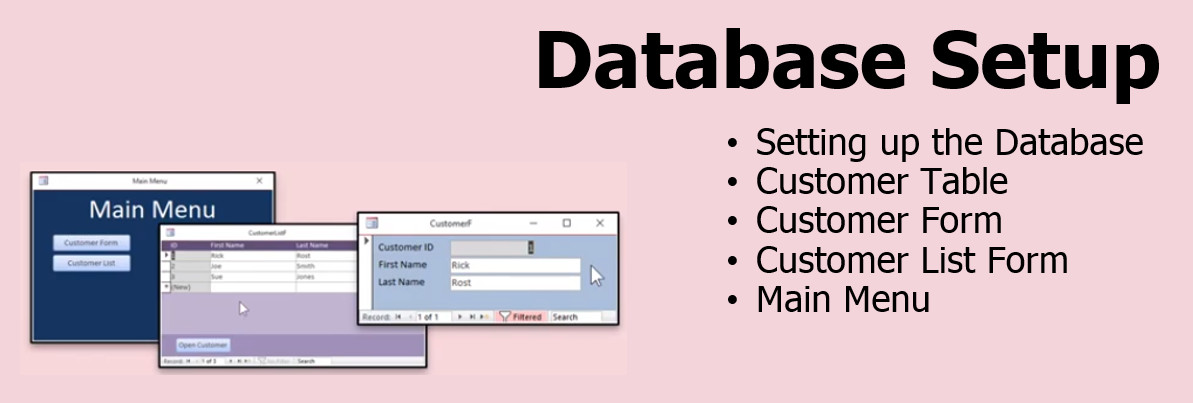
Access Time & Billing SeminarMicrosoft Access Time & Billing Seminar WelcomeWelcome to the Microsoft Access Time & Billing Seminar. You will learn how to keep track of the billable hours you spend on each customer. We'll build a timer that you can start and stop as you are working for them. Watch the billable hours click up. At the end of the month, generate invoices for all of your clients with one press of a button, and you can batch print or email them out. ResourcesTopics CoveredWe will begin by setting up a new database, including many of the options that I prefer for my projects. Then I'll show you how create a simple customer table, customer form, and customer list form.
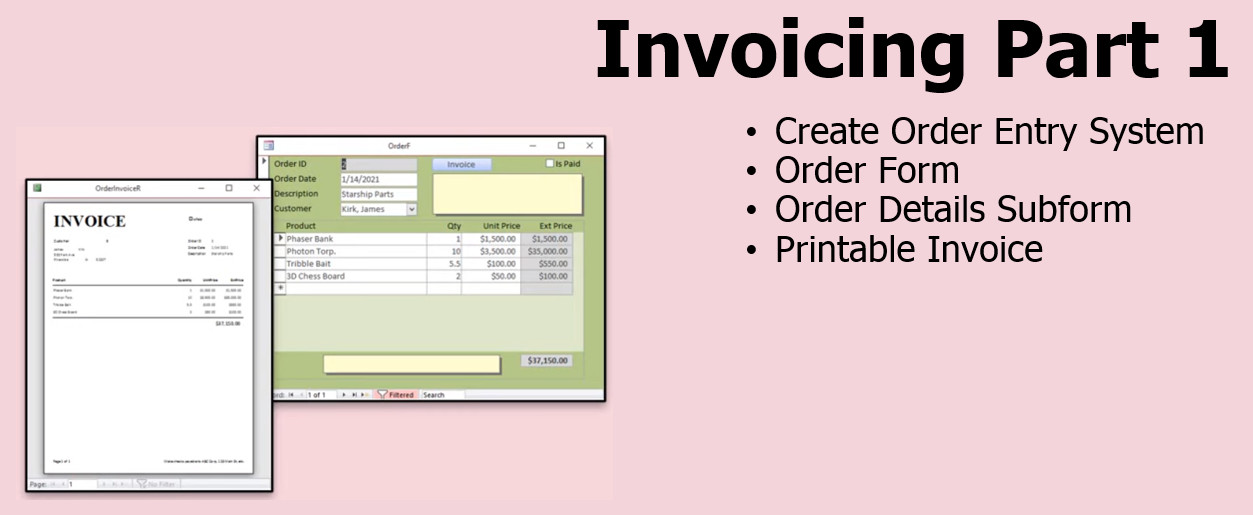
We'll build an order entry form with the related tables and queries. We'll link it to our customer tables. We'll create a fully printable invoice report. We’ll cover some of the advanced preferences that I use for all of my projects. I'll show you which of the Access Options I like to change including setting up a Trusted Location, confirming document deletions and action queries, and more.
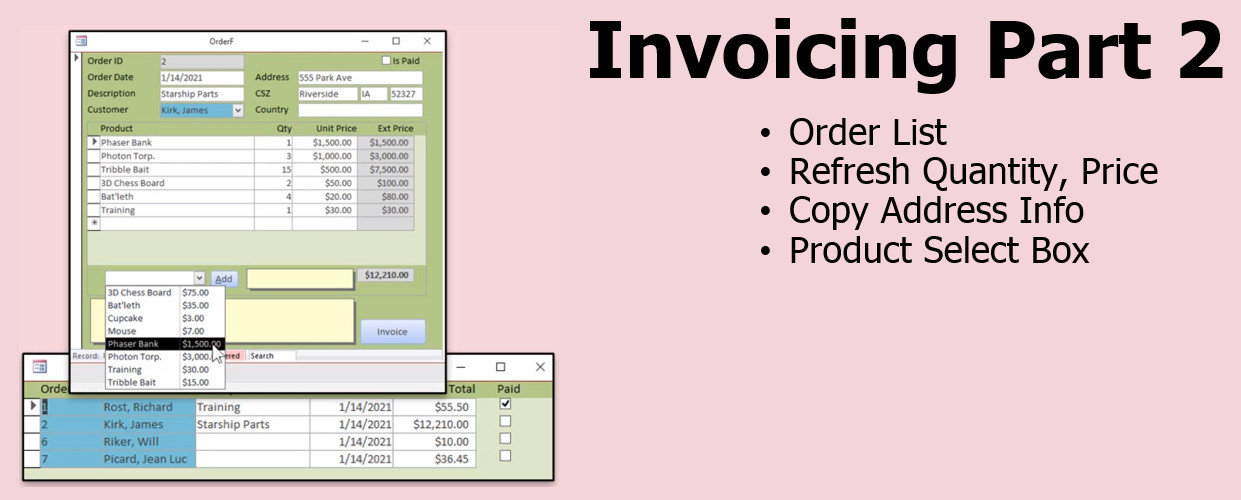
I'll show you how to create an order list so you can see all of your orders sorted by date and double-click on one to open it up. We'll copy the customer's address info to each order, so you know where the order was shipped or billed at the time it was placed. We'll also create a product list so you can pick a product and add it to the order with one click.
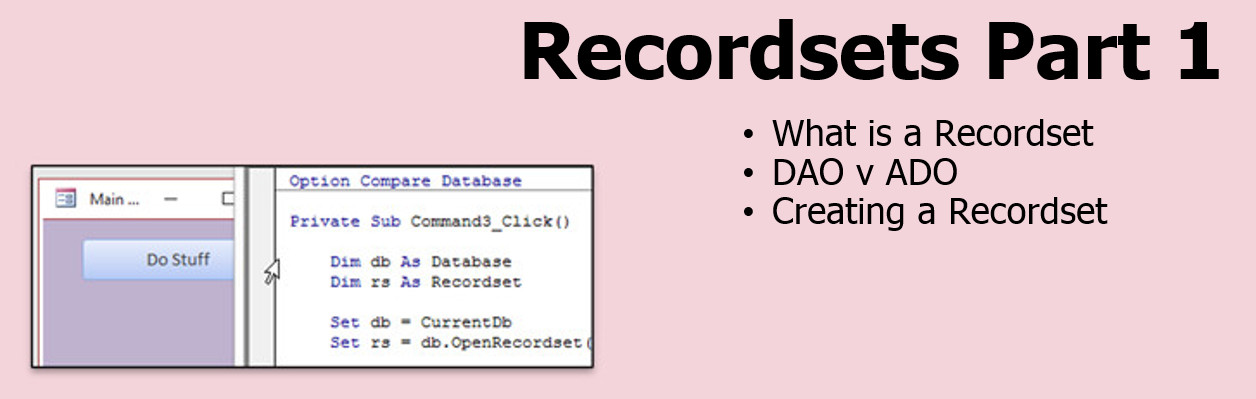
We are going to learn about a very powerful way to work with data directly in our tables using Recordsets. These are objects that we can use to read, write, add, delete, and manipulate data directly in VBA code without having to use SQL, which can be slow. We'll talk about what Recordsets are, why we want to use them, and we'll set up our first example. There’s really no way around it. In order to work with time and billing, you really NEED to learn Recordsets. I tried to do this with just basic SQL, but the end results are clunky and not the best. Don’t worry, I’ll show you the basics and what you need to get started. We will learn how to loop through the records in a table using a recordset, displaying whatever fields we want. We will then add those items from the recordset to an unbound "value list" list box. We'll also see how to manually add and delete records from the list box.
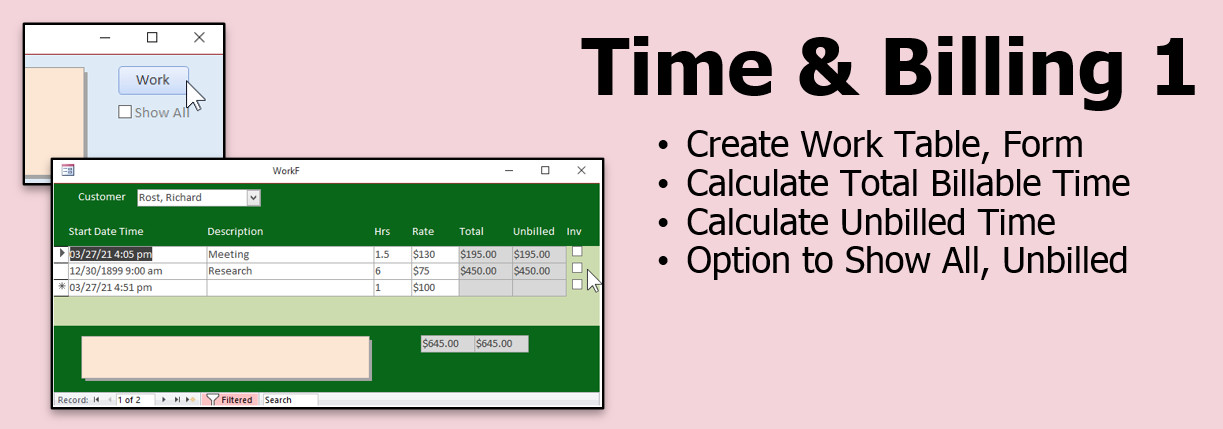
Now that we have the foundation for the database built, we will begin working with Time & Billing. We will create the table, query, and form to track our billable hours for each client. We'll calculate the total billable time and the total unbilled so far. We'll make a button on the customer form so you can see each.
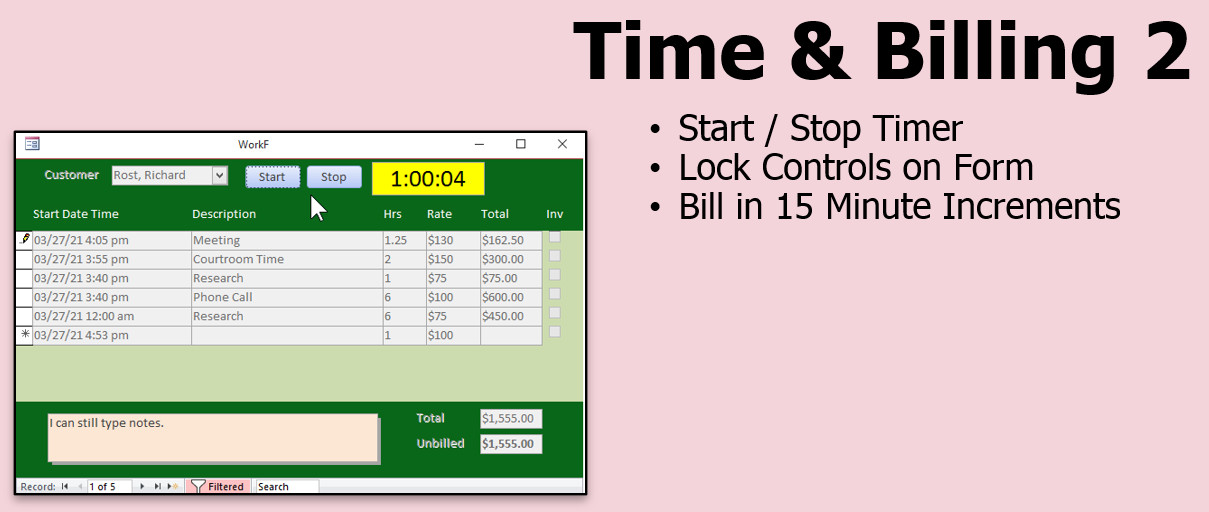
We will build a timer with start and stop buttons. This will allow you to track your billing for each customer to the second if you want to, however we'll generally round up in 15 minute increments. You can change the billable hours manually if you want. We'll also learn how to lock all of the controls on the form with a loop so they can't be edited while the clock is running, if that's what you want. Some people do.
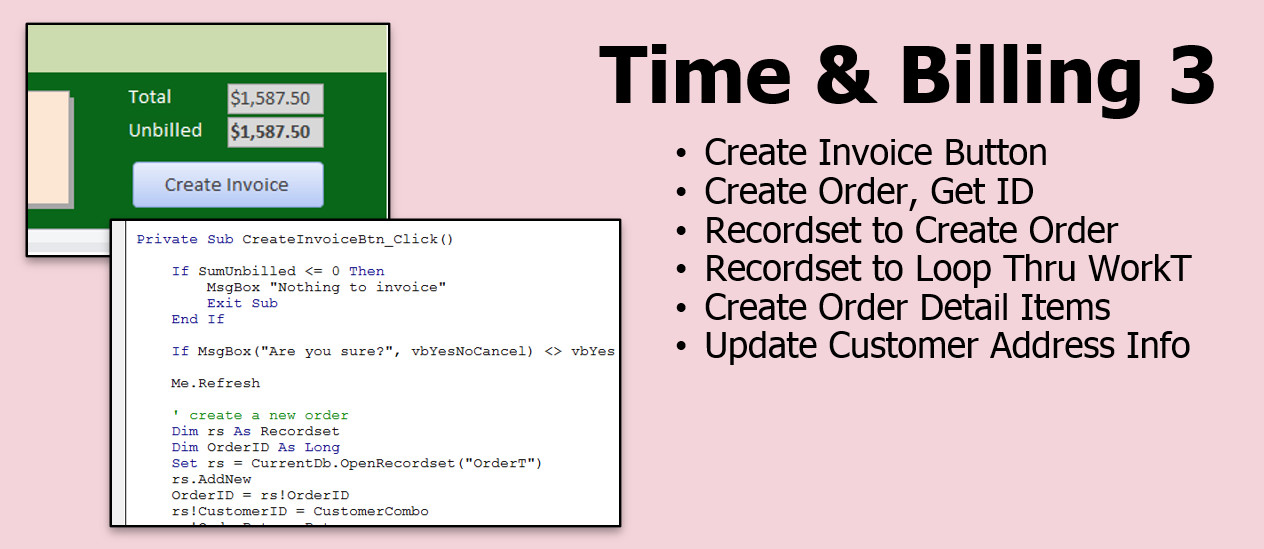
We will use recordsets to generate an invoice for a customer based on the amount of billable work we've done. One invoice will be created with each item from the Time & Billing form as a line item on the invoice.
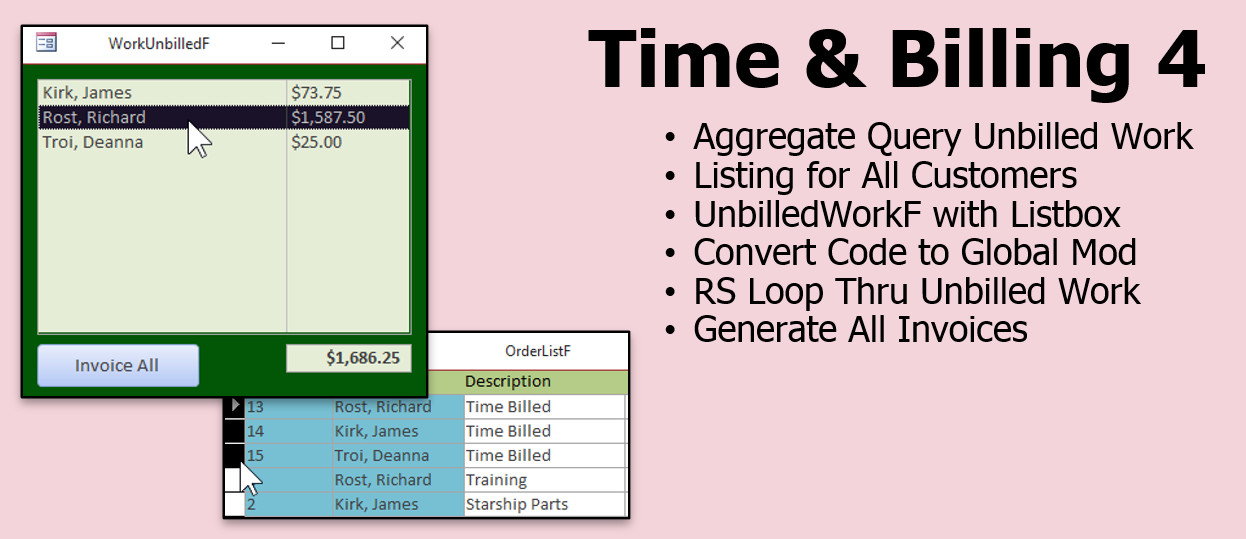
We will see how to generate invoices for ALL of the customers in the database who have unbilled hours. This way you can create all of your month-end invoices with one click.
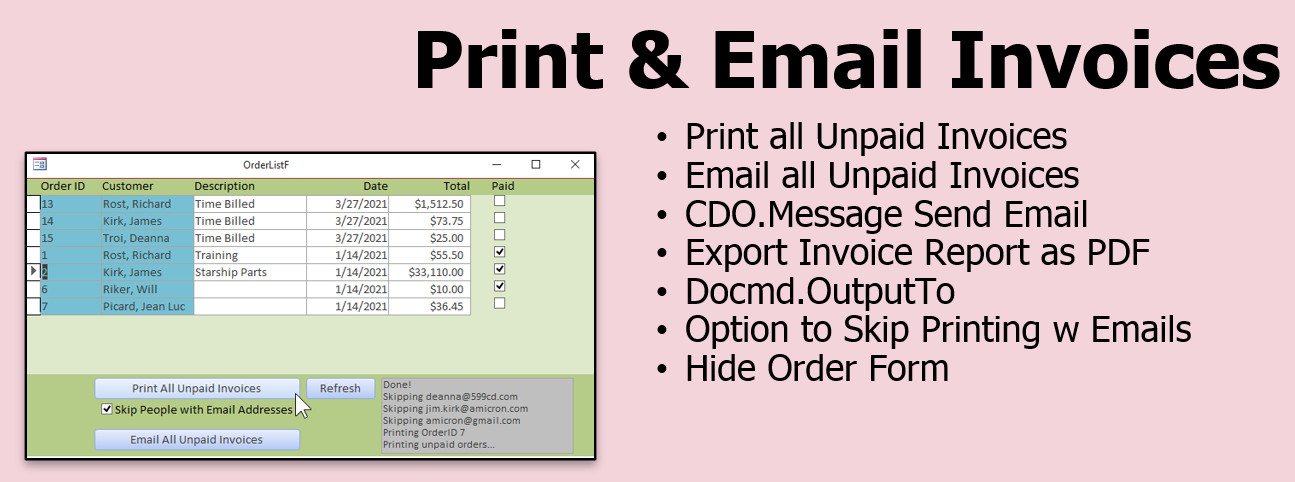
We will learn how to batch-print, or batch-email our invoices out. If the customer has an email address, they will get their invoice by email. If not, you can print it out and mail it 90s style. You will learn how to send email via any SMTP server, including Gmail, using CDO. You'll learn how to open a form hidden.
Pre-RequisitesIt is strongly recommended that you have completed my entire Access Beginner and Expert series (at least Expert 1 and 2). My Developer 1 class is highly recommended. If not, at least watch my free Intro to VBA video to make sure you understand the basic concepts of VBA programming.
VersionI am using Microsoft 365, roughly the equivalent of Access 2016 or 2019. Everything in this seminar should work with every version of Access back to 2007.
NotesPlease note that this seminar is NOT downloadable. You must watch it online. Since it is made up of a collection of lessons from different courses and TechHelp videos, a download ZIP file is not available. Current StudentsIf you are a current Access Developer student of mine and have taken Developer 1 to 28, please contact me before you purchase this seminar. Several of the lessons here were taken from existing Developer courses and I will be happy to give you a discount based on which other classes you've already taken. No need for you to pay full price to receive duplicate lessons. Enroll TodayEnroll now so that you can watch these lessons, learn with us, post questions, and more.
Questions?Please feel free to post your questions or comments below. If you are not sure as to whether or not this product will meet your needs, I'd rather help you before you buy it. Remember, all sales are final. Thank you.
More InformationTranscriptWelcome to the Time and Billing Seminar brought to you by AccessLearningZone.com. I am your instructor, Richard Rost. In this seminar, you will learn how to keep track of the billable hours you spend on each customer. We will build a timer that you can start and stop as you are working for them. Watch the billable hours click up. At the end of the month, generate invoices for all of your clients with the press of one button, and you can batch print or email them out. We will begin by setting up a new database, including many of the options that I prefer for my projects. I will show you how to create a simple customer table, customer form, and a customer list. We will build an order entry form with the related tables and queries, and link it to our customer table. We will create a fully printable invoice report. Then we will create an order list so you can see all the orders sorted by date. We will also create a product list. You can add products if that is something that you do with your database. If not, you can just skip this lesson. You are going to learn about record sets, which is an important programming method for manipulating data in Access. I will be using record sets for the time and billing material, so it is important that you learn how these work if you want to be able to manipulate the database and modify it for your own use. Once we have the foundation for the database built, we will begin working with the time and billing material. We will create the table, query, and form to track our billable hours for each client. We will calculate the total billable time and the total unbilled time. We will put a button on the customer form so you can see all the work you have done for them, or just the work you have not billed yet. We will build a timer with start and stop buttons. This will allow you to track your billing for each customer to the second if you so choose. I will show you how to round it up in 15-minute increments. If you spend six minutes, they are billed for the 15-minute block, but you can change it if you want to very easily. You can also change the billable hours manually. For example, if you leave the clock running and decide that you really want to bill them for three hours instead of the six that the timer says, you can. You can also adjust the rate for the different things that you do. For example, if you do research and you bill that differently than phone calls, or bill that differently than personal meetings, and so on. Next, we will use record sets to generate an invoice for all the unbilled hours that you have for that client. Then we will see how to generate invoices for everybody in the database who has unbilled hours. We will open up a form that shows all of your clients and the total amount of unbilled time. When you click one button, it generates invoices for everybody. Usually, you will do this at the end of the month. Then we will see how to batch print or batch email your invoices out. If you have an email address for the customer, you can send them their email invoices once a week or whenever. If not, at the end of the month you can print out invoices for everyone who you do not have an email address for and mail them, 90s style. "90s style" is a joke, meaning mail like from the 1990s. Anyway, I will show you how to send email using any SMTP server, including Gmail. It is strongly recommended that you have completed my Access Beginner, Expert, and Developer classes before taking this seminar. If not, at least watch my free Intro to VBA class that is on my website. I will be building the database with you in the videos from the ground up. However, I am not going to take a whole lot of time to cover programming concepts, because I have already covered them in these previous classes. So again, if you have never done any programming with Access before, I would strongly recommend at least up to my Developer 1 class. I will be using Microsoft 365, which is roughly equivalent to Access 2016 or 2019. However, everything in this seminar should work all the way back to Access 2007. So, it is time to sit back, relax, and enjoy the Time and Billing Seminar brought to you by AccessLearningZone.com. IntroIn this seminar, you will learn how to build a complete time and billing solution in Microsoft Access, including tracking billable hours for each customer, creating timers with start and stop buttons, rounding and adjusting billed time, handling variable billing rates, and generating invoices with one click. We will walk through setting up a new database, building customer and order tables, designing forms and reports, creating lists of customers, products, and orders, and using record sets to automate billing. You will also see how to batch print or email invoices and send them via any SMTP server, including Gmail. QuizQ1. What is the primary focus of the Time and Billing Seminar? A. Learning how to create charts in Access B. Tracking billable hours for each customer C. Managing employee payroll systems D. Designing website interfaces using Access Q2. Which feature allows you to start and stop tracking billable time for customers? A. Employee attendance tracking B. Inventory management system C. Timer with start and stop buttons D. Sales forecasting tool Q3. What kind of database objects will you create for the customer information in this seminar? A. Customer table, customer form, and customer list B. Employee table, payroll form, and attendance list C. Invoice table, shipping form, and address list D. Supplier table, order form, and supply list Q4. What programming method will be emphasized for manipulating data in Access during the seminar? A. Macros B. SQL Views C. Expressions D. Record sets Q5. How can the billable hours be rounded in the seminar's timer feature? A. Only whole hours B. 10-minute increments C. 15-minute increments D. 5-minute increments Q6. What is one way you can manually adjust billing data according to the seminar? A. Editing the database structure B. Changing the timer code only C. Adjusting the hours and rate directly D. Changing the customer table only Q7. What will the seminar show you about generating invoices? A. Printing individual invoices one by one only B. Generating invoices for unbilled hours per client and for all clients at once C. Creating non-billable summaries D. Sending invoices through postal services only Q8. What batch process will you learn regarding invoices? A. Batch converting reports to Word documents B. Batch printing or batch emailing invoices C. Batch updating employee records D. Batch exporting customer lists Q9. Which version of Microsoft Access will the seminar be based on but is also compatible with earlier versions? A. Access 2003 only B. Microsoft 365, compatible back to Access 2007 C. Only Access 2013 D. Only Access 2021 Q10. What prior knowledge does the instructor recommend before taking this seminar? A. Basic knowledge of Excel only B. Completion of Access Beginner, Expert, and Developer classes or the free Intro to VBA class C. Experience with PowerPoint presentations D. No prior knowledge is required Answers: 1-B; 2-C; 3-A; 4-D; 5-C; 6-C; 7-B; 8-B; 9-B; 10-B DISCLAIMER: Quiz questions are AI generated. If you find any that are wrong, don't make sense, or aren't related to the video topic at hand, then please post a comment and let me know. Thanks. SummaryToday's video from Access Learning Zone introduces the Time and Billing Seminar, where I will teach you how to manage billable hours for each of your customers efficiently. We will be building a complete system in Microsoft Access that lets you start and stop a timer as you work for your clients, so you can watch your billable hours accumulate in real time. When it comes time to invoice, you will be able to generate invoices for all your clients with a single button, making batch printing or emailing invoices simple at the end of each month. The seminar begins with setting up a brand-new database. I will walk you through the initial setup, including many of my preferred database options. We will create a customer table, a customer entry form, and a list to view all your customers. Next, you will see how to construct an order entry form connected to related tables and queries, all of which tie into the customer table. I will also show you how to generate a fully printable invoice report. You will be able to create an order list that displays all your orders sorted by date, and a product list. If your business involves selling products, you can add these in. If not, you are free to skip this section. A key skill you will develop is working with record sets, which are essential for managing and modifying data programmatically within Access. Since record sets will play a significant role in the time and billing features we create, understanding them will allow you to customize the database for your own needs. After laying the groundwork, we will dive into the core time and billing features. You will learn to create the necessary tables, queries, and forms to track billable hours by client. We will set up calculations so you can see both total billable time and the time that has not yet been billed. I will add a button to the customer form that lets you view all work for a customer or just the unbilled work. A special focus will be on building the timer functionality. You will learn how to start and stop billing for each customer, down to the second. I will demonstrate how to round up minutes to the nearest fifteen-minute increment, so if you spend just six minutes on a task, it rounds up to a full block. This setting is adjustable, and I will show you how to change it if you prefer a different billing increment. The seminar also covers how to change billable hours by hand when needed. For instance, if you forgot to stop the timer or simply want to bill a client for a set number of hours instead of what the timer shows, you will have complete control. I will also teach you to set different rates for various types of work, such as research, phone calls, or in-person meetings, so each can be billed accordingly. Once all your billable hours are tracked, we will use record sets to generate invoices for any unbilled time for a specific client. Then, I will show you how to generate invoices for every client with unbilled hours, all at once. We will also build a form that displays all your clients alongside the total unbilled amount for each. Generating invoices for everyone with unbilled time is a matter of pushing a single button, which is especially useful for end-of-month billing. Additionally, you will learn how to send invoices through email in batches. If you have a customer's email address, you will be able to send their invoices whenever you like. For clients without email addresses, the system allows you to print their invoices to mail them, a nostalgic throwback to the 1990s. I will guide you through configuring email using any SMTP server, including popular providers like Gmail. Before beginning this seminar, I strongly recommend completing my Access Beginner, Expert, and Developer classes. If that is not possible, at least make sure to watch my free Introduction to VBA course on my website, as this seminar will involve programming concepts that are not covered in depth here. I will be demonstrating everything using Microsoft 365, but the steps should be compatible with earlier versions of Access, such as 2016, 2019, and even as far back as Access 2007. So get comfortable and enjoy learning how to manage your time and billing more effectively with this seminar from Access Learning Zone. You can find a complete video tutorial with step-by-step instructions on everything discussed here on my website at the link below. Live long and prosper, my friends. Topic ListSetting up a new Access database for time and billing Creating a customer table Designing a customer form Building a customer list Building an order entry form and related tables Linking the order entry form to the customer table Creating a printable invoice report Creating an order list sorted by date Building a product list for order entry Introduction to record sets in Access Creating tables, queries, and forms for billable hours tracking Calculating total billable time and unbilled time Adding a button to view work done or unbilled work per client Building a timer with start and stop buttons for billable time Rounding billing time to 15-minute increments Manually adjusting billable hours and rates Billing different activities at different rates Using record sets to generate invoices for unbilled hours Generating invoices for all clients with unbilled hours Displaying all clients with their total unbilled time Batch printing and batch emailing invoices Sending email invoices using any SMTP server, including Gmail Primary TopicsAccess database creation, time tracking, billable hours, billing automation, customer and order management, invoice generation, record sets, forms and tables, batch printing, batch emailing Secondary Topicsproduct management, rate adjustments, rounding billable time, SMTP email setup |
||||||||||||||||||
|
| |||
| Keywords: access seminar time and billing time & billing Page Tag: whatsnew PermaLink Microsoft Access Time & Billing Seminar |