|
|||||
Excel Expert 2Dates, Times, Custom Formats, Date FormulasWelcome to Excel Expert 2. In this course you will learn how Microsoft Excel handles dates and times, including how they are stored internally, using custom date and time codes, and working with key functions such as datevalue, timevalue, edate, eomonth, networkdays, and more. We will discuss customizing date formats, calculating differences between dates and times, fixing unconventional date formats, building time sheets, formatting time values, and tips for calculating various date-related values. This course is intended for experienced Excel users. Lessons
ResourcesLesson SummaryWelcome! Dates, Times & Formatting Tips - Welcome to Excel Expert Level 2. In this course we will focus on how Microsoft Excel handles dates and times, including how they are stored internally, using custom date and time codes, and working with popular date and time functions. We will discuss customizing date formats, calculating differences between dates and times, fixing unconventional date formats, and using functions like datevalue, timevalue, edate, eomonth, networkdays, workday, and weeknum. We will also cover building simple timesheets, formatting times, and share additional tips for calculating various date-related values. This course is intended for experienced Excel users.
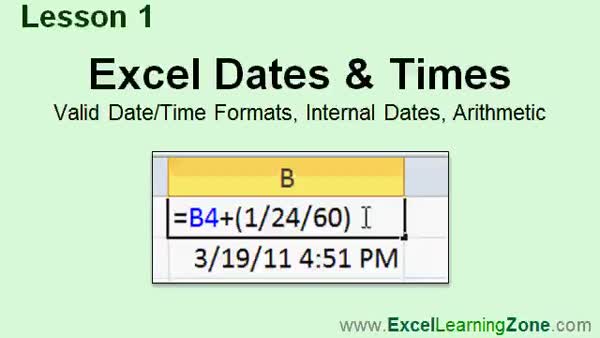
Lesson 1: Dates, Formats & Date Math - In Lesson 1, we will introduce Excel dates and times, discussing valid date and time formats, how Excel stores these values internally, and the basics of date arithmetic. We will talk about regional differences in date input, how Excel handles two-digit years, and the way dates before 1900 are treated. I will show you how to enter dates, times, and combined values, as well as demonstrate adding and subtracting days, hours, minutes, and seconds using simple formulas. We will also touch on formatting issues and tips for working efficiently with date and time values in Microsoft Excel.
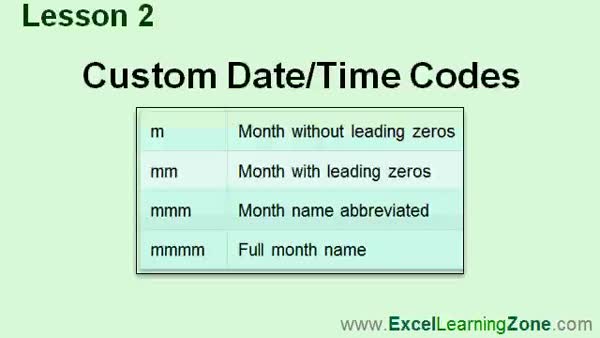
Lesson 2: Custom Date & Time Formats - In Lesson 2, we will walk through how to customize date and time formats in Excel using custom date/time codes. We will discuss the difference between standard and custom formats, how regional settings can affect your dates, and explore options in the Format Cells dialog, including the use of special codes for months, days, years, hours, minutes, and seconds. I will show you how to create a custom date format, explain the meanings of each formatting code, and clarify how AM/PM works versus military time for your custom date and time codes.
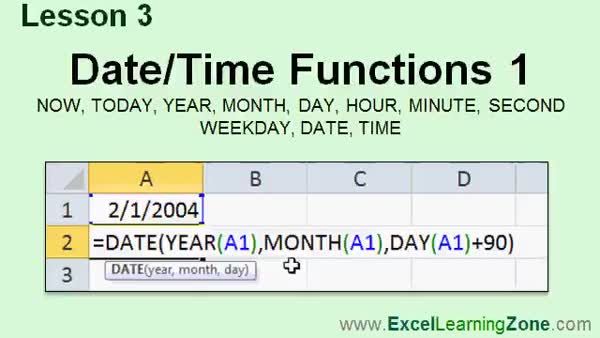
Lesson 3: Excel NOW, TODAY, YEAR & More - In Lesson 3, we will look at several date and time functions in Excel, including NOW, TODAY, YEAR, MONTH, DAY, HOUR, MINUTE, SECOND, and WEEKDAY. We will walk through how to display the current date and time, extract specific components from a date, and format your results. I will show you how to reconstruct dates and times from parts using the DATE and TIME functions, as well as how to combine or manipulate these values to perform common calculations, such as determining anniversaries or adjusting times by minutes or days.
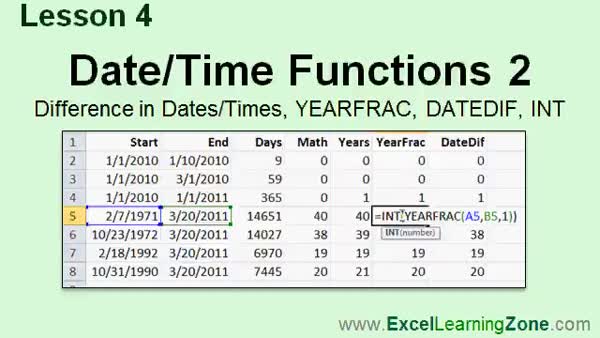
Lesson 4: Date Differences, YEARFRAC, DATEDIF, INT - In Lesson 4, we continue exploring date and time functions by learning how to calculate the difference between two dates in days, months, and years. We will walk through using simple subtraction for days, demonstrate how to approximate years with division and the INT function, and discuss more accurate methods with the YEARFRAC and DATEDIF functions. I will show you how to use each of these, explain the basis argument in YEARFRAC, and outline the different interval codes available in DATEDIF for finding differences in years, months, and days.
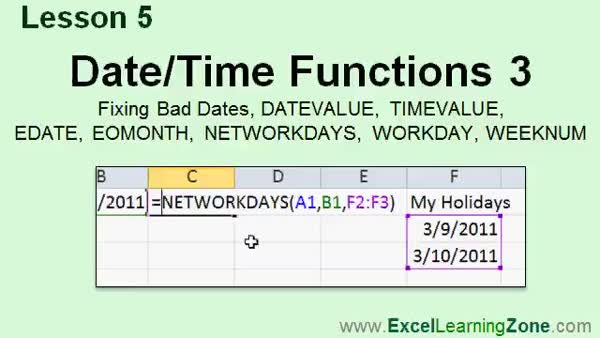
Lesson 5: DATEVALUE, EDATE, NETWORKDAYS - In Lesson 5, we continue working with date and time functions in Excel. I will show you how to fix bad date data imported from other systems, including breaking down dates using text functions and converting them with the DATE function. We will discuss handling two-digit years and using the DATEVALUE and TIMEVALUE functions to convert text into dates and times. I will cover how to use EDATE and EOMONTH for month calculations, and demonstrate NETWORKDAYS, WORKDAY, and WEEKNUM for working with weekdays, custom work schedules, holidays, and calculating week numbers.
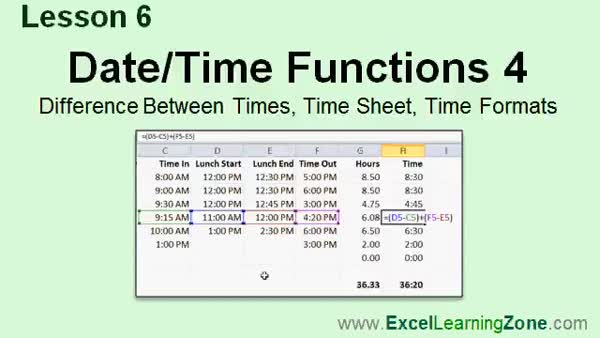
Lesson 6: Calculate & Format Work Hours - In Lesson 6, we continue learning about date and time functions by building a simple time sheet in Excel. I will show you how to calculate the difference between two times, format results as either decimal hours or hours and minutes, and use Autofill to create date and day series quickly. We will walk through adding lunch break times and adjusting total hours accordingly. I will also discuss custom formats for totaling hours over 24. Finally, we will mention conditional statements and the IF function for handling overnight shifts and calculating overtime, which will be covered in the next level.
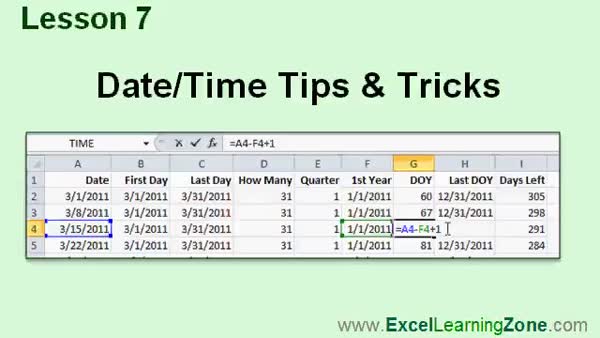
Lesson 7: First/Last of Month & Quarters - In Lesson 7, we will cover several date/time tips and tricks, including how to calculate the first and last day of a month, how many days are in a month, what quarter a date falls in, and how to determine the first and last day of a year. I will also show you how to find out the day number in the year, how many days are left in the year, and discuss useful shortcuts for inserting the current date and time. We will also talk about formatting date and time values, including displaying totals in hours, minutes, seconds, and showing decimals for fractions of a second.
Lesson 8: Dates, Times & Date Functions - In this course we learned about working with dates and times in Microsoft Excel, including valid formats, how Excel stores dates and times as numbers, and performing date arithmetic like adding or subtracting days and hours. We covered custom date and time formats, key functions such as NOW, TODAY, YEAR, MONTH, DAY, HOUR, MINUTE, SECOND, and how to build dates from components. We also learned how to calculate date differences, such as age, using functions like YEARFRAC and DATEDIF, find the number of workdays between dates, identify first and last days of periods, and explored related tips and tricks.
NavigationKeywordsExcel dates, Excel time functions, date formatting Excel, time formatting Excel, custom date codes, Excel date difference, YEARFRAC, DATEDIF, DATEVALUE, EDATE, EOMONTH, NETWORKDAYS, WORKDAY, WEEKNUM, Excel timesheet, Excel quarters
More InformationTranscriptWelcome to Excel 2010 Expert Level 2, brought to you by ExcelLearningZone.com. I am your instructor Richard Rost. Today's class deals with dates and times in Excel. We'll learn how Excel handles dates and times and how it stores them internally. We'll learn about custom date and time codes. We'll learn most of the popular date and time functions that Excel has to offer. This class is designed to be used with Excel 2010, part of Microsoft Office 2010. If you're using an older version of Excel, you should visit my website at ExcelLearningZone.com and look for my older tutorials covering Excel 2000 through 2007. If you're using Excel 2007, you should have little difficulty following along as most of the concepts covered in this course are the same. If you're using an older version like 2003 or earlier, you really should either upgrade to Excel 2010 or purchase a tutorial for your version of Excel, which again you can find on my website. This is an expert-level course for Microsoft Excel 2010. This class was designed for users who have a good amount of experience with Excel and have completed all five courses in my beginner series plus Expert Level 1. The prerequisite for this course is my Excel 2010 Expert Level 1 course. That course covers functions, absolute references, named cells, referencing values on other sheets, and all the popular text functions. If you haven't taken this course, I strongly recommend you go to my website, ExcelLearningZone.com, and look for Expert Level 1 before taking this course. My courses are broken up into four different groups: beginner, expert, advanced, and developer. My beginner courses are for novice users who have little or no experience with Microsoft Excel. They are designed to give you an overview of the basic features and cover just what you need to know to be productive. The expert series, which is what you're watching right now, is designed for more experienced users who are already comfortable with Excel. Expert classes go into a lot more depth about each topic than the beginner classes did, and we'll cover more functions, features, tips, and techniques for power users. After you've mastered the expert classes, move up to the advanced lessons. You'll learn how to record macros, build user forms, create your own templates, and many more advanced features that not everyone will use, but they really add enhanced functionality and professionalism to your spreadsheets. Finally, my developer-level courses will teach you how to program in Visual Basic for Applications for Microsoft Excel. This will allow you to create Excel-based programs for your users, automate your spreadsheets, and integrate Excel tightly with the other Microsoft Office applications. Each of my series is broken down into different levels. For example, the beginner series contains five different levels, which you should have taken before this course. This is the second level of the expert series, so you should have taken level one before this course. Each level teaches you new and different topics in Microsoft Excel, building on the lessons in the previous levels. When you've finished all the expert classes, you'll move up to the advanced series, and finally the developer series. Now let's take a more detailed look at exactly what we're going to learn in today's class. In lesson one, we're going to go over Excel dates and times. We're going to learn some different valid date and time formats. We'll learn how Excel handles dates and times internally, and we'll learn about date arithmetic. In lesson two, we're going to learn a little bit about customizing date formats, and we'll learn some custom date and time codes. In lesson three, we're going to look at some date and time functions. We'll look at NOW and TODAY, YEAR, MONTH, DAY, HOUR, MINUTE, SECOND, WEEKDAY, DATE, and TIME. In lesson four, we're continuing on with date and time functions. We'll learn how to calculate the difference between two dates in the number of days, the number of months, and the number of years. We'll learn a couple of different functions for determining the difference in whole years, including YEAR, FRAC, DATEDIF, and we'll learn about the INT function for rounding a number down to the nearest integer. In lesson five, we're continuing on with date and time functions. We'll learn how to fix bad dates if someone gives you a spreadsheet that has dates that aren't in a conventional format. I'll show you some tricks for fixing those. We'll cover the DATEVALUE and TIMEVALUE functions. We'll learn about EDATE, EOMONTH, or the end of month, to figure the last day of the month. NETWORKDAYS to determine the difference of workdays between two dates, the WORKDAY function, and the WEEKNUM function that calculates the week number. In lesson six, we're continuing on with date and time functions. We'll learn how to calculate the difference between two times to build a simple timesheet. We'll see how to format those times in different ways so you can see either hours and fractions of an hour or hours and minutes. In lesson seven, we'll learn some additional date and time tips and tricks. I'll show you how to calculate a bunch of different dates. For example, the first and last day of any given month, how many days a month has, what quarter a date falls in, how to figure out the first day of the year, the last day of the year, what day number in the year you're on, and how many days are left in the year. Then we'll learn some additional tricks for formatting time. I'll show you things like how to display fractions of a second and lots more. If you need help with the topics covered in today's lessons, please feel free to post your questions in the Excel Interactive Student Forums. If you're watching this course using my custom video player software or online in my web theater, you should see the student forum for each lesson appear in a small window next to the class videos if you have an active internet connection. Here, you will see all of the questions that other students have asked, as well as my responses to them, and any other comments that other students have made. I encourage you to read through these questions and answers as you start each lesson and feel free to post your own questions and comments as well. If you're not watching your lessons online, you can still visit the student forums later by visiting ExcelLearningZone.com/forums. To get the most out of this course, I recommend you sit back, relax, and watch each lesson completely through once without trying to do anything on your computer. Then replay the lesson from the beginning and follow along with my examples. Actually create the same spreadsheet that I make in the video. Build a spreadsheet with me step by step. Don't try to apply what you're learning right now to other projects until you've mastered the sample spreadsheet. If you get stuck or don't understand something, watch the video again from the beginning or tell me what's wrong in the student forums. Most importantly, keep an open mind. Excel might seem intimidating at first, but once you get the hang of it, you'll see that it's really easy to use. IntroIn lesson 2 of my Microsoft Excel 2010 Expert series, we will focus on working with dates and times in Excel. You'll learn how Excel stores dates and times, explore custom date and time codes, and see how to use many of Excel's key date and time functions like NOW, TODAY, DATE, TIME, NETWORKDAYS, and more. We'll also cover formatting, date arithmetic, calculating differences between dates and times, and tips for fixing non-standard date formats. This lesson is designed for experienced users who have already completed my beginner courses and Expert Level 1. QuizQ1. What is the primary focus of this Excel 2010 Expert Level 2 course? A. Basic Excel features and navigation B. Dates and times in Excel, including handling, formatting, and functions C. Macros and VBA programming D. Chart creation and formatting Q2. Which lesson covers custom date and time codes in Excel? A. Lesson one B. Lesson two C. Lesson four D. Lesson six Q3. In which version of Excel is this course primarily designed to be used? A. Excel 2003 B. Excel 2007 C. Excel 2010 D. Excel 2016 Q4. Which prerequisite course should students take before this course? A. Beginner Level 5 B. Advanced Level 1 C. Expert Level 1 D. Developer Level 1 Q5. What type of learners are the expert series of courses designed for? A. People with no experience in Excel B. Users comfortable with Excel seeking to learn deeper concepts and advanced features C. Children learning computers for the first time D. only those needing to learn charting Q6. What does the advanced course series focus on after expert classes? A. Basic functions and formulas B. Visual Basic programming C. Macros, user forms, templates, and advanced Excel features D. Introduction to PowerPoint Q7. Which of the following is NOT mentioned as a date or time function covered in the class? A. NOW B. DAY C. AVERAGE D. WEEKDAY Q8. What advice does the instructor give for getting the most out of the course? A. Apply lessons immediately to your ongoing projects B. Only watch the video, do not practice C. First watch each lesson all the way through, then replay and follow along to build the sample spreadsheet D. Take handwritten notes only Q9. Which function is mentioned for determining the week number in Excel? A. WORKDAY B. WEEKNUM C. NETWORKDAYS D. EOMONTH Q10. Where can students post their questions about the course material? A. Only at their local library B. In the Excel Interactive Student Forums online C. Nowhere, questions are not allowed D. By emailing Microsoft support Q11. What is one suggested method for fixing dates not in a conventional format? A. Re-enter all dates manually B. Use random formatting C. Use DATEVALUE and TIMEVALUE functions D. Delete problematic data Q12. What concept is introduced in lesson six? A. Charting and graphics B. Building a simple timesheet and calculating differences between times C. Protecting worksheets D. Sorting and filtering data Q13. What is the purpose of the INT function as described in the course? A. To create integer sequences B. To round a number up to the nearest integer C. To format text D. To round a number down to the nearest integer Q14. What are some additional tips discussed in lesson seven? A. Creating charts and graphs B. Formatting text in cells C. Calculating dates like first/last day of month and day number in the year D. Printing settings in Excel Q15. What mindset does the instructor encourage students to maintain? A. Only focus on memorizing shortcuts B. Be open-minded and persistent, as Excel becomes easier with practice C. Learn only by reading manuals D. Expect to master everything on first try Answers: 1-B; 2-B; 3-C; 4-C; 5-B; 6-C; 7-C; 8-C; 9-B; 10-B; 11-C; 12-B; 13-D; 14-C; 15-B DISCLAIMER: Quiz questions are AI generated. If you find any that are wrong, don't make sense, or aren't related to the video topic at hand, then please post a comment and let me know. Thanks. SummaryToday's video from Excel Learning Zone covers expert-level concepts related to working with dates and times in Excel 2010. I'm your instructor, Richard Rost. In this course, I'll show you how Excel manages dates and times, how to work with various formats, and how to use many of the key date and time functions available in Excel. This course is specifically designed for Excel 2010, which is part of Microsoft Office 2010. If you have an older version of Excel, I suggest visiting my website to find tutorials for Excel 2000, 2002, 2003, or 2007. Most of what I cover applies to Excel 2007 as well, but if you are using something even older, it's best to get a tutorial geared for that version or consider upgrading to Excel 2010. This is an expert-level class, so it is best suited for people with a solid background in Excel. If you have completed my five beginner courses and the first level of my expert series, you're ready for this one. Expert Level 1 covers fundamentals like functions, absolute references, named cells, referencing data on other sheets, and popular text functions. If you are not comfortable with those yet, I recommend watching Expert Level 1 before moving on to this course. My curriculum is divided into four main groups: beginner, expert, advanced, and developer. The beginner series is perfect for newcomers, offering a foundation in Excel's most essential tools. The expert classes, like the one we're focused on now, offer a deeper look at more advanced features, functions, and techniques for those who already have some experience under their belts. Once you've worked through the expert topics, you'll be ready for the advanced classes. In those, you'll learn how to record macros, build user forms, create templates, and access other advanced features that are especially helpful if you want to take your spreadsheets to the next level of professionalism and functionality. Developer-level lessons go even deeper and will teach you how to use Visual Basic for Applications (VBA) with Excel. With these skills, you'll be able to create custom programs, automate your Excel work, and closely integrate your spreadsheets with other Microsoft Office applications. Each series contains several progressively more involved levels. For example, the beginner series has five different levels, all of which you should complete before getting to the expert material. This course is the second part of the expert series, so you should have already worked through Level 1. Each new course builds on the previous material, so by progressing through them in order, you will gradually develop a thorough understanding of Excel. Now, let me give you an overview of what we will be covering today. In the first lesson, we'll take a close look at how Excel stores and manages dates and times. We'll examine valid formats and see how date arithmetic works. The second lesson will focus on customizing date formats and exploring custom date and time codes, giving you greater control over how your data appears. In lesson three, we'll go through some of the main date and time functions. These include NOW, TODAY, YEAR, MONTH, DAY, HOUR, MINUTE, SECOND, WEEKDAY, DATE, and TIME. Next, in lesson four, we'll continue with more date and time functions. You'll learn how to calculate differences between two dates in terms of days, months, and years, using functions like YEAR, FRAC, DATEDIF, and INT to handle rounding and more. Lesson five will tackle cleaning up data. I'll show you how to fix spreadsheets that come with poorly formatted dates. We will cover DATEVALUE and TIMEVALUE functions and look at functions for end-of-month calculations like EDATE and EOMONTH. You'll also learn about NETWORKDAYS to count only workdays, as well as the WORKDAY and WEEKNUM functions. Lesson six will show you how to work with time differences, which comes in handy for timesheets. You'll see how to format time to display fractions of an hour or break it down into hours and minutes. In lesson seven, I'll share additional tips and tricks with dates and times. You'll see how to calculate things like the first and last day of any month, how many days are in a month, what quarter a particular date is in, how to find the first or last day of the year, what day of the year it is, and how many days remain until the year's end. We'll also go through some advanced time formatting options, such as displaying fractions of a second. If you need help with any of the topics from today's class, you're welcome to post your questions in the Excel Interactive Student Forums. If you are using my video player or watching online, you'll find the forums right next to the videos as long as you're connected to the web. Here, you can read questions from other students, see my answers, and join in the discussions. I recommend starting each lesson by reading the forum discussions, then feel free to post your own questions if something is unclear. If you are not connected while watching the videos, you can always visit the forums on ExcelLearningZone.com. To get the best results from this course, I suggest watching each lesson straight through once without practicing along. After that, watch the lesson again and work through the examples with me, building the same spreadsheets that I create in the video. Do not rush to use the new skills on your actual work until you have mastered these examples. If you find yourself stuck, watch the lesson again or ask for help in the forums. Most of all, approach the material with an open mind. Excel might seem overwhelming at first, but once you understand how it all fits together, you'll see it becomes much easier to use. You can find a complete video tutorial with step-by-step instructions on everything discussed here on my website at the link below. Live long and prosper, my friends. Topic ListHow Excel stores dates and times internally Valid date and time formats in Excel Performing date arithmetic in Excel Customizing date formats Using custom date and time codes NOW and TODAY functions YEAR, MONTH, and DAY functions HOUR, MINUTE, and SECOND functions WEEKDAY function DATE and TIME functions Calculating differences between dates in days, months, and years Using YEARFRAC and DATEDIF for whole years calculation Using the INT function for rounding down numbers Fixing improperly formatted dates Using DATEVALUE and TIMEVALUE functions Using EDATE and EOMONTH functions NETWORKDAYS and WORKDAY functions Calculating week numbers with WEEKNUM Calculating time differences for timesheets Formatting time as hours and fractions or hours and minutes Calculating the first and last days of a month Finding the number of days in a month Determining which quarter a date is in Identifying the first and last day of the year Calculating the day number in the year Calculating days left in the year Formatting time to display fractions of a second Primary TopicsExcel 2010, dates, times, date arithmetic, custom formatting, date/time functions, troubleshooting dates, time calculations Secondary Topicscourse prerequisites, overview of Excel course sequence, community support |
||||||||||||||
|
| |||
| Keywords: Excel dates, Excel time functions, date formatting Excel, time formatting Excel, custom date codes, Excel date difference, YEARFRAC, DATEDIF, DATEVALUE, EDATE, EOMONTH, NETWORKDAYS, WORKDAY, WEEKNUM, Excel timesheet, Excel quarters PermaLink How To Work With Dates Times Date Arithmetic Functions And Formatting In Microsoft Excel 2010 |