Alias
By Richard Rost

 3 years ago
Create Aliases for Field Names in Access Queries
In this Microsoft Access tutorial, I will teach you what aliases are, how to use them, and what they're good for.
Pre-Requisites
Links
Recommended Courses
Keywords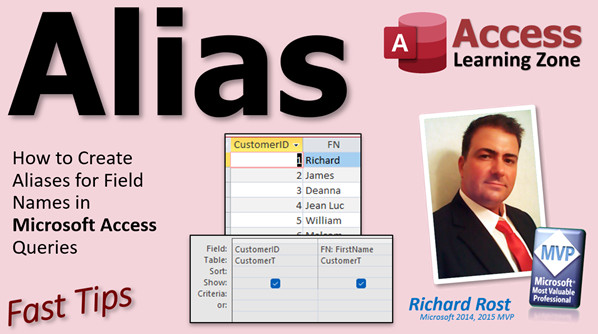
access 2016, access 2019, access 2021, access 365, microsoft access, ms access, ms access tutorial, #msaccess, #microsoftaccess, #help, #howto, #tutorial, #learn, #lesson, #training, #database, column alias in access query, alias for column name, field name alias
 Subscribe to Alias
Get notifications when this page is updated
More InformationTranscript Welcome to another Fast Tips video brought to you by AccessLearningZone.com. I am your instructor, Richard Rost.
In today's video, we're going to talk about aliases, and no, I'm not talking about the TV show. It's aliases for field names in your Microsoft Access queries.
If you've watched any of my videos in the past - well, not any, but most of my videos - this is something you've seen me do a million times. I've mentioned aliases, and I do cover them in my courses. I cover them in Access Expert 9 and 11 and a couple of different places. I'll put links down below.
An alias is basically a way to change a field name. You've seen me make calculated query fields before, and if you haven't, then definitely check out my Calculated Fields video. I'll put a link to that down below as well.
Essentially, if you create a query, let's bring in my OrderDetail table. The OrderDetail table has a quantity and a unit price. We can come over here and make a calculated value, line total, and that is going to be quantity times the unit price. Let's zoom in and take a quick look at that.
This creates a new field called line total and sets it equal to quantity times unit price. If I run that, that's what I get.
You can do the same thing with just one field if you want to. Let me close this, I don't want to save it. Bye bye.
Let's say we're making a query based on the customer table. Query Design, and I'll bring in the customer table. Let's say I've got fields in here like CustomerSince. It's nice and big and long, and I'm planning on using it in a bunch of different places. I don't want to type in CustomerSince all the time. I can come in here, zoom in, and I can just call this CS: and now everywhere in the query that will be called CS.
See that? And I can use it in other calculations, like I can say here X: CS + 1, and if I run that, you'll see I get one day after that one. See that?
Mostly, I use it to make long field names shorter. Like dateofbirth, for example, is one. I always have tables that have field names like dateofbirth, and you want to have a meaningful field name. But sometimes in your calculations and your queries, you want to shorten that up to make it easier to work with.
Here's one example: one reason is to make long field names easier to use, like SSN for Social Security Number. DOB for date of birth. You don't want to change the original field name, especially if it's a database you've been working with for years. You don't want to go through and have to change all that, but you can make an alias for it to make it easier to use in your queries.
Another reason you might want to alias is if you inherited the database from someone else and they've got field names with things like spaces in them. Like I always say, don't put spaces in your field names. You don't want to go through the entire database and change all of their work because who knows where that field name might be. So you can just make yourself a query, fix all of their field names, and then use that query moving forward.
If you fix their customer table, you can make your own customer query with all proper field names in it. Then anything else you use in the future - forms, reports, and other queries - will be built off of that query instead of their original table.
This is especially helpful if you've got a linked table. It's linked to their database that you can't change, or maybe they send you a spreadsheet that you have linked into your database and you can't change their field names there either. This is one way you can do that.
I used to get databases all the time and people would send me field names, and I'm like, what is that? What does it mean? People use meaningless field names all the time. You can use this alias method to make those field names make sense.
Seriously, I would get field names like this: p3p3qo4. Why did you do that? There is no reason for that. Use total sales instead.
Whenever I'm preparing a tutorial, I always do a quick Google search to see what everybody else has to say, and I've seen a few instructors out there say that you could reverse alias this. For example, if you want to make your column names more humanly readable in your queries, you can go this way.
For example, you've got a last name field and you want to make the last name field look nice, like "Last Name" in the column header. You could, but why? First of all, we don't want our end users working directly with our queries. That's a big no-no in my book. Your end users should only see forms and reports, never queries. So this just makes things confusing, and you can't use this query in a form or report otherwise. That's the field name, which we don't want spaces in our field names.
I don't really see a reason to do this. Use a form. Use a form header. Use a label for the user to see. There is no good reason I can think of to do this if you're following my rules. If you're not going to follow my rules, go watch the other guys.
The only exception I can think of for that rule, if you want to do this "bad" aliasing, is if you have to export your data to something like a text file or Excel and you have to meet their specifications so that they can import your data. For example, you've got to match that last name field name exactly like that. Then, sure, you can break my rules, but that's not your fault. You didn't build your database that way; you had to deal with your client.
Another use for aliasing: if you've got two tables with the same field, you've got CustomerT.Description and OrderT.Description. When you run those, they will show up as CustomerT.Description and OrderT.Description. If you don't want to deal with that, aliasing comes in handy. You could put in here something like CustomerDescription, or some abbreviation, whatever you want, and then OrderDescription. Whatever you want to look like, that's what you end up with in your query for your field names.
I went over another example of aliasing in my Multiple Joins from the Same Table video a couple of days ago. This is where you've got a customer record and the customer has got several links to different employees that you deal with. You've got a sales rep, a service technician, and an instructor, and those are all people from the employee table. When you make multiple joins, you're going to want to alias those different joins: SalesRepName, ServiceTechName, so it's not just EmployeeT.EmployeeName.
Go watch this video for more information on this one. This is probably when I use aliasing the most.
Aliasing is handy in aggregate queries. If you don't know what an aggregate query is, go watch my Aggregate Query video. See how many times in one video I can say the word "aggregate."
Let's say you've got an order table, and you bring in your order details table. Let's bring them in over here, link them up, and we want to get each order and the sum of the unit price, just to keep it simple. We bring that in like that, and we want to aggregate that all up. So we go to Totals and we change this to Sum, and we run it, and there's our sum of unit price.
We don't want it to be SumOfUnitPrice. We can very easily aggregate that right here. We just call this UnitPriceTotal, or whatever you want to call it. That's up to you, and now that field will show up as UnitPriceTotal. And yes, I know I forgot to multiply it by the quantity. That's a different story, but I'm just showing you the alias here.
You advanced users with your newfangled SQL, yes, you can use it in here too. You can use aliasing directly in here. Let's say you've got SELECT FirstName, LastName FROM CustomerT. You can alias by doing this: SELECT FirstName AS FN, LastName AS LN FROM CustomerT, and you run that and that's what it looks like now.
You can even alias the table name if you want to. This usually is when you have multiple tables involved. Let's say you've got this situation set up with CustomerT joined to OrderT. Let me go to our SQL here.
That's a bit of a mess, but what you can do is you can say SELECT this stuff FROM CustomerT INNER JOIN OrderT, and you can do this: CustomerT AS C and OrderT AS O, and then everywhere you see CustomerT, just replace that with a C and O for OrderT. It just makes your SQL smaller and easier to deal with. If you run it now, you still get the same results.
See, and these guys have been aliased. I forgot to zoom back out. Hang on. There you go, see, it actually changes them here too. That's mostly for brevity, to make your SQL statements easier to deal with. I don't do that much.
So there you go. That's aliasing, what it is, why you'd want to use it, and that's about it. I cover it in a bunch of different lessons, mostly Access Expert 9 and then my SQL Seminar series, which is really good if you want to learn SQL, by the way.
There you go. Hope you learned something. See you next time. Intro In this video, we will talk about using aliases for field names in your Microsoft Access queries. We'll cover what an alias is, how to create them for calculated fields, how they can help shorten long field names, fix inherited databases with bad or confusing field names, avoid issues with spaces, and clarify multiple similar fields from different tables. We'll also look at how to use aliases in both the query designer and SQL view, including table aliases, to make your queries easier to work with. Quiz Q1. What is an alias in a Microsoft Access query?
A. A way to rename a field or create a temporary name for use in a query
B. A password for accessing certain tables
C. A method for encrypting data within a query
D. A specific type of database index
Q2. Why might you use an alias when working with long field names like "CustomerSince"?
A. To delete the field from the table
B. To make your queries easier and quicker to write and read
C. To permanently change the field name in the table
D. To remove all data from that field
Q3. What is one advantage of using aliases with calculated fields in queries?
A. You can store the result as a new field in the table
B. You must use the full original field names in calculations
C. You can assign a short or meaningful name to the calculated column
D. You can change the underlying data type directly
Q4. If you inherit a database with poorly named fields or spaces in field names, how can aliases help?
A. By replacing the table in the database
B. By creating more confusing field names
C. By allowing you to create a query with improved field names for future use
D. By automatically fixing all field names everywhere
Q5. In which situation does Richard NOT recommend making an alias with spaces or more human-friendly names in queries?
A. When exporting data to meet a client's specification
B. When making queries for end user interaction
C. When clarifying confusing field names
D. When making forms and reports more readable
Q6. If two different tables have a field named "Description," how might aliases be useful?
A. To remove one of the Description fields from the tables
B. To force both tables to share data
C. To create unique field names in the query results, like "CustomerDescription" and "OrderDescription"
D. To merge the two tables into one
Q7. When might it be necessary to create an alias with a specific name, even if it breaks best practices?
A. When reporting the data to management
B. When exporting to a file that must match external specifications, like Excel or a text file
C. When printing the query results
D. When sharing the database with coworkers
Q8. How can aliasing simplify SQL statements involving referenced table names?
A. By removing all joins from the query
B. By allowing you to use short table aliases like C and O instead of full table names
C. By deleting unnecessary tables automatically
D. By requiring all fields to have the same alias
Q9. What is the syntax for aliasing a field name in SQL?
A. FIELDNAME = ALIAS
B. FIELDNAME AS ALIAS
C. ALIAS FROM FIELDNAME
D. FIELDNAME TO ALIAS
Q10. According to the video, where should end users view data instead of directly in queries?
A. Queries only
B. Tables only
C. Forms and reports
D. The SQL editor
Answers: 1-A; 2-B; 3-C; 4-C; 5-B; 6-C; 7-B; 8-B; 9-B; 10-C
DISCLAIMER: Quiz questions are AI generated. If you find any that are wrong, don't make sense, or aren't related to the video topic at hand, then please post a comment and let me know. Thanks. Summary Today's video from Access Learning Zone focuses on aliases in Microsoft Access queries. The term "alias" here means assigning an alternate name to a field within your queries, rather than working with the original field name. This is a feature I have demonstrated frequently in my various courses, and I cover it extensively in Access Expert 9, 11, and in other places within the curriculum.
Aliases are handy when you want to refer to a field by another name in your queries. For example, when working with calculated fields, you might create a new field that multiplies quantity by unit price and then give it a clear name like "LineTotal". This makes it obvious what the calculated value represents, and it makes your queries more readable.
You can also use aliases with single fields. Suppose you have a field called "CustomerSince" that you find yourself referencing often and you want a shorter name for convenience. By assigning it an alias like "CS", you can reuse that abbreviation throughout the query, including in other calculated fields or expressions.
Shortening long field names is a common use for aliases. For example, "DateOfBirth" can become "DOB" and "SocialSecurityNumber" can become "SSN". This avoids the need to rename the actual fields in the database, which can be risky and time-consuming, especially in long-established systems.
Aliases become especially useful when dealing with databases designed by others. You may inherit tables with awkward naming conventions, such as names containing spaces or even field names that are completely unclear or cryptic, like "p3p3qo4". Instead of trying to update every occurrence of these names or changing the database structure, simply use aliases to make things clearer in your queries. If you're working with linked tables or imported spreadsheets where you do not have rights to change the field names, this technique is invaluable.
Another benefit of aliases is when you have tables with fields that share the same name. For example, both your Customer and Order tables might have a "Description" field. Assigning aliases like "CustomerDescription" and "OrderDescription" helps you distinguish between these similar fields when building your queries.
I've discussed this technique in more depth in my tutorial on "Multiple Joins from the Same Table." That scenario involves a single table that relates to another table in several different ways, such as when a customer record links to multiple employees like a sales representative, a service technician, and an instructor. Assigning specific aliases to each join clarifies which employee serves which role in your results.
Aliases are also extremely useful in aggregate queries. When you summarize data, such as calculating the total unit price for each order, Access will generate names like "SumOfUnitPrice" by default. Giving it a customized alias, such as "UnitPriceTotal", produces clearer output and helps both you and others who review your data understand what each field represents.
For those comfortable with SQL, aliases can be applied directly in SQL statements to both field and table names. For example, you can select "FirstName AS FN" and "LastName AS LN" from your table. You can also abbreviate table names, which is particularly helpful when working with complex joins and you want to keep your code concise and manageable. While I do not use table aliases often, they can be handy for simplifying SQL statements.
Some instructors suggest making your query field names more readable (for example, changing "LastName" to "Last Name") for user-facing purposes. However, I recommend that users never interact with queries directly; they should be using forms and reports instead. Queries with modified field names can create confusion in forms and reports if you are not careful. The only valid exception to this rule is if you are exporting data to a client or partner and need to match their field name specifications exactly.
To sum up, aliases are a flexible and practical feature in Access that can streamline your development process and make your queries easier to read and maintain. I discuss this topic further in other lessons, mainly in Access Expert 9 and the SQL Seminar series, which are great resources if you want to expand your SQL knowledge.
You can find a complete video tutorial with step-by-step instructions on everything discussed here on my website at the link below. Live long and prosper, my friends. Topic List What an alias is in Microsoft Access queries
Creating a calculated field using an alias
Shortening long field names with aliases
Using aliases for fields with spaces or poor naming
Making queries with renamed fields for consistent naming
Aliasing fields from linked tables or imported data
Renaming duplicate field names from multiple tables
Aliasing joins for multiple relationships to the same table
Using aliases in aggregate queries
Applying aliases in SQL view with SELECT AS
Aliasing table names in SQL statements for brevity Primary Topics query aliases, field name aliasing, calculated fields, query design, SQL aliasing, aggregate queries, resolving naming conflicts Secondary Topics data export, inherited databases, table aliasing, none |




