| Vol
8, Num 4, Issue #99 |
November
2002 |
| |
| Q: |
The text on my screen is too small to read. I’m a senior who has a hard time reading. Is there any way I can increase the size of the words on the screen? >Beth, Amherst NY |
| |
|
| A: |
There are a couple of things you could do. First, you could try reducing your screen’s resolution. That will make everything on your screen seem bigger, but you won’t be able to fit as much stuff on your screen. The next thing you could do is actually increase the size of the text on your icons. You can do both of these in the Display section of your Control Panel. There are also some additional options for folks with handicaps, including an on-screen magnifying glass.
We show you how you can access all of these features in this
month's ComputerFAQs TV Online, or you can request document
W211012. |
|
COMPUTERFAQS TV ONLINE! |
 |
That’s right folks, now you can watch the newest issues of
ComputerFAQs (yes, we said “watch”) on the Web! Just click
on the video camera icon to the left for this month's issue of
ComputerFAQs TV Online.
If you have Windows Media Player on your computer (and you
probably do) then you’ll be able to watch this newsletter
instead of having to read it! |
|
| Q: |
I really hate it when I’m working in Windows and I have a whole bunch of windows open and I need to get to something on my Desktop. Then I have to close all of these windows or minimize them to get what I want. Is there an easier way to get to the Desktop? > Paul, via Email |
| |
|
| A: |
There certainly is. If you’re using Windows 98 or higher, look on your Quick Launch Bar. The icon that’s usually all the way to the left is the Show Desktop icon. Click on that and it will automatically minimize everything for you and bring you to your Desktop. We show you this in detail
in this month's ComputerFAQs TV Online, or you can request document
W211013. We also show you how to find the Quick Launch bar if it’s not currently running on your system. |
|
WE FIX YOUR COMPUTERS |
| ATTENTION
Western New York – if you need computer service, we’re the people to call. We have rates as low as $49 per hour. We can fix anything from a single PC that’s not working right all the way up to your network file server. If you need PC service, maintenance, or any other kind of help. Call us at
716-837-4685 or visit our web site at
www.WNYComputerService.com. You can also request document
W211014 for more information. |
| Q: |
Sometimes when I’m typing in Word, the
Overtype mode kicks in for no apparent reason. Additionally, there seems to be no way to turn it off. What’s going on here, and how do I fix it?
> Elaine, Buffalo NY |
| |
|
| A: |
Older versions of Word were notorious for throwing you into Overtype mode. You’ll see a little OVR pop up on your status bar. Now, pressing the INSert key is supposed to turn that off, but early versions of Word 97 and 2000 didn’t seem to listen to the INS key. Word XP that I’m using now seems to have fixed it. What causes it? Who knows. I usually catch myself hitting the INS key by accident, but I’ve seen it pop up just when it feels like it. For more information on this, request document
W211015. |
|
TIP: |
Be sure to press Control-S often to save your work! My personal rule of thumb is to save my work every time I stop for a sip of coffee (or whatever else I happen to have handy). Get in the habit now. You'll thank me! |
| Q: |
I would like to create an address list and sort it alphabetically as I add or delete a name. What is the best software to use?
> Mike, Buffalo NY |
| |
|
| A: |
Mike, you can do this in Word, Excel, or preferably Access. Word is a word processor, but it has a Tables feature that allows you to enter data in rows and columns that you can sort. Excel is the next best tool which is designed for small lists (a few hundred rows, maybe). My personal preference would be a database built in Microsoft Access. You can do all kinds of neat things with Access, like “show me all customers from NY with sales of $5000 or more, sorted by last name.” Access takes a little more time to set up and use properly, but it’s worth it. We’ll show you how to use all three of these programs to make a simple address list in this month’s episode of
ComputerFAQs TV Online or you can request document document
W211016 and we walk you through it. Of course, we also cover this in our classes! |
|
HOLIDAY COMPUTER SPECIAL - $999 |
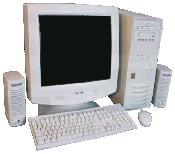
| We have a fantastic computer system special for the holidays this year. 1.8 GHz Pentium 4, 128 MB of RAM, 40 GB hard drive, DVD/CD-Burner Combo Drive, modem, keyboard, mouse, NIC, speakers, 15” monitor, Windows XP Home, color printer, 2-year warranty, and
FREE delivery to the WNY area. All of this is only $999.
CLICK HERE to for more
information, or to customize your computer quote! This machine would make a perfect system for just about anyone! And, if you need to upgrade it, we can add more memory, a bigger hard drive, or a faster processor real easily. Check out our web site for all the options, and we discuss buying computers in our
ComputerFAQs TV Online episode this month – because we know many of you like to buy PCs around the holidays.
No, it’s not just an extended commercial for us – we talk about the pro’s and con’s and what to look for no matter where you buy your PC. If you need more information, get document
W211017. |
 |
|
| Q: |
When I try to save a picture online by right-clicking it in my web browser, I’m told that I’m not allowed to save the picture. Or, sometimes I get a useless ART file which I can’t edit. Is there any way I can get the picture in a useable BMP, JPG, or GIF format?
> Alan, via Email |
| |
|
| A: |
Alan, the best way to go about capturing images off the Web is to perform a screen capture. You can do this by hitting the
PrintScreen key on your keyboard. This will copy the image on your screen to your clipboard, and then you can paste it into Paint or you favorite graphics application. There is also a great little utility available online called Hypersnap which is designed for capturing anything off your screen. For details, check out document
W211018, or watch ComputerFAQs TV Online. We show you how to do it. |
|
TIP: |
Don't use a
power strip to turn your computer or peripherals on or off. You can actually damage your hardware - especially inket printers - this way. |
| Q: |
A friend of mine saved data on a floppy disk. The disk got stuck in her drive, and when she pulled it out, the metal door popped off. Is there any way we can get the data off the disk?
> Donna, Buffalo NY |
| |
|
| A: |
You should still be able to stick the disk in the drive and read it just fine. That door isn’t really even needed.
It's just used to protect the soft, "floppy" disk inside the
plastic case. You could actually completely remove the door
and the floppy would operate perfectly fine - but it's not
recommended. |
| |
|
COMPUTER TRAINING |
| We have just recently released our new Winter 2003 training schedule. We have classes available in Windows, Word, Excel, Access, PowerPoint, QuickBooks, and more! We now have a NEW pricing format: $99 for one student. $59 for two or more students. If you have a group of 4 or more, we’ll schedule a class at your convenience.
CLICK HERE
for details or get document
W211019. |
|
LEARN ONLINE |
| We
also offer LIVE online seminars as well as CD-ROM lessons that are
only $5.99 each! You can log on and learn right in your Web
browser, or put a CD in your computer and watch our training
videos at your own pace. For details,
CLICK HERE
or get document
W211020. |
|
MOVE YOUR WEB SITE |
| We
are starting to aggressively go after new clients for Web hosting.
That’s right: we want your Web site on our server, and we’re
willing to give you a GREAT discount on hosting, development, and
other services. Let’s put it this way: if you’re paying more than
$9.95 a month for your web site hosting, give us a call, or
CLICK HERE.
We have great hosting packages, email, shopping carts, chat rooms,
online customer databases, secure online ordering, and much more!
Did I mention we want your web site? Get document
W211021. |
|
HEY, AOL USERS! |
| Why
do you continue to spend over $20 a month when you could have
local dialup Internet service for just $9.95 a month?
CLICK HERE for details or get document
W211022.. We can have you online in a matter of hours! |
|
POPUP KILLER |
| We’ve just released a new version of our very popular Popup Killer software. It’s available on the web for download.
CLICK HERE for
details or get document
W211023. |
|
NEED HELP? |
|
Need help with Microsoft Excel, Access, Visual Basic, or just
about any Microsoft program? Our experts are available by phone
to assist you when you need help. An expert with Access, Excel,
Visual Basic, FrontPage, or just about any other Microsoft
application, our President, Richard is even available to assist
you in your time of need. We can even connect directly in to your
computer over the Internet to view your screen and help you.
Request document
W211031 for details. |
|
UPDATE YOUR WEB WITHOUT HTML |
| Have you ever wanted to be able to update your Web site without having to pay a Web designer, or learn HTML? Now, you can have someone on your staff update your Web site without any knowledge of Web design whatsoever. You can update your current events listing, a general notepad list, your email database, membership listing, and even a company store complete with shopping cart. For details, request document
W211032. |
|
ADVERTISE HERE |
|
Advertise your business in ComputerFAQs and reach over 300,000
readers worldwide by Email, plus 30,000 businesses in the WNY
region in our Fax edition. Request document
W211024 for more
information and pricing. |
|
FAX BROADCAST IN YOUR AREA |
| We
are looking for representatives to broadcast ComputerFAQs by fax
in different areas around the country. We currently broadcast to
the Buffalo NY area, but we are expanding into markets nationwide.
All you need is a computer and a phone line. We'll send you the
software you need, and the fax numbers to get started. You can
sell ad space to businesses in your area, or use ours and
earn a commission. For more information, request document
W211030. |
|
|
REQUEST DOCUMENTS |
| To request a document, we recommend you use our Web site. Just CLICK HERE, enter your Email address, and the document will be sent to you immediately. You can also request a document by sending an Email to [email protected], by Faxing to 716-833-6724, or by calling us at 716-837-4685. |
|
ComputerFAQs is copyright 1994-2002 by Amicron Computing, all rights reserved. Our mailing address is PO Box 1308, Amherst NY 14226. We never sell our database of fax numbers or email addresses to any third parties. If we have reached your fax number
or email address in error, please let us know and we will remove you from our database promptly. |
| | |
ComputerFAQs |
Tips & Tricks |
Mailing List |
Documents |
Ask a Question |
Advertising

|




