|
||||||
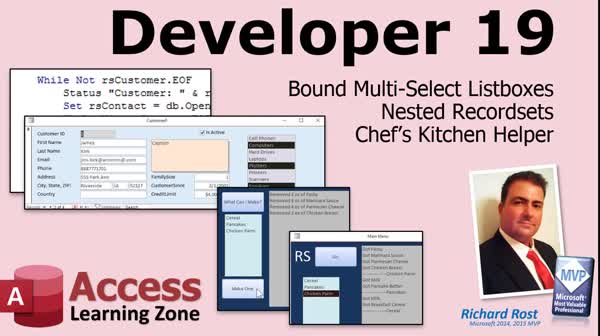
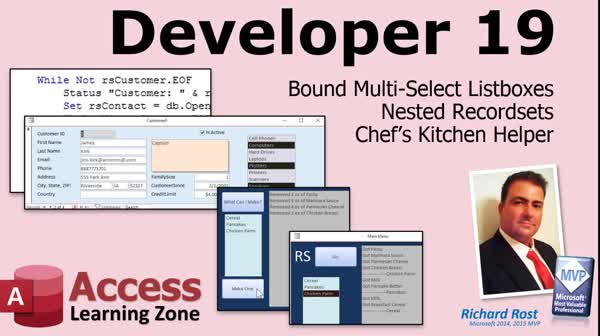
Access Developer 19Bound Multi-Select, Nested Recordsets, InventoryWelcome to Access Developer 19. In this course, you will learn how to work with bound multi-select list boxes, handle nested recordsets, and build a Chef's Kitchen Helper project to determine which recipes you can make based on available ingredients. We will cover recordset basics, demonstrate reading and writing selections between forms and tables, and show how to manage multiple recordsets at once. Throughout the lessons, you will see how to use both queries and recordsets for recipe management, progressing from simple techniques to more advanced approaches. Lessons
Database FilesResources
Lesson SummaryWelcome! Bound Multi-Select Lists & Nested Data - Welcome to Microsoft Access Developer Level 19. In this course we will discuss working with bound multi-select list boxes, handling nested record sets, and building a Chef's Kitchen Helper project to determine which recipes can be made based on available ingredients. After covering record set basics, we will walk through reading and writing selections between forms and tables, working with multiple record sets at once, and progressing from simple to advanced approaches for recipe management using both queries and record sets. Prior experience with topics from Developer Levels 1 and 13 through 18 is recommended before starting this course.
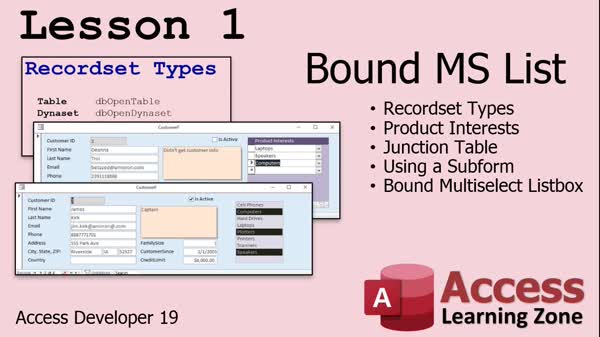
Lesson 1: Multi-Select Listbox: Save Multiple Values - In Lesson 1, we start with some theory on the different types of record sets in Access, including Table, Dynaset, Snapshot, and Forward Only, discussing their uses and performance considerations. We will then move on to setting up what I call a bound multi-select list box, which allows you to display and select multiple product interests for each customer, even though the list box itself is not truly bound to a table field. I will show you how to create the necessary tables, set up the relationships, and begin writing the code to load selected items based on each customer's interests.
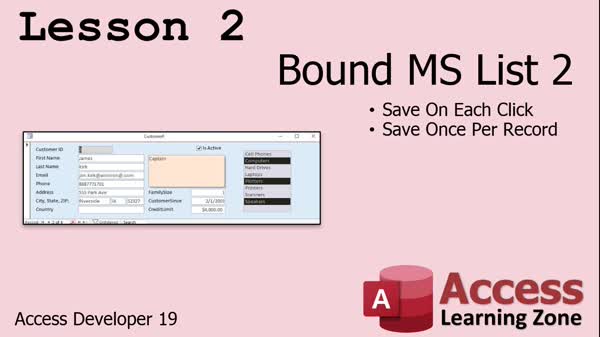
Lesson 2: Auto-Save Multi-Select Choices - In Lesson 2, we will continue building our bound multi-select listbox by adding the functionality to save the selected items to the table whenever changes are made. I will show you how to handle this using the After Update event, demonstrate how to delete previous records and add new ones for a customer, and discuss an alternative method to save changes only when moving off a record using the Dirty property. We will address some issues with the Dirty property and explore solutions for optimizing performance with larger datasets.
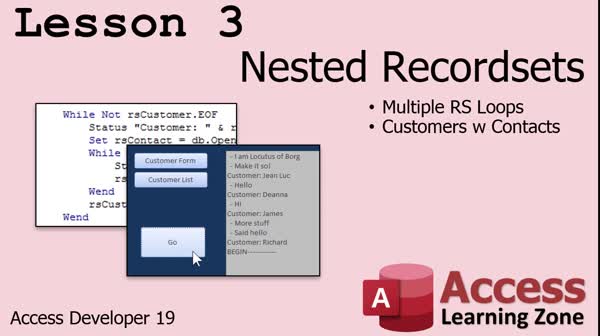
Lesson 3: Nested Recordsets with Loops - In Lesson 3, we will walk through how to create nested recordsets in Access, demonstrating how to loop through a list of customers and then, within each customer, loop through and display their related contacts using two separate recordsets. We will discuss creating a contacts table, adding sample data, and building a simple interface with a status box to show results. I will show you how to open and manage multiple recordsets within VBA, handle their cleanup, and explain key considerations such as using dbOpenSnapshot and managing AutoNumbers. We will also briefly mention upcoming lessons about recipes and inventory control.
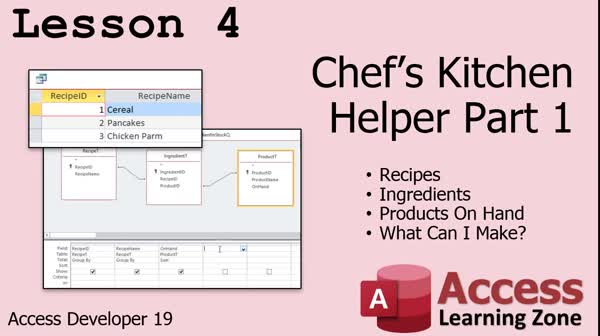
Lesson 4: Track Recipes & Ingredients Inventory - In this lesson, we will walk through building the Chef's Kitchen Helper by creating an Access database to manage recipes and pantry inventory. I will show you how to set up tables for products, recipes, and ingredients, establish relationships, and use aggregate queries to determine which recipes you can make based on the ingredients you have on hand. We will discuss how to calculate and compare ingredient availability using queries but will leave working with exact quantities for a future lesson. This lesson provides the foundation for more advanced features in upcoming parts of the series.
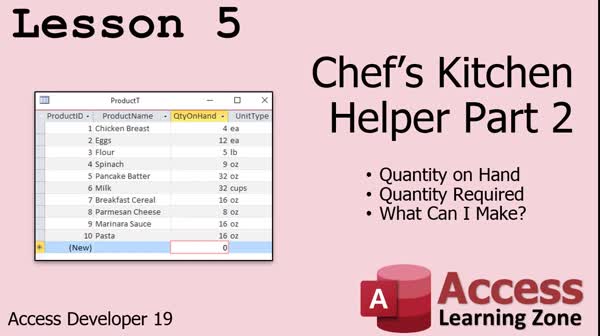
Lesson 5: Track Ingredients & Recipe Stock - In Lesson 5, we continue working on Chef's Kitchen Helper by updating our product and ingredient tables to track quantities and units consistently, entering sample data, and building queries to determine if we have enough ingredients for each recipe. I will show you how to compare inventory against recipe requirements, use calculated fields for availability, and set up additional queries to summarize which dishes can be made with current stock. There is also discussion about unit conversions and possible future lessons, but the main focus is practical steps to manage your product and recipe data in Chef's Kitchen Helper.
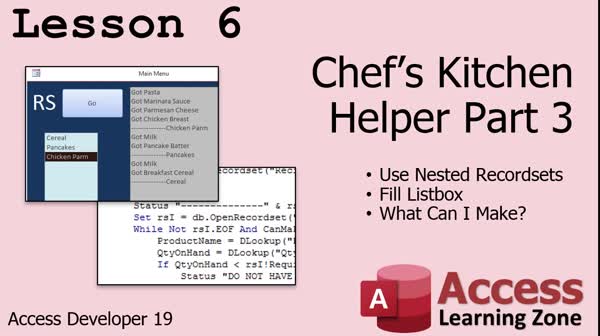
Lesson 6: Dynamic Recipe Finder, Nested Recordsets - In Lesson 6, we take the Chef's Kitchen Helper project and switch it to use nested record sets instead of queries, which allows for more flexibility and step-by-step logical control in Access VBA. I will show you how to loop through recipes and their ingredient requirements, check inventory using DLookup, and use a list box to display only the meals that can be made based on current stock levels. We will also discuss the pros and cons of using record sets versus queries, and how to efficiently update your code for this method.
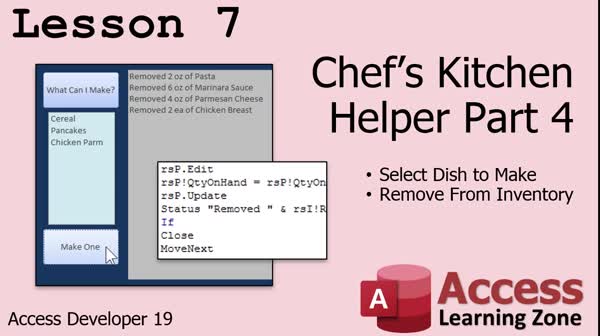
Lesson 7: Update Inventory After Recipe - In Lesson 7, we will continue building the Chef's Kitchen Helper by selecting a dish to make based on available inventory, and then using recordsets to deduct the necessary ingredient amounts from inventory. I will walk through setting up the Make One button, handling ingredient and product tables, preventing negative inventory, providing user feedback, and organizing the process into subroutines. We will discuss error checking for missing products and touch on enhancements like making multiple dishes and converting measurement units, which could be covered in future lessons.
Lesson 8: Review, Survey & Next Steps - In this course we learned how to work through Access Developer Level 19, and in this review and what's next lesson, we discuss upcoming plans for Level 20, other available resources like the TechHelp video series, how to get additional help or consulting, participating in the Access Forum, and the importance of providing course feedback through surveys.
NavigationKeywordsbound multi-select listbox, nested recordsets, save listbox selections, After Update event, dirty property, inventory management, recipe finder, ingredient tracking, aggregate queries, inventory deduction, DLookup, kitchen helper project
More InformationTranscriptWelcome to Microsoft Access Developer Level 19, brought to you by AccessLearningZone.com. I am your instructor, Richard Rost. Today's class covers three main topics. First, we are going to do bound multi-select list boxes. Then we are going to do nested record sets, one inside the other. Finally, we will work on a fun project: the Chef's Kitchen Helper. Lesson 1 is about bound multi-select list boxes. Now, they are not technically bound to the table, but I call them bound because they will have the same effect. Let's say you have a customer for whom you are tracking interests, such as laptops, computers, hard drives, and all that stuff. Normally, you would set this up with a form and a subform, but in a subform, you really cannot see the entire list of options and then pick them. You can see here in the example. Here, I did it with a subform first. You could drop this down and pick laptops, drop this down and pick speakers. This is what we are going to build in class. It is a whole lot easier to use. You can see all the options at a glance. So, it is not technically bound to the customer table, but we are going to set it up so it looks like it is. We will use a record set to read in the values. Then, after the user makes their changes, we will use a record set to write them back out to the related table. Lesson 2 continues on with that. Lesson 3 is going to cover nested record sets. This involves having a record set inside of a record set, and you are going to loop between them. The sample that we will do in class is working with customers and their contact messages. We will loop through all of our customers and then display all the contacts for each customer. That is how I am going to teach you how to do multiple nested record sets. Now, in lessons 4 through 7, we are going to do a project called the Chef's Kitchen Helper. Here is how it works. You have a list of recipes: pancakes, chicken parm, whatever. You have ingredients for those recipes. For example, chicken parm might include chicken breasts, marinara sauce, parmesan cheese, and so on. Then, we will have another table that has all of the ingredients that I have in my pantry. We want to be able to generate a query that will say, based on the ingredients you have, these are the dishes you can make. We will start that in lesson 4. Lesson 5 takes the Kitchen Helper a little bit further. In lesson 4, we just said yes or no: I have this ingredient. In lesson 5, we are going to make the query say, I have this much of it. I have this quantity on hand. I need this much to make this dish. What can I still make? In lesson 6, we are going to take everything that we did in lesson 5 - delete it - just kidding! We are going to take the queries that we built and, instead of using queries, we are going to do this with record sets, which is what we are learning in class. So, we are going to use record sets. I think record sets are easier to program. I think they are a lot easier to build than making complex queries. We are going to use the nested record set concepts that we learned in lesson 3 and make nested record sets to do our "What can I make?" project. Then, we will fill a list box with the available meals. Why? Because we are going to use it in lesson 7. In lesson 7, we are going to say, here is a list of all the meals that I can make. Now pick one, click "Make One," and it will remove that information. Use those products, those components, and take that inventory from your pantry. You make one chicken parm, and it removes the pasta, marinara sauce, parmesan cheese, chicken breast, etc. These techniques, by the way, work whether you are selling food in a kitchen or whether you are selling computers. If you have a product that is made of components, this method will work. I am using Microsoft 365, and it is currently 2020, which is roughly equivalent to the Access 2019 retail version. The material I am covering in this class should work all the way back as far as I can think, at least 2007. If you are using a version that old, you might want to consider upgrading. If you are going to take this course, you definitely should have taken my Beginner series, Expert 1 and 2 at a minimum, Developer 1 for some VB basics, Developer 13 on for the concepts I am covering now, and of course Developer 16, 17, and 18 to learn about record sets. If you have not taken those classes, you might be lost in today's class. I am not going to go over the record set basics. Do not forget, if you have any questions about the material covered in today's class, you can post them in the forum. There is a form right down below on the lessons page. You can post all your questions related to this class right there. Time to sit back, relax, and enjoy lesson one. IntroIn lesson 19 of Microsoft Access Developer, we will learn how to create bound multi-select list boxes, work with nested record sets, and build a Chef's Kitchen Helper project. You'll see how to emulate a bound list box for tracking items like customer interests, set up nested record sets to process related data (such as customers and their messages), and construct a recipe manager that checks which meals can be made from available ingredients. This lesson demonstrates using record sets for tasks usually handled with queries or subforms and puts these techniques into practical use with a real-world project. QuizQ1. What is the primary purpose of using a multi-select list box as described in Lesson 1? A. To allow users to select multiple related options and store them in a related table B. To display a single value from a table C. To create a form that only allows one selection at a time D. To show related data without writing any changes Q2. How does the bound multi-select list box approach differ from using a subform for selecting customer interests? A. It shows all possible options at a glance for easier selection B. It only lets you pick one option per customer C. It directly updates the main customer table fields D. It prevents users from modifying the interests Q3. What is a nested record set as described in Lesson 3? A. A record set inside another record set, looping through related data B. A single table displayed in subdatasheet view C. A multi-layered database relationship in the relationships window D. A macro that calls another macro Q4. The Chef's Kitchen Helper project helps you determine: A. Which recipes you can make based on ingredients in your pantry B. The nutritional content of each recipe C. How to calculate customer discounts D. How to generate invoices for food sold Q5. In the later lessons on the Kitchen Helper, what is the purpose of tracking quantities of ingredients? A. To allow the program to check if you have enough of each ingredient for a recipe B. To remove ingredients from the recipe list C. To export data to Excel D. To create shopping lists only Q6. Why does the instructor advocate using record sets over complex queries in some scenarios? A. Record sets are often easier to program and more flexible B. Queries do not work with list boxes C. Record sets are required to use Access on a network D. Queries will not show related data at all Q7. What happens in the Chef's Kitchen Helper when you pick a meal to "Make One"? A. The quantities of all required ingredients are reduced in your pantry B. The meal is added to your favorites list C. A cooking wizard is launched D. All recipes are reset Q8. Besides food-related applications, the techniques taught for product component tracking can be used for: A. Assembling computers or any product made from components B. Writing reports only C. Calendar management D. Encrypting sensitive data Q9. For which versions of Access is this course's material expected to work? A. From at least Access 2007 through Microsoft 365 (Access 2019 equivalent) B. Only Access 2020 and later C. Access 95 only D. Web-based Access apps only Q10. What prior courses does the instructor recommend before starting this class? A. Beginner, Expert 1 and 2, Developer 1, 13, 16, 17, and 18 B. Only Microsoft Excel tutorials C. Any course on SQL Server D. None are necessary Answers: 1-A; 2-A; 3-A; 4-A; 5-A; 6-A; 7-A; 8-A; 9-A; 10-A DISCLAIMER: Quiz questions are AI generated. If you find any that are wrong, don't make sense, or aren't related to the video topic at hand, then please post a comment and let me know. Thanks. SummaryToday's video from Access Learning Zone focuses on Microsoft Access Developer Level 19. I am your instructor, Richard Rost, and in today's class, you will be learning about some dynamic ways to manage data, especially using multi-select list boxes, advanced record set processing, and a practical project that puts all of these skills together. The first segment covers what I like to call bound multi-select list boxes. While these list boxes do not directly bind to a table in the traditional sense, we set them up to achieve the same effect. Imagine you have a customer and you want to keep track of their interests, like laptops, computers, and hard drives. Normally, you might use a form and a subform, where you have to pick each interest one at a time, and the choices are not all visible at once. With the approach we use here, you can present the user with a full list of possible interests, and they can easily select multiple items at a glance. Behind the scenes, I demonstrate how to read the existing selections into the list box using a record set and, when the user is done, update the related table by writing those changes back out using another record set. This gives the appearance and functionality of a bound control but with greater flexibility. The second lesson continues with those concepts, reinforcing and building upon the skills introduced in the first part. Moving on to the third lesson, I teach you about nested record sets. This involves working with a record set within another record set and using loops to process the data. For our example, we explore how to step through a list of customers, then for each customer, process all of their contact messages. This illustrates how nested record sets allow you to handle more complex data relationships and access related information with ease. Lessons four through seven introduce a comprehensive project called the Chef's Kitchen Helper. This application begins with a list of recipes, such as pancakes and chicken parmesan. Each recipe is connected to its individual ingredients. We also have a table to keep track of the various ingredients in your own kitchen pantry. The goal of this project is to build a query that will determine, based on what you already have in stock, which recipes you can actually prepare. In lesson four, you see how to generate a simple yes-or-no query that checks if you have the necessary ingredients for a certain dish. Lesson five takes this idea further by accounting for quantities. Now it's not just about whether you have an ingredient, but also how much you have versus how much is needed for each recipe. The system will let you know which dishes are possible with your current stock. Lesson six transitions all of this logic from queries over to record sets. Rather than using complex queries, you'll learn to process everything through programming with record sets. I find this method easier to code and maintain, especially for more complex scenarios. You will apply the nested record set principles from earlier in the course to identify what meals you can make right now, and then present this information to the user in a list box. This sets us up for lesson seven. Here, users can select a meal from the available options, choose to "make" it, and the system will automatically update inventory levels by deducting the required ingredients from your pantry. This demonstrates an inventory management technique that is just as valuable for kitchens as it is for other businesses, such as those selling assembled products like computers. The approach is adaptable to any situation where finished items are made from component parts. For today's lessons, I am working with Microsoft 365 from the year 2020, which is nearly identical to Access 2019. All of the techniques should work even in versions as far back as Access 2007. If you are using something that old, however, you might want to consider an upgrade. To get the most out of this course, you should already be familiar with the material from my Beginner series, Expert Levels 1 and 2, Developer 1 for VBA basics, and Developer Levels 13, 16, 17, and 18, which cover essential record set concepts. If you have not completed these courses, you may have trouble following along, as I will not be covering the foundational record set material again here. If any questions arise as you are going through the lessons, please use the forum provided on the lessons page to post your inquiries. I encourage everyone to participate and make use of these resources. Now it is time to get comfortable and enjoy the first lesson. You can find a complete video tutorial with step-by-step instructions on everything discussed here on my website at the link below. Live long and prosper, my friends. Topic ListCreating bound multi-select list boxes Reading multi-select list box values with record sets Writing selected values back to related tables Using nested record sets in Access VBA Looping through customers and their contact messages Building a Chef's Kitchen Helper project Setting up recipe, ingredient, and pantry tables Querying dishes based on available ingredients Calculating ingredient quantities for recipes Determining which recipes can be made with inventory Replacing queries with record set logic for recipe matching Displaying available dishes in a list box Deducting ingredient inventory upon recipe selection Automating inventory updates when making a dish Primary Topics
multi-select list boxes, record sets, nested record sets, Access forms, data writing and reading, inventory tracking, recipe/ingredient relationships, query building Secondary Topics
Access version compatibility, course prerequisites, programming vs query design |
||||||||||||||||||||||||||||||||||||||||||||||||||||||||||||||||||||||||||
|
| |||
| Keywords: bound multi-select listbox, nested recordsets, save listbox selections, After Update event, dirty property, inventory management, recipe finder, ingredient tracking, aggregate queries, inventory deduction, DLookup, kitchen helper project PermaLink How To Build Bound Multi-Select Listboxes, Nested Recordsets, and Chef's Kitchen Helper in Microsoft Access |