|
||||||

|
|
||||||
|
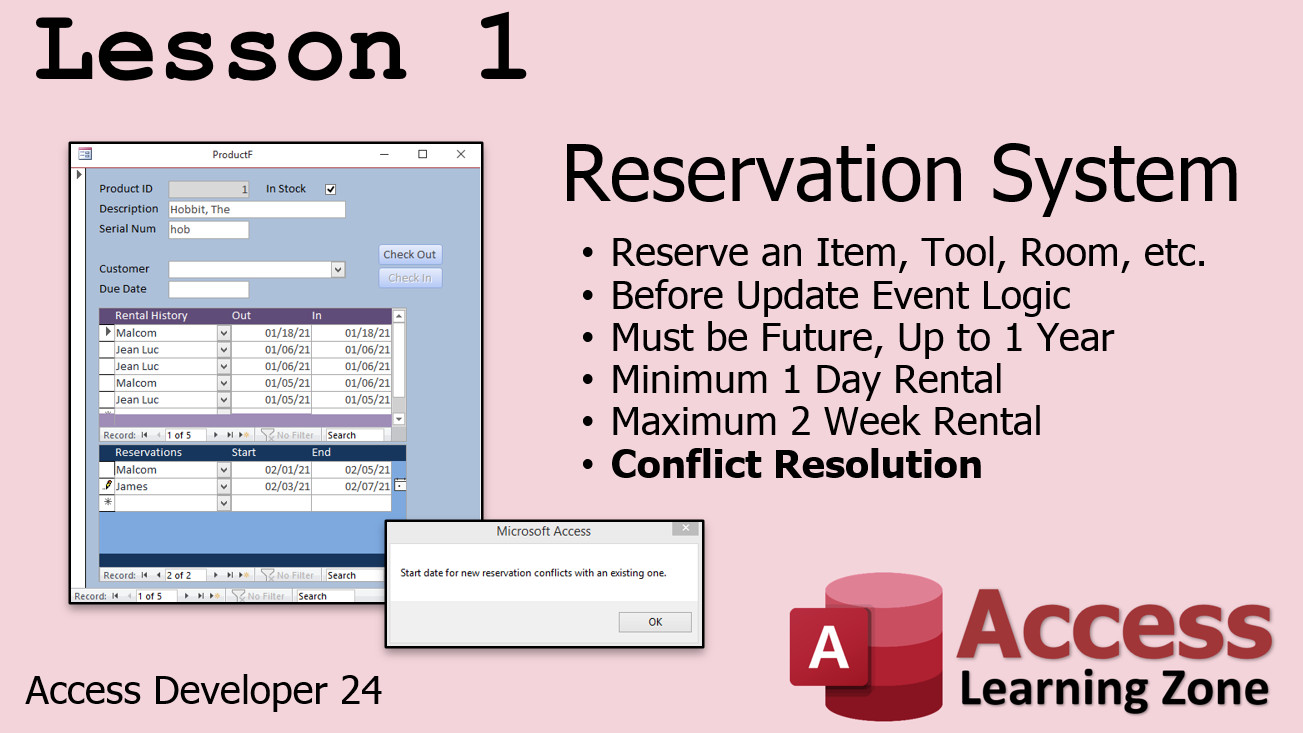
Access Developer 24Reservation System, Copy Record with Children WelcomeDeveloper 24 continues our study of Recordsets. We will build a reservation system that you can use to reserve an item, hotel room, etc. and it will handle conflict resolution (no two reservations on the same dates). Then we will learn the right way and the wrong way to copy a record along with it's dependent child records, for example an order and all of its detail items. ResourcesTopics CoveredIn Lesson 1, we will go back to the Rental History database that we build in Developer 23 and add a future reservation system to it. We'll be able to reserve an item (or tool, room, car, whatever) for a particular customer between two dates. We'll set some arbitrary rules for our fictitious company, such as the reservation must be in the future, but no more than 1 year in the future. It must be a minimum 1 day, but maximum 2 week rental. Finally, we'll check for conflict resolution so that two reservations don't overlap. This is the hard part!
In Lesson 2, we learn the wrong way to copy and paste a record along with its dependent child records, for example an order and its detail items. I show you the wrong way to give you a better appreciation for the right way which is coming in Lesson 3, but there are still some good topics covered in this lesson, for example how to delete a record and automatically delete the child records without using Cascade Deletes, which you lose in linked tables (no Referential Integrity).
In Lesson 3, we learn the right way to do the same thing we did in Lesson 2. We'll create a couple of recordsets to copy the order info and the detail items. We'll learn how to loop through the Fields Collection of a recordset so we don't have to manually copy each field at a time. This will "future proof" our code. If we add fields to the tables in the future, we don't have to worry about updating our code!
Enroll TodayEnroll now so that you can watch these lessons, learn with us, post questions, and more.
Questions?Please feel free to post your questions or comments below. If you are not sure as to whether or not this product will meet your needs, I'd rather help you before you buy it. Remember, all sales are final. Thank you.
More InformationTranscriptWelcome to Microsoft Access Developer Level 24 brought to you by AccessLearningZone.com. I am your instructor, Richard Rost. In today's class, we're going to build a reservation system, and we're going to learn how to copy an order along with its details to a new order. This class follows Access Developer 23. It is strongly recommended that you take that class before this one, as well as all the classes before it in the Developer, Advanced, Expert, and Beginner Series. I will be using Access 365. I strongly recommend its subscription. You have always got the latest and greatest version of Access. Access 2019 is the most recent version of the retail edition. The lessons in this class should work all the way back to about Access 2007 or so. Not much has changed. If you have any questions about the material covered in today's class, just scroll down to the bottom of the page that you are on and post them right there. Also, make sure to take a look through any of the other questions that have been posted because your question might have already been answered. And, of course, make sure you click that big red subscribe button and you will get notified anytime a question is posted about this class. If you have any Access questions not related to this class, go ahead and post them in the forum. Let's take a closer look at exactly what is covered in today's class. In lesson one, we're going to build a reservation system. We are going to go back to the rental database that we built in Developer 23 and we are going to add reservations to it. We will put in some logic for our fictitious business, some rules. For example, it has to be a future reservation, but no more than one year in the future. It has to be a minimum one day rental, but a maximum two week rental. And then the hard part, conflict resolution, making sure this new reservation does not conflict with someone else's existing reservation. That is the top part and we will cover that in this lesson. In lesson two, we are going to learn how to copy an order with its details. We know how to make a copy of a simple record, even with a record set. However, when you copy a record, you also have to make sure to copy the detail items, the child records. I am going to show you the messy way to do this in this lesson using go to control, go to record, run command, copy and paste, and a bunch of other stuff. I will also show you how to delete the child records if you delete an order. Then we will learn how to find orphans in case you forget to do that. In lesson three, we are going to copy the order and the order details the right way, the proper way, using a record set. We are going to loop through the fields in the record set. This is the first time we are learning how to do this. This way, we do not have to say copy order date, copy order ID, copy product description, all that stuff. We will just loop through them in a for each loop. This will future proof the copy because if we add new fields later to either of these tables, we will not have to update the code. That is going to be in lesson three. IntroIn lesson 24 of the Microsoft Access Developer series, we will build a reservation system for a rental database, add business rules and logic for reservations, and handle conflict resolution to prevent overlapping bookings. I will show you how to copy an order along with its detail records, first using a basic approach and then the proper method with record sets and loops to make the code flexible for future changes. QuizQ1. What is the main topic covered in Microsoft Access Developer Level 24? A. Creating a sales invoice system B. Building a reservation system and copying orders with their details C. Designing a payroll database D. Setting up user-level security Q2. Which previous class is it strongly recommended to take before starting this course? A. Access Beginner 1 B. Access Developer 23 C. Access Advanced 10 D. Access Expert 5 Q3. Why does the instructor recommend using Access 365? A. It is free to download B. It is open source C. It always provides the latest version of Access D. It is compatible only with Windows XP Q4. What rule is enforced in the reservation system regarding the reservation date? A. The reservation must be in the past B. The reservation can be any date without restrictions C. The reservation must be in the future but no more than one year ahead D. The reservation must be within the current month only Q5. What is the minimum and maximum rental duration for the reservation system described in this class? A. No minimum, no maximum B. Maximum one week, minimum one hour C. Minimum one day, maximum two weeks D. Minimum one week, maximum one month Q6. What does conflict resolution in the reservation system ensure? A. That every customer gets a discount B. That new reservations do not overlap with existing ones C. That the rental price is updated D. That the system runs faster Q7. In lesson two, what is emphasized about copying an order? A. Only the main order record is copied B. Only customer data is copied C. It is important to also copy the order's detail or child records D. No copying is necessary Q8. What is described as the "messy way" to copy an order with its details? A. Using only record sets B. Exporting to Excel and importing again C. Using go to control, go to record, run command, copy and paste, and other commands D. Writing a single SQL update Q9. What method is suggested in lesson three as the "right way" to copy order records and their details? A. Manual database entry B. Printing records as PDF C. Using a record set and looping through its fields with a For Each loop D. Using macros exclusively Q10. Why does looping through fields in a For Each loop help future-proof the order copy process? A. It eliminates the need for tables B. It allows new fields to be automatically included without changing the code C. It copies only the primary key D. It disables user interaction Answers: 1-B; 2-B; 3-C; 4-C; 5-C; 6-B; 7-C; 8-C; 9-C; 10-B DISCLAIMER: Quiz questions are AI generated. If you find any that are wrong, don't make sense, or aren't related to the video topic at hand, then please post a comment and let me know. Thanks. SummaryToday's video from Access Learning Zone focuses on Microsoft Access Developer Level 24. In this class, I will show you how to build a reservation system and teach you how to duplicate an order along with all its related detail records to create a new order entry. This lesson builds on concepts covered in Access Developer 23. I strongly encourage you to complete not only that class but all of the previous courses from the Developer, Advanced, Expert, and Beginner series before beginning this one. We will be using Access 365 in this class, which I recommend because it is always up to date. The most recent retail version is Access 2019, and these lessons should also work with earlier versions going back to Access 2007, since the core functionality has not changed much. If you have any questions about this material, you can post them at the bottom of the course page. Be sure to browse through previously asked questions, since your issue may already have an answer there. For notifications about new questions and responses, remember to subscribe. If you have general Access questions that are not specific to this class, please use the forum instead. Let's review what we will cover in this class. In our first lesson, we will build a reservation system based on the rental database we constructed in Developer 23. We will introduce logic and business rules tailored for our fictitious company. For example, only future reservations will be allowed, with a maximum window of one year ahead. Rentals must be at least one day and cannot exceed two weeks. We will also tackle the critical task of conflict resolution, which means making sure new reservations do not overlap with any existing ones. Managing these rules forms the first part of today's session. Lesson two will focus on how to copy an order and its associated details. While copying a single record is straightforward, orders typically have related child records that also need to be copied. I will start by demonstrating a basic approach that uses built-in navigation and command functions, such as those for going to controls and records, copying, pasting, and deleting child records when an order is deleted. We will also look at how to identify orphan records that might be left behind if child records are not properly deleted. In lesson three, we will tackle the process of duplicating orders and their details using record sets. Here, instead of individually copying each field, I will show you how to loop through all of the fields in a record set using a for each loop. This approach is much more efficient and robust, making your solution future proof. If you add new fields to either table in the future, you will not need to adjust your code for this copying process. For a complete step-by-step walkthrough of everything I have described here, be sure to check out the video tutorial on my website at the link below. Live long and prosper, my friends. Topic ListBuilding a reservation system in Access Adding reservations to the rental database Implementing business rules for reservations Validating reservation dates and durations Conflict resolution for overlapping reservations Copying an order with its detail records (messy way) Using controls and commands for copying records Deleting child records when deleting orders Finding orphan child records Copying orders and details using recordsets Looping through fields in a recordset Automating field copying with For Each loops Future-proofing copy procedures for new fields Primary Topicsreservation system, business rules enforcement, conflict resolution, order duplication, child record management, Access recordsets, VBA looping Secondary Topicsdeleting child records, orphan record detection |
||
|
| |||
| Keywords: access developer 24 duplicate records copy record with subform copy related copy child records copy details copy order details ReservationSystem ReserveItem BeforeUpdateEvent FutureDateValidation MinMaxRental ConflictResolution CopyOrder CopyRecordWithChi Page Tag: whatsnew PermaLink Microsoft Access Developer 24 |