Many-to-Many
By Richard Rost

 5 years ago
Many-to-Many Relationships in Microsoft Access
Learn how to create a many-to-many relationship in Microsoft Access. This is useful to track relationships between multiple records on BOTH sides of the relationships. For example: students to classes. Each student can be enrolled in multiple classes, and each class can contain multiple students. I'll show you how to set up a Junction Table to track these relationships.
Lucas in Anchorage, Alaska (a Platinum Member) asks: "I need to track employee training, when they took the certification test, and when their certification expires. I need a list of which employees have certifications expiring soon so that I can send them for retesting. I'm having trouble matching up the employee to the certification. Can you help?"
Members
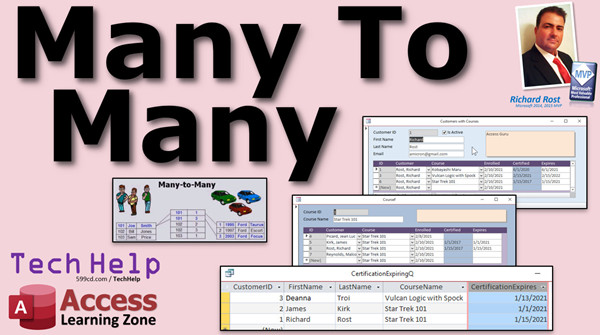
I'll show you how to build the forms necessary to make working with these relationships easy. We'll go both ways: we'll build a customer form that will show all of their courses in a subform, and then a course subform that will show all of the enrolled customers in the subform. We'll make a double-click event to update the course date, and then an After Update event to set the expiration date equal to a year in the future. Then we'll make a query showing all of the customers who have certifications that are expired or are expiring in the next 30 days.
Silver Members and up get access to view Extended Cut videos, when available. Gold Members can download the files from class plus get access to the Code Vault. If you're not a member, Join Today!
 Links Links
Relationships: https://599cd.com/Relationship
After Update: https://599cd.com/AfterUpdate
Dlookup: https://599cd.com/Dlookup
Access Expert 7: https://599cd.com/ACX7
Relationship Seminar: https://599cd.com/RelationshipSeminar
AccessDev.NET: http://AccessDev.NET
Theory: https://en.wikipedia.org/wiki/Many-to-many_(data_model)
Keywords
#msaccess, Microsoft Access, teacher, training, certifications, tracking, many-to-many, many to many, courses, junction table, class enrollments, books to authors, students to classes, employees to certifications, products to manufacturers, songs to artists
 Subscribe to Many-to-Many
Get notifications when this page is updated
More InformationTranscript Welcome to another TechHelp video brought to you by AccessLearningZone.com. My name is Richard Rost, your instructor.
In today's video, I'm going to show you how to use many-to-many relationships in Microsoft Access. Many-to-many relationships are useful whenever you've got a bunch of stuff on the left and a bunch of stuff on the right and you need to relate them together. Employees to certifications, for example. Many employees to many certifications. Each employee can have multiple certifications and each certification can be taken by multiple employees.
Students to classes, for example. Each student can be enrolled in multiple classes, and each class can have multiple students. I'll show you how to set up a junction table to create that many-to-many relationship.
Today's question comes from Lucas in Anchorage, Alaska, one of my platinum members. Lucas says, "I need to track employee training, when they took the certification test, and when their certification expires. I need a list of which employees have certifications expiring soon so that I can send them for retesting. I'm having trouble matching up the employee to the certification, can you help?"
Of course, Lucas. In order to do this and do it properly, you have to know how to do something called many-to-many relationships. Let me explain.
First of all, if you're not familiar with one-to-many relationships, that's the basic relationship type in Access. Go watch this video, my relationships video, and get a good understanding of how one-to-many relationships work. Pause this video if you have to and come back to it later, but definitely make sure you watch that video first.
A one-to-many relationship is the relationship that most people are familiar with, such as customers to orders. One customer places multiple orders. Manufacturer to products. For example, Ford is the only one that makes the Taurus and they make multiple different types of cars, but they all come from one manufacturer. Supervisor to employees. Drivers to vehicles.
One of the examples I like to use in my full class is customer to vehicles. Joe Smith here owns three different cars: a Taurus, a Focus, and an Escort. That's a one-to-many relationship: one owner to multiple vehicles.
Here's how you set it up in Access. We've got our driver table: a driver ID, first name, and last name. Then we have a vehicle table with a vehicle ID. One is that particular car, two is that particular car, the Camaro, and here's the driver. You can see here, driver one, Rick Rost, that's me, I own two cars. Joe Smith here, number two, owns that Duram, and Sue Jones owns the Hyundai Sonata.
So that's a one-to-many relationship: one driver, multiple vehicles.
Now, a many-to-many relationship is a little more complicated, but that's what you need in this situation, employees to certifications. Multiple employees to multiple certifications. It goes both ways. Each employee can have multiple certifications, and each certification can be had by multiple employees. Students to classes: a student may enroll in multiple classes, and each class will have multiple students, hopefully.
Now, books to authors and songs to artists are traditionally thought of as one-to-many, but especially lately, a song can have multiple collaborators on it. Nowadays you hear, "This song by this artist, this artist, and this artist." If you want a database to know all of the artists that are on a song or which songs belong to this artist, you need a many-to-many relationship, it's not just one. Unless you want to create a new record that's got three artists in it as one, but that's not the right way to do it.
Products to vendors. A minute ago I talked about manufacturers for cars. No one else makes a Ford Taurus, but if you're buying stuff from different vendors, if you get books from Amazon, Barnes and Noble, and other bookstores, the product might be a book. That book might be available from multiple vendors, and sometimes it's handy to keep a table where you get the pricing from each of your vendors so you can pick the lowest one. So each product to multiple vendors, each vendor of course will have multiple products.
Then we've got drivers to vehicles again. I thought you just said that was a one-to-many relationship. Well, if you're talking about ownership, usually yes, you've got one owner to a vehicle. An owner can have multiple vehicles, but if you're talking about drivers and you're talking about a company, you might have a fleet of cars and a bunch of drivers. Joe Smith might drive these two cars, and on a given day he might take a different car out.
See, I've got an employee ID here: 101, 102, 103. As Joe Smith, there are the cars, they've got their own ID. What we have to do is set up something called a junction table to form the many-to-many relationships. It's a third table and that's going to link them together.
Joe Smith can drive cars one and three. Bill Jones, 102, can drive cars two and three. Sam Price just drives car one. This is what you need for your certifications. You'll have a list of employees, a list of certifications, and then a table to bring them together. That's your junction table.
Here's my drivers, my vehicles, and the junction table over here. Driver one, Rick Rost. Driver one has vehicles one and two. Same thing for your certifications. This guy is certified on this class and this class.
In your junction table, that's where you'll put information on the certification itself, the day they took the certification test, the date that it expires. Anything pertaining to that certification instance will go on the junction table.
Let me show you how you set it up in Access.
Here I am in my TechHelp free template. This is a free database. You can grab a copy of it off my website if you want; I'll put a link down below in the template section. In here, I've already got a customer table with a bunch of people in it, so we'll pretend that these are the employees that need training. We'll say customers are signing up for training classes. We've got a customer ID and we've got a first name and a bunch of other information that is meaningless for this class, but this is what we need here. So we've got customers.
Now we need to set up a table to track the certifications. Create, table design. Let's say this is a list of courses. They have to certify in a particular course. So course ID, and we'll make that our AutoNumber, the course name (that'll be short text), and then whatever notes you want to put in there, long text. If you want to put other information that pertains to this course, like a syllabus or the instructor ID or any of that stuff, you can put that in this table as well.
But I'm just going to save this (Control-S) as my courseT. Let's go and put some information in here. What are the different courses that our employees have to certify in? Well, there's always Star Trek 101, they've got to take that. They've got to take Microsoft Access Basics. Any good Starfleet captain has to take the Kobayashi Maru. If you're not a Trekkie, you won't know what that is. Look it up, Google it. Got to be certified and no cheating. We've got Vulcan Logic with Spock, and so on. These are a list of all of our courses or certifications or whatever you want to call them. It doesn't matter.
Now, how do I bring together my courses with my customers? Each customer is going to enroll in a course. That's where the junction table comes in. I'm going to leave these like this so we can see them. Let me slide these over here so we can see both of them on the screen at the same time. I close that menu.
Let's create another table: create, table design. Now we need an AutoNumber. I like to have an AutoNumber in every table, whether you think you're going to use it or not. You always have to have a meaningful name. We can just call it ID. We're going to name this table my customer course junction table. Our customerCourseT, or whatever you want to call it. Junction table if you're only going to have one, but I guarantee you'll have more than one in your database. Once you learn how to do this, you'll be making all kinds of many-to-many relationships because they're really cool.
Now, in here you put the information about this relationship itself. You're going to have a customer ID. That's going to be a number of type long integer. Remember, from our one-to-many class, relationships, that's the foreign key. Customer ID is a primary key in a different table; it's the primary key of the customer table. But in this table, this is where you're relating it to; this is a foreign key, so it's a number of type long integer. Same thing with the course ID, that's also a number of type long integer.
Primary key, and I'll actually click the button this time. I never click the button; I always like Access to do it for me. Primary key, foreign key, foreign key. They're coming in from both sides.
You can also put stuff in here that is meaningful for this relationship itself. For example, date enrolled (the date they actually enrolled in the class), we can default that to today's date if you want to. Then the date certified (what date did they get their certification), and then certification expires (another date/time). You can put all that information there, whatever else you want to. What building they took the class in, how much they paid, anything related to this particular instance of them taking this class or this particular certification.
Save this as customerCourseT. Sometimes you can go customerXcourse if you want to do that. I've seen it both ways.
Save that, and then you can do your junction table. Let's put some data in it. Now, you can do this all with forms and stuff. You don't have to work directly with the tables. In fact, it's preferable not to work directly with tables. In the extended cut, I'm going to run through, for the members, actually setting this up with forms. But this is going to give you the gist.
Now, how do we put this information here? How do we track this stuff? Actually, I need to see the course ID over here. There we go.
First person, first student, first customer: me. I sign up for the Kobayashi Maru on this date. Haven't been certified yet. Next person, Deanna Troi, three. She wants to sign up for Vulcan Logic with Mr. Spock. She signed up on 2/10. She got certified on 2/15, and her certification expires on 3/15. Maybe it's the one month certification.
I come back for another class. This is me. This time I sign up for the Vulcan Logic class also because Deanna's taking it. So I also sign up on 2/15. Got enrolled in the same class. Got certified on 2/15. But I paid for the longer certification, so mine doesn't expire until then. So you get the point. Now, this is how you set up your data.
Captain Picard comes in. He's up for Star Trek 101 on 2/8.
Now you can see here: here's my list of customers, here's my list of courses. The enrolled date, the date they got certified, and the certification expires. Let me open that up so you can see that. Certification expires.
So that's how you set everything up. Now you've got all the information you need stored in your database to be able to get the list of who has certifications expiring on what days, what classes they've taken, what certifications they've gotten.
In the extended cut, I'll show you how to set up forms to make all this information easier to work with.
Want to learn more about many-to-many relationships? In the extended cut for members, Silver members and up, I'm going to show you how to build the forms necessary to work with this data, making it a whole lot easier.
We're going to go both ways. We're going to build a customer form where you can see the customer and the courses that that customer signed up for. Then we'll go the other way and build a course form and see all the students (the customers) that are enrolled in that course. So you can use a many-to-many relationship and go both ways with it.
Then we'll do some nifty little programming. I'll make a little double-click event so you can double-click on the certified date. That means they took the class today, and then it will set today's date in there and make the expiration date one year in the future.
We'll do an after update event so if you change the certify date, let's say you're entering in stuff from last week, it will automatically update the expiration date to be one year past that.
Then we'll build the actual query that Lucas was looking for. Here's a list of customers, what course they signed up for, and when it expires. I made this so it shows every certification that is expired or will be expiring in the next 30 days.
That's all covered in the extended cut for members. Silver members and up get access to all of my previous extended cut videos as well. We've got over a hundred TechHelp videos and we're getting close to 100 extended cuts too, so there's tons and tons of information. It's all for my Silver members and up.
How do you become a member? Click the Join button below the video. If you click the Join button, you'll see a list of all the different membership levels that are available. Silver members and up get access to all of the extended cut TechHelp videos, live video and chat sessions, and more.
Gold members get access to a download folder containing all the sample databases that I build in my TechHelp videos, plus my code vault where I keep tons of different functions that I use.
Platinum members get all the previous perks plus access to my full beginner courses and some of my expert courses. These are the full-length courses found on my website, and not just for Access. I also teach Word, Excel, Visual Basic, ASP, and lots more.
But don't worry, these free TechHelp videos are going to keep coming. As long as you keep watching them, I'll keep making more.
If you liked this video, please give me a thumbs up and feel free to post any comments that you have. I do read them all. Make sure you subscribe to my channel, which is completely free, and click the bell icon and select All to receive notifications when new videos are posted.
Click on the Show More link below the video to find additional resources and links. You'll see a list of other videos, additional information related to the current topic, free lessons, and lots more.
YouTube no longer sends out email notifications when new videos are posted, so if you'd like to get an email every time I post a new video, click on the link to join my mailing list.
If you have not yet tried my free Access Level 1 course, check it out now. It covers all the basics of building databases with Access. It's over three hours long. You can find it on my website or on my YouTube channel. If you like Level 1, Level 2 is just one dollar, and it's also free for all members of my YouTube channel at any level.
Want to have your question answered in a video just like this one? Visit my TechHelp page and you can send me your question there.
Click here to watch my free Access Beginner Level 1 course, more of my TechHelp videos, or to subscribe to my channel.
Thanks for watching this video from AccessLearningZone.com. Intro In this video, we'll talk about how to set up many-to-many relationships in Microsoft Access using a real-world example of tracking employee certifications. We'll discuss what a many-to-many relationship is, how it differs from one-to-many, and when you should use it. I'll show you how to create a junction table to relate employees to certifications (or customers to courses) and how to store important details like enrollment and expiration dates. This tutorial will help you build more flexible databases in Access and understand when many-to-many relationships are the right solution. Quiz Q1. What is a many-to-many relationship in the context of Microsoft Access?
A. A relationship where one record from one table can have multiple related records in another table, but not vice versa
B. A relationship where multiple records from one table can be related to multiple records in another table
C. A relationship exclusive to primary keys
D. A relationship only involving text fields
Q2. Which example best illustrates a many-to-many relationship?
A. One customer places multiple orders
B. One manufacturer creates multiple products
C. Students enroll in multiple classes and each class has multiple students
D. Each vehicle has only one driver
Q3. What is the purpose of a junction table in creating a many-to-many relationship?
A. To store only text data about relationships
B. To track just primary keys of the main tables with no additional information
C. To link two tables together by holding foreign keys and additional data regarding their association
D. To replace the need for foreign keys in both tables
Q4. In the employee certification tracking example, what information should be stored in the junction table?
A. Only employee names
B. Only the name of the certification
C. Employee ID, certification ID, date certified, and certification expiration date
D. Only the expiration date
Q5. What are "foreign keys" in the context of a junction table?
A. Duplicate primary keys from the same table
B. Fields that uniquely identify each record within the same table
C. Fields that reference primary keys in other related tables
D. AutoNumber fields that are never linked
Q6. When setting up a junction table, why is it recommended to include an AutoNumber ID field?
A. It is needed for one-to-one relationships only
B. It provides a unique identifier for each record, even if you do not use it immediately
C. It automatically creates queries for you
D. Otherwise, Access will not save the table
Q7. What kind of information can be stored in the junction table besides foreign keys?
A. Only the table's primary key
B. Data related specifically to the relationship, like date enrolled, date certified, expiry date, and amount paid
C. Data unrelated to the relationship, like company logo
D. Macros and code
Q8. In the video, what scenario demonstrates that a one-to-many relationship can become many-to-many depending on context?
A. Manufacturer to products
B. Drivers to vehicles in a company fleet where drivers may use different vehicles
C. One customer to multiple orders
D. Each supervisor to employees
Q9. What Access table design feature was recommended for each table in a many-to-many setup?
A. Only use short text fields
B. Exclude AutoNumbers for space efficiency
C. Always have an AutoNumber primary key and meaningful field names
D. Avoid using foreign keys
Q10. Why should most users avoid entering data directly into tables in Access?
A. It is impossible to do so without code
B. Entering data in forms is more user-friendly and reduces chances for errors
C. Tables only allow numbers to be entered directly
D. Forms are required to save data
Q11. What is the final result of using a properly set up many-to-many relationship with a junction table in Access, as shown in the video?
A. The ability to track only basic relationships like customer to orders
B. The ability to track which employees have certifications expiring soon and all details about their certification history
C. The need for multiple databases due to complexity
D. Losing track of course enrollment entirely
Q12. Which action is demonstrated in the extended cut for members that builds on the main video lesson?
A. How to create forms to easily manage and view many-to-many data
B. How to delete tables permanently
C. How to replace all tables with queries
D. How to turn an Access database into a web page
Q13. What benefit does setting up a double-click event on the certified date field in forms provide?
A. It lets users delete records faster
B. It automatically fills the current date and sets expiration one year in the future
C. It resets the table structure
D. It disables future editing
Q14. What is one practical use of a query built on the junction table, as discussed in the video?
A. Viewing only expired certifications
B. Printing customer invoices
C. Showing which certifications are expiring within the next 30 days
D. Backing up the database
Q15. Why might you need multiple junction tables in a realistic database?
A. Because you can only have one many-to-many relationship in a database
B. For different many-to-many relationships between various pairs of tables
C. Each table must have more than one junction table
D. Junction tables are only temporary and must be recreated often
Answers: 1-B; 2-C; 3-C; 4-C; 5-C; 6-B; 7-B; 8-B; 9-C; 10-B; 11-B; 12-A; 13-B; 14-C; 15-B
DISCLAIMER: Quiz questions are AI generated. If you find any that are wrong, don't make sense, or aren't related to the video topic at hand, then please post a comment and let me know. Thanks. Summary Today's video from Access Learning Zone covers how to set up and use many-to-many relationships in Microsoft Access. Many-to-many relationships are ideal whenever you have a group of items on one side and another group on the other, and each item from either group can be linked with multiple items from the other group. A classic example of this is employees and certifications, where each employee can hold several certifications, and each certification might be held by more than one employee.
You see the same pattern with students and classes. Each student can take multiple classes, and each class can have multiple students enrolled. To handle situations like this in Access, the solution is something called a junction table. This third table sits between the two groups and connects them, creating the many-to-many relationship.
The question I'm addressing today is about tracking employee training and certifications, including the dates certifications are taken and when they expire. The real challenge for many people is keeping employees and certifications matched up, and being able to generate a list of soon-to-expire certifications so employees can be sent for retesting. To do this correctly, a solid understanding of many-to-many relationships is needed.
Before going further, it's important to understand the basics of one-to-many relationships in Access. For example, you might have one customer who makes multiple orders, or a manufacturer who produces many products. These are straightforward relationships most people set up first when learning Access.
Let's use the example of drivers and vehicles to illustrate. Suppose you have a driver table with each driver assigned an ID, a first name, and a last name. Vehicles are then listed in a separate vehicle table, each connected back to the driver via the driver's ID. This setup allows for one driver to be connected to multiple vehicles, forming a one-to-many relationship.
With many-to-many relationships, things get a bit more complex. If you need to track not just who owns a vehicle, but who drives which vehicle on any particular day within a company, a single driver might drive multiple cars over time, and a car might be used by many drivers. This goes for employees and certifications, students and classes, and even books and authors or songs and artists, especially as collaborations become more common.
The key to making a many-to-many relationship work in Access is the junction table. This is a new table holding references to both sides of the relationship. In the case of drivers and vehicles, the junction table would contain both driver IDs and vehicle IDs. Each row in this table represents one instance of a driver using a particular car. The same applies for tying employees to certifications or students to classes.
In the context of certifications, your junction table will not only hold employee and certification IDs, but also additional information about each certification event. Here is where you'll record the date an employee took a given certification test, the date they achieved it, and the expiration date. Anything to do with that specific certification record belongs here.
Setting this up in Access involves creating three tables. You need a table for your employees or customers (depending on your terminology), a table for your certifications (or courses), and then your all-important junction table that records each individual certification event.
For example, in the demonstration I create a courses table with a course ID, course name, and any additional details you want to keep. You could, for example, store a syllabus or assign instructors here as well. In the list, you can define all the different certifications or training courses your employees might need.
Once you have your two main tables, you build the junction table. While some databases omit an AutoNumber primary key in the junction table, I recommend always including one. You then add fields for employee/customer ID and course ID (both as Long Integer types), making them foreign keys in this table. Here's also where you record specifics like enrollment date, certification date, expiration date, location, or any other details pertinent to that particular training.
With this table structure in place, you can start adding data. Each time an employee (or customer, in this case) takes a course, you record the event in the junction table, filling out the relevant dates. For example, one record might show that an employee took a class on a given date, achieved certification later, and has a certain expiration date for that certification.
Now, with this kind of setup, you have everything you need stored in your database to answer questions like "which certifications are expiring soon" or "which employees have which certifications." The structure supports proper querying and reporting.
In today's Extended Cut for members, I show how to build all the forms you'll need to manage this relationship easily. I demonstrate how to create a customer form that displays courses a customer signed up for, and vice versa—a course form showing which customers or employees are enrolled in that course. I'll also include a little VBA programming to improve the workflow, such as making a double-click event in the certification date field that automatically sets today's date and pushes the expiration date forward one year, and an event that recalculates expiration based on any changes to the certified date. To top it off, you'll see how to build the exact query needed to find all certifications that are either already expired or will expire within the next 30 days—just as the original question requested.
If you want access to the Extended Cut and other exclusive content, you can become a member at various levels for added benefits, including access to downloadable databases, extra code samples, and complete beginner and expert courses for Access and many other topics.
Remember, my free TechHelp videos will still keep coming and cover the fundamentals, but Silver members and above get access to extended lessons, downloads, and live chat sessions. Gold and Platinum levels unlock even more resources, complete courses, and my code vault.
If you enjoyed watching, I appreciate your feedback, so be sure to subscribe, leave a comment, and check the links below for extra resources, free courses, and my mailing list for notifications. If you'd like your own question answered in a future video, you can visit my TechHelp page on the website.
You can find a complete video tutorial with step-by-step instructions on everything discussed here on my website at the link below.
Live long and prosper, my friends. Topic List Introduction to many-to-many relationships in Access
Examples of many-to-many relationship scenarios
Explaining junction tables and their purpose
Setting up tables for employees and certifications
Designing a course table in Access
Populating the course table with example data
Creating a junction table to link customers and courses
Defining primary keys and foreign keys in the junction table
Adding relationship-specific fields to the junction table
Explaining how to store certification instance data
Entering sample records linking customers and courses
Demonstrating how the junction table tracks enrollments and expirations
Reviewing stored data for tracking certifications Primary Topics many-to-many relationships, junction tables, Microsoft Access table design, employee certification tracking, primary and foreign keys, table relationships, relational database design
Secondary Topics one-to-many relationships, database normalization, certifications to employees, students to classes, products to vendors
|




