|
||||||

|
|
||||||
|
Buy Access (2021)By Richard Rost
 5 years ago
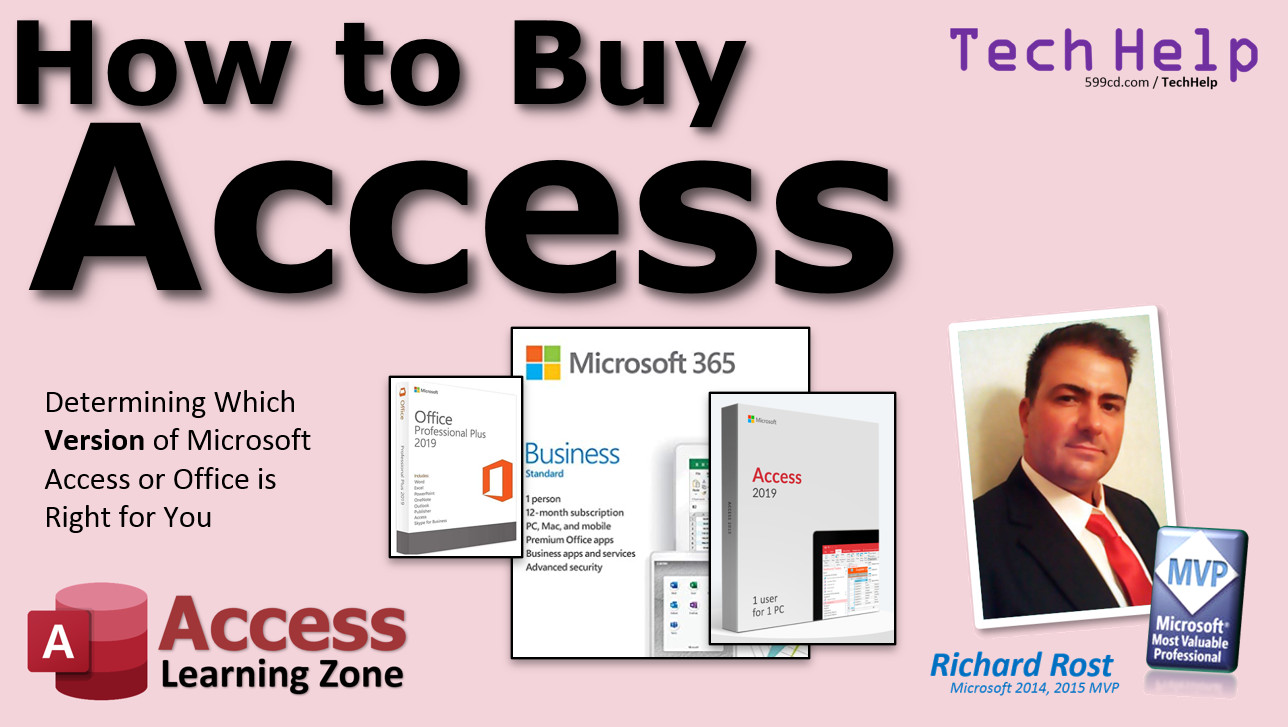
How to Buy Access. Office Pro or Microsoft 365? In this video, we're going to discuss all of the (sometimes confusing) options that are available for purchasing Microsoft Access. We'll discuss if it's possible to get a free version of Access. We'll go over the differences between buying the standalone Microsoft Office versus the subscription-based Microsoft 365. I'll teach you about an easily-overlooked cheaper version of Microsoft 365 that's less than $9 per month! We'll talk about buying a standalone copy of just Access, and whether or not an older version of Access would be OK for your needs. I'll explain how everyone else in your company can use your database for FREE with the Runtime Edition. And I'll share some warnings to make sure you buy a legitimate copy of the correct version of Access. Jennifer from Montgomery, Alabama (a Platinum Member) asks: I'm setting up an Access database for my new business. I have an older version of Access 2013. Should I use that or upgrade to the newest version? Also, I understand there is some kind of subscription service available too? Microsoft is very confusing with their product offerings. Can you please clarify for me?
Most Up-To-Date VersionSeems I have to update this video pretty much annually because Microsoft keeps changing things around. Just in case this isn't the most recent version that you landed on, here's a link to the most recent version: Richard RecommendsLinks
Updates
Links to Buy AccessYes, Microsoft's marketing and different Office versions are confusing. They confuse me, and I've been doing this for 30 years. Here's what's currently available that I recommend. These are the prices as of October 2022. I strongly recommend the Microsoft 365 subscription over the one-time purchase. The price shown is per month, per user, for an annual commitment.
Full disclosure: some of the links to purchase contain my affiliate code. If you purchase, you'll be helping me out as I'll get a small commission. And no, I don't just push people to buy the newest version of Access to get the commission. Trust me, I only get pennies. That's not it. I'm a proponent of having the most up-to-date software. I do. And remember, you only need to buy licenses for people who are going to be designing your Access databases. If you have 20 people in your office and 19 of them only need to use your database, and not make design changes, you can set them up with the free Runtime edition.
Keywordsmicrosoft access, ms access, #msaccess, #microsoftaccess, #help, #howto, #tutorial, #instruction, #learn, #lesson, #training, #database, can you buy microsoft access, can you just buy microsoft access, purchase standalone version, can you get microsoft access for free, why can't we just buy access, buy microsoft access standalone, microsoft access online free, how to get microsoft access, microsoft access download
More InformationTranscriptWelcome to another TechHelp video brought to you by AccessLearningZone.com. I am your instructor Richard Rost. In today's video, we're going to talk about how to buy Microsoft Access, determining which version of Microsoft Access or Office is right for you. Today's question comes from Jennifer in Montgomery, Alabama, one of my platinum members. However, I am answering this question at least once or twice a week from people that email me. It goes something like this: I'm setting up an Access database for my new business. I have an older version of Access, 2013 in her case. Should I use that or upgrade to the newest version? Also, I understand there is some kind of subscription service available too. Microsoft is very confusing with their product offerings. Can you please clarify this for me? Yes, Jennifer, that's something else I hear a lot. Microsoft has a fantastic product. I love Microsoft Access. I love Excel. I love Word. I have basically built my whole business on Microsoft Access training. But their marketing and their product offerings are a little confusing. They've got Standard, Professional, Student, Home and Office. It's hard to make sense of them all. And I've been doing this for 30 years. So let me try to break this down for you just a little bit. First of all, one thing that people always ask me is, does Microsoft have a free version of Access available? There are free versions of Word and Excel and some of the other Office apps that you can get to on office.com. You can use Excel for free, use Word for free. You run it right in your web browser and it looks almost exactly like the desktop version, and they're totally free. All you have to do is set up a Microsoft account and you can use them. No strings attached. In fact, I've got another whole video on how to do that. I'll put a link down below in the link section. But unfortunately, there is no free version of Access. You need at least one paid copy of Microsoft Access to build your database. Everybody else who is going to just use it on your network can use a free runtime copy. I'll talk more about that in a few minutes. Now, Microsoft Access comes as part of either Office Professional Plus 2019 or Microsoft 365 Business Standard. There's a difference. If you buy Microsoft Office, that is a lifetime ownership of a single version of the software. That's how Microsoft used to always sell their stuff. You had Office 2000, Office 2007, Office 2013. You bought it and that was it. When they came out with another version, you'd have to buy the next version. So every couple of years, if companies wanted to stay up to date, they'd have to shell out a lot of money. Now, these are prices as of today that I found online on Microsoft's website. This is currently July of 2021. So, Microsoft Office Pro 2019 is $124.99. But that doesn't give you updates. You'll get bug fixes - so they'll do service packs in case they discover bugs, but you won't get any new features. Now the subscription, on the other hand, is what they call Microsoft 365. It's a subscription model. The software is the same, but you'll get new features, you'll get new stuff as new updates come down the line. For example, with Excel last year, they released a brand new function called XLOOKUP. It's a VLOOKUP replacement and it's fantastic. I love it. But it's only available for Microsoft 365 subscribers. The cost is a little more. It's $134.99 per year, but you get constant updates. I personally think that's worth it. Especially as a business, you can just budget that into your monthly budget and that's what you're paying for the software. Now, there is even a cheaper version of Microsoft 365 available. It's called Business Apps Only. It's kind of hard to find on their website - they do a good job of hiding it. But I'll put a link down below to get you directly there if you want. It's only $8.25 per month and that's one user with up to five devices, so you can have it on five computers if you want to. You get one terabyte of cloud storage and you get all the basic Microsoft Office apps: Outlook, Word, Excel, PowerPoint, OneNote, Access, and Publisher. With this version, you don't get email service, you don't get Microsoft Teams, and you don't get SharePoint, but most people don't use those anyway. This is the version of Microsoft Office that I have. I have a 365 Business Apps Only subscription. I use Gmail for my email most of the time and I never use Teams and I rarely use SharePoint. So, if you're going to be running your business on Microsoft Access - if you can't budget $8 a month for your Access database for the most up to date version of Microsoft Access and the other applications, I don't know what to tell you. People that say that Microsoft Office is too expensive - no, it's not. It's $8 a month, roughly. It's a cup of coffee. So, when people say they can't afford it, yes, you can. Microsoft has done a really good job of making this very affordable. Now, can you buy Access by itself? Sure, but it's more expensive than just getting that $8.25 a month subscription. I did a little searching. I found it in the Microsoft Store. It's $139.99. Again, that's a standalone version. I have seen it on some third-party sites for as low as $89, but I don't always trust those third-party sites. If I'm not buying it from a reputable site that I'm well aware of, or Microsoft directly, or at least someone like Amazon, you have to be careful. I've seen some bogus software being sold out there. I've had clients that have gotten ripped off. You buy it, it looks legit, the website looks legit, you buy a license, and then two months later, Microsoft says, your license of Microsoft Office is invalid, and you have to contact them and pay for it again because you bought pirated software or something that was cracked. So, be very careful what you're buying. Now, remember, when you buy Microsoft Office, you need either Office Professional (if you're going to buy the lifetime copy) or Microsoft 365 Business to get Microsoft Access. The Standard, Home, Personal, and I should have put on there the Student editions do not include Access. You'll find cheaper versions available - the Home or Home and Student, for example, is real cheap. No Access though. So if you want to run Microsoft Access, you have to get either Office Professional or 365 Business. Now as far as the latest version goes, I'm a strong proponent of upgrading to the latest version of Access. The older versions are fine. Access really hasn't changed that much, I'd say going back to 2013. 2007 was a major upgrade from 2003. The ACCDB file format, the ribbon - they made a lot of changes from 2003 to 2007. After that, it's been mostly little incremental things, a lot of bug fixes. So if you have an old copy of 2013 laying around and you want to just get your database started and see if you like it, see if it's for you, sure, go ahead, give it a try. You can always upgrade your database later. But again, $8 a month, you get the latest version, the newest features, the bug fixes, get a subscription. I've had customers that were using older versions of Access and they were emailing me, saying they've got this problem and something isn't working. I'm trying it on my computer, it's working just fine for me. I tell them, send me your database. They send me their database. Works fine for me. Then I check, what version of Access do you have? Oh, I'm running Access 2010. Oh, that's why. There's a bug in that version - what you're trying to do doesn't work. Yes, you're going to have to upgrade. I'm not saying that every upgrade and every bug fix is perfect. Just last summer, in fact, Microsoft broke the Zoom window in Access. I upgraded, I did a Microsoft update. It downloaded the latest update for me and then I used the Zoom window all the time (Shift F2) to zoom into a field. I hit it, the database crashes. Restart it, rebooted, compacted the database, did all that stuff - still a problem. I went online, Googled it, turns out the latest update broke the Zoom box. So, they're not perfect. But it's better than having a version that's 5 or 10 years old. Now, I mentioned earlier that you only need to buy one copy of Access. Only the person in your office developing the database, designing the tables, the forms, the reports - only that person needs a paid copy of Access. Everybody else on the network can use the free Access runtime. I have a whole video that shows you how to do that. I'll put a link down below. This used to be another major stumbling block for Access years back, because companies that wanted to use Access didn't want to spend the money for 20 copies of it. Well, Microsoft has this thing called the runtime edition. You can install that for free on all the computers that aren't going to be doing design work, and they can run Access for free. They can use your database for free. One more time, be careful which version of Office you buy. There are similar products out there that are marketed to look like Microsoft Office that are not Microsoft Office - that's some other kind of Office. I'm not saying they're bad programs - they're fine - but they don't have Microsoft Access in them, for sure. Be careful if you're buying somewhere like Amazon that you don't buy an older copy. You can find, you know, 2013, 2007 out there, really cheap, but you want the latest version, trust me. Of course, after you buy Access, the most important thing is that you properly learn how to use it. That's why I make these videos - to teach you how to use Access. You've got the software installed now, build your database right. That's what I'm for. I'll teach you how to do that. My Access Beginner Level 1 class, I just re-recorded it, and it's got all the latest updates for 2019 and beyond. It's over four hours long, it's absolutely free. I'll put a link down below, you can go watch that. If you have any questions, post them down below in the comments section. Thanks, and I hope this was helpful. IntroIn this video, we will talk about how to buy Microsoft Access, including which versions of Microsoft Access or Office include Access, the differences between perpetual licenses and Microsoft 365 subscriptions, and the costs involved with each option. We will also discuss the benefits of staying up to date with the latest version, the availability of Access as a standalone purchase versus bundled with Office, how to safely purchase genuine software, and how the free runtime edition works for users who only need to use, not design, databases. QuizQ1. Which versions of Microsoft Office include Microsoft Access? A. Office Professional and Microsoft 365 Business B. Office Home and Student C. Office Personal Edition D. Office Standard Q2. What is the main difference between buying Microsoft Office outright and subscribing to Microsoft 365? A. Only Microsoft 365 Business includes Access B. The outright purchase provides lifetime ownership but no new features, while the subscription provides ongoing updates and new features C. The outright purchase is more expensive than any subscription D. Microsoft 365 only works online, not on the desktop Q3. How much does the Microsoft 365 Business Apps Only subscription cost per month, as mentioned in the video? A. $20.00 B. $8.25 C. $15.99 D. $5.00 Q4. What is included with the Microsoft 365 Business Apps Only subscription? A. Only Access and Outlook B. Access, Word, Excel, Publisher, Outlook, PowerPoint, OneNote C. Only Access D. Access, Teams, and SharePoint Q5. Which of the following is NOT included in the Microsoft 365 Business Apps Only subscription? A. Microsoft Teams B. Microsoft Access C. Microsoft Publisher D. PowerPoint Q6. What should a business be careful of when purchasing Microsoft Office or Access from third-party sites? A. The price being too high B. Accidentally buying subscription instead of lifetime C. Risk of pirated or bogus software and invalid licenses D. Getting too many updates Q7. What major change happened between Access 2003 and Access 2007? A. No new features were introduced B. Introduction of ACCDB file format and the ribbon interface C. Removal of report design D. Access was discontinued Q8. What is a benefit of using the Access runtime edition? A. It allows design work for free B. Any user can install Access with full functionality for free C. Users can run the database for free without design capabilities D. It only works on Mac computers Q9. If someone wants the newest features and regular updates, which option should they choose? A. Office Home and Student B. Office Professional 2019 C. Microsoft 365 Subscription D. Office Personal Q10. Why does the video recommend not purchasing the stand-alone Access app from non-reputable sources? A. The price is always higher than from Microsoft B. The software may be pirated or invalid C. It's harder to install on Windows computers D. It lacks all features Q11. According to the video, for starting a new business with Access, what is the lowest cost suggested for a legitimate, up-to-date version? A. $50 a month B. $8 a month with 365 Business Apps Only subscription C. $199 one-time payment D. Access is not available to new businesses Q12. What does the instructor recommend regarding the software version when developing a new Access database? A. Use the oldest version possible for compatibility B. Use Home or Student Edition for lower cost C. Use the latest version available for best feature set and support D. Use only versions before 2013 Answers: 1-A; 2-B; 3-B; 4-B; 5-A; 6-C; 7-B; 8-C; 9-C; 10-B; 11-B; 12-C DISCLAIMER: Quiz questions are AI generated. If you find any that are wrong, don't make sense, or aren't related to the video topic at hand, then please post a comment and let me know. Thanks. SummaryToday's video from Access Learning Zone covers how to purchase Microsoft Access and how to decide which version of Access or Office is best for your needs. This question comes up very frequently, both from my students and many others. People often find Microsoft's product offerings a bit confusing because there are so many options, like Standard, Professional, Student, Home, and Office. Even after working with Microsoft products for decades, I can understand why many find it hard to figure out which version to get. A common question is whether Microsoft offers a free version of Access. While you can find free online versions of Word and Excel through office.com that work directly in your web browser, there is unfortunately no free version of Access. If you want to build and design databases with Access, you need at least one paid copy. However, others who only need to use your database on your network can take advantage of the free Access runtime, which I will talk more about later. Access is available either as part of Office Professional Plus 2019 or as a part of a Microsoft 365 Business Standard subscription. Essentially, you have two general options. The first is to purchase a lifetime license for a specific version of Office, such as Office Professional 2019. This means you own that one version and receive bug fixes but not new features when Microsoft releases updates. The second option is subscribing to Microsoft 365, which provides access to the same applications but on a subscription basis. With Microsoft 365, you get all new features as they are released, as well as ongoing updates. The cost, as of July 2021, is $124.99 for a standalone copy of Office Professional 2019. This gets you bug fixes but no new features. The Microsoft 365 subscription is $134.99 per year and includes continuous updates. For example, last year Microsoft introduced the XLOOKUP function in Excel, which is only available to Microsoft 365 subscribers. If you are looking for a more affordable way to get Access and the other Office apps, there is a version called Microsoft 365 Business Apps Only. This can be harder to find on Microsoft's website, so I will provide a direct link on my website. The current price is just $8.25 per month, and this subscription allows one user to install Office apps on up to five devices. It also comes with one terabyte of cloud storage and includes Outlook, Word, Excel, PowerPoint, OneNote, Access, and Publisher. It does not include Microsoft Teams, SharePoint, or an email service, but most users do not need those features. I personally use this version since I use Gmail for email and very rarely use Teams or SharePoint. If you rely on Access in your business, the monthly cost is very reasonable. In my opinion, $8 a month is a small price to pay for access to the latest version of Microsoft Access along with all the other essential Office apps. Arguments that Microsoft Office is too expensive really do not hold up anymore with this subscription model. It is possible to buy Access as a standalone application, but this is actually more expensive than subscribing. For example, Microsoft currently sells Access by itself for $139.99, and while you might see it for as low as $89 elsewhere, I would advise caution when considering those third-party sellers. If you are not purchasing directly from Microsoft or a highly reputable vendor like Amazon, there is a risk of buying illegitimate or pirated licenses, which can result in your Access installation getting deactivated down the road. To sum up, if you want Access, you must buy either Office Professional (the one-time lifetime version) or subscribe to Microsoft 365 Business. Home, Personal, Standard, and Student editions do not include Access, even though they may be less expensive. It is important to check carefully so that you do not end up with a version that does not support Access. Regarding which version you should use, I recommend upgrading to the latest version. While older versions like Access 2013 still work fine (and you can use them to get started), there have only been minor updates since then. The major changes for Access happened back in version 2007, such as introducing the ACCDB file format and the ribbon interface. After that, it has mostly been incremental updates and bug fixes. So, if you're just starting out and already have Access 2013, feel free to use it to get a sense of how Access fits your needs. However, the small monthly subscription gives you access to the newest features and ongoing bug fixes. There are some risks associated with using older versions. I have had clients contact me about issues they are experiencing that I cannot reproduce on my newer version. Often, I find that the root cause was a bug or limitation in the older version, which requires them to upgrade to resolve the issue. While no software is perfect (occasional bugs can also be introduced in new versions), it is still much safer to work with the latest and most supported version. Only one person in an office needs to purchase the full, paid version of Access if that person is developing and designing the database. Others who only need to use, but not design, the database can use the free Access runtime. The runtime edition lets users run Access databases even if they do not have a paid copy of Access installed. Years ago, it was costly for companies to deploy Access widely, but now, thanks to the runtime, it is much more cost-effective. If you are considering other software labeled "Office," make sure you are getting Microsoft Office specifically, as some alternatives do not include Access. Also, watch out when purchasing from websites like Amazon where older versions might be sold at a steep discount, but getting the latest version is always the better choice. Once you have Access, the most important step is learning to use it properly. That is the main reason I create these videos. I am here to help you create your database correctly. My Access Beginner Level 1 course has just been updated to include all the latest updates for Access 2019 and newer versions. The course is over four hours of free content, and I will share a link to it on my website. If you have any questions, feel free to leave them in the comments. You can find a complete video tutorial with step-by-step instructions on everything discussed here on my website at the link below. Live long and prosper, my friends. Topic ListDetermining which Microsoft Access version to buy Differences between Office Professional and Microsoft 365 Lifetime ownership vs subscription model for Office Overview of pricing for Office Pro 2019 and Microsoft 365 Updates and new feature availability for different versions Features of Microsoft 365 Business Apps Only plan Risks of purchasing from third-party software sellers Identifying which Office editions include Microsoft Access Advice on using older vs latest Access versions Access database compatibility across versions Using the free Microsoft Access runtime for end-users Importance of buying from reputable sources Primary TopicsMicrosoft Access purchasing, Office versions, subscription vs perpetual license, Access runtime, version compatibility, pricing, legitimate sources Secondary TopicsOffice app inclusions, cloud storage, pirated software risks, minor feature changes |
||||||||||||||||||||||||||||||||||||||||
|
| |||
| Keywords: TechHelp Access can you buy microsoft access, can you just buy microsoft access, purchase standalone version, can you get microsoft access for free, why can't we just buy access, buy microsoft access standalone, microsoft access online free, how to get mi PermaLink Buy Access (2021) |