|
||||||
Access Expert 25String Functions, Logical Ops, IF, SWITCH, CHOOSEWelcome to Access Expert 25. In this course you will learn how to use Microsoft Access functions more effectively, focusing on both string functions and logical functions. We will review key concepts from previous lessons, discuss new features across different Access versions, and provide tips for working with sample databases. You will also learn about the course structure, prerequisites, how to use student forums, and the best ways to follow along with the materials. Lessons
Resources
Lesson SummaryWelcome! String & Logical Functions Guide - Welcome to Microsoft Access Expert Level 25. In this course we will begin a comprehensive guide to Microsoft Access functions, focusing on string functions and logical functions. We will briefly review some functions from previous lessons, discuss new features, and provide tips for both older and newer versions of Access. I will explain the course structure, prerequisites, how to use the student forums, and recommend the best way to follow along with the material. We will also talk about using sample databases and what to expect in each lesson, including upcoming topics on string and logical functions.
Lesson 1: Left, Right, Mid & More String Functions - In Lesson 1, we begin exploring string functions in Access, also known as text functions. We will discuss where and how these functions can be used throughout Access in queries, forms, and reports. I will provide an overview of common string functions like Left, Right, Mid, Len, InStr, InStrRev, LCase, UCase, StrConv, Trim, LTrim, RTrim, Asc, Chr, Replace, Str, StrComp, String, Space, and StrReverse. We will walk through practical examples, such as splitting phone numbers and customer names, cleaning up extra spaces, and using the Replace function to standardize text data.
Lesson 2: STR, STRCOMP, ASCII & More Functions - In Lesson 2, we continue exploring string functions in Access, focusing on how to use STR and CSTR to convert numbers to strings, and the differences between them. We discuss the STRCOMP function for comparing two strings, as well as how ASCII codes work and how to use ASC and CHR functions to convert between characters and their numeric codes. We will walk through using the SPACE and STRING functions to format text output, and finally look at the STRINGREVERSE function to reverse strings. These string functions allow you to manipulate and compare text fields effectively in your queries.
Lesson 3: IsDate, IsNull, IsNumeric, AND/OR/NOT - In Lesson 3, we begin exploring logical functions in Access, including IsDate, IsError, IsNull, IsNumeric, NZ, VarType, and TypeName, which help determine the nature and validity of data in your tables and queries. We will discuss logical operators like AND, OR, NOT, and XOR, and show how to use them in queries, as well as briefly mention the CHOOSE and SWITCH functions. I will walk through examples for each logical function, demonstrate their behavior with different data types, and explain how to interpret their results.
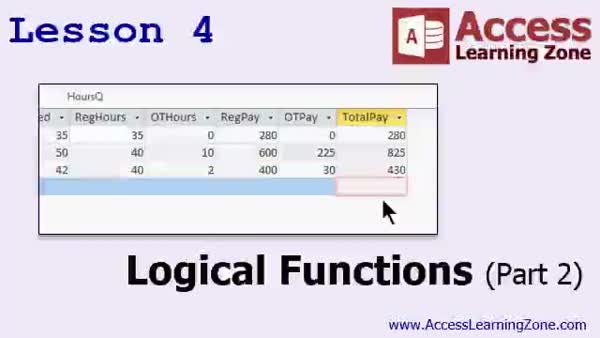
Lesson 4: IF, SWITCH, CHOOSE: Examples - In Lesson 4, we continue exploring logical functions by discussing IF, CHOOSE, and SWITCH in Microsoft Access. We will walk through using IF functions, including nesting IFs for multiple conditions, and see how SWITCH can simplify choosing between several options. We will also talk about the CHOOSE function and when it might be used, though it is usually better handled with a lookup table. Additionally, I will show you how to use logical functions to calculate pass/fail grades, assign letter grades, and determine employee overtime pay. Finally, we cover extracting middle names from a full name field using logic and string functions.
Lesson 5: String & Logical Tools Guide - In this course we learned about the various string and logical functions available in Microsoft Access, including how to extract and manipulate text with functions like Left, Right, Mid, InStr, Len, and Trim, as well as case conversion and string replacement tools. We also covered logical functions such as IsDate, IsNull, IsNumeric, and NZ, along with operators like And, Or, Not, and the Immediate If function for decision-making. We discussed upcoming topics including math, date/time, aggregate, type conversion, and other advanced functions, and provided information on where to get further help and support.
NavigationKeywordsstring functions, logical functions, Left, Right, Mid, InStr, Len, Replace, Trim, LTrim, RTrim, StrComp, InStrRev, LCase, UCase, StrConv, Asc, Chr, IsDate, IsNull, IsNumeric, NZ, AND, OR, NOT, SWITCH, CHOOSE
More InformationTranscriptWelcome to Microsoft Access Expert Level 25, brought to you by AccessLearningZone.com. I am your instructor, Richard Rost. Today's class is part one of our comprehensive guide to Access functions. We are going to take the next couple of classes to cover all the different functions you could possibly ever want to use in Microsoft Access. Today's class will focus on string functions and logical functions. Some of these functions we have covered in previous lessons. I will be going over them briefly and/or showing you some new tips and tricks regarding those functions. Some of these functions are brand new, even for me. Prerequisites: this class follows Access Expert Level 24, and the couple of classes before it covered some advanced topics that you do not necessarily have to know to watch this class. However, before continuing, I strongly recommend you finish my beginner series and preferably expert levels one through four at least, where I begin to cover functions. If you have some of the background on functions before watching today's class, it will definitely help you. This class is recorded with Access 2013. If you are using 2007 or 2010, you should be okay following along with this class. Most of the functions that I am covering were around in Access 2003; however, a couple of them were new in 2007. Some of them, like Switch, will not be available to you if you are still using Access 2003 or earlier. It is time to upgrade. My courses are broken up into beginner, expert, advanced, and developer level classes. Beginner level classes are for novices. You should understand all the topics covered in them by the time you get to the expert level classes, which you are in now. When you finish all the expert level classes, the advanced classes will cover event programming and macros, and the developer classes will cover Visual Basic for Applications. Each group of classes is broken down into multiple levels: Level 1, 2, 3, and so on. In addition to my normal Access classes, I also have seminars designed to teach specific topics. Some of my seminars include building web-based databases, creating forms and reports that look like calendars, securing your database, working with images and attachments, writing work orders and running a service business, tracking accounts payable, learning the SQL programming language, creating loan amortization schedules, and lots more. You can find details on all of these seminars and more on my website at accesslearningzone.com. If you have questions about the topics covered in today's lessons, please feel free to post them in my student forums. If you are watching this course in the online theater on my website, you should see the student forum for each lesson appear in a small window next to the class video. Here you will see all of the questions that other students have asked, as well as my responses to them and comments that other students have made. I encourage you to read through these questions and answers as you start each lesson and feel free to join in the discussion. If you are not watching these lessons on my website, you can still visit the student forums later by visiting accesslearningzone.com/forums. To get the most out of this course, I recommend you sit back, relax, and watch each lesson completely through once without trying to do anything on your computer. Then, replay the lesson from the beginning and follow along with my examples. Actually create the same database that I make in the video, step by step. Do not try to apply what you are learning right now to other projects until you have mastered the sample database from class. If you get stuck or do not understand something, watch the video again from the beginning or tell me what is wrong in the student forum and I will do my best to help you. Most importantly, keep an open mind. Access may seem intimidating at first, but once you get the hang of it, you will see that it is really easy to use. I strongly encourage you to build the database that I build in today's class by following along with the videos. However, if you would like to download a sample copy of my finished database file, you can find it on my website at accesslearningzone.com/databases. Sometimes, if you get stuck, the easiest way to learn is to tear apart someone else's database. One of the ways that I taught myself Access years ago was by tearing apart the Northwind Traders database that comes with Microsoft Access. You will find there is a sample database for each of my courses on my website. Now let's take a few minutes and go over exactly what we are going to cover in today's class. In lesson one, we are going to begin learning about string functions, also called text functions. In lesson two, we are continuing with string functions. In lesson three, we will begin looking at logical functions. In lesson four, we are continuing our look at logical functions. IntroIn lesson 25, you will learn about the different functions available in Microsoft Access, with a focus on string functions and logical functions. I will review some functions you may have seen in earlier lessons and share new tips and examples, as well as introduce new functions you may not have used before. We will cover what string functions are, how to use them for working with text, and then move into logical functions. This lesson is suitable for anyone who has completed the beginner series and at least the first few expert level classes. QuizQ1. What is the primary focus of Access Expert Level 25? A. Introduction to database relationships B. Comprehensive guide to Access functions, focusing on string and logical functions C. Advanced Visual Basic for Applications programming D. Creating query wizards Q2. What does Richard recommend you complete before starting this class? A. Developer level courses B. Access beginner series and preferably expert levels one through four C. Only Access Expert Level 24 D. Advanced event programming lessons Q3. Which Access version is primarily used in this tutorial? A. Access 2003 B. Access 2007 C. Access 2010 D. Access 2013 Q4. What feature is NOT available if you are using Access 2003 or earlier? A. String functions B. Switch function C. Reports D. Queries Q5. What is suggested if you get stuck while working through the course material? A. Skip to the next lesson B. Watch the video again or post in the student forum for help C. Give up entirely D. Only read the course textbook Q6. What approach does Richard suggest for following along with the lessons? A. Apply concepts directly to your own project first B. Watch each lesson through once, then follow along with building the sample database C. Only watch the summary at the end D. Memorize every screen Q7. What kind of additional content does Richard provide outside of normal Access classes? A. Free hardware recommendations B. Seminars on specific topics, like building web-based databases and securing your database C. Video game walkthroughs D. Networking tutorials Q8. Where can you find sample databases to download that match the video lessons? A. Only on YouTube B. At accesslearningzone.com databases C. Through Microsoft support D. In the Access software itself Q9. What is planned for lessons three and four of this course? A. Macros and events programming B. Introduction to forms and reports C. Logical functions D. Database security features Q10. According to Richard, what is a good way to learn Access aside from following his courses? A. Only reading books B. Tearing apart the Northwind Traders sample database C. Hiring a tutor D. Watching unrelated online tutorials Answers: 1-B; 2-B; 3-D; 4-B; 5-B; 6-B; 7-B; 8-B; 9-C; 10-B DISCLAIMER: Quiz questions are AI generated. If you find any that are wrong, don't make sense, or aren't related to the video topic at hand, then please post a comment and let me know. Thanks. SummaryToday's video from Access Learning Zone is Microsoft Access Expert Level 25, and it's the first part of a thorough guide to using functions in Microsoft Access. In this series, we'll explore all of the Access functions that you might need for your projects. This particular class zeroes in on string functions and logical functions. Many of the functions we'll talk about have come up in earlier lessons, so I'll briefly review them and share some new tips or techniques for working with those functions. We'll also investigate a few functions that are new, even to me. This class builds on Access Expert Level 24, but it's not necessary to have finished the most recent advanced topics to get value out of today's lessons. Still, having completed my beginner series and at least the first four expert levels will give you a better foundation for understanding how functions work in Access. I'm working with Access 2013 for this course. If you are using Access 2007 or 2010, you should be able to follow along without much trouble, as most of the functions I demonstrate have been available since Access 2003. That said, a handful of them were introduced in 2007, so users of Access 2003 or earlier might find that certain features, such as the Switch function, are unavailable. If that's the case, it's a good idea to consider upgrading. My course catalog is divided into four groups: beginner, expert, advanced, and developer. By the time you reach the expert level, which you are in now, you should already be comfortable with the content from the beginner classes. Once you finish the expert level classes, you'll be ready for advanced lessons that cover event programming and macros, followed by developer classes that focus on Visual Basic for Applications (VBA). Each group is further split into multiple levels like Level 1, Level 2, and so on. In addition to my main Access classes, I offer seminars on specialized topics. Some examples include building web-based databases, designing calendar-style forms and reports, securing a database, working with images and attachments, managing work orders for service businesses, tracking accounts payable, learning SQL, creating loan amortization schedules, and more. You can find information about all of these specialized seminars on my website. If you ever have questions about the content of today's class, you're welcome to participate in the student forums. If you are watching this video on my website, the forum for each lesson appears next to the video. In these forums, you can read questions and answers from other students as well as my responses. I recommend browsing these discussions at the start of each lesson and joining the conversation if you have anything to add. If you're not viewing this course on my website, you can still access the forums at any time by heading to accesslearningzone.com forums. To get the most out of this material, I suggest watching each lesson all the way through first, without stopping to try the exercises yourself. Then, start the lesson over and practice along with me step-by-step, building the sample database from the video. Mastering the technique this way—using the sample database—will make things clearer before you transfer your skills to your own projects. If you get stuck or something doesn't make sense, go back and rewatch the relevant section, or ask questions in the student forum so I can help. As you work through these lessons, approach them with an open mind. Access might seem daunting when you're just starting out, but with a little experience, you'll discover that it's actually quite straightforward. I always suggest that you build the same database that I'm building in the video, but if you'd prefer, you can download a copy of my finished database from my website. Sometimes the best way to learn is by examining someone else's example and seeing how it works. That's how I got my own start with Access, by taking apart the Northwind Traders database included with the program. There's a sample database for each of my courses on my website for you to explore. Here's a brief overview of today's topics. Lesson one introduces string, or text, functions. Lesson two continues our exploration of string functions. Lesson three gets us started with logical functions, and lesson four takes us further into that topic. You can find a complete video tutorial with step-by-step instructions on everything discussed here on my website at the link below. Live long and prosper, my friends. Topic ListString functions overview Using string functions in Access Practical examples with string functions Logical functions overview Using logical functions in Access Practical examples with logical functions Primary TopicsMicrosoft Access functions, string functions, logical functions, Access 2013 compatibility, function tips Secondary Topicsprevious versions compatibility, course structure, learning strategy |
||||||||||||||||||||||||||||||||||||||||||||||||||||||||||
|
| |||
| Keywords: string functions, logical functions, Left, Right, Mid, InStr, Len, Replace, Trim, LTrim, RTrim, StrComp, InStrRev, LCase, UCase, StrConv, Asc, Chr, IsDate, IsNull, IsNumeric, NZ, AND, OR, NOT, SWITCH, CHOOSE PermaLink Microsoft Access Expert 25 |