|
||||||
Access Expert 26Math Functions, Type Conversion, Random NumbersWelcome to Access Expert 26. In this course you will learn how to use a wide range of math functions and type conversion functions in Microsoft Access. We will cover topics such as absolute value, rounding, square roots, exponentiation, trigonometric functions, modulus, integer division, and generating random numbers. You will also see how to convert between different data types, address common scenarios requiring type conversion, and find resources for hands-on practice. Prerequisites and the use of student forums are also discussed to help you follow along smoothly. Lessons
Resources
Lesson SummaryWelcome! Math & Type Conversion Functions - Welcome to Microsoft Access Expert Level 26. In this course we will continue our Comprehensive Microsoft Access Function Guide by focusing on math functions and type conversion functions. We will review some familiar functions, explore new ones such as absolute value, sine, round, int, fix, val, square root, exponentials, logarithms, trigonometric functions, modulus, integer division, and random number generation. We will also discuss converting between data types. Prerequisites and recommendations are discussed, along with details on using the student forums, following along with examples, and where to find resources and sample database files.
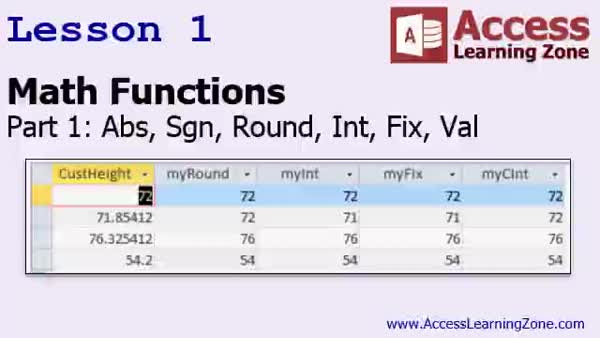
Lesson 1: ABS, SGN, ROUND & More Functns - In Lesson 1, we begin exploring math functions in Access, focusing on absolute value, sine, round, int, fix, and val. We will discuss other available math and trigonometric functions, as well as techniques that are not technically functions, like modulus, exponentiation, and integer division. I will walk through examples using the ABS and SGN functions with sample data, and demonstrate different rounding methods, including Bankers rounding and traditional rounding tricks. We will also compare the int, fix, and Cint functions, and I will show how to use the val function for converting string data to numbers and handling special cases.
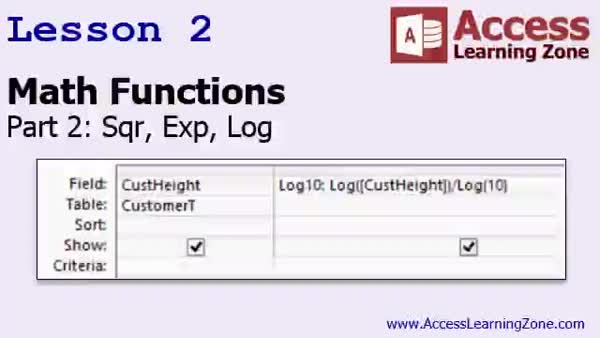
Lesson 2: Square Root, Exponent, & Log Functions - In Lesson 2, we will explore math functions including square root, exponential, and logarithm functions. I will show you how to calculate square roots and discuss the limitations with negative values, demonstrate how to use exponentiation with different bases including the mathematical constant e, and explain natural logarithms and their uses. We will also cover how to work with logarithms to any base using the log function, and I will walk through examples in Access to help illustrate each concept. This lesson is focused on giving you practical ways to use these math functions in Access.
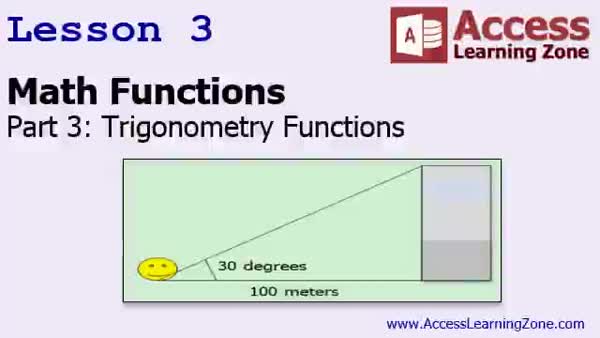
Lesson 3: Trig, Pi, Deg-Rad, Tangent Tips - In Lesson 3, we will explore math functions in Access with a focus on trigonometry. We will discuss how to calculate the value of pi, convert between degrees and radians, and use the sine, cosine, tangent, and arc tangent functions. I will show you how to use these functions to solve practical problems, such as calculating the height of a building based on distance and angle measurements. We will also talk about the limitations of trigonometric functions in Access and how to work around them using available formulas.
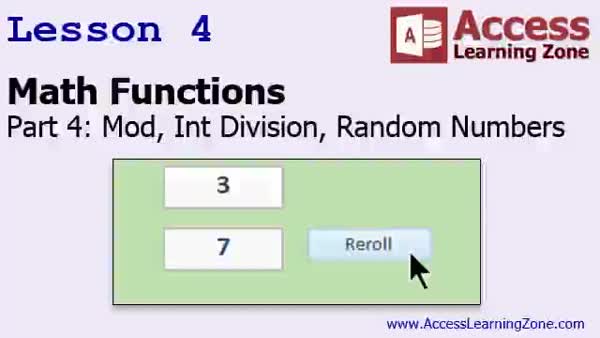
Lesson 4: Modulus, Int Division & Random Numbers - In Lesson 4, we continue working with math functions, focusing on modulus and integer division, and then explore how to use the random number (RND) function in Access. We will review how integer division and modulus work in queries, walk through building a dice rolling form that simulates rolling multiple dice, and discuss how to assign and use random numbers for tasks like generating random customer records or creating semi-random customer codes. I will show you techniques to seed the random function for unique outcomes and explain practical applications of these math functions in everyday database management.
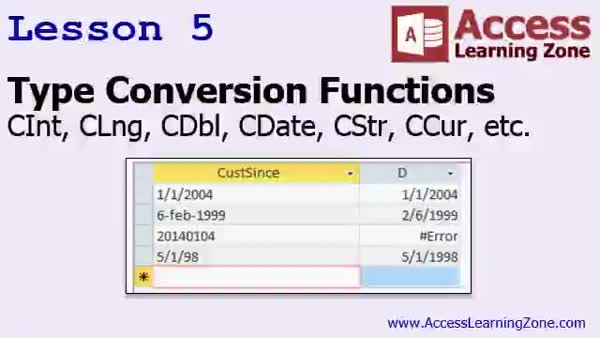
Lesson 5: Type Conversion Functions Explained - In Lesson 5, we explore type conversion in Access, focusing on functions like CBool, CByte, CDouble, CDecimal, CInt, CLng, CCur, CDate, and CString, which are used to convert data from one type to another. We discuss common scenarios where type conversion is necessary, such as importing data with inconsistent formats and converting text fields to dates or numbers. I will show you a practical example of handling mixed-format date data and using functions like CDate to identify and fix conversion errors. We will also mention variants, which will be covered in detail during VBA programming.
Lesson 6: Math Functions & More Review - In this course we learned about a variety of math functions in Access, including absolute value, sine, round, int, and fix, and how they handle numbers differently, especially negative numbers. We also discussed the val function for extracting numbers from strings, root, exponents, logarithms, trigonometric functions, calculating pi, degrees to radians conversion, and generating random numbers. We covered type conversion functions, such as converting strings to integers or dates. Upcoming topics like date/time, logical, aggregate, financial, and formatting functions, as well as some VBA basics and using Excel functions, were also discussed as part of future lessons.
NavigationKeywordsmath functions, ABS, SGN, ROUND, INT, FIX, CINT, CLNG, VAL, square root, exponentiation, logarithm, trigonometric functions, pi calculation, degrees to radians, tangent, modulus, integer division, random numbers, type conversion, CBool, CByte, CDouble, CD
More InformationTranscriptWelcome to Microsoft Access Expert Level 26, brought to you by AccessLearningZone.com. I am your instructor, Richard Rost. Today's class is part two of our Comprehensive Microsoft Access Function Guide. Our goal is to learn just about everything about all the different functions in Microsoft Access. Part one, the last class, Expert 25, covered the string functions and the logical functions. Today's class will focus on math functions and type conversion functions. Some of these functions we have seen before, so I'll give you a brief review of them, but a lot of them are brand new. Prerequisites: Again, I strongly recommend you have taken Access Expert Level 25, which is part 1 of the Function Guide series. Of course, I also strongly recommend you have taken the complete beginner series and all of the Expert Classes before 25 as well. This class was recorded with Microsoft Access 2013. I do believe that all of the functions covered in today's class work with most previous versions of Access, including 2010 and 2007. If you are using 2007 or 2010, I strongly recommend you upgrade to Microsoft Access 2013. It is a much better version and a lot of bugs have been fixed. With Microsoft's new Office 365 subscription plan, the cost is no longer a problem for most people. If you are using Access 2003 or earlier, and yes, I know some of you still do, I cannot guarantee that all of these functions exist in those older versions. I do not even have those installed on my machine anymore, so I really cannot say for sure. My courses are broken up into beginner, expert, advanced, and developer level classes. Beginner level classes are for novices. You should understand all the topics covered in them by the time you get to the expert level classes, which you are in now. When you finish all of the expert level classes, the advanced classes will cover event programming and macros, and the developer classes will cover Visual Basic for Applications. Each group of classes is broken down into multiple levels: level 1, 2, 3, and so on. In addition to my normal Access classes, I also have seminars designed to teach specific topics. Some of my seminars include building web-based databases, creating forms and reports that look like calendars, securing your database, working with images and attachments, writing work orders and running a service business, tracking accounts payable, learning the SQL programming language, creating loan amortization schedules, and lots more. You can find details on all of these seminars and more on my website at accesslearningzone.com. If you have questions about the topics covered in today's lessons, please feel free to post them in my student forums. If you are watching this course in the online theater on my website, you should see the student forum for each lesson appear in a small window next to the class video. Here you will see all of the questions that other students have asked, as well as my responses to them and comments that other students have made. I encourage you to read through these questions and answers as you start each lesson and feel free to join in the discussion. If you are not watching these lessons on my website, you can still visit the student forums later by visiting accesslearningzone.com/forums. To get the most out of this course, I recommend you sit back, relax, and watch each lesson completely through once without trying to do anything on your computer. Then, replay the lesson from the beginning and follow along with my examples. Actually, create the same database that I make in the video, step by step. Do not try to apply what you are learning right now to other projects until you have mastered the sample database from class. If you get stuck or do not understand something, watch the video again from the beginning or tell me what is wrong in the student forum and I will do my best to help you. Most importantly, keep an open mind. Access may seem intimidating at first, but once you get the hang of it, you'll see that it's really easy to use. I strongly encourage you to build the database that I build in today's class by following along with the videos. However, if you would like to download a sample copy of my finished database file, you can find it on my website at accesslearningzone.com/databases. Sometimes, if you get stuck, the easiest way to learn is to tear apart someone else's database. One of the ways that I taught myself Access years ago was by tearing apart the Northwind Traders database that comes with Microsoft Access. You will find there is a sample database for each of my courses on my website. Now, let's take a few minutes and go over exactly what we are going to cover in today's class. In lesson one, we are going to begin learning about math functions. We are going to learn about absolute value, sine, round, int, fix, and val. In lesson two, we are going to learn about the square root, exponential, and logarithm functions. In lesson three, we are going to learn the trigonometry functions in Access. We are going to learn how to calculate pi, how to convert degrees to radians and vice versa. We will learn about the sine, cosine, tangent, and arc tangent functions, and we will learn how to calculate the height of a building. In lesson four, still working with math functions, we are going to learn about modulus, integer division, and we will do a bunch with random numbers. We will build a dice rolling form, and you will learn how to pull up random customer records. In lesson five, we are going to learn about the type conversion functions, such as convert to integer, long, double, date, string, currency, and more. These are used for converting from one type of data to another. IntroIn lesson 26 of my Microsoft Access Expert series, we will continue exploring the Access Function Guide by focusing on math functions and type conversion functions. We will learn about common math functions like absolute value, sine, rounding, square roots, and trigonometry, as well as how to use random numbers and integer division. I will also show you how to work with type conversion functions to convert between different data types in Microsoft Access. This is part 2 of the Function Guide series. QuizQ1. What is the primary focus of Microsoft Access Expert Level 26? A. Building web-based databases B. Math functions and type conversion functions in Access C. Event programming and macros in Access D. Visual Basic for Applications programming Q2. Which class does Richard recommend you complete before taking Expert Level 26? A. Developer Level 1 B. Expert Level 25 C. Advanced Level 1 D. Seminar on SQL programming Q3. According to the video, which versions of Access are guaranteed to work with all functions presented in this class? A. Access 2003 and earlier B. Access 2010, 2013, and later C. Access 2013 and newer D. Access 2007, 2010, and 2013 Q4. Why does Richard recommend upgrading to Microsoft Access 2013 if you are using an older version? A. Access 2013 has a new interface that is easier to use B. Costs have increased for Office 365 subscriptions C. Access 2013 has fixed many bugs and is more reliable D. Older versions cannot create any databases Q5. What is the suggested approach for working through the lessons to get the most out of this course? A. Watch each lesson while multitasking on another project B. Watch a lesson once, then build the sample database alongside the video C. Skip directly to creating your own projects D. Only read the textbook without using any videos Q6. Where can students find the finished sample database for this class? A. On Microsoft's official website B. By requesting it via email C. On accesslearningzone.com databases D. In the Northwind Traders database Q7. What topics are planned for lesson three of today's class? A. Modulus and integer division B. Trigonometry functions and conversions between degrees and radians C. String manipulation functions D. Event programming and macros Q8. What is the purpose of type conversion functions discussed in lesson five? A. Convert databases from Access to SQL Server B. Convert data from tables to queries only C. Convert data from one data type to another D. Change data from primary key to foreign key Q9. What should you do if you do not understand a topic or get stuck during a lesson? A. Stop working and move on to the next lesson B. Watch the video again or ask questions in the student forums C. Search on a different website D. Wait until the end of the course to resolve issues Q10. Which of the following is NOT a prerequisite for this course, according to the instructor? A. Taking Access Expert Level 25 B. Completing all beginner level classes C. Building your own SQL Server database D. Finishing all expert level classes before 25 Answers: 1-B; 2-B; 3-D; 4-C; 5-B; 6-C; 7-B; 8-C; 9-B; 10-C DISCLAIMER: Quiz questions are AI generated. If you find any that are wrong, don't make sense, or aren't related to the video topic at hand, then please post a comment and let me know. Thanks. SummaryToday's video from Access Learning Zone is Microsoft Access Expert Level 26. I am Richard Rost, your instructor. This lesson is the second part of our Comprehensive Microsoft Access Function Guide, where we aim to explore nearly all the functions available in Microsoft Access. In the previous class, Expert 25, we went over string functions and logical functions. In this class, our focus shifts to mathematical functions and type conversion functions. Some of these will be review, as we have seen them before, but many will be new to you. It is important to have taken Access Expert Level 25, which serves as part 1 of the Function Guide. I also highly suggest you complete the entire series of beginner classes and all expert classes up to this point to ensure a proper foundation. This class was created using Microsoft Access 2013, but the content should be compatible with earlier versions like Access 2010 and 2007. That said, if you are working with Access 2007 or 2010, upgrading to Access 2013 will make your experience better, with fewer bugs and new features. The Office 365 subscription plan now makes upgrading affordable for most users. For anyone still using Access 2003 or earlier, not every function discussed will necessarily be available, and since I no longer have those versions installed, I cannot verify compatibility for them. My coursework is divided into beginner, expert, advanced, and developer levels. Beginners should be familiar with all core concepts before moving onto expert classes like this one. After the expert level, advanced classes will teach event programming and macros, and developer classes will cover Visual Basic for Applications. Each track is broken into several levels for a structured learning path. Besides the regular classes, I offer seminars on specialized topics. These range from building web-based databases and calendar-style forms and reports to database security, handling images and attachments, work order management, service business tracking, accounts payable, SQL programming, loan schedules, and more. You can find details about these seminars on my website. If you have questions about the material, I encourage you to visit the student forums. If you're watching this course in the online theater on my website, the forum for each lesson appears next to the video. You can review questions other students have asked, see my responses, and join the conversation. If you're not viewing on my site, you can still participate in the forums by visiting my website directly. To get the best results, watch each lesson uninterrupted the first time through. Then, watch again, this time following along and building the sample database exactly as I do in the video. Avoid trying to apply concepts to your own projects until you have fully mastered the sample database from the class. If you get stuck, re-watch from the beginning, or bring your question to the forums and I will help. Stay open-minded. While Access can seem overwhelming at first, it becomes much easier with practice. I recommend building the database yourself while following along, but if you'd prefer, you can download a copy of my completed database from my website. Sometimes, breaking down a finished example helps make sense of things. In fact, this is how I learned years ago, by dissecting the Northwind Traders sample database that comes with Access. You can find a sample for each of my courses on my website. Here's the outline for today's class: - Lesson one covers basic math functions: absolute value, sine, round, int, fix, and val. - Lesson two addresses square root, exponential, and logarithmic functions. - In lesson three, we discuss trigonometric functions in Access. This includes working with pi, converting between degrees and radians, using sine, cosine, tangent, and arc tangent functions, and even calculating the height of a building. - Lesson four continues on math functions with modulus, integer division, and random numbers. We'll create a dice rolling form and learn to pick random customer records. - Lesson five focuses on type conversion functions, explaining how to change from one data type to another, including conversions to integer, long, double, date, string, currency, and more. You can find a complete video tutorial with step-by-step instructions on everything discussed here on my website at the link below. Live long and prosper, my friends. Topic ListAbsolute value function (Abs) Sine function (Sin) Round function (Round) Integer part functions (Int and Fix) Value conversion function (Val) Square root function (Sqr) Exponential function (Exp) Logarithm function (Log) Calculating pi in Access Degree to radian and radian to degree conversion Cosine function (Cos) Tangent function (Tan) Arc tangent function (Atn) Calculating height using trigonometry Modulus operator (Mod) Integer division operator (\\) Generating random numbers (Rnd) Building a dice rolling form Selecting random customer records Type conversion functions (CInt, CLng, CDbl, CDate, CStr, CCur, etc.) Primary Topicsmath functions, type conversion functions, trigonometry functions, random numbers, data type conversion Secondary TopicsAccess version compatibility, building sample databases, learning strategies |
||||||||||||||||||
|
| |||
| Keywords: math functions, ABS, SGN, ROUND, INT, FIX, CINT, CLNG, VAL, square root, exponentiation, logarithm, trigonometric functions, pi calculation, degrees to radians, tangent, modulus, integer division, random numbers, type conversion, CBool, CByte, CDouble, CD PermaLink Microsoft Access Expert 26 |