|
||||||
Access Expert 28DateAdd, DateDiff, DatePart, DateSerial, OrdinalsWelcome to Access Expert 28. In this course you will learn advanced date and time functions including how to break apart dates into their components, work with the DateAdd, DateDiff, DatePart, and DateSerial functions to calculate intervals and extract date values, and use formulas to find days of the week and create ordinal date displays. We will also discuss generating lists of upcoming birthdays, setting table-level validation rules, and where to ask questions or download the sample database for following along. Lessons
Bonus!
Resources
Lesson SummaryWelcome! DateAdd, DateDiff & DatePart Guide - Welcome to Microsoft Access Expert Level 28. In this course we will continue our comprehensive function guide by focusing on advanced date and time functions in Microsoft Access. We will walk through breaking apart dates into components, using the Weekday, DateAdd, DateDiff, DatePart, and DateSerial functions, and learn how to calculate things like the day of the week, intervals between dates, and ordinal date display. We will also discuss generating lists of upcoming birthdays, table-level validation rules, and where to ask questions or download the sample database to follow along.
Lesson 1: Split Dates: Year, Month, Day, Weekday - In Lesson 1, we will learn how to break apart dates into their individual components such as month, day, year, hour, minute, and second using specific functions. We will discuss how to compare parts of a date to determine if a record falls within the current year, month, or year-to-date. I will show you how to use functions like Weekday, WeekdayName, and MonthName to identify days of the week, and walk through calculations to determine the first or last day of a week, previous Mondays, upcoming Tuesdays, and how to check for workdays or weekends.
Lesson 2: Add Days, Weeks, Months, Years - In Lesson 2, we are going to learn about the DateAdd function in Access, which allows you to add various intervals such as days, weeks, months, quarters, or years to a date value. I will show you how to use the correct interval codes for DateAdd, demonstrate adding and subtracting different time periods, and explain how the function deals with complexities like leap years and varying month lengths. We will also discuss using DateAdd for calculating due dates, ages, and working with both dates and times, as well as important notes about using only whole numbers for interval values.
Lesson 3: DateDiff: Days, Weeks, Months, Years - In Lesson 3, we will learn how to use the DateDiff function to calculate the difference between two dates in days, weeks, months, and years. I will show you how to add additional date fields, create calculated columns in queries, and explain how different interval codes, such as WW and W, can affect your results when counting weeks. We will also discuss optional parameters for specifying the first day of the week or first week of the year and look at special cases, such as calculating age and time differences using DateDiff.
Lesson 4: Extract Years, Months, Weeks, Quarters - In Lesson 4, we will explore the DatePart function, which allows you to extract different components from a date, such as year, month, quarter, and week. We will walk through how to use DatePart in various scenarios, including identifying dates from the current year, month, or week, and discuss its limitations, especially with week calculations. I will show you reliable formulas for determining whether a date falls in the previous or next month or quarter, using mathematical methods, as well as address issues with common online formulas and provide corrected approaches for week and month calculations.
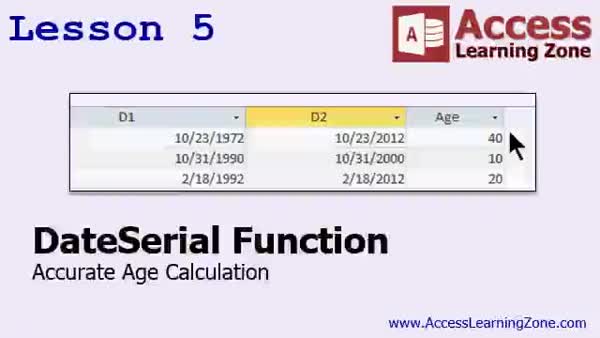
Lesson 5: DateSerial for Age & Dates - In Lesson 5, we will explore the DateSerial function, which allows you to build valid dates by combining year, month, and day values. I will show you how to use DateSerial to calculate the first and last days of months, quarters, and years, as well as determine exact ages, the number of days in a month or year, and the position of a date within a year. We will also discuss related functions like TimeSerial, DateValue, TimeValue, and CDate for handling time values and converting text to dates.
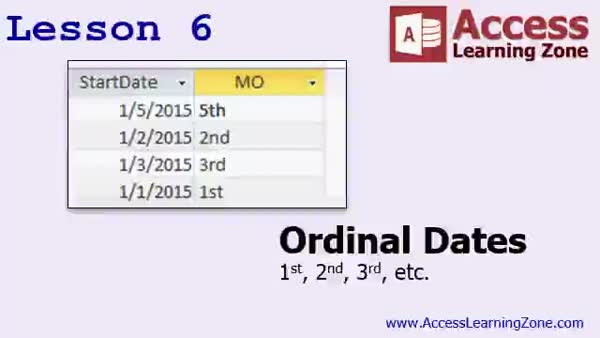
Lesson 6: Add Date Suffixes (1st, 2nd, 3rd) - In Lesson 6, we will learn how to display ordinal dates in Microsoft Access, such as 1st, 2nd, 3rd, and so on. I will explain how ordinal suffixes work and show you how to create a complex nested IF function in a query to generate these suffixes without VBA code. We will walk through building this function using a sample table, combine the day and its ordinal suffix, and assemble a full date string for display in reports. We will also briefly discuss alternate methods, such as using VBA.
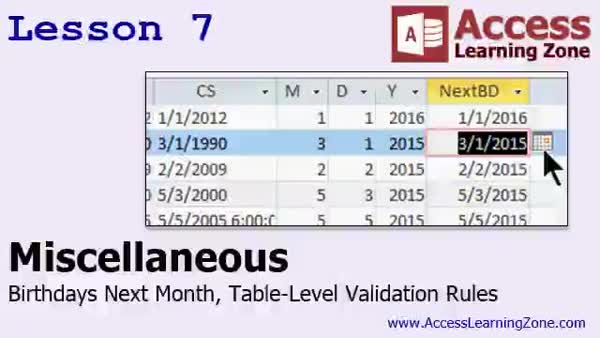
Lesson 7: Upcoming Birthdays & Table Rules - In Lesson 7, we will cover several miscellaneous topics, including how to calculate a list of birthdays coming up next month or within the next 60 days using the customer "since" field, and how to handle missing dates with the NZ function. We will also discuss table level validation rules in Access, such as ensuring a ship date cannot be before an order date, and show how to set up these rules to check multiple fields. Finally, I will mention advanced date/time features that require programming, such as calculating workdays, timestamping edits, recurring appointments, and holidays.
Lesson 8: Date/Time, Validation & More - In this course we learned how to break apart date values in Access, retrieve components like day, month, year, and weekday names, and calculate the first and last days of a week. We also reviewed how to use DateAdd to add intervals to dates and DateDiff to find the difference between two dates. The DatePart and DateSerial functions were discussed in detail, along with displaying ordinals, generating upcoming birthday lists, and using table-level validation rules. Finally, we talked about upcoming topics like aggregate functions, financial functions, formatting, and a basic introduction to VBA programming.
NavigationKeywordsDateAdd, DateDiff, DatePart, DateSerial, break apart dates, extract year month day, ordinal date suffix, upcoming birthdays, table validation rules, weekday function, week calculation, calculate age, workdays, last day of month
More InformationTranscriptWelcome to Microsoft Access Expert Level 28 brought to you by AccessLearningZone.com. I am your instructor, Richard Rost. Today's class is part 4 of my Comprehensive Function Guide to Microsoft Access. Part 1, which was Access Expert Level 25, covered string and logical functions. Part 2 covered the math and type conversion functions. Part 3, the last class, Access Expert 27, was the first part of the date and time functions, and then I realized I had to split it into two. So this is Expert 28, which covers the rest of the date and time functions. Consider 27 the introduction, and 28 is the meat and potatoes of the date and time functions. Just as a quick mention, I have also recorded an advanced date and time seminar that covers date and time functions that are even more advanced than I show in today's class, because there are some additional things that require VBA programming. I will talk about these in the last lesson of the class in detail. Before taking this class, I strongly recommend you watch Access Expert 27 first, which covers the introduction to dates and times. If you do not understand dates and times properly as explained in 27, you are really going to be lost in this class. Of course, before 27, I recommend the entire beginner series and all of my Access Expert levels, one through 26. This class was recorded using Access 2013. I am pretty sure everything covered today works in 2010 and 2007 as well. I am pretty confident that most of what I show today also works in 2003 and earlier, but I cannot guarantee that. I do not have any versions of Access on my machines before 2013 anymore, so I really cannot even test it. But if you are using an older version of Access and you come across something that does not work, please let me know and I will see if we can find a workaround for you. My courses are broken up into beginner, expert, advanced, and developer level classes. Beginner level classes are for novices. You should understand all the topics covered in them by the time you get to the expert level classes, which you are in now. When you finish all of the expert level classes, the advanced classes will cover event programming and macros, and the developer classes will cover Visual Basic for Applications. Each group of classes is broken down into multiple levels, level 1, 2, 3, and so on. In addition to my normal Access classes, I also have seminars designed to teach specific topics. Some of my seminars include building web-based databases, creating forms and reports that look like calendars, securing your database, working with images and attachments, writing work orders and running a service business, tracking accounts payable, learning the SQL programming language, creating loan amortization schedules, and lots more. You can find details on all of these seminars and more on my website at accesslearningzone.com. If you have questions about the topics covered in today's lessons, please feel free to post them in my student forums. If you are watching this course in the online theater on my website, you should see the student forum for each lesson appear in a small window next to the class video. Here you will see all of the questions that other students have asked as well as my responses to them and comments that other students have made. I encourage you to read through these questions and answers as you start each lesson and feel free to join in the discussion. If you are not watching these lessons on my website, you can still visit the student forums later by visiting accesslearningzone.com/forums. To get the most out of this course, I recommend you sit back, relax, and watch each lesson completely through once without trying to do anything on your computer. Then, replay the lesson from the beginning and follow along with my examples. Actually, create the same database that I make in the video, step by step. Do not try to apply what you are learning right now to other projects until you have mastered the sample database from class. If you get stuck or do not understand something, watch the video again from the beginning or tell me what is wrong in the student forum and I will do my best to help you. Most importantly, keep an open mind. Access may seem intimidating at first, but once you get the hang of it, you will see that it is really easy to use. Now I strongly encourage you to build the database that I build in today's class by following along with the videos. However, if you would like to download a sample copy of my finished database file, you can find it on my website at accesslearningzone.com/databases. Sometimes, if you get stuck, the easiest way to learn is to tear apart someone else's database. One of the ways that I taught myself Access years ago was by tearing apart the Northwind Traders database that comes with Microsoft Access. You will find there is a sample database for each of my courses on my website. Now let's take a few minutes and go over exactly what we are going to cover in today's class. In lesson one, we will learn how to break apart dates into their components: month, day, year, hour, minute, second, and so on. We will learn about the weekday function, which lets us determine what day of the week a particular date falls on. We will use that to calculate the first day of the week, the last day of the week, the Tuesday before today, and so on. In lesson two, we are going to learn about the date add function. This is where you can add a number of intervals to a date value. An interval can be a day, a week, a month, a quarter, a year. You can say, for example, what is exactly two calendar months from today, or what is one year from yesterday? In lesson three, we are going to learn the difference between two dates, and not necessarily just in days. You can say, show me how many weeks there are between these two dates, or how many calendar months are between these two dates. That is the date diff function. In lesson four, we are going to learn about the date part function. Now date part is similar to some of the other functions that we have used, and you can use date part to break a date apart into its different components. However, date part has a lot of advanced functionality, and we can use it to determine things like, does a date fall within the previous month, the next month, the previous quarter, and so on. In lesson five, we are going to learn about the date serial function. Now date serial lets us take the individual components, day, month, year, and put them together to get a valid date back. Now that does not seem like a lot, but we can use date serial to calculate a lot of different cool stuff. For example, what is the last day of the previous month? What is the first day of the next quarter? We can use it to calculate someone's exact age, which is very difficult to do without the date serial function. So, there are lots of cool things you can do with date serial. In lesson six, I am going to teach you how to display the day of the month as an ordinal date: first, second, third, and so on. In lesson seven, we have a couple of other miscellaneous topics to go over. I am going to show you how to calculate a list of birthdays coming up next month. So, if it is currently January and you want to see all of your customers who have February birthdays, we will generate that list. We will also talk about table level validation rules. That allows you to have validation rules that are checking multiple fields. So you can say things like the ship date has to be later than the order date. Otherwise, you cannot save the record. IntroIn this lesson, you will learn advanced date and time functions in Microsoft Access, including how to break apart dates into components like month, day, and year, use the weekday and date add functions, calculate the difference between two dates with date diff, and analyze dates using date part. We will also cover combining date elements with date serial, displaying ordinal dates, generating lists of upcoming birthdays, and setting up table-level validation rules to ensure data consistency. QuizQ1. What is the primary focus of Microsoft Access Expert Level 28? A. String and logical functions B. Math and type conversion functions C. Advanced date and time functions D. Building web-based databases Q2. Why does Richard recommend watching Access Expert Level 27 before taking this class? A. It covers how to secure your database B. It introduces dates and times, which are essential for this lesson C. It explains the basics of Visual Basic for Applications D. It reviews SQL programming Q3. What should you do if you encounter issues with covered features in older versions of Access? A. Ignore the issue and move on B. Contact Microsoft support C. Inform Richard for possible workarounds D. Uninstall and reinstall Access Q4. Which topic is specifically covered in lesson two of Expert Level 28? A. Date part function B. Weekday function C. Date add function D. Table level validation rules Q5. What is the purpose of the date diff function taught in lesson three? A. Add a specific interval to a date B. Find the difference between two dates in various intervals C. Break a date into its components D. Display ordinal dates Q6. What can the date part function help determine, as explained in lesson four? A. How to add two dates together B. If a date falls within specific ranges like the previous month or quarter C. The exact age from a birthday D. How to secure your database Q7. What does the date serial function allow you to do? A. Change the display format of a date B. Combine individual components into a valid date and perform advanced calculations C. Convert text to date D. Encrypt date fields Q8. Which of the following is covered in lesson six? A. Calculating the day of the week B. Displaying days of the month as ordinal dates C. Table level validation rules D. Creating calendar reports Q9. According to the course introduction, what is recommended after watching each lesson? A. Immediately apply the concepts to your main project B. Do nothing and wait for the next lesson C. Follow along with the sample database step by step D. Memorize all function names Q10. What type of rules are discussed in lesson seven? A. Form formatting rules B. Table level validation rules that can compare multiple fields C. Report grouping rules D. User permission rules Answers: 1-C; 2-B; 3-C; 4-C; 5-B; 6-B; 7-B; 8-B; 9-C; 10-B DISCLAIMER: Quiz questions are AI generated. If you find any that are wrong, don't make sense, or aren't related to the video topic at hand, then please post a comment and let me know. Thanks. SummaryToday's video from Access Learning Zone is Microsoft Access Expert Level 28, where I continue exploring the essential date and time functions in Access. My name is Richard Rost, and in this class, we are diving into Part 4 of my Comprehensive Function Guide to Microsoft Access. Let me give you some background so you know where this fits into the series. Access Expert Level 25 began this guide and focused on string and logical functions. Part 2 shifted to math and type conversion functions. In Access Expert 27, I introduced date and time functions, but there was so much to cover that I had to split it into two parts. So, consider Expert 27 your introduction, while Expert 28, which you are starting now, covers the main, more advanced features and uses of date and time functions. For those interested in going even further, I have created an Advanced Date and Time seminar, which addresses more sophisticated date and time scenarios that require VBA programming. I will mention these advanced topics in more detail during the last lesson of this class. Before proceeding, I strongly advise watching Access Expert 27 first, especially if you need a solid foundation in how dates and times are handled in Access. If you skip that lesson, you might find yourself lost when we cover some of the more advanced features today. Of course, it is always best to go through all the beginner lessons and Access Expert Levels 1 through 26 before getting to this point. This course was recorded using Access 2013. Most of what I cover will also apply to Access 2010 and 2007, and I am reasonably certain that much of it will also work in Access 2003 and earlier. However, I cannot guarantee compatibility with every feature in those older versions, because I no longer have them available for testing. If you are using an older Access version and run into a feature that does not work as shown, send me a message, and I will do my best to help you find a solution. Let me briefly explain how my course structure works. My curriculum is divided into beginner, expert, advanced, and developer classes. The beginner courses are suited for those brand new to Access. By the time you reach this level, you should already be comfortable with the concepts covered in earlier courses. Once you complete all the expert classes, you can move on to advanced topics such as event programming and macros, and then eventually to developer material like working extensively with Visual Basic for Applications (VBA). Each series is broken down further into levels. Apart from the regular classes, I offer a variety of seminars focused on specific skills and topics. These include everything from building web-based Access databases to designing calendar-style forms and reports, database security, handling images and attachments, work orders, service business management, accounts payable, loan amortization, and much more. All the details about my seminars, as well as additional resources, are available at accesslearningzone.com. If you have questions about anything discussed in the lessons, I encourage you to participate in the student forums. Students can ask questions and view answers from both myself and their peers. If you are taking this course through the online theater on my site, you will see the forum right next to the video for each lesson. Even if you are not watching the course on my site, you can still visit the forums later using the link at accesslearningzone.com/forums. For the most effective learning, here is how I recommend you approach this class: first, watch each lesson all the way through without trying to recreate it on your computer, just so you get the general idea. Then, replay it from the beginning and follow along with my steps, creating the same database that I build. It is best to work through the example project fully before trying to apply these techniques to your own work. This method helps reinforce the concepts and improves understanding. If you get stuck or do not understand something, do not hesitate to re-watch the lesson or post your question in the student forum. I am always happy to help. Most importantly, approach the material with an open mind and patience. Access can seem overwhelming at first, but with regular practice, it becomes much more approachable and even enjoyable. I highly recommend that you not only follow along with the videos and build the database I demonstrate, but also take advantage of the downloadable sample databases available on my website. Sometimes, analyzing a completed example can help clarify any confusion. That is how I learned a lot myself, by taking apart the Northwind Traders sample database included with Access. You will find sample databases available for each of my courses at accesslearningzone.com/databases. Now let us review what you will be learning in this Expert Level 28 class. In the first lesson, I will show you how to break a date down into its parts – such as month, day, year, hour, minute, and second. We will explore the Weekday function, which determines the day of the week for any date, and use it for calculations like finding the first or last day of a week or determining specific weekdays relative to today. Lesson two focuses on the DateAdd function. This allows you to add intervals – whether days, weeks, months, quarters, or years – to any date. For example, you can calculate what date is exactly two months from now or a year from any specified time. In lesson three, you will learn how to calculate the difference between two dates, not only in terms of days but also in weeks, months, or other intervals. The DateDiff function makes this possible. Lesson four introduces the DatePart function. This function is similar to some others we have covered, but it has a range of advanced features, such as checking whether a date falls within specific periods like a previous month, the next month, or a given quarter. In lesson five, the focus will be on the DateSerial function. This useful tool allows you to assemble a date from its individual components – day, month, year – to return a valid date. You can use DateSerial for a variety of calculations, like finding the last day of a previous month, the first day of a particular quarter, or calculating someone's exact age, which is much harder to do without it. Lesson six covers how to display days of the month using ordinal numbers, such as first, second, third, and so on. In lesson seven, I will touch on a few additional topics. You will learn how to generate a list of upcoming birthdays for next month. For example, you can easily find customers who have birthdays in February when it is January. I will also teach you about table-level validation rules, enabling you to set criteria that check multiple fields in your tables, such as ensuring that a ship date cannot fall before the order date. You can find a complete video tutorial with step-by-step instructions on everything discussed here on my website at the link below. Live long and prosper, my friends. Topic ListBreaking apart dates into components (month, day, year, etc.) Using the Weekday function to find the day of the week Calculating first and last day of the week Finding previous Tuesdays and specific days relative to today Adding intervals to a date with DateAdd (days, weeks, months, years) Calculating future or past dates using DateAdd Measuring difference between dates with DateDiff Counting weeks, months, or years between two dates Using DatePart to extract date components Determining previous month, next month, or quarter with DatePart Constructing dates using DateSerial from components Calculating last day of previous month and first day of next quarter Calculating a person's exact age with DateSerial Displaying the day of month as an ordinal date (first, second, etc.) Generating a list of upcoming birthdays by month Creating table-level validation rules for date fields Enforcing ship date after order date with validation rules Primary Topicsdate and time functions, extracting date components, DateAdd, DateDiff, DatePart, DateSerial, ordinal dates, birthday calculations, table validation rules Secondary Topicsdatabase sample files, forum support, version compatibility |
||||||||||||||||||||||||||||||||||||||||||||||||||||||||||||||||||||||||||||||||||
|
| |||
| Keywords: DateAdd, DateDiff, DatePart, DateSerial, break apart dates, extract year month day, ordinal date suffix, upcoming birthdays, table validation rules, weekday function, week calculation, calculate age, workdays, last day of month PermaLink Microsoft Access Expert 28 |