|
||||||
Access Advanced 6SQL Search Boxes, Data Macros, Error HandlingWelcome to Access Advanced 6. In this course you will learn how to create SQL search boxes to filter customer lists using macros, and explore how to use data macros to automate table-level actions and enhance error handling. We will discuss constructing dynamic WHERE clauses for search forms, managing control visibility, and using data macros for business rules and automatic calculations. You will see how these tools differ from VBA, review the concepts covered, and find out about support resources and recommended next steps for expanding your skills. Lessons
Resources
Lesson SummaryWelcome! SQL Search Boxes & Data Macros - Welcome to Microsoft Access Advanced Level 6. In this course we will continue exploring macros, focusing on SQL search boxes for filtering customer lists and introducing table-level data macros. This class builds on concepts from the Beginner and Expert Series, as well as the previous advanced levels. We will discuss recommended prerequisites, compatibility with different versions of Access, and where to find the sample database for the course. This class contains two main lessons covering these core topics.
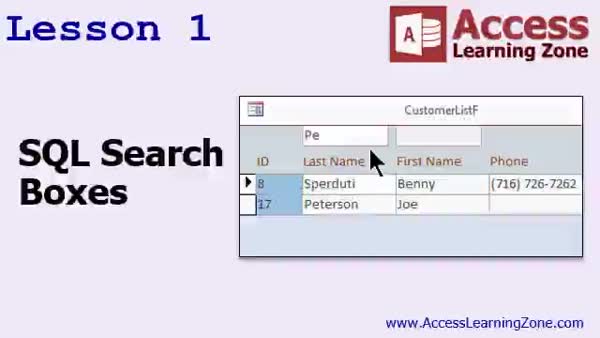
Lesson 1: Search Boxes with SQL & Macros - In Lesson 1, we will walk through how to add SQL search boxes to a customer list form in Access, allowing users to filter customers by typing search terms into unbound text boxes. We will discuss how to handle multiple search criteria, use macro events, and construct SQL statements with LIKE for partial searches. I will show you step by step how to build dynamic WHERE clauses for multiple search fields and update the form's record source accordingly, making the search process easier for users. We will also talk about managing visibility for these controls to keep the form user-friendly.
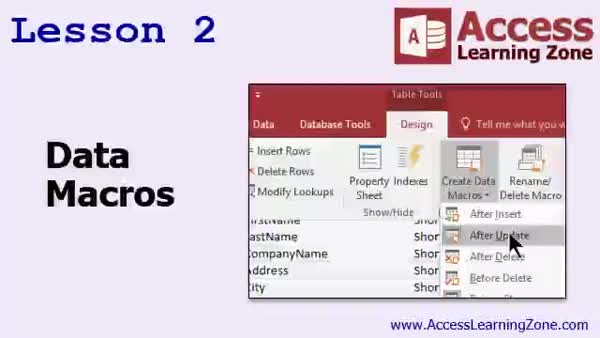
Lesson 2: Data Macros: Automation & Errors - In Lesson 2, we will discuss data macros in Microsoft Access, focusing on how they run at the table level in response to specific events like inserting, updating, or deleting records. I will show you how to create simple data macros, such as enforcing business rules by correcting invalid data and using the Raise Error command to provide user feedback. We will also walk through setting automatic calculations using data macros and briefly talk about logging updates to a separate table. Additionally, we will cover some limitations of data macros and how they differ from VBA.
Lesson 3: Macros, Events & Support Review - In this course we learned about macros and event programming in Access, discussed some differences between macros and Visual Basic, and explored the challenges developers may face when using macros. We covered options for further learning, including developer-level courses, SQL seminars, and additional resources available on forums and in the TechHelp section. Support options, ways to provide feedback via surveys, and multi-user licensing for AccessLearningZone.com materials were also explained.
NavigationKeywordsSQL search box, filter forms, dynamic where clause, unbound text box, data macros, table level automation, macro events, partial search, like operator, raise error, record source update, business rules, automatic calculation, logging updates
More InformationTranscriptWelcome to Microsoft Access Advanced Level 6, brought to you by AccessLearningZone.com. I am your instructor, Richard Rost. This is the sixth class in the Advanced Series. The Advanced Series of classes focuses on Macros, which are tools to allow you to easily automate tasks and add functionality to your database. This will most likely be the last class in the Advanced Series, because we have covered pretty much everything that I want to cover with Macros. That is not to say that I will not add a class later, but for now, we are going to put Macros to bed and jump straight to the Developer Series following this class so we can start getting into Visual Basic for Applications programming. For now, I would say we have covered about 80 percent of the Macro stuff that most people are going to use. I might do an Advanced Seminar or another class later on. If you want to see something that I have not covered yet, let me know. Of course, if I get enough material together for another class, maybe I will add Level 7. I am not sure yet. Microsoft recently dropped Access Web Apps, which is what I was hoping to use Macros for, but they made the decision recently to get rid of them. Macros are not quite as attractive as they used to be. I prefer Visual Basic programming for desktop Access applications. Of course, this class follows Access Advanced Level 5. You should have taken all of the other Advanced Classes, one through five, as well as the Beginner Series and the Expert Classes. There are 32 of those before starting on the Advanced material with the Macros. A lot of people want to just jump ahead, but then I invariably get questions like, what does that mean? I covered that in the previous class, so I will point you to that class. I recommend you take all my classes in order. The Beginner Series focused on building databases and the absolute fundamentals, building tables, building forms, and such. The Expert Series goes into relationships and then all kinds of extra tips and tricks with that, with forms and reports and grouping and all that good stuff. This is the Advanced Series with the Macros and an introduction to events, when certain things run, how events fire, and developers coming up next. That's going to be Visual Basic programming. Each one of these different levels is broken up into different classes: Level 1, 2, 3, 4, and so on. Today's class uses Microsoft Access 2016 Data Macros, which are covered in Lesson 2. I believe they were added in 2010, so I do not think that they will work if you are using 2007. The good news is that I almost never used Data Macros, so you should be okay. So the 15-minute lesson you will not be able to use if you have Access 2007, which means it is time to upgrade if you do. 2010 and 2013 users, you should be just fine. One of the reasons why I haven't re-recorded all these lessons for the different versions of Access is that honestly, they haven't changed much. Access has not changed much since 2007. Since they added the ribbon, they made a bunch of changes to the interface. Even then, before that, a lot of it is the same. Macros are different, though. Macros have really changed. When we get into the next level, when we get into the Developer Series, the VBA code is almost exactly the same. You can go back and watch my 2003 lessons, and all the VBA is pretty much the same. It has not changed much, so let's go ahead and move forward with that. The sample database for today's class can be found here by the nct.com/databases. It is best if you build the database yourself from scratch like I did, but if you really want to, you can go ahead and download my database. That is where you will find it, and you will need your password for the class in order to open up the database. Now I will take a quick look at what is covered in today's class. Yes, there are only two lessons. Lesson 1 is 35 minutes long. I kind of went overboard, but there is a lot of good information in it, and I really did not want to split this up into two lessons. Lesson 2 is 17 minutes long, outside of Data Macros. Yes, I should have probably broken those up into smaller lessons. So far no one has complained about my 20-minute lessons, so I think 35 should be okay. Here is what is covered in today's class: In Lesson 1, we are going to learn about SQL search boxes. We will put little search boxes on our customer list form, so we can type a few letters in and then have the list of customers filtered to show just that particular list of customers. In Lesson 2, we are going to learn about Data Macros. These are macros that fire when certain events occur at the table level. IntroIn this lesson, you will learn how to add SQL search boxes to your customer list form for dynamic filtering, as well as how to use Data Macros in Microsoft Access to automate actions that run when specific events occur at the table level. This is the sixth class in the Advanced series and focuses on expanding your skills with macros in Access. QuizQ1. What is the primary focus of the Advanced Series of Microsoft Access classes? A. Advanced database security protocols B. Macros and automating tasks C. Database web integration D. Report formatting techniques Q2. After completing the Advanced Series, what does the instructor recommend as the next set of classes? A. Advanced Reporting Series B. Database Optimization Series C. Developer Series focusing on Visual Basic for Applications D. Web Development Series Q3. What percentage of Macro concepts does the instructor estimate has been covered in the Advanced Series? A. 100 percent B. 60 percent C. 40 percent D. 80 percent Q4. Why were Access Web Apps considered less attractive for use with Macros recently? A. They became too expensive B. Microsoft removed them from Access C. They were only compatible with Access 2007 D. They required third-party plugins Q5. Which Microsoft Access versions support Data Macros as discussed in this class? A. All versions including Access 2007 B. Only Access 2003 and earlier C. Access 2010, 2013, and later D. Only Access 2019 and Office 365 Q6. What does the instructor say has changed the most in Access since 2007? A. Table design B. Macros C. Query syntax D. Report layouts Q7. What topics were covered in the Beginner Series of classes according to the instructor? A. Web integration and APIs B. Absolute fundamentals: building tables, forms, etc. C. Macros and automation D. Networking databases Q8. What is introduced in the Expert Series? A. Basic macro usage B. Working with relationships and advanced form/report techniques C. Data security D. VBA error handling Q9. What is the main subject of Lesson 1 in today's class? A. Data Macros B. Report Formatting C. SQL search boxes in customer list forms D. Table relationships Q10. How does the instructor advise students to access the sample database for the class? A. Download it from AccessLearningZone.com freely B. Build it from scratch, or download and use the provided class password C. Use a third-party sample database D. It is available only on request by email Q11. What are Data Macros as mentioned in Lesson 2? A. Macros that control form navigation B. Macros that help with report formatting C. Macros that run at the table level when certain events occur D. Macros used for updating queries Q12. What does the instructor recommend about taking the classes? A. Take only the classes you are interested in B. Take classes in any order you like C. Take all classes in order from beginner to advanced D. Just read the documentation instead Answers: 1-B; 2-C; 3-D; 4-B; 5-C; 6-B; 7-B; 8-B; 9-C; 10-B; 11-C; 12-C DISCLAIMER: Quiz questions are AI generated. If you find any that are wrong, don't make sense, or aren't related to the video topic at hand, then please post a comment and let me know. Thanks. SummaryToday's video from Access Learning Zone takes us through Microsoft Access Advanced Level 6. As your instructor, I designed this course to be the final installment in the Advanced Series, focusing primarily on Macros and how they can be used to automate tasks and add functionality to your databases. This marks the logical conclusion to our deep dive into Macros, and after this, we will transition directly to the Developer Series to explore Visual Basic for Applications programming. By this stage, we have addressed roughly 80 percent of the Macro-related features that most users will need in their Access databases. It is possible I may add another class or seminar in the future if enough students request additional topics. If there's something you feel I have not discussed or you'd like to see more detail on, please let me know. If demand requires it, I could add an Advanced Level 7 later. Recently, Microsoft discontinued Access Web Apps, which held promise for making Macros more useful. Without them, Macros have lost some of their appeal, and these days I prefer using Visual Basic for desktop Access applications, as they offer more flexibility and power. If you have not already, you should complete Access Advanced Level 5, as well as all previous Advanced classes, and of course, the full Beginner and Expert Series. That includes 32 classes before starting with the material in this Advanced series. Skipping ahead can cause confusion, and I often get questions from students about concepts I covered in earlier lessons. For clarity and continuity, I strongly encourage everyone to take my courses in order. The structure of my curriculum is as follows: the Beginner Series is all about learning the foundations of Access, including building tables, forms, and other database basics. The Expert Series expands into relationships as well as a variety of tips and tricks for working with forms, reports, and grouping data. The Advanced Series, where we are now, tackles Macros and introduces you to events and how they operate. The logical next step, the Developer Series, will guide you into the world of Visual Basic programming. Each level is broken up into distinct classes, such as Level 1, Level 2, and so on, to make progression clear and manageable. This class specifically uses Microsoft Access 2016 to explore Data Macros, featured in Lesson 2. Data Macros were introduced in Access 2010, so if you are using Access 2007 or earlier, you will not be able to work with those features. While I rarely use Data Macros myself, you only miss out on one short segment if you have an older version. If you run Access 2010 or 2013, you are in the clear. One key reason I have not re-recorded every lesson for each Access version is simply that Access has not changed much since 2007. The ribbon interface and several design adjustments arrived around then, but much of the core functionality remains consistent. There have been big changes to Macros, however, which is why they deserve focused attention. Visual Basic code, on the other hand, has remained nearly identical for years, so older lessons covering VBA are still highly relevant. You can find the sample database for this class on my website. While I recommend building your own databases from scratch to learn most effectively, I also provide the database files if you need them. You will need your class password to access those files. In today's class, there are two lessons on the agenda. Lesson 1 is about 35 minutes long and is packed with practical information, though it could have been split into smaller parts. Lesson 2 runs for 17 minutes and covers Data Macros. If your experience matches that of most students, you will find these lesson lengths manageable. Here is a summary of what we will cover: In Lesson 1, I show you how to create SQL search boxes on your customer list form. This allows you to search for customers by typing in a few letters, and the list will be filtered to display just the matching customers. In Lesson 2, I demonstrate how Data Macros work. These are a special type of macro that trigger when particular events occur directly at the table level. You can find a complete video tutorial with step-by-step instructions on everything discussed here on my website at the link below. Live long and prosper, my friends. Topic ListCreating SQL search boxes on forms Filtering customer lists with search boxes Introduction to Data Macros in Access Triggering Data Macros on table events Primary TopicsSQL search boxes, customer list forms, form filtering, Data Macros, table-level events, Access 2016 features Secondary TopicsAccess version compatibility, course progression, course structure |
||||||||||||||||||||||||||
|
| |||
| Keywords: SQL search box, filter forms, dynamic where clause, unbound text box, data macros, table level automation, macro events, partial search, like operator, raise error, record source update, business rules, automatic calculation, logging updates PermaLink Microsoft Access Advanced 6 |