|
||||||
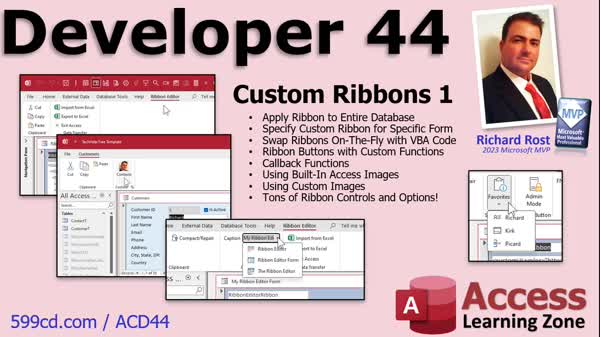
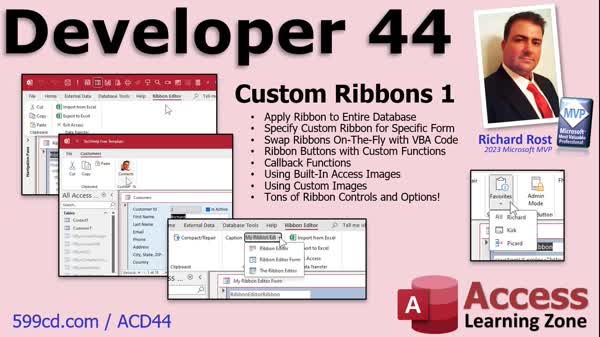
Access Developer 44Custom Ribbons, Menus, Buttons, VBA, ImagesWelcome to Access Developer 44. In this course you will learn how to build custom ribbons and menus in Microsoft Access, including setting up the USysRibbons table, creating ribbon XML, and managing ribbons using VBA. We will discuss how to apply ribbons to databases or specific forms, add custom functions, use both built-in and custom images, and work with controls such as checkboxes and combo boxes. You will see how to use callback functions, dialog launchers, SuperTip text, and send parameters to ribbon buttons to create a fully customized user experience. Lessons
Database FilesCode BlocksLinksResources
Lesson SummaryWelcome! Custom Ribbons, Menus & Buttons - Welcome to Microsoft Access Developer Level 44. In this course we will discuss building custom ribbons and menus in Access, including how to set up custom ribbons for your database, apply ribbons to specific forms, and swap them dynamically. We will cover creating the USysRibbons table, building the ribbon XML, and using VBA to manage ribbons. We'll talk about adding custom functions, using built-in and custom images, and working with various ribbon controls like checkboxes and combo boxes. Callback functions, dialog launchers, SuperTip text, and sending parameters to ribbon buttons will also be covered.
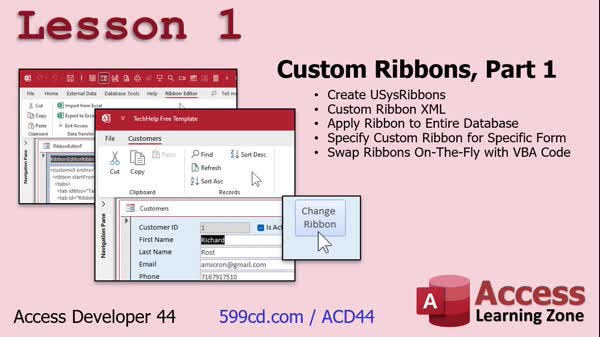
Lesson 1: Custom Ribbons: XML & Forms - In Lesson 1, we start learning how to build custom ribbons in Access by creating the hidden usysRibbons table to store ribbon data and writing RibbonXML to define tabs, groups, and controls. I will show you how to apply a custom ribbon to an entire database or a specific form, swap ribbons on the fly using VBA, and explain key concepts like the importance of case sensitivity in XML and how to locate idMso names for built-in commands. We'll also discuss options for customizing button sizes and settings and look ahead to custom buttons in the next lesson.
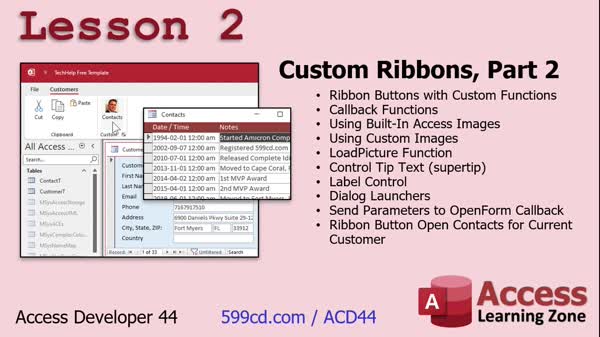
Lesson 2: Custom Ribbon Buttons & Images - In Lesson 2, we continue working with custom ribbons in Access, focusing on creating buttons that run our own functions instead of just built-in commands. We will talk about callback functions, using both built-in Access images and custom images for ribbon buttons, and the LoadPicture function. We will also discuss properties like super tip (control tip text), label controls, and dialog launchers. I will show you how to send parameters to callback functions, including passing data from form fields, and how to create ribbon buttons that open forms or apply filters based on the selected record.
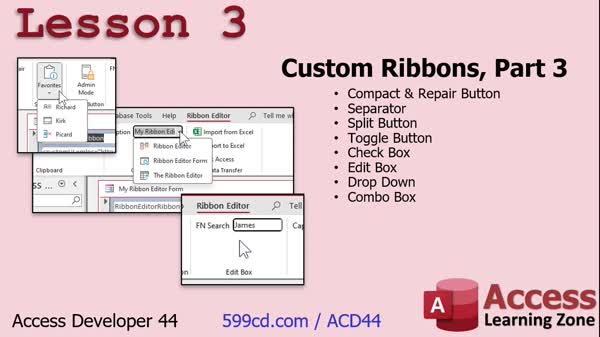
Lesson 3: Ribbon Buttons & Controls Guide - In Lesson 3, we continue working with custom ribbons by adding a compact and repair button directly to our Ribbon Editor, so we do not have to switch to the Database Tools tab. We will walk through how to add and configure various ribbon controls including separators, split buttons, toggle buttons, checkboxes, edit boxes, drop-downs, and combo boxes. I will show you how each of these controls works, where to use them, and how to connect them to appropriate callback functions to handle user actions. We will also briefly discuss how to prefill edit boxes using the getText callback.
Lesson 4: Next Steps & Sending Feedback - In this lesson, titled "What's Next," we will discuss upcoming topics for Access Developer 45 and future parts in the Custom Ribbons and Menus series. I will talk about potential lessons on ribbon controls, pop-up right-click menus, and inventory features, and ask for your feedback and suggestions. We will also cover how to share your comments and fill out the class survey, mention how to use the Access Index on the website, and briefly discuss the TechHelp membership and its resources.
NavigationKeywordscustom ribbons, ribbon xml, usysribbons table, custom menus, vba ribbon control, ribbon callback functions, custom ribbon buttons, form-specific ribbon, dynamic ribbon swap, ribbon images, idmso, dialog launcher, ribbon checkboxes, ribbon combo box
More InformationTranscriptToday is part one of my series on building custom ribbons and menus. Today we are going to talk about all kinds of different stuff and I am going to show you how to set up custom ribbons for your entire database, apply specific ribbons to individual forms, and swap them on the fly. We are going to learn about callback functions, using built-in Access images, custom images, and tons of ribbon controls, checkboxes, drop-down lists, and combo boxes. You name it. Lots of stuff today. Of course, this is a developer level class. However, the stuff that I am teaching today really does not require that you have watched all the previous developer lessons, but definitely the Beginner and Expert series, the Advanced series, and at least Developer Level One, so you have got some basic VBA under your belt. Of course, I always recommend do not skip levels. This class was recorded using Microsoft 365. It is currently 2023, so I am using the most current version. As far as I know, the stuff I am covering today goes all the way back to Access 2007, which is when they introduced the ribbon. They have made some changes to it since then. If you are using 2007 or 2010, I am not exactly sure that this stuff is going to work for you. It has been a while. Of course, if you have questions, post them down below. Just scroll down to the bottom of the page you are watching this video on and post them right there. Here is a detailed look at exactly what is covered in today's class. In lesson one, we are going to begin learning how to build custom ribbons. We will create the use-sys ribbons table, which is a hidden system table that will contain your ribbon data. We will see how to build the ribbon XML, which is basically a text file that indicates what goes in the ribbon, the different groups and tabs and such. We will learn how to apply a ribbon to an entire database, how to build a ribbon just for a single specific form like your customer form. Then we will learn how to swap the ribbons on the fly with VBA code. You can click a button or have an event that runs that changes the ribbon. In lesson two, we are continuing with custom ribbons. We are going to learn how to make buttons with our own custom functions in them. So instead of just having to use the built-in Access functions like cut, copy, paste, that kind of stuff, we can make our own cool buttons that do our own cool thing. We are going to learn about something called callback functions. We are going to learn how to use the built-in Access images, the little icons that come with Access. Then we are going to learn how to use our own custom images, like a picture of that handsome guy right there. We will learn about the load picture function. Then a bunch of different properties like control tip text, which is called super tip, and label controls. We will learn about dialog launchers, those little tiny buttons at the bottom of a group. We will learn how to send parameters to our callback functions to open different forms with different parameters. And we will make a ribbon button to open the contacts for the current customer on the customer form. All that is in lesson two. In lesson three, we are continuing on with custom ribbons. We are going to build a compact and repair button right on our Ribbon Editor ribbon so we do not have to keep switching back to the Database Tools ribbon. We are going to learn about the separator, the split button, toggle button, checkbox, edit button, drop-down and combo box controls. IntroIn this lesson, you will learn how to build custom ribbons and menus in Microsoft Access. I will show you how to set up custom ribbons for your entire database, apply specific ribbons to individual forms, and switch them dynamically using VBA. We will talk about creating the sysribbons system table, writing ribbon XML, and using a variety of ribbon controls like buttons, checkboxes, drop-down lists, and combo boxes. You'll also learn about callback functions, built-in and custom images, and techniques for customizing your ribbons for different needs. This is part 1. QuizQ1. What is the focus of Microsoft Access Developer Level 44? A. Building complex database relationships B. Creating advanced SQL queries C. Building custom ribbons and menus D. Implementing security measures in Access Q2. Which table must be created to store custom ribbon data? A. USysMenuDesign B. USysRibbonControls C. USysRibbons D. USysInterface Q3. What file format is used to define the structure and content of custom ribbons in Access? A. HTML B. JSON C. XML D. CSV Q4. In Lesson 2, what is emphasized for creating buttons with custom functions? A. Using only built-in Access commands B. Implementing callback functions C. Leveraging VBA exclusively D. Avoiding built-in images Q5. Which function can be used to load a custom image into a ribbon button? A. LoadPicture B. LoadImageFile C. GetImageData D. AccessImageLoader Q6. What must be included in the Ribbon XML to handle custom images? A. ImageFile equals "YourImage.jpg" B. LoadPicture equals "LoadImageFile" C. Image equals "YourImage.jpg" D. LoadImage equals "doLoadImage" Q7. Which key attribute is crucial for specifying the action a button should perform in ribbon XML? A. OnClick B. OnButtonPress C. OnAction D. Execute Q8. What VBA event can be used to change the ribbon dynamically? A. FormLoad B. OnGotFocus C. OnFormOpen D. BeforeUpdate Q9. What property should be set within a ribbon XML to start building from scratch? A. startFromScratch = true B. resetRibbon = true C. initializeRibbon = true D. enableCustomRibbon = true Q10. What aspect does a toggle button control in custom ribbons? A. Transition between multiple databases B. Toggle visibility of other forms C. Switch between different states like Admin Mode D. Enable and disable database features Q11. Which of the following controls allows users to input text directly into a ribbon? A. Drop-down list B. Combo box C. Toggle button D. Edit box Q12. How often must the database be reloaded when changes are made to the ribbon XML? A. After every five changes B. Whenever a new table is added C. Anytime the XML is edited D. Only once during initialization Q13. What element can be used to make the size of a button larger in the ribbon XML? A. buttonSize = "large" B. setSize = "large" C. size = "big" D. size = "large" Q14. What is an example of a separator in a ribbon group? A. A small dividing line between controls B. A pop-up help dialog C. An embedded macro D. A launch button for another tab Q15. Why might developers choose to use callback functions for ribbon buttons? A. To ensure compatibility with SQL queries B. To allow the ribbon to close the database C. To perform custom actions when buttons are clicked D. To enhance security settings in Access Answers: 1-C; 2-C; 3-C; 4-B; 5-A; 6-D; 7-C; 8-B; 9-A; 10-C; 11-D; 12-C; 13-D; 14-A; 15-C DISCLAIMER: Quiz questions are AI generated. If you find any that are wrong, don't make sense, or aren't related to the video topic at hand, then please post a comment and let me know. Thanks. SummaryToday's video from Access Learning Zone is part one of my series focused on creating custom ribbons and menus in Microsoft Access. In this session, we will explore a variety of topics related to custom ribbons. I will demonstrate how to configure custom ribbons for your entire database, assign specific ribbons to individual forms, and switch them dynamically as needed. The class includes discussion of callback functions, using both the images provided by Access and your own custom graphics, and a wide range of ribbon controls such as checkboxes, drop-down lists, and combo boxes. Today's lesson covers a lot of ground, so there's something here for everyone interested in making their Access applications more efficient and visually appealing. This is a developer-level class, though you will not need to have seen every single prior developer lesson. However, you should have completed the Beginner and Expert series, continued through the Advanced series, and gone through at least Developer Level One. You should be comfortable with basic VBA. As always, I encourage everyone to follow the course order and not skip levels. The video was recorded using Microsoft 365, in 2023, so I am working with the latest version of Access. Most of what I cover today should be applicable to older versions going back to Access 2007, when the ribbon feature was introduced, though I cannot guarantee full compatibility with Access 2007 or 2010 because there have been several changes over the years. If you have any questions during the course, feel free to post them in the discussion section below the page where you are viewing the video. Now, let's review what we will cover today: In lesson one, we will learn the basics of building custom ribbons. You will see how to create a hidden system table called use-sys ribbons to store your ribbon data. I will show you how to write ribbon XML, which is a text format used to describe the layout of your ribbon, including its groups and tabs. We will look at how to apply a ribbon to an entire database, and also how to build a ribbon just for a specific form, such as a customer form. You will also learn how to swap ribbons in real time using VBA code, so users can switch ribbons with the click of a button or based on different events. In lesson two, we continue our work with custom ribbons. I will explain how to create ribbon buttons that call your own custom functions, rather than just using the built-in Access actions like cut, copy, and paste. We will talk about callback functions, how to use images that are included with Access, and how to use your own custom images. I will introduce the LoadPicture function for custom graphics. There will also be a discussion on properties like SuperTip, which is the control tip text, and label controls. We will also learn about dialog launchers, which are the small buttons at the bottom of a group. I will show you how to pass parameters to callback functions, enabling you to open different forms with different parameters. For example, you will be able to make a ribbon button that opens the contacts specific to the current customer on your customer form. In lesson three, we will continue expanding our knowledge of custom ribbons. We will create a compact and repair button directly on your Ribbon Editor, so you do not have to go back to the Database Tools ribbon to use this feature. You will learn about separators, split buttons, toggle buttons, checkboxes, edit buttons, as well as drop-down and combo box controls. You can find a complete video tutorial with step-by-step instructions on everything discussed here on my website at the link below. Live long and prosper, my friends. Topic ListCreating the use-sys ribbons table for ribbon data Building ribbon XML to define custom ribbons Applying a custom ribbon to the entire database Assigning ribbons to individual forms Swapping ribbons dynamically with VBA code Creating custom buttons with user-defined functions Implementing callback functions in ribbon controls Using built-in Access images in ribbon buttons Adding custom images to ribbon buttons Using the loadpicture function for images Setting ribbon control properties like control tip text and label Adding dialog launchers to ribbon groups Passing parameters to callback functions Creating ribbon buttons to open specific forms with parameters Building a compact and repair button on a ribbon Using separator controls in custom ribbons Implementing split buttons in the ribbon Using toggle buttons in custom ribbons Adding checkboxes to ribbon menus Creating edit button controls Creating drop-down and combo box ribbon controls Primary Topicscustom ribbons, Access menus, ribbon XML, VBA integration, callback functions, ribbon controls, applying ribbons, custom buttons Secondary Topicsbuilt-in images, custom images, dialog launchers, ribbon parameters, control tip text |
||||||||||||||||||||||||||||||||||||||||||||||||||||||||||||||||||||||||||||||||||||||||||
|
| |||
| Keywords: custom ribbons, ribbon xml, usysribbons table, custom menus, vba ribbon control, ribbon callback functions, custom ribbon buttons, form-specific ribbon, dynamic ribbon swap, ribbon images, idmso, dialog launcher, ribbon checkboxes, ribbon combo box PermaLink How To Build Custom Ribbons With XML, Callback Functions, Icons, and VBA in Microsoft Access |