TempVars
By Richard Rost

 3 years ago
Using TempVars as an Alternative to Variables
In this Microsoft Access tutorial I'm going to teach you about TempVars which is a powerful and flexible alternative to variables in Microsoft Access VBA and in standard Access development.
Members
Members will get an in-depth walk-thru of how to use TempVars in various scenarios (VBA code, form properties, field control source, query criteria, etc.), some sample uses, tips & tricks, and more.
Silver Members and up get access to view Extended Cut videos, when available. Gold Members can download the files from class plus get access to the Code Vault. If you're not a member, Join Today!
Prerequisites
Links
Recommended Courses
Further Learning
Keywords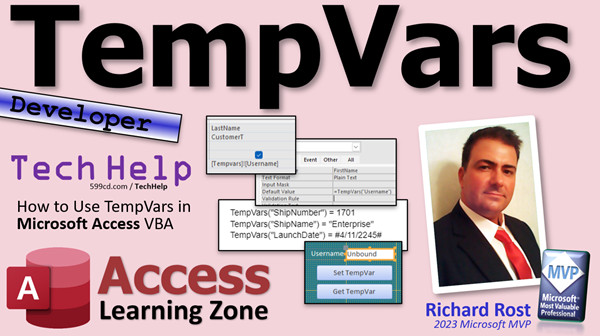
access 2016, access 2019, access 2021, access 365, microsoft access, ms access, ms access tutorial, #msaccess, #microsoftaccess, #help, #howto, #tutorial, #learn, #lesson, #training, #database, tempvars, ms access tempvars tutorial, access clear tempvars, vba clear tempvars, how to set tempvars in vba, tempvars item, why use tempvars, tempvars v global variables, tempvars good or evil
 Subscribe to TempVars
Get notifications when this page is updated
More InformationTranscript Well, folks, this is the one that everyone's been waiting for, and by everyone I mean Adam. Welcome to another TechHelp video brought to you by AccessLearningZone.com. My name is Richard Rost.
In today's video, I'm going to teach you how to use temp vars. We're going to talk about what temp vars is - or are, I guess - how to use them, and why they're useful.
This is going to be a developer-level video. What does that mean? We are going to be talking about VBA - Visual Basic for Applications. If you have never done any VBA programming before, go watch this video. It's about 20 minutes long. It will teach you everything you need to know to get started.
For you to get a good appreciation for what temp vars are and why they're useful, you should understand variables and how variables work, so you can store information in the computer's memory. You should also understand a variable's scope and visibility. For example, temp vars can be used to replace global variables that are used anywhere throughout your entire database while it's open.
If you aren't familiar with any of these concepts, please go watch these other videos first. Temp vars is an advanced topic, so make sure you have a good understanding of variables and their scope. These are all free videos. You can find them on my YouTube channel and on my website. I'll put links down below you can click on.
So, what are temp vars? Well, temp vars is a collection that you can use to store information just like global variables. However, they've got some additional benefits over global variables, and they've got some drawbacks too. We'll talk about those toward the end of the video. But essentially, you can use them pretty much anywhere. That's the major benefit of temp vars - they can store almost every type of value. They're variants, so you can use them to store numbers, text, dates, or Boolean values.
That's a benefit and it's also a drawback. We'll talk about that later too.
Now, one of my moderators, Adam - awesome guy, great developer, and he's the BadgerNerd on the website - he has to have all the badges. Love that about him. There you go, there's all his badges. I said to Adam, "Adam, you've been bugging me for the longest time to make this temp vars video, so why don't you help me out and put together what you'd like to see in the video?" Here's what he said.
He said, "So first, there's like this temp vars thing. It's really cool. You can like use it to store values and stuff, which is true. Pros would be that it's temp vars. Cons would be nothing, because it's temp vars - like record sets. We don't hate on them, bro." That about sums up the video. Smiley face.
And yes, Adam, you are correct: temp vars are awesome. They do have some things you have to watch out for, but they're awesome. In all seriousness, he did put together a nice long list of a whole bunch of stuff, and we're going to talk about a lot of that in this video.
So, Adam, thank you very much for your help and I hope that your patience will be rewarded.
Okay, so let's talk about the skinny on temp vars. Temp vars, you can use just like this: you say TempVars, it's a collection so you put in parentheses and then you put little quotes around it, like "UserName". So we're creating a variable temp var - a temporary variable - called UserName, and I'm setting it equal to Richard, a string.
They work in VBA code, obviously, and one of the major benefits is that they're not reset by errors. For example, if you have a global variable, you set the value, and there's an unhandled error in your database - let's say just a stupid syntax error or divide by zero, or whatever, any kind of error gets thrown - your global variables will reset. They'll be blanked out, whereas temp vars will survive that. That's probably, in my opinion, the major benefit, although my databases never throw errors. But they will survive that. That's one of the major benefits.
The next major benefit is you can use them directly in fields in your forms and reports. For example, you just set that equal to the control source of a text box, and there you go - you'll get your temp var right there. You can't do that with a global variable, you would need to have some kind of helper function.
So you can make a function called GetMyValue, send it the name of the value, and it'll return it for you. But temp vars do that without having to have the helper function. You could also do it with a hidden form field. This is what I used to do way back in the day before temp vars, because temp vars came about, I think, in Access 2007. I think - don't quote me - but before that, I've been using Access since 2.0. We used to have to have a form, and when you opened up the database, you'd open up the form, hide it, and then you'd save all your values on there if you didn't want to use global variables. And there are certainly benefits to that too, but now that temp vars is here, we can use temp vars.
Now, when you do this, if you do set it as the control source in a text box in either a form or report, it's read-only. You can't change it there. So you still have to change it with code, but at least you can use this to display it. This is handy for reports. You can display whatever your temp var is on a report, or if it's something like a username - like the user logged on - you can display that on a logon form.
You can set a temp var based on a form field's value, but you have to use the .Value property. So if you've got a text field on your form called UserNameText or FirstName or whatever, you have to say TempVars!UserName = FieldName.Value. Otherwise, it's going to try to store the object itself in the temp var, and you can't do that. Temp vars can only store primitive data types, right? Simple things. They can't store objects or weird stuff - just strings, dates, simple data types.
If you're trying to get it from the value on a form or report, use .Value.
Here's something else you can't do with global variables: you can use temp vars in form and report properties - like, for example, the Default Value property. You could say =TempVars!UserName. So you could set up a bunch of defaults throughout your database, and instead of having to look those up out of a table, you can just put them in your startup code somewhere and say it equals TempVars!UserName, and that can be used as a default value. You can use them in other properties as well, like the Caption property.
Here's another major benefit: you can use temp vars in queries as query criteria. You have to change the way that you call them, though. You can't call them with the old style with the parentheses; you have to use the bang operator. It's a little bit different, but if you do that, you can use temp vars in queries. Again, with global variables, you need a helper function; here, you don't - you just have to know how to call them.
You can use temp vars in macros. I know a lot of you don't use macros anymore - I use them very sparingly - but they work in macros too. You can use the SetTempVar macro command to set a temp var, and then to get the value again, you just say =TempVars!UserName, or whatever the name of the temp var is. If you want to remove them, there are remove commands as well. Again, you can't do this with global variables; you need a helper function.
The classic temp vars example is to store the logged-in username. You get it from the system environment, or however else you're doing it with a logon and password. Then you look it up in the table, make sure it's valid, and then you can set TempVars!UserName equal to UserName.Value.
Remember, if you're getting it off of a form, you have to use .Value - very important. I forget to do that a lot when I use temp vars, and then I get my error message. So you can't do it, and then I go, "Oh yeah, duh, gotta use .Value." In fact, I go through this example specifically in this video - my user level security video. If you want to see a good example with a walkthrough of how to do that, go watch this video.
Temp vars does have some issues of its own. We don't hate on them, but there are some things. They can store any type of data - it's a pro, but it's also a con because you could store a value in a temp var like 65, and you think it's a number, but it's actually being stored as text because you didn't control how it was saved there. So make sure that when you use it, wherever you end up using it, if you're going to add to it or do something to it, you have to use the correct type conversion function. In fact, yesterday's video was on type conversion functions - I'll put a link to that down below as well.
So, if you're expecting a currency value, you might have to say "convert to currency TempVar," or whatever. If you're expecting a date, you have to say CDate, whatever your temp var is, so just keep that in mind. It's a variant - it can be anything - and that's a good thing and a bad thing.
Another thing: they don't need to be declared. They're not variables; the compiler doesn't recognize them. You could just willy-nilly in your code say stuff like "TempVars!ShipName = Enterprise." Since they're not compiled and the compiler doesn't know what it's about, they are very prone to typos.
You can accidentally - you know, I copy and paste them anytime I use a temp var. I copy and paste the name because I always make mistakes, and the number one thing when people say their code isn't working, when I get emails or I see it in the forums - spelling errors.
That's one of the reasons why we use Option Explicit in our code, because Option Explicit, when we do a debug compile, it'll catch any variables that are spelled wrong if they're not dimmed. It'll catch anything that's on a field name, but it won't check your temp vars.
Note to Access team: maybe do that - I don't know, some way to declare a temp var.
Finally, no IntelliSense, so if you're typing, you know, with IntelliSense you get like "Forms!CustomerForm!FirstName" - it'll pop up for you. There's none of that for temp vars.
Now, I just scratched the surface of temp vars. There's a lot to temp vars, obviously, and I'm going to be covering a lot more with them in the extended cut for the members. We're going to do some sample walkthroughs of some examples of how to use it, and I'm going to show you some tips and tricks. That'll be for the members.
I'm going to spend a lot more time with temp vars in my Access Developer Level 43 class. We're going to go over some additional sample use cases, the issues with data typing, removing them, listing them, checking to see if they exist, determining what type they are, and lots more. So, this will be my comprehensive temp vars guide in Access Developer 43.
I do also want to make a special mention of a couple of great articles that I found online about temp vars. Here's one from Mike Wolfe at No Longer Set from last year. He always puts these great pictures on top of his articles too. He talks about some of the problems, some that I've already mentioned. He's got some additional ones. He talks about how to use a class module with temp vars, which is pretty cool, so check this out. I'll put a link to this down below.
Also, Daniel Pineault over at DevHut has a great article on how to use temp vars and some additional things in here too. You can check out both of these articles below in my links section.
To learn more, don't forget to check out my extended cut. Silver members and up on my channel get access to all of my extended cut videos. There are hundreds of them, folks - there's lots and lots of learning. Gold members get access to my sample downloads, my code vault, free classes, and lots more.
That is going to be your temp vars extraordinary TechHelp video for today. I hope you're happy, Adam. More to come. I hope you learned something. Live long and prosper, my friends. I'll see you next time! Intro In this video, we will talk about how to use TempVars in Microsoft Access. You will learn what TempVars are, how they differ from global variables, and the main ways developers use them in VBA programming. Key points include storing data types in TempVars, using them in forms, reports, queries, and macros, and important tips like handling scope, type conversion, and avoiding common mistakes such as typos. We will also cover the pros and cons of TempVars and discuss their read-only behavior in controls and lack of IntelliSense in VBA. Quiz Q1. What is the main benefit of using TempVars in Microsoft Access over global variables?
A. TempVars are faster to declare and compile than global variables.
B. TempVars are not reset by errors in VBA, unlike global variables.
C. TempVars can store complex objects like forms and recordsets.
D. TempVars require less memory than standard variables.
Q2. In what scenarios can you use TempVars directly without needing a helper function?
A. In VBA code only
B. In forms, reports, queries, and macros
C. Only in queries
D. Only in global modules
Q3. What types of values can TempVars store?
A. Only strings
B. Only numbers and dates
C. Variants, so almost any value like strings, numbers, dates, or Boolean
D. Only objects such as forms or recordsets
Q4. Why is it important to use the .Value property when assigning a form field to a TempVar?
A. To avoid accidentally storing the object reference instead of the value
B. To declare the TempVar data type explicitly
C. To trigger a form event
D. To prevent the TempVar from being overwritten
Q5. Which of the following properties in a form or report can TempVars be used directly for, to display their values?
A. Height
B. Control Source and Default Value
C. Font Size
D. Tab Order
Q6. What is a drawback of TempVars being variants?
A. They can only store strings
B. You might accidentally store or use a value with the wrong data type
C. They cannot be used in VBA code
D. They always require helper functions
Q7. Which version of Microsoft Access introduced TempVars, according to the video?
A. Access 2.0
B. Access 97
C. Access 2007
D. Access 2016
Q8. What is a common example use case for TempVars mentioned in the video?
A. Storing a macro command
B. Keeping track of the logged-in username
C. Declaring arrays
D. Permanently saving report layouts
Q9. What must you do if you want to use a TempVar in a query as a criterion?
A. Use the parentheses syntax like TempVars("Username")
B. Use the bang operator syntax, such as TempVars!UserName
C. Use a special helper function
D. Only use TempVars with SQL commands
Q10. Which of the following is one of the dangers or limitations of using TempVars mentioned in the video?
A. They are difficult to initialize
B. They cannot be removed once set
C. They are prone to spelling mistakes because they are not checked by the VBA compiler
D. They slow down the database
Q11. How do you set a TempVar in a macro?
A. Use SetTempVar command in the macro
B. Only in VBA, not in macros
C. Assign a value in the Immediate window
D. By declaring it with Dim
Q12. What is NOT a feature of TempVars according to the video?
A. Automatically benefit from IntelliSense when typing their names
B. Do not need to be declared in code before use
C. Can survive resets caused by runtime errors
D. Can be used in the Control Source of a text box
Q13. If you want to add to a numeric value stored in a TempVar, why is type conversion necessary?
A. TempVars can only store currency values
B. TempVars store all values as text by default
C. TempVars are variants and may not store the value in the type you expect
D. Type conversion is never needed with TempVars
Q14. What is one way you can help prevent errors related to misspelled TempVar names?
A. Use Option Explicit to force declaration
B. Let the VBA compiler automatically fix spelling
C. Always copy and paste TempVar names to ensure consistency
D. Declare all TempVars in a special declarations section
Q15. What was a common method used to mimic a database-wide variable before TempVars existed in Access?
A. Using global arrays in VBA
B. Hiding a form and storing values in its fields
C. Storing values in reports
D. Creating tables with only one record
Answers: 1-B; 2-B; 3-C; 4-A; 5-B; 6-B; 7-C; 8-B; 9-B; 10-C; 11-A; 12-A; 13-C; 14-C; 15-B
DISCLAIMER: Quiz questions are AI generated. If you find any that are wrong, don't make sense, or aren't related to the video topic at hand, then please post a comment and let me know. Thanks. Summary Today's TechHelp tutorial from Access Learning Zone is focused on one of the more interesting developer tools in Microsoft Access: TempVars. My name is Richard Rost, and in this lesson I am going to show you how TempVars work, discuss when and why you would use them, and compare their advantages and disadvantages against other types of variables.
This topic is intended for developers, meaning anyone who has spent a bit of time with VBA, or Visual Basic for Applications. If you have never worked with VBA before, I highly recommend watching my introductory video on the subject first. Understanding the fundamentals of variables, how they hold data in memory, and how their scope and visibility work within different parts of a database is essential before moving on to TempVars.
So, what exactly are TempVars? In short, TempVars are a special collection in Access that you can use to hold data, very much like global variables. They are versatile, able to store different kinds of values, including numbers, text, dates, and Boolean values because the collection is built on the Variant data type. This flexibility makes them handy for many development situations, and yet, as with many things, this advantage comes with some caveats. I will touch on both sides throughout this article.
The major benefit of TempVars is their broad accessibility. They are available almost anywhere while your Access application is running. Unlike standard global variables, TempVars are not reset if your code encounters an error. For instance, global variables lose their values if an unhandled error occurs, but TempVars retain theirs. In my view, this is one of their standout features, providing that extra reliability especially in larger or more error-prone environments.
Another strength is that, unlike global variables, TempVars can be used directly in fields on your forms and reports. You can simply use them in the control source property of a textbox to display their value. If you wanted to do a similar thing with global variables, you would need to build a helper function. TempVars make it simpler and more straightforward.
Prior to Access 2007, before TempVars were introduced, a common workaround was to use a hidden form with fields to hold application values through the session. This was another solution to avoid global variables, but with TempVars, you no longer need these hidden forms for this purpose.
There are some limitations to be aware of, though. When you use a TempVar as the control source in a text box on a form or report, keep in mind that the value is read-only. If you want to change the value, you still need to do it in code. This is especially useful, though, for showing dynamic information in reports or displaying a username on a login form.
When assigning values to TempVars based on form fields, always make sure to use the .Value property. This is crucial. If you simply use the field name, you risk storing the entire object instead of the intended underlying value, which TempVars cannot handle. They are only designed to hold simple data types like strings, numbers, and dates.
TempVars have additional advantages in other areas. You can use them in properties like Default Values and Captions on forms and reports, allowing you to set up defaults throughout your application quickly and without fetching values from a table every time. Simply set up your TempVars in your startup routines and reference them as needed.
Another key advantage is their usability in query criteria. With proper syntax, you can reference TempVars directly in queries, something you cannot do with global variables without helper functions. This direct access speeds up development and reduces the complexity of your code.
TempVars can also be used in macros. While many Access developers have transitioned away from macros to VBA, TempVars still work seamlessly there. Setting, reading, and removing TempVars can all be handled with macro commands, further underscoring their versatility.
One of the classic use cases for TempVars is storing the logged-in username. After you retrieve the name using your preferred authentication method, simply set a TempVar for the username and refer to it wherever needed throughout your application.
TempVars, while useful, have their own set of issues. Their flexibility in storing any data type is a double-edged sword. For instance, you may store what you think is a number, but if it was put in as text, you will have to use the appropriate data conversion function, like CCur for currency or CDate for date values. If you rely on the wrong data type, you can run into subtle bugs. It's important to always be mindful of how you set your TempVars and to convert them as needed to the correct type when using them later in your applications.
Unlike typical variables, TempVars do not require declaration. This might seem convenient but makes them prone to typographical errors, as the compiler has no way to check them. Misspelling the TempVar name in different locations will result in invisible bugs. I always recommend copying and pasting TempVar names to minimize errors. Using Option Explicit in your modules can help catch undeclared variables, but unfortunately, this safeguard does not cover TempVars.
There is no IntelliSense support for TempVars either. So, when you're typing references to them, there's nothing to prompt or auto-complete their names, which increases the risk of mistakes.
This article just begins to cover what TempVars can do for your Access projects. In the Extended Cut for members, we will look at practical walkthroughs and provide more advanced tips for managing TempVars, using them in real-world scenarios, tracking them, and keeping them organized.
I also plan to explore TempVars in more depth in Access Developer Level 43, where I will discuss more complicated examples and address advanced topics like managing data types, removing and listing TempVars, checking their existence, identifying their types, and more. This session will serve as my comprehensive TempVars reference.
For those who are interested in further reading, I recommend two excellent articles: one by Mike Wolfe at No Longer Set discussing some of the lesser-known TempVars challenges, and another by Daniel Pineault at DevHut, both of which offer deep dives into this topic. You can find links to these resources on my website.
Silver members and above get access to all extended cut videos on my channel, containing hundreds of additional lessons. Gold members also gain admission to the code vault, sample downloads, free classes, and much more.
For complete step-by-step instructions and demonstrations on everything discussed above, you can watch the full video tutorial on my website at the link below.
Live long and prosper, my friends. Topic List Introduction to temp vars in Access VBA
Benefits of temp vars over global variables
Persistent values after errors using temp vars
Using temp vars in form and report controls
Setting temp vars based on form field values with .Value
Temp vars support for multiple data types
Using temp vars in the Default Value property
Using temp vars in the Caption property
Using temp vars as query criteria
Syntax for referencing temp vars in queries
Using temp vars in Access macros
Classic use case: storing the logged-in username
Data type considerations and type conversion with temp vars
Temp vars do not require declaration
Potential for typos when using temp vars
Lack of IntelliSense support for temp vars Primary Topics TempVars, VBA programming, global variables, variable scope, forms, reports, macros, query criteria Secondary Topics error handling, data types, best practices, type conversion, typos, IntelliSense limitations |




