Cascade Delete
By Richard Rost

 3 years ago
Proper Use of Cascade Delete in Microsoft Access
Today, we're going to talk about Cascade Deletes in Microsoft Access. They're very dangerous, but they can also be very powerful. But of course, remember, with great power comes great responsibility. So we're going to talk about that in today's video.
Ava from Tempe, Arizona (a Platinum Member) asks: In your video about referential integrity, you said that Cascade Deletes are dangerous and that I should avoid them. Can you explain what they are a little more and when I should and should not use them? Are they really that dangerous?
Members
Members will learn how to create a button that will execute some SQL to manually delete an order and its details, without using Cascade Deletes. This method will work across linked tables and allows you to delete exactly what you want. We can also incorporate safeguards, such as verifying that the order isn't paid before we delete it and prompting the user to confirm if they are certain about the deletion.
Silver Members and up get access to view Extended Cut videos, when available. Gold Members can download the files from class plus get access to the Code Vault. If you're not a member, Join Today!
Prerequisites
Links
Recommended Courses
Keywords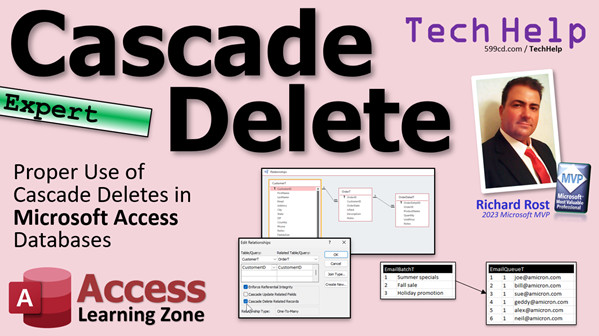
access 2016, access 2019, access 2021, access 365, microsoft access, ms access, ms access tutorial, #msaccess, #microsoftaccess, #help, #howto, #tutorial, #learn, #lesson, #training, #database, Cascade Deletes, Data Integrity, Database Relationships, Cascade Operations, Deleting Records in Access, Access Cascade Deletes Tutorial, Database Maintenance, MS Access Training.
 Subscribe to Cascade Delete
Get notifications when this page is updated
More InformationTranscript Welcome to another TechHelp video brought to you by AccessLearningZone.com. I'm your instructor, Richard Rost. Today, we're going to talk about cascade deletes in Microsoft Access. They're very dangerous, but they can also be very powerful. Of course, remember, with great power comes great responsibility. So we're going to talk about that in today's video.
Today's question comes from Ava in Tempe, Arizona, one of my Platinum members. Ava says, "In your video about referential integrity, you said that cascade deletes are dangerous and that I should avoid them. Can you explain what they are a little more and when I should and should not use them? Are they really that dangerous?"
Yes, they can be dangerous. What I tell beginners, and even the very beginning of my expert users, when we start getting into relationships and such, is just avoid them. They're dangerous, be careful. If you really don't know what you're doing - maybe even if you do know what you're doing - it's possible to accidentally delete stuff you didn't realize you were going to delete.
Let me show you some examples. Before we get started, if you have not yet watched my video on referential integrity, go watch this first. This is important so you understand what I'm talking about. Go watch it and come on back.
Here I am in my TechHelp free template. This is a free database you can download off my website if you want to. In here we have customers. Here's a customer. Each customer has orders, and each order has details. If you want to learn how I built this database, you'll find a link down below to my invoicing video.
Now, as it stands right now, I do have relationships set up on a global level between customers, orders, and order details. I have referential integrity set up. What that does is it says if you have a customer and that customer has any child records, whether it's orders, contacts, anything else, you can't delete that customer. That's what referential integrity does. So if I open this up and I try to delete me, it says you can't do it because OrderT includes related records.
So let's go to orders. Let's try to delete this order now. I can't do it because OrderDetailT includes related records. In order to delete this customer, I would have to delete all of the orders for that customer, and for each order, I'd have to delete all of the detail items.
That might seem like a lot of work, but it's actually a pretty good thing, especially for novice users. You don't want people accidentally deleting all of their orders. Why? It could mess up your accounting. If these orders are linked to other places where you have your accounts receivable, you've got your income information for taxes, all that stuff, you keep this information in the database. Keep it.
If an order needs to get canceled, just mark it unpaid and maybe even have another field here that says canceled, but leave the order in the system. That's what I say. Don't delete data. I have a whole separate video on why you shouldn't delete data. Customers, orders, all that stuff - just mark it inactive. If you don't want to see this stuff on your reports or in your combo boxes or lists, just mark it inactive and then program your combo boxes and your reports accordingly.
Unless you're dealing with tens of thousands or hundreds of thousands of records, space isn't usually a problem nowadays. So just keep that old customer, even though the guy died or moved away and will never be a customer again, you want to keep his historic information in your database.
If I turn on cascade deletes, watch what happens. We can go in here and say cascade delete related records for that one. And then over here, cascade delete related records.
Now what's going to happen is if I delete a customer, all of their orders and all of their order details just go bye-bye. Ready? Save it. Close it. Open up me, and then delete. Gone. All that stuff is just gone. If you look in here, trust me, I'll verify it. It's just gone.
Here's Starship Parts from Customer 2. So here's customer 2. Click. Delete. Oops, I didn't mean to do that. Well, guess what? All of his orders are now gone. This is why I don't like cascade deletes in most situations. You have to be very, very careful when you use cascade deletes.
Now, are there instances where I will use cascade deletes? Yes, but usually only when it involves data that I know is going to be temporary. For example, in my database, I've got an email batch table and then an email queue. I'll do different promotions like summer specials, holiday promotions. I usually do one or two of these a year, but I do do them. When I do, I'll queue up a bunch of emails to go out for that promotion and I'll assign it a batch number.
So here's my batch table. I've got summer specials; it's batch one. Fall sale might be batch two. Maybe after a couple of months, I don't need to keep this information around - the email and what was sent to each person. In that case, I'll enforce cascade deletes here. If I delete the batch, it'll delete all the emails in the batch. That's just housekeeping because that's not information I need to save. Once the batch is out, I really don't care about that data anymore. So that's a good use of cascade deletes - deleting old log tables, for example, that kind of stuff.
But don't use it for any tables in your database that actually matter, where you actually care about the data. Orders, even contacts, that stuff you want to keep. You don't want to lose that. Even in the future, if the customer goes away, you don't want to lose all of his old orders. Say that ten times fast.
I think it's actually a good thing that not having cascade deletes slows the user down. If they want to delete Deanna Troy, they have to see that she has orders. We have to make sure she doesn't have any orders. If you pick someone that has orders, you can't just quickly delete them. You have to mindfully go into each order and then delete all of the items. Then you can delete the order and you're going to do that with each order. That just makes it harder for users to delete stuff you don't want them to delete.
Another problem with cascade deletes is that referential integrity doesn't work across linked tables. So if you've got your database linked to multiple backends, for example, you can't enforce referential integrity. You can only enforce it in that database. If all your tables are in one backend database, you're fine. But if you have them spread across several different tables or several different database files, you can't use referential integrity. You have to come up with your own solution.
What kind of solution am I talking about? In the extended cut, I will show you how to manually handle cascade deletes. We're going to make our own delete button for the order. We're going to handle it manually with a VBA SQL solution. Our button is going to do a few things. It will check to make sure that the order's not paid. It will say you can't delete a paid order. If it's not paid, at least that slows the user down one more step. They have to manually unpay it. You could put some security behind that if you want to as well.
If it's not paid, you're still going to get an "Are you sure?" I like the "Are you sure?" Are you sure you want to delete this? You're really sure? What that will do then is it will run some SQL to delete those records. It will delete the order and then return you back to the customer form and everything will be taken care of, whether you have linked tables, or cascade deletes, or referential integrity installed. It doesn't matter, because we're going to make sure we handle it ourselves.
That's covered in the extended cut for the members. Silver members and up get access to all of my extended cut videos. There are hundreds of them by now, so there's lots of stuff to watch.
That's going to do it. There's your cascade delete TechHelp video for today. I hope you learned something. Live long and prosper, my friends. I'll see you next time. Intro In this video, we will talk about cascade deletes in Microsoft Access, explaining what they are, why they can be risky, and when it might make sense to use them. You'll see practical examples of how cascade deletes work in a sample customer and order database, learn why they often should be avoided, and discuss scenarios where they are helpful, such as for temporary or housekeeping tables. We'll also cover some important warnings and tips to help prevent accidental data loss when managing relationships and referential integrity in your Access databases. Quiz Q1. What is the main purpose of enforcing referential integrity in Microsoft Access?
A. To allow child records to exist without parent records
B. To prevent deletion of parent records that have related child records
C. To speed up database performance
D. To automatically archive old records
Q2. What happens if you attempt to delete a customer who has related orders when referential integrity is enforced and cascade deletes are NOT enabled?
A. The customer and all related orders are deleted
B. The customer is deleted, but the orders remain
C. The database prevents you from deleting the customer
D. The related orders are marked as inactive
Q3. What is a significant risk when cascade deletes are enabled?
A. Orders will not appear in reports
B. All related child records may be accidentally deleted without further warning
C. Additional fields are required for deletion to occur
D. Database size increases with each delete
Q4. According to the video, when is it generally appropriate to enable cascade deletes?
A. When dealing with core business data like customers and orders
B. Only for tables with historical or financial records
C. Only for temporary or disposable data such as batches or log tables
D. Always, to keep the database clean
Q5. What does Richard recommend instead of deleting records like orders or customers?
A. Backing up the data to a separate file
B. Marking the records as inactive or canceled to hide them from reports
C. Moving the records to a different table
D. Saving the data as a PDF
Q6. What is a suggested benefit of NOT enabling cascade deletes for important data?
A. Users can delete records more quickly
B. It forces users to carefully review and manually delete related records
C. It prevents any deletions in the database
D. It increases database storage usage
Q7. Which situation was given as a good example for using cascade deletes?
A. Removing customer records with active orders
B. Deleting obsolete batches of email promotions and their associated emails
C. Cleaning up paid invoices
D. Archiving old customers to a different database
Q8. Why can referential integrity NOT be enforced across linked tables in Access?
A. Referential integrity is only available for queries
B. Linked tables require a special license
C. Referential integrity can only be enforced if all tables are within the same backend database
D. Linked tables do not store any data
Q9. What alternative solution does Richard suggest if you need to handle deletes across linked tables where referential integrity and cascade deletes are unavailable?
A. Export the data to Excel and manually delete rows
B. Build a manual delete process using VBA and SQL
C. Upgrade to Microsoft SQL Server
D. Use the built-in delete cascade tool
Q10. Why does Richard recommend keeping even inactive or old customer data in your database?
A. To prevent corruption of other tables
B. Database space is inexpensive and historical data can be important
C. Deleted data can always be recreated if needed
D. It improves the database's performance
Answers: 1-B; 2-C; 3-B; 4-C; 5-B; 6-B; 7-B; 8-C; 9-B; 10-B
DISCLAIMER: Quiz questions are AI generated. If you find any that are wrong, don't make sense, or aren't related to the video topic at hand, then please post a comment and let me know. Thanks. Summary Today's TechHelp tutorial from Access Learning Zone focuses on the topic of cascade deletes in Microsoft Access, examining both their potential power and their inherent risks. This is a feature that comes up frequently in discussions about database management, and it is important to understand when it is appropriate to use and when it is best to avoid.
The motivation for today's lesson stems from a question about referential integrity and cascade deletes. I often tell students, especially those who are new to Access or just starting to get comfortable with more advanced features, to steer clear of cascade deletes. The reason is that they can cause data loss if you are not extremely careful. Even experienced users have accidentally deleted more information than intended by using this feature.
First, let me give you a quick overview of the relationships in a typical Access database. In the example database, we have customers. Each customer can have multiple orders, and each order can include order details. The relationships are set up with referential integrity enforced. What this means is that Access prevents you from deleting a parent record if it still has related child records. For example, you cannot delete a customer who still has orders in the system, and you cannot delete an order if it still has order details associated with it.
This might seem like a cumbersome restriction at first, but it actually helps safeguard your data. For most users, especially those not well-versed in database design, this protection prevents the accidental loss of critical information. Deleting a customer with outstanding orders could significantly disrupt your accounting data. Even if an order is canceled, it is usually better to add a status field, such as "canceled" or "inactive," to mark the record accordingly instead of completely deleting it. This helps maintain the integrity of your data history, which is important not just for basic business operations but also for things like tax records and audits.
Space is rarely a major concern in modern databases, so it makes sense to simply mark records as inactive when needed, even if a customer is never coming back. This approach preserves historical information, which could become important later.
Now, let's consider what happens when you turn on cascade deletes. With this setting enabled in your relationships, deleting a parent record like a customer will also automatically delete all related orders and order details. The process is irreversible. If you accidentally delete a customer, every order and associated order detail is also deleted without further warning. This is where the danger lies. If you make a mistake, the data is gone, and you may not be able to recover it easily.
There are some situations, however, where cascade deletes are useful and appropriate. In my own databases, I use cascade deletes with temporary or maintenance data. A good example is an email marketing system where you have a table of email batches and a related queue of emails to be sent. After a particular campaign is finished and there is no longer any need to keep this data, I can safely delete the email batch, which then removes all the related emails without having to do it manually. This is a form of database housekeeping and makes sense when the data does not have long-term value. The same principle applies to certain log tables or audit trails where you may want to periodically clean up old records.
On the other hand, you should avoid using cascade deletes for data that truly matters, such as customers, orders, or contacts. You never want to risk losing valuable business history just because a single record was deleted.
Another benefit of not using cascade deletes is that it forces users to slow down and consider the implications of their actions. If someone tries to delete a customer and sees that there are still orders, they are prompted to go deeper, understand what is happening, and intentionally remove each dependent record if appropriate. This extra effort can prevent accidental data loss.
There is also a technical limitation worth mentioning. Referential integrity and cascade deletes do not work across linked tables if your database is split across multiple back-end files. These features are only enforceable within a single back-end database. If you have tables spread out over different database files, you will need to handle referential integrity and cascading deletions through your own custom processes.
In the Extended Cut for members, I show how to manually manage cascade deletes by building a custom delete button for orders. This process involves writing VBA code to control the deletion process, including checks to ensure that the order is not paid before deletion is permitted. The code also provides a confirmation dialog to double-check that the user truly wants to proceed with the deletion. This method gives you full control over the process, works regardless of how your tables are linked, and provides an extra layer of protection for your important data.
If you are a member, you will find the step-by-step walk-through for this process in the Extended Cut video, along with access to hundreds of other advanced tutorials.
You can find a complete video tutorial with step-by-step instructions on everything discussed here on my website at the link below. Live long and prosper, my friends. Topic List What cascade deletes are in Microsoft Access
Common dangers of cascade deletes
Examples of deleting parent records with child records
Relationship setup between customers, orders, and order details
How referential integrity prevents accidental data loss
Why to avoid deleting important historical data
Using inactive flags instead of deleting records
Step-by-step enabling of cascade deletes in relationships
Consequences of enabling cascade deletes
Situations when cascade deletes may be useful
Using cascade deletes for temporary or housekeeping tables
Why not to use cascade deletes for important business tables
Limitations of referential integrity with linked tables
Risks of using cascade deletes in split databases Primary Topics cascade deletes, referential integrity, table relationships, data deletion, Microsoft Access
Secondary Topics database design, user safety, linked tables, manual deletion, VBA automation
|




