Activate v Got Focus
By Richard Rost

 3 years ago
On Activate vs. On Got Focus Events in Access
In this Microsoft Access tutorial, we're going to learn the difference between the On Activate and On Got Focus events, as well as the On Deactivate and On Lost Focus events.
Prerequisites
Links
Recommended Courses
Keywords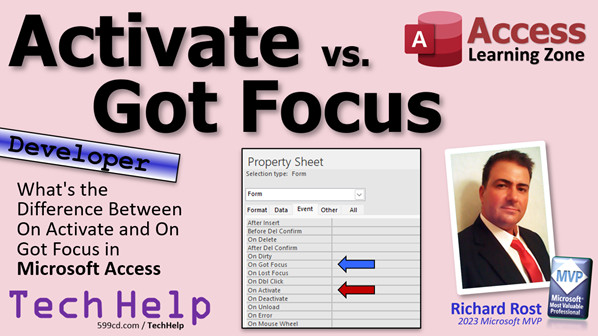
access 2016, access 2019, access 2021, access 365, microsoft access, ms access, ms access tutorial, #msaccess, #microsoftaccess, #help, #howto, #tutorial, #learn, #lesson, #training, #database, on activate, on got focus, what is the difference between activate and got focus
More InformationTranscript Today we are going to learn the difference between the On Activate and On Got Focus events, as well as the On Deactivate and On Lost Focus events in your Microsoft Access database.
Anything dealing with events is usually going to be a developer-level video. What that means is that you are going to need to know a little VBA. If you have not learned how to program in VBA yet, it is easy. Do not worry about it. You can just go watch this video. It is about 20 minutes long. It teaches you everything you need to know.
So yesterday I released this video called On Activate. It explains how to use the On Activate event so that when you switch to a different form or you open a form, the Activate event fires and you can do stuff with that form. This is as opposed to the On Got Focus event.
The On Got Focus event is better if you want to have an event that runs when you switch to a different control, like when a text box gets the focus, or a button gets the focus, or a check box, or any control on the form.
If you want the event to fire when the form itself gets focus - let us call it when it is activated - use the On Activate or On Deactivate events when you switch to or switch away from it. If you are dealing with individual controls on a form, then you want to use On Got Focus and On Lost Focus.
Watch both of those videos for more information on how each of those works.
Now, a common question I always get is why is there an On Got Focus event for the form itself if it does not work? There is an On Got Focus right here for the form. If you double click here, you have the form's properties. Here is On Got Focus.
If I put something in here: MessageBox "Got Focus", save it, close it, open it, nothing happens. Why is that?
Well, the On Got Focus event in forms was included for backward compatibility because years ago there was not an On Activate event. You had to use On Got Focus.
So that feature was kind of depreciated in newer versions of Access when they added On Activate. Where is On Activate? Activate is right down here.
So we'll put in here: MessageBox "Activate". If I close this and then I open it back up again, there is Activate and the Got Focus still does not run.
Now, here is the kicker. Got Focus will still fire if and only if none of the controls on the form are in your tab stop. In other words, if the focus cannot go to a control.
Normally when you open up a form, the first field in the tab order gets the focus. Here is my tab order. Customer ID starts off.
If this form has no objects or it has no objects that are tab stops, then that event will run. Do not believe me? Watch this.
Let me save this. Let me copy the customer form. Copy, paste. Here is Copy of Customer Form. Now, I am going to open up this customer form. Activate still runs.
I am going to delete everything on here. Delete them all. Save it. Close it. Open it back up again. There is Activate and there is Got Focus. Oh, it still runs. Why? Because the form itself got the focus because it cannot give focus to one of its own controls.
The same thing will happen also if you have a field on here. Let me put FirstName back on here. Now if I close it and open it, there is Activate. Got Focus did not run.
But if I now take this guy and make it not a tab stop, it is now not a tab stop. Guess what? Activate. Got Focus runs again.
It is weird. I know. And yet it still gets the focus. I cannot explain it. It is one of those quirky Access behaviors. As far as I can tell, it was added for backward compatibility from years back. I am not on the Access development team, so I do not know. There might still be some applications out there that were built with Access 2003 that still use that function.
But for modern day developers, you are really never going to use it. You are going to use Activate for forms and Got Focus for controls.
This is something I always get asked. I know it is common because I just did the Activate video yesterday. In my developer classes, people always ask these questions, so I figured I would hit you with it.
That is all for today, folks. Short class for today.
If you like this kind of stuff and you want to learn more VBA programming with me, come and check out my developer lessons. There is a link. You will find all kinds of different ones. I think I just released 44. So I have got lots and lots of stuff on it.
But there is your quick TechHelp video for today, a Friday, so we are going to keep it short today. I hope you learned something.
Live long and prosper, my friends. I will see you next time. Intro In this video, we will explore the differences between the On Activate and On Got Focus events in Microsoft Access forms, as well as the On Deactivate and On Lost Focus events. I will talk about how these events work, when you should use each one, and explain some of the quirks you might encounter, especially with the form's On Got Focus event. Whether you are looking to run code when a form is activated or when a control on your form gets the focus, you'll learn which events are most appropriate for each situation. Quiz Q1. What is the primary difference between the On Activate and On Got Focus events in Microsoft Access forms?
A. On Activate fires for the form as a whole, while On Got Focus fires for individual controls.
B. On Activate only works for buttons, while On Got Focus works for all controls.
C. On Activate fires for queries, while On Got Focus is only for tables.
D. On Got Focus is used for reports, while On Activate is only for forms.
Q2. When should you use the On Got Focus event in Microsoft Access?
A. When you want to track when the form itself is activated
B. When you want to detect when a specific control, like a text box or button, gains focus
C. When you want to close a form automatically
D. When you want to save a record
Q3. What is the recommended event to use if you want to perform an action when a form becomes active?
A. On Lost Focus
B. On Got Focus
C. On Activate
D. On Open
Q4. Why might the On Got Focus event for a form exist even though it usually does not work as expected in modern Access?
A. It is included for backward compatibility with older versions of Access.
B. It allows multiple controls to synchronize focus.
C. It is used exclusively for subforms.
D. It is required for activating macros.
Q5. Under what condition does the On Got Focus event for a form actually fire?
A. When the form is opened for the first time
B. When the form is in Design view
C. When the form has no controls that can receive focus (no tab stops)
D. When a query linked to the form is updated
Q6. What happens if a form contains controls but none of them are tab stops?
A. The form will not open at all
B. The On Deactivate event will fire instead of On Activate
C. The form's On Got Focus event will fire when the form opens
D. The form will be locked for editing
Q7. For which type of object should you primarily use the On Got Focus and On Lost Focus events in modern Access?
A. Tables
B. Reports
C. Individual controls like text boxes and buttons
D. Entire forms
Q8. Why is On Activate preferred over On Got Focus for forms in modern Access development?
A. On Activate is deprecated and should not be used
B. On Got Focus only works for subforms
C. On Activate is more reliable for forms and works as expected when activating forms
D. On Activate only works for reports
Q9. What does the On Deactivate event do in the context of forms?
A. It fires when a control on the form is clicked
B. It fires when the form is minimized
C. It fires when the form loses focus or is switched away from
D. It fires when a new record is added
Q10. If you open a form and its controls have tab stops, which event is likely NOT to fire for the form?
A. On Load
B. On Activate
C. On Got Focus
D. On Deactivate
Answers: 1-A; 2-B; 3-C; 4-A; 5-C; 6-C; 7-C; 8-C; 9-C; 10-C
DISCLAIMER: Quiz questions are AI generated. If you find any that are wrong, don't make sense, or aren't related to the video topic at hand, then please post a comment and let me know. Thanks. Summary Today's TechHelp tutorial from Access Learning Zone is focused on understanding the difference between the On Activate and On Got Focus events, as well as the On Deactivate and On Lost Focus events in Microsoft Access.
When working with events in Access, you are typically dealing with developer-level tasks. This means you will need a little bit of knowledge about VBA programming. If you are new to VBA, do not worry. It is easy to pick up, and I recommend checking out my introductory video which covers everything you need to get started in about twenty minutes.
Recently, I released a video covering the On Activate event. That tutorial explained how the On Activate event is triggered whenever you switch to or open up a form, allowing you to run specific routines as that form becomes active. This is distinct from the On Got Focus event, which applies more to individual controls.
The On Got Focus event is best used for cases where you want something to happen when an individual control, such as a text box, button, or check box, receives input focus. In other words, when you move through the controls on your form, On Got Focus will fire for whichever control is now active.
When you want to distinguish when the entire form itself receives focus - essentially when the user switches to that form - you should use the On Activate and On Deactivate events. For individual controls, you will use On Got Focus and On Lost Focus.
You can find more details about how to work with both of these event types in my related video tutorials.
A question I am often asked is why the form itself has an On Got Focus event listed in its property sheet if it does not seem to do anything. If you add code to the form's On Got Focus event, such as a simple message box, save the form, and then try to trigger the event by opening the form, you'll notice that nothing happens. This can be confusing.
The reason for this is historical. The On Got Focus event exists on forms for backward compatibility. In earlier versions of Access, before the On Activate event was introduced, developers had to use On Got Focus. Once On Activate was added, On Got Focus for forms became largely obsolete, but was kept in the program for older databases that still used it.
If you instead add the same message box code to the On Activate event and open the form again, you will see the message appear as expected, but the On Got Focus event does not run.
An interesting quirk in Access is that the On Got Focus event for the form will still fire under certain conditions. This only happens if there are no controls on the form with the Tab Stop property enabled. Normally, when you open a form, Access gives focus to the first field in the tab order. If there are no controls set to receive focus, then the form itself will get focus, and the form's On Got Focus event will fire.
To see this in action, you could make a copy of your form, remove all the controls, save and reopen it, and then you would see both the On Activate and On Got Focus events occur. If you add a control back onto the form and make sure its Tab Stop property is enabled, only On Activate will fire when you open the form. However, if you remove the Tab Stop from all controls, then both events will fire again.
This behavior can seem a little odd and is a result of how Access maintains backward compatibility. As far as I can tell, you probably won't ever need to use the form's On Got Focus event in modern development. Always use On Activate for form-level actions, and use On Got Focus for actions tied to controls.
This is a question that comes up frequently, especially in my developer classes, so I wanted to offer a concise explanation.
If you are interested in learning more about VBA or other Access developer topics, I have a variety of detailed lessons available. I encourage you to check them out.
For a full video tutorial with step-by-step demonstrations of everything I discussed here, visit my website at the link below.
Live long and prosper, my friends. Topic List Difference between On Activate and On Got Focus events
Difference between On Deactivate and On Lost Focus events
How the On Activate event works for forms
How the On Got Focus event works for controls
Limitations of the form-level On Got Focus event
Effect of tab order and tab stops on On Got Focus firing
Backward compatibility of On Got Focus versus On Activate
Demonstration of On Got Focus firing with no tab stops
Practical scenarios for using On Activate and On Got Focus Primary Topics Access form events, On Activate, On Deactivate, On Got Focus, On Lost Focus, VBA compatibility, event firing logic
Secondary Topics tab stops, backwards compatibility, developer best practices
|





