Bubble Sort
By Richard Rost

 3 years ago
Sort an Array with a Bubble Sort in Access VBA
In this Microsoft Access tutorial, I'm going to teach you how to use a Bubble Sort to sort an array of numbers in Microsoft Access VBA. A Bubble Sort is just one type of sort you can use to sort a list of numbers, and we're going to use it to sort dice rolls in our dice roller program so that we can roll multiple dice and keep the three highest scores.
Members
There is no extended cut, but here is the database download:
Silver Members and up get access to view Extended Cut videos, when available. Gold Members can download the files from class plus get access to the Code Vault. If you're not a member, Join Today!
Prerequisites
Recommended Courses
Bubble Sort Algorithm
For I = 1 To MAXROLLS - 1

    For j = I + 1 To MAXROLLS

        If Roll(i) > Roll(j) Then

            Temp = Roll(i)

            Roll(i) = Roll(j)

            Roll(j) = Temp

        End If

    Next j

Next I
Keywords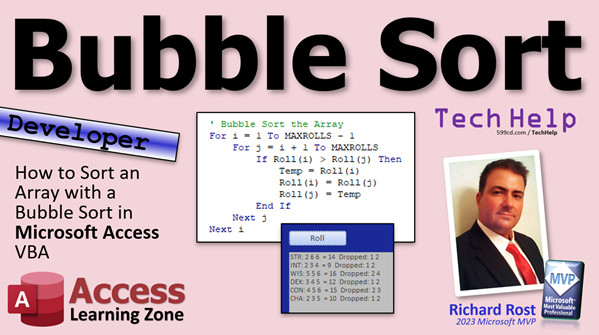
access 2016, access 2019, access 2021, access 365, microsoft access, ms access, ms access tutorial, #msaccess, #microsoftaccess, #help, #howto, #tutorial, #learn, #lesson, #training, #database, Sort, array, bubble sort, dice rolls, dice roller program, roll multiple dice, keep highest scores, sort numbers, sort list, Bubble sort algorithm, gold pressed latinum, quark
 Subscribe to Bubble Sort
Get notifications when this page is updated
More InformationTranscript Welcome to another TechHelp video brought to you by AccessLearningZone.com. I'm your instructor Richard Rost.
Today, we're going to dive into some computer science. I did this stuff when I was a kid, back in college. One of the things they teach you in computer science is how to sort a list of numbers. We're going to sort the values in an array using something called a bubble sort.
A lot of you have been bugging me to get into more data analysis and computer science kind of stuff. So here we go. This is a more advanced developer lesson.
We're going to go back to our dice roller that we built in the nested loops video. I'll give you a link to that in just a minute. We're going to roll four dice and drop the lowest score. As you can see down here, 266 came up. That's 14. It dropped the one. And two here. Here I rolled five dice and I dropped the lowest two.
In order to do that we have to store those numbers in an array. Excuse me, I got a whole bunch of you complaining that I pronounce array wrong and we're going to talk about that in a minute. But we're going to store these numbers in an array, and then we have to sort them somehow so we can drop the lowest two. That's what we're going to do today - a bubble sort.
All right, so prerequisites. Obviously if you've never done any VBA programming before, go watch this. This will get you started. I started building this dice roller program in my loops series, so make sure you watch the nested loops video. You might have to watch one or two before that too, but this is the one that is right before here. I'm going to use the database from this video, and all this code here is already built in. It does this: it rolls three dice, but it doesn't store them in an array so you need to know how to use arrays.
Go watch my arrays video to learn how to store this stuff in memory.
These are all free videos. They're on my YouTube channel, they're on my website. Go watch them and then come on back.
All right, so really, what is a bubble sort? Well, it's just taking a couple of loops, a couple of nested loops, and looping through numbers and flipping the lower one with the higher one. You're going to check to see if a number is higher or lower than the one before it, and then you're going to flip it if it's not.
With databases and with Microsoft Access, we can just click a button and it sorts for us. But how exactly does that work inside the computer? If you just have a list of numbers and it's not in a table, it's just in memory, how do you sort that list? Well, bubble sort is one algorithm you can use to sort those numbers.
Let me give you an example using something that most people, most Trekkies at least, can relate to. Let's say Quark has four bars of gold-pressed latinum, and each one of those bars of latinum has a serial number. We'll keep it short with just a single digit for now, but you get what I'm going with here.
Now, his bars of latinum are in order: 7 3 9 1. You've got to sort those in regular order. With a bubble sort, you use two loops - an x and a y loop. x is going to run from the first item to the second from the last item, and y is going to run from the second item to the last item. y is the inner loop; x is the outer loop.
It's going to start with x is one, y is two, and y is going to go here, here, here. It's going to compare each one of these to the x value. Then, when it's done looping, x is going to increment and y is going to continue with this one and this one. The lowest number is going to bubble down to the left. That's why they call it a bubble sort.
The first one is x is seven, y is three. Is three lower than seven? Yeah, so we're going to swap those two. See how that works? Now, y equals y plus one so y is going to increment over there. Now is nine less than three? No, it's not. Leave them alone. So now y increments over to the next one. Is one less than three? Is y less than x? Yeah, it is, so swap those. So one bubbles to the left.
Now y is at the end of the array. So x will increment; now x moves over there and y resets to the next one after x. So y restarts as well. Is nine less than seven? No, so y increments. Is three less than seven? Yeah, swap those two.
y is at the end so x increments, then y resets to x plus one, which is still the same spot. Then we just check to see, is seven less than nine? Yes, it is, swap them, and now we're done. Now all of those gold-pressed latinum bars are now in numerical order.
Problem is, they are fake bars of gold-pressed latinum and Quark is not happy. It's nothing but useless gold.
So you see how the bubble sort works. All right, let's get into the code and see how we program this.
Here is a copy of the TechHelp free template. This is the database from the nested loops video. Gold members, you can go and download a copy of this from there, or you can grab it from this one. Everybody else, get to building. If you are not a gold member you can't download the template, so that's another reason to upgrade.
Let's take a look at the code. Let's go in here and review this real quick and see what we got. All right, there's the code from before. One thing I want to mention. At the end of that video, I told you that arrays, if you start them off like that and you just fill them up like that, this starts at zero. So we got to change our code, right? Zero to five or five to zero. Well, one of my platinum members, Matt, came up with an elegant solution that I didn't even think of. You could take an empty string and put it in there. Now what do you have? Now you have an array. It's got seven elements in it, but as far as your code is concerned it doesn't matter because now you got this is zero, right? One, two, three, four, five, six. That's beautiful. I love it. Thanks Matt. Thanks for sharing.
So we could certainly do that in here and go empty string like that, and now we can make our loop go from six to one and now we don't have to worry about fives and zeros at all. That's awesome.
Now, in this code here, all we're doing is just displaying the roll; we're not actually saving it. So we got to save this data into an array, and yes, I'm going to keep pronouncing it array. I told you earlier, as I mentioned, why I pronounced it that way. I learned how to program and I learned a lot about computers and all that stuff on my own by myself when I was a kid because we didn't have the internet and YouTube and all that stuff. I learned how to program when I was about eight years old on my TRS-80 Tandy Coco Color Computer. So I learned a lot of what I know from books.
I didn't learn it in school, so I didn't have a teacher talking to me and I didn't have YouTube videos to watch. So when I saw a new word in a book like that, my brain pronounced it in my head "array." I never heard it before. Didn't hear it in the real world. It's just a computer term. So that's how I taught myself to pronounce that word and it just stuck. Then later on, years later, I heard the pronunciation of it and it's "array." I get it. It doesn't matter. In my formative years, my brain knows that word as array. I used to get the same thing with the word novice. Whatever. That's just how I pronounce it because I learned how to read it and didn't know how to pronounce it, and that's why. So, I pronounce it the way I pronounce it. If you don't like it, too bad. Don't watch.
All right, so we're going to add a new array up here: dim roll. We're going to make this one, two. Now, if you want to do four dice you could do four, if you want to do five dice, you could do five. How about we make a constant that's got the value in it. We'll call it max rolls. And that'll store long, so now we're going to put that up here. Constant max rolls, and we'll set it equal to four. We're going to roll four dice, and we can very easily change it in the future to five, six, seven, whatever.
You want to make superhero characters, set it to like seven, you drop four dice, and everyone has 17s and 18s. That's not much fun, honestly. When it comes to actually playing D&D, I like just because it's more entertaining to have characters with some good stats like 18s and 17s, but it's also entertaining to have a character with poor stats. You know, you've got the fighter with the 18 strength and the four wisdom. It's more fun that way.
I digress. We're also going to need two loop counters for our bubble sort. We'll call them i and j, or whatever, any letters, doesn't matter. And we're going to need a temporary variable because the way that it works is when you're swapping those values, when you're swapping this one with this one you can't just say x equals y, y equals x. You need a third variable to put that in. You need a little temp variable. You're going to say temp equals x because now the nine goes into here. Now you can say x equals y, and now y can equal temp. That's how you can switch two numbers. But you need three variables to do it.
So we need a temp variable and we need two loop counter variables. We're going to dim, we'll just call it temp as long, i as long, and j as long.
This is fine. All that's fine down to right about here for our dice rolls.
We're going to roll the dice and store them in an array this time.
We're going to say: for y equals 1 to max rolls. Instead of putting it in D, we're going to say roll(y) equals die roll of 6, and then next y here.
So the array is getting filled up with dice rolls 1 to 4, 1 to 5, whatever you got going on.
Now, once we've got all the numbers in there we can sort the array with the bubble sort.
We again need two loops. I'm going to just slide this stuff down. We're going to do our sort here. The outer loop is going to be: for i equals 1 to max rolls minus 1. The outer one only goes to n minus one, whatever that happens to be. The inner loop is always going to be: for j equals i plus 1 to max rolls. It's going to go from two to four, for example.
Here's where we do the swap. If roll(j) is less than roll(i) then, if that second one is less than the first one, swap them. So temp equals roll(i), roll(i) equals roll(j), and then roll(j) equals temp.
Next j, next i, and that's our bubble sort.
That's it. It's not that bad. That's one of the benefits of a bubble sort. It's actually one of the easier sorts to program.
There are tons of different sorting algorithms. I learned lots of them in computer science back in college. There's the merge sort, insertion sort, selection sort, heap sort, counting sort, bucket sort, dozens of them, and they got better. Bubble sort was one of the first ones that computer programmers developed. As the years went on, mathematicians, logic people, and physicists came up with really cool sorts that I don't even understand half of them.
But when you're doing something simple like this, and computers are as fast as they are today, it's not a big deal. If you're doing supercomputer-level stuff then go to college and learn the more advanced sorts.
If you want to learn some of those additional, better, faster sorts, I do know - like I know how to do an insertion sort - those kinds of things. There are better algorithms. If you like this stuff, put some comments down below and I'll cover some different types of sorts. This is the one that always gets me by because bubble sort is easy.
Now that we've got each array sorted, now we can drop the lowest roll, which will always now be in position one. So if I'm ignoring position one, let's assume I got four dice, then I want to just add up the dice from positions two through four. So it's going to be: for y equals max rolls minus two to max rolls. So if I got four dice, it's going to be two to four, it's going to be those three dice. If I got five dice, it's going to be three, four, and five. See that? That's why it's max rolls minus two. You might want to put a note up here for yourself: max rolls must be a minimum of three because if you make that two, this will generate an error.
Not technically, when you try to access the array with a value of zero it will throw you a "subscript out of range" error. So you got to make sure that's a minimum of three. But it's a constant, so your user can't change it - you, the programmer, have to come in here and change this. We'll talk about making this variable later.
Now we're going to just add up the dice except for the lowest one. The total is actually right down here. We'll move this stuff up now. Cut and paste total equals total plus, instead of d, now it's going to be roll(y), whatever that die is. Now we can do s equals s and roll(y), and then next y there, and then we can do our s equals s and total, and then display out the s and set up any display, and that should do it.
Here, we'll say "display only best three dice." All right, let's give it a debug compile. Everything looks good. Let's come over here, close it, and open it, and run it, and there we go.
Looks right. It's not showing us the drop dice, but I don't see any ones. There's a one. You're going to get one every now and then. If you get two ones, obviously one's going to show up, but those rolls are a whole lot better.
Do you want to see the dropped dice? Let's see if we can get those in here. Let's display those dropped dice. Let's come in here and we'll go right here.
Now, to show the dropped dice: first of all, we're only going to have dropped dice if max rolls is greater than three. So if max rolls is greater than three then we might have some dropped dice. So we'll say s equals s and put a couple spaces and say "dropped," and then we need to loop from one, the lowest die, to - it'll be max rolls minus three. Right, because if there's four dice, max rolls minus three would be four minus three is one, so it'll just give you one. You could say for y equals one to one - that's fine, you'll get just one.
So for y equals one to max rolls minus three, s equals s and roll(y) and put a space after it, and then next y there. That should show you the dropped rolls as well.
Let me see here, show dropped rolls, save it. Ready, here we go: bam. Oh, we got it in the wrong spot. I got the equal sign at the wrong place. We'll do this up here. There. It's just displayed in the wrong order.
Some of this I plan ahead of time, some of this I don't. I didn't plan this part out at all. Ready? Now it should work. There we go. That looks much better. 2 3 3 equals 8, drop 1. So even with dropping one, you still get some bad scores. Looks good, dropped the one. That should all be the lowest dice over here getting dropped because our bubble sort looks like it's working just fine.
Now, when I change that, want to roll five dice, drop the lowest two, come over here and change this to five, and now there you go. Dropping two dice, 1 8 6 6 6. You got it.
Want to drop three dice, set this to six. You could go as high as you want, get some Superman stats.
There it is, there's your score, there's your bubble sort right there. That's the money shot, that's the gravy.
Now, you'd be tempted to put little text boxes on here so you can roll 5, 6, 8, 6, whatever - even change the die so you can roll d8, or d20, or even 30-sided dice. The problem is, the way that we are declaring this right there doesn't lend itself well to using a text box. So if you want to see how that would work, it's going to involve some more tricky array stuff. Post a comment down below, tell me that you like this computer science-y, arrays and sorts and all that stuff, and I'll make more videos on that stuff. Squeaky wheel gets degrees, guys, so whatever you guys tell me you want to see, that's what I'll do.
Of course, if you like learning with me, if you enjoy this stuff, if you like my teaching style, come on to my website and check out my developer lessons. If you think these free TechHelp videos are fun, my full courses are a whole lot more fun. I go over lots of different stuff in the right order and I teach you what you need to know to make professional level databases, so come and check it out.
But that is going to be your TechHelp video for today. I hope you learned something. Remember your Rules of Acquisition, my friend. I was going to end with "live long and prosper" like I always do, but this episode kind of featured Ferengi, so we'll go with the Rules of Acquisition. See you next time. Intro In this video, we talk about how to implement a bubble sort algorithm in VBA using Microsoft Access. We'll use the example of sorting dice rolls stored in an array, walking through how to write the code to sort the values so that you can easily drop the lowest rolls and total the best results. You'll see how to use nested loops for sorting, manage array indexes, swap values with a temporary variable, and adapt the code to handle different numbers of dice. This tutorial is designed for those interested in computer science fundamentals and learning how basic sorting works behind the scenes. Quiz Q1. What is the primary purpose of the bubble sort algorithm discussed in the video?
A. To analyze data trends in Access tables
B. To sort elements within an array in ascending order by repeatedly swapping adjacent elements
C. To compress arrays for memory efficiency
D. To encrypt dice values for gaming
Q2. Why was a bubble sort needed in the dice roller program presented in the video?
A. To generate random dice rolls more quickly
B. To select only even or odd dice
C. To identify and drop the lowest dice roll(s) by sorting the rolled values
D. To format display output for the user interface
Q3. When using the bubble sort, what is the role of the temporary variable 'temp'?
A. To keep track of the number of swaps
B. To store the result of a mathematical calculation
C. To temporarily hold a value while swapping two elements in the array
D. To save the highest number in the array
Q4. In the example using gold-pressed latinum bars, why do we perform swaps between elements?
A. To combine duplicate numbers
B. To ensure each number is multiplied by the highest
C. To move lower numbers toward the front of the array, sorting them in order
D. To separate odd and even numbers
Q5. Which of the following statements about the bubble sort algorithm from the video is TRUE?
A. Bubble sort requires only a single loop to complete the sorting process
B. Bubble sort compares each element to every other element in the list at once
C. Bubble sort relies on nested loops to compare and swap items until the list is sorted
D. Bubble sort is the fastest known sorting algorithm
Q6. In the video, why is the array based on a constant 'max rolls' variable?
A. To allow for dynamic adjustment of how many dice are rolled and sorted
B. To ensure the array always starts at position zero
C. To save memory by limiting the array to three elements
D. To prevent using more than one type of die
Q7. After sorting the dice roll results, how do we determine which dice roll(s) to drop when calculating the total?
A. By dropping the highest value(s) in the array
B. By dropping the value(s) at the last index of the array
C. By dropping the value(s) at the first index after the array is sorted
D. By dropping all duplicate values
Q8. According to the video, what happens if 'max rolls' is set to less than three?
A. The code still runs correctly, but with limited results
B. A "subscript out of range" error will occur
C. Only the highest dice are counted
D. The array sorts in descending order automatically
Q9. Why is bubble sort characterized as an "easy" sort to program, according to Richard?
A. It is the most efficient algorithm for large datasets
B. It is visually represented in Access user interfaces
C. It requires only simple, understandable logic and code structure
D. It does not require any loops
Q10. What is the intended outcome after performing the bubble sort and dropping the lowest dice in the dice roller scenario?
A. To choose dice values randomly with no pattern
B. To total all dice, including the lowest, for maximum score
C. To sum only the best rolls (excluding the dropped lowest dice) for a fairer ability score
D. To generate a new unsorted list to display to the user
Q11. What is required to swap two values in an array without data loss?
A. A loop counter
B. An extra (temporary) variable to hold one value during the swap
C. Direct assignment using only one variable
D. Sorting the array before performing a swap
Q12. Which situation in the dice roller program would typically require adjusting the 'max rolls' constant?
A. If a user wishes to roll more or fewer dice per ability score
B. When switching from a d6 to a d20
C. To change the font size on the form
D. If the array is empty
Answers: 1-B; 2-C; 3-C; 4-C; 5-C; 6-A; 7-C; 8-B; 9-C; 10-C; 11-B; 12-A
DISCLAIMER: Quiz questions are AI generated. If you find any that are wrong, don't make sense, or aren't related to the video topic at hand, then please post a comment and let me know. Thanks. Summary Today's TechHelp tutorial from Access Learning Zone explores a core computer science concept: sorting a list of numbers using a bubble sort. This is something I learned as a young student, and it is a fundamental topic in programming. For this lesson, I'll show you how to take a set of values stored in an array, sort them, and then use that sorting to achieve a specific outcome - in our example, rolling some dice and dropping the lowest score.
Many of you have asked for more advanced developer content, especially topics that go beyond basic data entry and simple VBA in Access. Today, that's exactly what we're going to do. We will revisit the dice roller project from the nested loops lesson. In that example, we learned to roll several dice - for instance, rolling four dice and dropping the lowest roll to generate a Dungeons & Dragons score. To accomplish this, we save our dice results in an array, sort them, and select the highest results.
If you are new to VBA, be sure to check out my beginner videos before starting this lesson. Likewise, if you haven't seen my nested loops video (where this dice roller originated), I recommend watching that. You will need to be confident working with arrays in VBA, so don't skip my arrays tutorial either. All of those videos are available for free on my YouTube channel and website.
Now, let's talk about bubble sort itself. Bubble sort is one of the simplest sorting algorithms. You use two nested loops to walk through your list, compare two values at a time, and swap them if they're out of order. Specifically, you check if a number is greater than the number next to it, and if so, you swap their positions. You repeat this process, moving the largest values toward the end of the list or the smallest values toward the front, depending on your sorting order.
In modern applications like Microsoft Access, the software can instantly sort your data with built-in features. However, when you have a list of numbers just in memory - for example, in an array rather than a table - you need a method to sort them manually. Bubble sort offers a clear and easy way to do this.
Let me give you a concrete example. Suppose Quark, from Star Trek, has four bars of gold-pressed latinum, each with a single-digit serial number: 7, 3, 9, and 1. Our task is to put those numbers in order. Using bubble sort, we use two loops, x and y. The x loop covers the range from the start to the second-to-last item, while the inner y loop starts just after x and goes to the end. In each comparison, if y's value is less than x's, we swap them. With each pass, the lowest number "bubbles" to the left. Repeating this process sorts the entire set.
That's the principle you'll apply in the code. You need to store your dice rolls in an array so they can be sorted and manipulated. As an aside, yes, I pronounce "array" the way I always have. I learned about programming from books growing up, so my pronunciation is the one that got stuck in my head.
Now, let's focus on the actual code structure (no code here, just the logic behind it). First, you'll define your array to hold the rolls. If you want to allow flexibility in how many dice you roll - say four or five at a time - declare a constant called MaxRolls so you can adjust this number as needed. If you want to design superhero characters, you could roll extra dice, but for most D&D games, four dice is the standard.
In the bubble sort routine, you'll need a couple of loop counters and a temporary variable. The temporary variable is essential because when you swap two variables' values, you need somewhere to briefly store one of them before you overwrite it. This three-step swap ensures nothing gets lost.
The next step: after rolling the dice, store each result in the array. Fill up the array from positions one to MaxRolls. Once the dice are rolled and stored, it's time to sort. Bubble sort requires two nested loops - the outer loop runs from one up to MaxRolls minus one, and the inner loop runs just ahead of the outer loop's position to the end. If you find the "right" value is smaller than the "left," swap them using your temporary variable.
Bubble sort is relatively straightforward to implement. There are many other sorting algorithms out there, like merge sort, insertion sort, and selection sort, but bubble sort is among the easiest to both code and understand. For something as simple as sorting a handful of numbers, it's perfectly adequate.
After sorting, it's much easier to drop the lowest dice. If you're rolling four dice and want to drop the lowest one, that value is now at the start of the array. Add up the remaining dice to get your total. Make sure your MaxRolls constant is at least three, or you'll run into access errors by referencing nonexistent array positions.
If you want, you can show which dice were dropped. This only makes sense if you roll enough dice to actually drop something, so check that MaxRolls is more than three. Loop through the correct range to show the dropped results.
It's easy to modify the program for rolling more dice or dropping more than one lowest result. Change the MaxRolls constant, and the existing logic will handle the rest. You could further improve the interface by letting users specify the number of dice or the type of dice, but that requires additional programming beyond what we cover here.
If you enjoy these types of programming lessons, with topics like arrays and sorting algorithms, leave a comment and let me know. I always tailor future lessons to what people are most interested in.
If you find my teaching style helpful, consider checking out my full developer courses on the website. My paid courses walk you step-by-step through building professional databases, and they're organized in a way that builds your skills effectively.
You can find a complete video tutorial with step-by-step instructions covering all the details discussed here on my website at the link below.
Live long and prosper, my friends. Topic List Introduction to bubble sort algorithm
Explanation of nested loops in bubble sort
Sorting an array of dice rolls
Implementing a bubble sort in VBA
Using arrays to store dice rolls
Initializing and filling arrays with dice rolls
Using a constant to set the number of dice
Swapping values in an array with a temp variable
Loop counters for sorting arrays
Dropping the lowest dice value(s) after sorting
Summing only selected elements from an array
Displaying dropped dice values
Adapting code for variable numbers of dice Primary Topics
bubble sort, VBA, arrays, dice rolling simulation, sorting algorithms, nested loops, storing data in memory
Secondary Topics
array index management, variable declaration, D&D character stats, enhancing roll outputs, usability improvements
|




