Don't Lose Data
By Richard Rost

 2 years ago
Transfer Your Old CD/DVD-Rs to Modern Storage
In this tutorial, I will guide you through the essential process of transferring your precious data from old CD-Rs and DVD-Rs to more secure, modern storage solutions.
If you're like me and have valuable memories stored on discs from the 90s or early 2000s, it's crucial to act now. I'll show you the importance of moving your data to hard drives or cloud services and provide practical tips to make this process effective and straightforward.
This video is not just a tutorial; it's a vital step in preserving our digital legacy. Join me to ensure your data is protected before it's too late!
Hardware
Cloud Storage
Keywords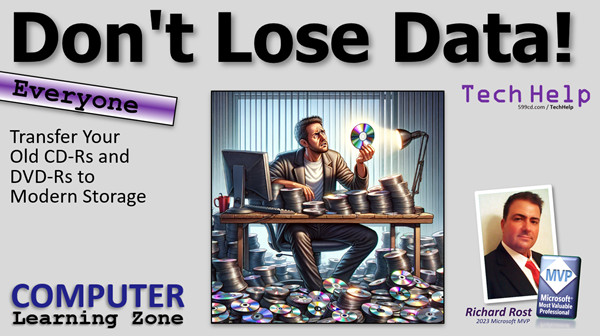
#help, #howto, #tutorial, #learn, #lesson, #training, data preservation, CD-R, DVD-R, digital memories, data transfer, hard drive storage, cloud storage, disk rot, data backup, multimedia archiving, CD lifespan, DVD lifespan, 1990s technology, early 2000s technology, data migration, archiving digital data, CD degradation, DVD degradation, digital legacy, saving old CDs, copying DVDs, personal data archiving, digital storage solutions, data loss prevention, data transfer tutorial
More InformationTranscript Welcome to another TechHelp video brought to you by computerlearningzone.com. I am your instructor, Richard Rost.
Today's video is more of a public service announcement than anything else. I want to remind everyone that if you have old CDs or DVDs that you wrote with your computer, going back, oh, let's say to the 90s like I do or early 2000s, you may want to transfer that data as soon as possible to a hard drive or some cloud storage. If, like me, you are discovering that all of those old CDs are not readable anymore, you are going to lose some stuff.
I have had a bin with literally thousands of CDs in it that I wrote back in the 90s and early 2000s that I have just had for storage. Now a lot of them are applications that I will never use again, like Windows 95 or Office Pro 95 or Microsoft Streets, remember that? Or my Klingon Honor Guard game? That was an awesome game.
Anyways, I have a lot of disks like this, plus pictures and stuff I have taken and videos I have recorded, like when I first started doing this back in 2002. Just stuff that I wanted to save, and of course back then, hard drives were not that big. We did not have multi-terabyte hard drives. So if you had a whole bunch of videos that you recorded and they were on your computer and they were 600 megabytes, you wanted to get that off your hard drive and store it on a CD for long-term storage.
Well, they have been sitting in my garage in the Florida heat for the past 10 years, and before that, up in my basement in Buffalo for, I don't know, how long, 10 or 15 years. The problem is that CDs do not last that long, at least the ones that were produced back then do not. I even had them all in nice plastic bins and I made a database - of course, it is me - I made a database to archive all of them. So I knew what was on each disk. I had them all nicely labeled and sitting on a shelf, and then I transferred them to a bin when I moved to Florida.
But of course, the problem is that CDs and DVDs - if I say CD, I mean CDs and DVDs - the re-writeables that were produced back in the 90s and early 2000s, they only had a shelf life of about five to ten years, which of course I did not realize at the time. And disc rot is a thing.
What is disc rot? Well, it does not apply to professional CDs. If you have a copy of Windows 95 that came from Microsoft and it is a professionally produced disc, those are produced differently. Those are actually stamped, so those do not degrade over time. But the CD re-writeables and the CD readers, those things use dye. There is actually a dye and the laser manipulates the dye, and that simulates those ones and zeros. Over time, that dye does degrade, especially if they are exposed to light, heat, humidity, that kind of stuff.
These discs, like I said, have been sitting in my garage in Florida for 10 years. So yeah, a lot of them are bad. Now, if you have discs that are relatively recent, I have seen some manufacturers today in 2024 that are claiming, you know, 100 year life on their CDs. But I would take that with a grain of salt, maybe 20 years, maybe 30, I do not know. But if you have them from, like I did, back in the 90s and 2000s, 10 years is about your max.
Now, what can you do? Well, I recommend doing what I recently started doing, which is how I discovered a lot of these discs were bad. I bought myself a big external hard drive and I was going to copy all of these discs to that drive.
And yes, I asked ChatGPT for a picture and they gave me a really, really big CD there, but OK, not really that big. Remember the old video discs? They used to be that big.
So what do you need? You need an external DVD drive or CD drive if you do not have one in your computer. Most computers manufactured today do not include optical drives anymore. All of the laptops I bought in the last five or six years, none of them have CD or DVD drives. So I had to buy one for 20 bucks off Amazon.
I will post links to the stuff that I bought down below if you want to use it. And yes, full disclosure, I am using my Amazon affiliate link. I get like 30 cents if you buy one, but you can buy them from anywhere. Then I bought myself a Western Digital 18 terabyte hard drive. It was 329 dollars. It is huge. It could fit thousands of CDs. By my math, it could fit about 28,600 700MB CDs. So that is plenty. That is enough. Even DVDs are what, 4 gigabytes? So that is still 4,500 DVDs.
You can get this guy. This is a USB 3.0 one that plugs into your computer. I also have sitting on my shelf over here a little two terabyte network storage device. You can get them to plug right into your router. If you have a wireless router or a hardwired router, you can use it as a media server too. You can put your videos and your songs on that, and you can play it through your smart TVs and such.
Then what you are going to do is open up two copies of Explorer. You are going to queue up the external drive on one side, queue up the CD on the other side, and hope it reads. Here is one that did not. I wrote a program called Net Backup way back in 2000, I think it was. It is old. You can see these files here from 2002, and this is what is happening: cannot read from the source. It gets like 80 percent of the files and then, if you get disc read errors, take the disc out. Make sure there are no fingerprints on it. Make sure there are no scratches on it. Wipe it off with a soft cloth, like a microfiber cloth or even a dish towel is fine, but nothing abrasive like paper towels. Anything sandy like that will cause problems.
There used to be a CD cleaner kit. I used to have one back in the day. You would squirt some liquid on the CD and you would spin this thing and it would literally wear off the top layer of the silicone on there, the plastic basically, to get rid of any scratches. But be careful with those with CD writeables because there is a very thin layer of plastic between you and the dye that is being written. So do not use those too much.
Of course, what I strongly recommend is even if you do have a big hard drive, I recommend cloud storage too. There is Google Drive, there is OneDrive (Microsoft's version), I use Wasabi for my website, and they are awesome too, because not only do I have my website videos and files up there too, but you can dump personal files there and all that stuff. Any of these services work; they all work about the same.
If you have stuff on old CDs or old DVDs, copy them over now. Do not wait too long.
So there you go. There is your public service announcement for today. If you have stuff on old CDs or old DVDs, copy them over now. Do not wait too long.
That is your TechHelp video for today, folks. I hope you learned something. Live long and prosper. I will see you next time. Thanks for watching.
I hope you enjoyed this video. If you are watching on YouTube, make sure you subscribe to my channel and click the little bell icon so you get notified anytime I release a new video. Make sure you like and share this video with your friends.
Make sure you stop by my website for lots of free lessons on all kinds of different topics: Microsoft Access, Excel, Word, Windows and lots more. It is computerlearningzone.com. I have also got a short URL: 599CD.com. That is a long story, but stop by anyways. We hope to see you soon. Intro In this video, I talk about the risks of losing data stored on old CD and DVD media, why disc rot can make these discs unreadable, and what you can do to prevent data loss by transferring files to modern storage solutions like external hard drives or cloud storage. I cover the basics of how writable CDs and DVDs degrade over time, what kind of hardware you need to recover your files, and offer tips for cleaning discs and managing backups. Quiz Q1. Why should you transfer data from old CDs or DVDs to a hard drive or cloud storage?
A. Because old CDs and DVDs may become unreadable over time
B. Because CDs and DVDs are faster than hard drives
C. Because hard drives are cheaper than CDs and DVDs
D. Because CDs and DVDs are waterproof
Q2. What is "disc rot"?
A. The term for CDs and DVDs manufactured professionally
B. The degradation of dye in writable CDs and DVDs, causing data loss
C. The cracking of the plastic outer shell of CDs
D. The warping of discs due to strong magnets
Q3. Which type of discs are stamped and generally do NOT degrade over time like writable discs?
A. Professionally manufactured CDs and DVDs
B. CD-RW discs
C. Home-burned DVD-R discs
D. Mini-discs
Q4. What environmental factors can accelerate the degradation of writable CDs and DVDs?
A. Exposure to light, heat, and humidity
B. Keeping them in a bank vault
C. Freezing temperatures
D. Vacuum-sealed containers
Q5. Why did people use CDs for storage in the 1990s and early 2000s?
A. Hard drives were small and expensive
B. CDs were faster than hard drives
C. CDs could never degrade
D. Hard drives were not invented yet
Q6. How long is the typical shelf life of writable CDs and DVDs made in the 1990s and early 2000s?
A. About 5 to 10 years
B. 50 to 100 years
C. 1 to 2 years
D. Over 500 years
Q7. What essential hardware do modern computers often lack for reading old CDs and DVDs?
A. Optical drives (CD or DVD drives)
B. Wireless network adapters
C. HDMI ports
D. Floppy disk drives
Q8. When copying files from old CDs, what should you do if you encounter read errors?
A. Check for scratches or fingerprints and clean the disc with a soft cloth
B. Wash the disc with soap and water
C. Use sandpaper to remove stains
D. Put the disc in direct sunlight
Q9. What kind of cloth is recommended for cleaning CDs?
A. Microfiber cloth
B. Paper towel
C. Sandpaper
D. Steel wool
Q10. Why must you be careful using old CD cleaning kits on CD writeables?
A. The writable layer is thin and can be damaged easily
B. The kits are illegal now
C. They make the disc unreadable by removing the label
D. They apply permanent scratches
Q11. In addition to a hard drive, what other backup solution does the instructor recommend?
A. Cloud storage
B. Floppy disks
C. USB fans
D. Physical filing cabinets
Q12. What is one advantage of a network storage device mentioned in the video?
A. It allows streaming media to smart TVs
B. It prints labels for discs
C. It installs operating systems
D. It boosts Wi-Fi range
Q13. What is the main action the instructor urges you to take regarding old CDs or DVDs?
A. Copy the data to hard drives or cloud storage now
B. Sell the old discs online
C. Microwave the CDs to destroy them
D. Store them in zip-lock bags
Answers: 1-A; 2-B; 3-A; 4-A; 5-A; 6-A; 7-A; 8-A; 9-A; 10-A; 11-A; 12-A; 13-A
DISCLAIMER: Quiz questions are AI generated. If you find any that are wrong, don't make sense, or aren't related to the video topic at hand, then please post a comment and let me know. Thanks. Summary Today's video from Computer Learning Zone is more of a public service announcement for anyone who has old CDs or DVDs they created years ago, especially if these discs go back to the 1990s or early 2000s. I want to stress the importance of transferring any valuable data from those old discs to a hard drive or a reliable cloud storage service as soon as you can. Over time, you may find, as I have, that these old CDs and DVDs become unreadable, which means you could lose access to files, pictures, videos, and software you've saved.
Personally, I've stored thousands of these discs in a bin, most of which I burned myself decades ago. Many contain old applications, such as Windows 95, Office Pro 95, or video games I once enjoyed. Alongside these are photos and home videos that I recorded when I first started making tutorials in the early 2000s. Back then, hard drives were much smaller, so moving files onto CDs seemed like the best way to keep my computer's storage available.
Unfortunately, the longevity of these discs is not what many of us hoped. Mine have spent years in different environments, from a basement in Buffalo to a hot garage in Florida, and despite being carefully stored in plastic bins and cataloged in a database, many are now unreadable. CD-Rs, DVD-Rs, and rewritable optical media made in that era usually have a shelf life of only about five to ten years. The degradation process, often called disc rot, is a real issue. This problem typically does not affect professionally stamped CDs – those mass-produced by companies like Microsoft – but it is a major concern for the writable discs that rely on organic dye layers, which are prone to breaking down over time, especially with exposure to light, heat, and humidity.
If you have writable discs from twenty or thirty years ago, do not wait to check on them. Some manufacturers today claim their modern discs last up to a hundred years, but I would not count on that timeframe. Twenty to thirty years at most is more realistic, and for older discs, about ten years is common.
To safeguard your data, I suggest following the steps I recently took. Purchase a large external hard drive with plenty of storage space. I picked up an 18 terabyte drive, which is more than enough for tens of thousands of CDs or thousands of DVDs. Most new computers and laptops no longer come with built-in optical drives, so you may also need to invest in an inexpensive external DVD or CD drive. These are widely available and easy to use with USB connections.
Once you have the hardware, set up your external drive on one side of your computer screen and your CD or DVD directory on the other. Try to copy your files across. If you encounter disc read errors, start by checking the surface of your disc for fingerprints or scratches. Use a soft, non-abrasive cloth to gently clean the surface. It is important not to use paper towels or other rough materials, as these can scratch the disc further. There are cleaning kits available that can polish the surface, but use caution because recordable discs have a thin layer protecting the dye.
Even after transferring your files to a hard drive, I highly recommend keeping a backup in a cloud storage service. Whether you use Google Drive, OneDrive, or another provider, these services are an excellent option for offsite, redundant storage. I use Wasabi myself, and it works well for both website files and personal data. Having your files in more than one place dramatically reduces your chances of losing anything important.
So the main message is straightforward: if you have valuable files, photos, or videos on old CDs or DVDs, act now and move them onto more dependable storage. Do not wait until it's too late and discover your discs are no longer readable.
You can find a complete video tutorial with step-by-step instructions on everything discussed here on my website at the link below. Live long and prosper, my friends. Topic List This is a public service announcement video reminding viewers to transfer data from old CDs and DVDs to more reliable modern storage before the discs become unreadable due to age and environmental factors. Primary Topics CD/DVD data preservation, disc rot, optical media lifespan, data migration, external storage options, cloud storage solutions, hardware requirements
Secondary Topics media server setup, file recovery troubleshooting, modern drive compatibility, none
|






