Missing Check Numbers 2
By Richard Rost

 2 years ago
Find Gaps in Check Number Sequence, Part 2 In this Microsoft Access tutorial, I will show you how to find gaps in your check number sequences using VBA to ensure no checks are missing. We will build on our previous work by creating a string of the missing check numbers and using loops and lookups to identify gaps. This is part 2. MembersIn the extended cut, we will learn how to filter your database to find missing check numbers within a specified date range, allowing you to focus on relevant data without scanning the entire table. Silver Members and up get access to view Extended Cut videos, when available. Gold Members can download the files from class plus get access to the Code Vault. If you're not a member, Join Today!
PrerequisitesRecommended Courses
Keywords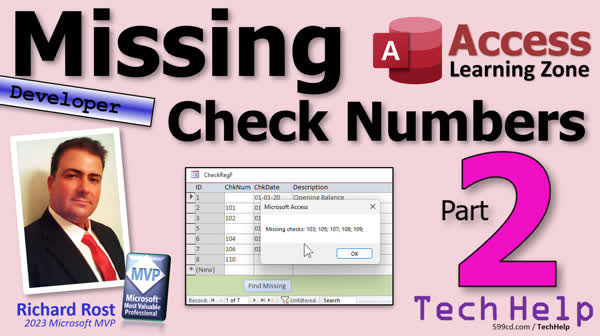 TechHelp Access, check number gaps, find missing checks, Microsoft Access, identify gaps in sequence, VBA, IsNumeric function, NZ function, DLookup function, loop through numbers, initialize strings, counter variable, error handling, database optimization, efficiency in loops, min and max check numbers, handling null values
More InformationTranscript Today is part two of my missing check numbers series. Part two of two and maybe a little extended cut for the numbers and I'm showing you how to find gaps in your check number sequences. So, if you're dumb like me and you put a check in your wallet and you forget about it, you know, oh well, that's what that one is.
If you haven't watched part one yet, go watch part one first and then come on back.
So far we've identified the minimum and the maximum check numbers. We've got max 104. Let's go back to our code. And what's next? Next, we're going to build a string that's going to have the list of check numbers in it that are missing.
Let's dim another variable. Let's call it missing as a string and we're going to start off by saying missing equals blank. You know you got to initialize it right set it up as an empty string. Now visual basic is very good about initializing strings to empty strings, but some other languages aren't, so it's good idea to get in the habit of initializing your variables.
We're also going to need a counter variable. So, dimX as a long and we're gonna have to look up each one of those check numbers in the middle, right, to see if it exists or not, so we'll need an ID variable to hold that as a long as well.
So now, right here, we're gonna loop from the minimum check number to the maximum check number, which is what we just figured out. So, for X equals minCheckNum to max check num and then next at the bottom and the nice thing about for loops is you don't have to worry about incrementing your counter because the for loop handles that for you.
Now, in here, we're going to say ID equals, I'll look up the check number that I'm on from the table, actually from the query, and make sure it's in there. So, ID equals NZ D look up the ID field from the check number Q where long check num equals X. Okay, and then zero it if there is not one found.
So, let's take a look at what we got here. Here's the check number Q. Here's my code. I'll just put it over here so you can see it better. Actually, let me do, I want these side by side so you can see them better.
We're starting at min check number, which is 101. Yeah, technically, if you want to make this a little more efficient, you could start at check number plus one and go to max check number minus one if you wanted to. I mean, that's certainly a possibility because we already know those check numbers exist. I just thought of that. So, there's no reason to have to look up the first one and look up the last one. And technically, if you want to get really super efficient, this would work better with a record set, but that's a whole different... I figured this is easier for most people to comprehend.
Is this the most efficient way? If you got 10 million checks to look through, no. It's gonna run slow. If you got a few thousand checks, this is gonna run fast, so don't worry about it.
A lot of the time when I build software like this, I like to get it working first, make it work, because it's easier to picture the algorithm in your head. And then after that, you can go back and optimize it and tweak it and make it run faster. But this is perfectly fine for the average database, for the average user, you're going to have a couple hundred or whatever checks to look through. Don't worry about having to make it super efficient.
So we're going to look up ID. So we're looking up this ID field right in the check number queue where the long check number this value equals whatever X we're on. So it's going to start at 102, right, this min check number plus one. So is 102 there? Yep. Bring back the 3? Yep. Set it in the ID. Great. Loop is 103 there? Yep. It brings back a 4 and so on and then I just noticed we don't have any gaps in the sequence. We're gonna make one.
Now if ID equals 0 that means there was a null value there that record doesn't exist. Then missing equals missing and I'm gonna put X and a semicolon in a space. Yeah, you could put a comma there and figure it all out that way, but I figure it looks weird having a comma at the end, whereas a semicolon looks kind of programmer-y, right, and you kind of expect that. So that's fine. This will work. Otherwise, you've got to go through and figure out, is there something in the string already before we put a comma on the end of it? This is fine. For the purposes of today, this is fine.
There we go. Now when we're done with the loop, we're going to display our results. If missing equals a blank string still, we didn't find any. Then message box, no checks missing. Otherwise, message box, missing checks are colon and missing. That's it. That should do it. Save it, debug compile, come back out now, let's close it. Let's hit the button, boom, no missing checks. Wonderful.
Let's delete 103. Let's get rid of the number 103 out of it. Find missing, oh, 103 is missing. See how it doesn't look too bad with the semicolon on the end there. All right. What if I put in here 111? Find missing, ah, it found all those checks in the middle are missing because we got the minimum and the maximum right, one, three, five, seven, eight, nine, ten over all missing.
Now, what if you've got a situation where you've been using this for a couple years, right, and you've got checks from a bunch of different years and cities and all the back to, you know, twenty eighteen. All right. And I just noticed that the format, this was four years ago. This format was before I was using ISO date standard. So, I'm going to come in here and put this back to short date, which it should be. I wasn't on my mission yet to make everything ISO dates. That looks much better.
Let's say between 2020 11 and 2024 11. Now I want to find the missing check numbers on this page. If I find missing, it's still going to show all of them. I want to use these two as the beginning and end points, right? How do you do that? Well, we're going to do that in the extended cut for the members. Silver members and up get access to all my extended cut videos. I'll show you how to look at the filters in this form and get the values from this guy right here. So you're not looking at the entire table of data.
Now, before I let you go, I also want to let you know I got a check register seminar. I basically started with this simple database and I added tons of stuff to it. So I use it for my own stuff. I added all kinds of features to it. You have five hours of videos explaining all this stuff. The basic check register is pretty much what we built in the free one. I'll show you how to put a running balance over here next to it. We print checks, so you can actually print it out. $1,500, actually we have a currency to English function. I'll show you how to batch print checks, so you can put a bunch of checks in the system and then print them all at once. We'll do different payees and categories so you can track what your expense categories are. We'll do multiple accounts so you can have multiple checking accounts, multiple savings accounts, whatever you want to do.
All kinds of other stuff, sorting, filtering, searching, selecting different check types, one up, three up, whatever. All kinds of stuff. Different reporting you can do. Your expenses by category reports, it's just lots of cool stuff. This is the check register seminar.
Now, if you don't want the five hours of videos, you can also get this just as a template. You can just download the database that I build in that seminar as a template. You don't get all the videos, so if you have any questions about it, I'm going to say, go watch the videos. But you get the full-featured version of it. And I'm gonna add this find missing checks to this template as well. So if you get this, you've got these features as well.
So, again, members, we're gonna do this in the extended cut. And for everybody else, that's gonna do it for this little mini seminar, seminar series, whatever you wanna call it, check numbers. If there's something you could think of that I missed that you want to add to it, let me know. Post a comment down below and if enough people are interested, I'll make another video on it.
But that's gonna be your TechHelp video for today. I hope you learned something. Live long and prosper my friends. I'll see you next time.
TOPICS:
Identifying minimum and maximum check numbers
Setting up and initializing string variables
Initializing a counter variable
Using a for loop to scan check numbers
Using DLookup to find check numbers in a query
Handling null values in missing check numbers
Building a string of missing check numbers
Displaying results with message box
Deleting a specific check number and finding gaps
Adjusting the check number scan range for efficiency
Handling different date formats for check numbers
Filtering check numbers based on date ranges
COMMERCIAL:
In today's video from Access Learning Zone, it's part two of the "Missing Check Numbers" series. We’ll pick up where we left off by identifying those elusive gaps in your check sequences. First, we initialize our variables, then we set up a loop to check each number in the sequence. If there's a gap, you'll see it listed. I'll demonstrate everything step-by-step with some debugging and troubleshooting tips, and for our extended cut members, we’ll even tackle advanced filtering techniques. You'll find the complete video on my Youtube channel and on my website at the link shown. Live long and prosper my friends. Intro In this video, we'll continue with part two of the Missing Check Numbers series in Microsoft Access. I'll show you how to identify missing check numbers by finding the minimum and maximum values, initializing variables, and looping through each number in the sequence using DLookup. We'll build a list of missing numbers, display the results in a message box, and go through examples like deleting a check number to see how the code detects gaps. I'll also cover tips for making the process more efficient and discuss handling different date formats. This is part 2. Quiz Q1. What is the purpose of initializing the `missing` string variable to a blank string?
A. To prevent syntax errors
B. To ensure it is empty before starting the loop
C. To save memory
D. To set it to a default value
Q2. What variable type is used for the counter variable `X`?
A. Integer
B. String
C. Long
D. Double
Q3. In the context of the tutorial, what is the purpose of using a `for` loop?
A. To create a list of new check numbers
B. To iterate through each check number from the minimum to the maximum
C. To sort the check numbers
D. To delete duplicate check numbers
Q4. Why is the `NZ` function used in the line `ID = NZ(DLookUp("ID", "CheckNumberQ", "LongCheckNum=X"),0)`?
A. To look up missing checks
B. To convert null values to zero
C. To create a new check entry
D. To increment the check number
Q5. When the `ID` variable is set to zero, what does it indicate?
A. The check number exists in the query
B. The counter variable has reached its maximum
C. The check number does not exist in the query
D. The loop has ended
Q6. Why is a semicolon used at the end of each check number in the `missing` string, as opposed to a comma?
A. To conform to ISO date standards
B. To look more programmer-friendly and avoid handling extra commas
C. To comply with Visual Basic syntax
D. To separate each check number more clearly
Q7. What happens if the `missing` string is still blank after the loop concludes?
A. An error message is displayed
B. A list of all check numbers is displayed
C. A message box stating "no checks missing" is displayed
D. A new loop starts to search for missing checks again
Q8. If a user has multiple years of check data and wants to find missing checks between specific dates, what should they do according to the tutorial?
A. Sort the data by date manually
B. Use a custom filter in the extended cut version for members
C. Modify the code to search by year
D. Export data to a different software for filtering
Q9. What is the main focus of the check register seminar mentioned at the end of the video?
A. Managing investment portfolios
B. Advanced string manipulation techniques
C. Advanced check register features and functions
D. Basic introduction to Visual Basic programming
Q10. What additional resources are mentioned for users who do not want to watch the full five hours of seminar videos?
A. Code snippets and examples
B. A downloadable template of the database
C. One-on-one coding sessions
D. PDF documentation
Answers: 1-B; 2-C; 3-B; 4-B; 5-C; 6-B; 7-C; 8-B; 9-C; 10-B
DISCLAIMER: Quiz questions are AI generated. If you find any that are wrong, don't make sense, or aren't related to the video topic at hand, then please post a comment and let me know. Thanks. Summary Today's TechHelp tutorial from Access Learning Zone continues our discussion on how to find missing check numbers in your Access database. This is part two in our series, and here we focus on detecting any gaps in your check number sequences. If you have ever absentmindedly tucked a check in your wallet and forgotten about it, this technique will help you discover what happened to those missing numbers.
If you have not watched part one yet, make sure to start there and then come back to this lesson.
To pick up where we left off, we have already determined the minimum and maximum check numbers in our data. We also want to generate a list of any missing check numbers that fall between these two points. To do this, I start by declaring a variable to hold our missing check numbers as a string, initializing it as an empty value. Even though Visual Basic usually initializes strings to be empty by default, it is a good programming habit to explicitly set your variables right from the start. Different programming languages can behave differently, so getting into this habit can save you trouble later on.
In addition to our missing numbers string, we need a counter variable to track which check number we are evaluating, as well as an ID variable that helps us determine whether a check number actually exists in our dataset.
The main logic involves looping through every check number spanning from our minimum to our maximum value. For each number, we use the DLookup function to see if that check number appears in our records. If DLookup does not find the check number, it will return a zero, which means the number is missing. We then build a semicolon-separated string containing each missing check number. I chose to use a semicolon because it looks clean and professional in the result, and it avoids having to handle cases where a comma would appear at the end.
You will see that this approach works well for check numbers in the middle of your range. If you want your code to run a bit faster, you could start the loop at one value higher than your minimum and finish it one lower than your maximum, since you already know the bounds exist. For very large datasets, using this approach may not be optimal, but for a few hundred or a few thousand checks, it will run efficiently. With VBA, I find it is best to get things working in a way that is easy to understand, and then focus on optimizing them later if necessary.
After we loop through all applicable check numbers, we display our results. If the missing string is still empty, we notify the user that no checks are missing. Otherwise, we present the list of missing numbers.
To illustrate, I demonstrate what happens if I delete a particular check number like 103. Running the procedure again immediately detects the missing number and displays it. If you modify your check range substantially, say by having large gaps because you have been recording checks for several years, the code will report all numbers missing within the given bounds that are not found in your records.
Sometimes, you may want to limit your check number search to only a portion of your records, such as checks from certain years or accounts. The solution to pulling filter criteria from a form to narrow down the check number range is something that I cover in the Extended Cut for members. In that segment, I explain how to get the selected date range from the form to focus your search on a subset of your check data, not the entire table.
Beyond today's lesson, I also want to mention my check register seminar. I have started with a basic check register database and enhanced it with a variety of powerful features, including running balances, custom check printing, batch processing, category reporting, support for multiple accounts, and more. The full seminar contains about five hours of instruction, but if you prefer, you can also download the finished template and use it right away. The template includes the find missing checks functionality we covered here, though if you want detailed explanations, the seminar videos are where you will find them.
Remember, our more advanced technique for filtering your check range in this context is available in today's Extended Cut for members. For everyone else, that is the end of our mini series on finding missing check numbers. If there is something you think should be added or if you have a suggestion for future videos, leave a comment and if enough people request it, I will consider covering it.
You can find a complete video tutorial with step-by-step instructions on everything discussed here on my website at the link below. Live long and prosper, my friends. Topic List Identifying minimum and maximum check numbers
Setting up and initializing string variables
Initializing a counter variable
Using a for loop to scan check numbers
Using DLookup to find check numbers in a query
Handling null values in missing check numbers
Building a string of missing check numbers
Displaying results with message box
Deleting a specific check number and finding gaps
Adjusting the check number scan range for efficiency
Handling different date formats for check numbers Primary Topics identifying missing check numbers, looping through number sequences, VBA variables and initialization, DLookup usage, handling nulls, displaying results, optimizing scan ranges, debugging, deleting records to simulate gaps Secondary Topics date formatting, user interface filtering, string formatting, seminar promotion |







