|
||||||
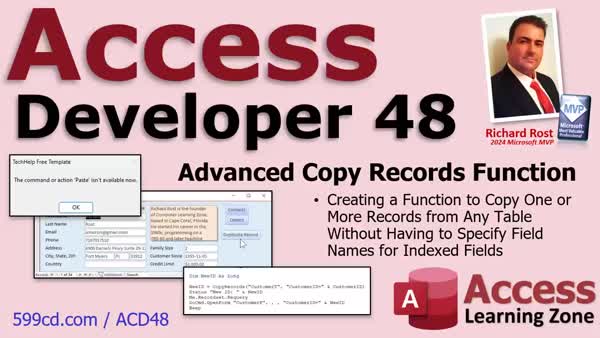
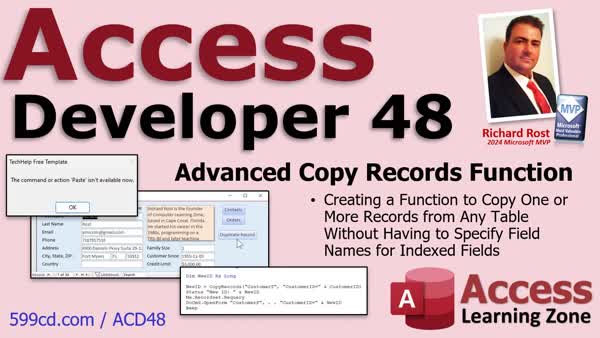
Access Developer 48Copy Records, Skip Keys, Handle Unique FieldsWelcome to Access Developer 48. In this course you will learn how to build a function to copy records from any table in Microsoft Access without specifying field names. We will discuss challenges with duplicating records, issues with the duplicate record macro and append queries, and how to create a solution that is table- and field-agnostic. You will see how to handle primary keys, unique indexes, and error handling using VBA, work with the Indexes collection, and reference concepts from previous developer lessons to make record copying flexible and robust. Lessons
Database FilesLinksExtended cut videos and the Code Vault are usually reserved for TechHelp members, however I have opened up these two items for students of this class: Resources
Lesson SummaryWelcome! Copy Records Without Field Names - Welcome to Microsoft Access Developer Level 48. In this course we will build a function to copy one or more records from any table in Microsoft Access without needing to specify field names. We will discuss issues with duplicating records, the broken duplicate record macro, manually copying records, and problems with append queries that require listing all field names. We will walk through creating a table- and field-agnostic copy records function, explore handling primary keys and unique indexes, use the Indexes collection, and add error handling. Prerequisite topics from previous developer lessons will also be referenced throughout the course.
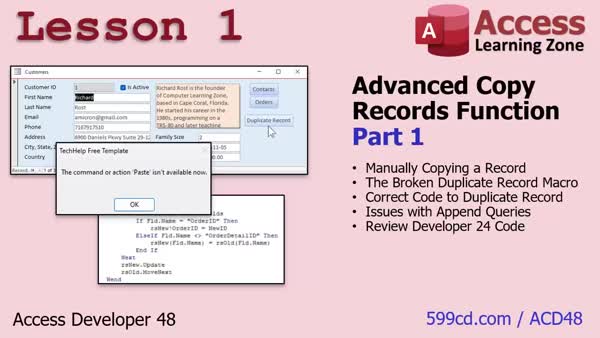
Lesson 1: Copy, Append, Fix Duplicate Macros - In Lesson 1, we will discuss the reasons for building an advanced copy records function in Access and review existing methods for duplicating records, including manual copy-paste, the broken duplicate record macro, and append queries that require specifying individual fields. I will show you how to convert the old macro to VBA, explain why certain approaches are not ideal for automated solutions, and review previous VBA techniques for looping through fields. We will also talk about issues with indexed no duplicates fields and set up the environment for building the improved copy records function in future lessons.
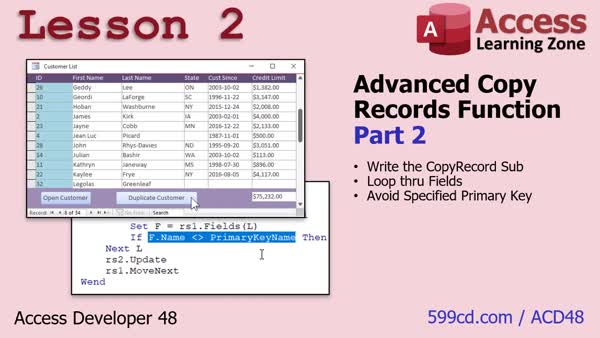
Lesson 2: Copy Records Without Primary Key - In Lesson 2, we begin building the Copy Records function by writing a subroutine that loops through all the fields in a record, skips the specified primary key, and copies the remaining data to a new record. I will walk through setting up the necessary VBA code, creating and configuring form buttons, using RecordSets to read and write data, and ensuring memory is properly managed. We will also test the CopyRecord procedure on different tables, and discuss potential issues with AutoNumber fields and how to fix them. In the next lesson, we will talk about automating detection of the primary key.
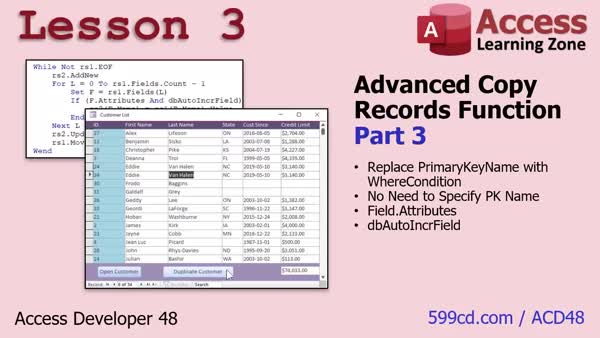
Lesson 3: Skip AutoNumber Fields When Copying - In Lesson 3, we improve our Copy Records function by removing the need to specify the primary key field name and instead use a general WHERE condition to identify records. We will discuss how to detect the autonumber field by checking the Auto Increment Field attribute of a field, and learn how bitwise operations help us determine if a field is an autonumber. We will walk through updating the function, troubleshooting common issues like needing to Compact and Repair, and explain how this approach streamlines copying records. We will discuss handling other indexed fields in the next lesson.
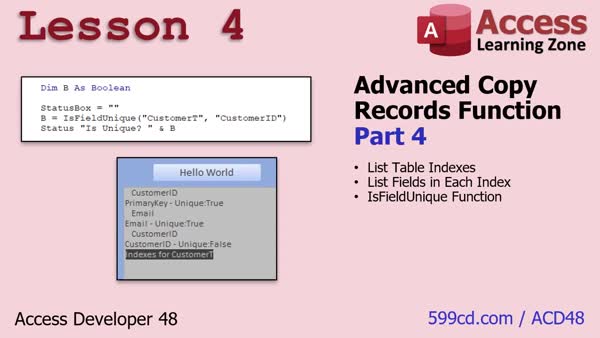
Lesson 4: List Indexes & Check Field Uniqueness - In Lesson 4, we will walk through how to use VBA to list all the table indexes in a TableDef, determine which fields are included in each index, and identify whether specific fields are indexed as unique (no duplicates). This includes explaining composite indexes and showing how to write a function to check if a particular field, like EmailAddress, is unique in the table. These steps are an important part of the Copy Records function, as they help determine which fields should not be copied based on their uniqueness.
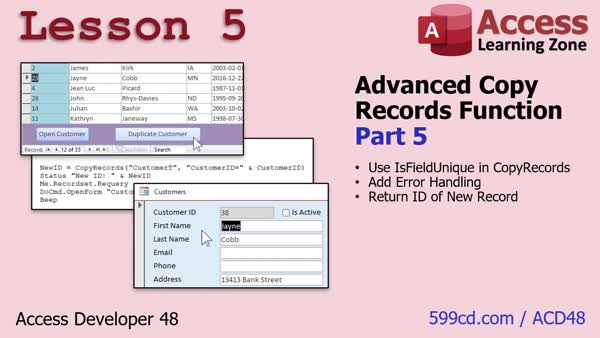
Lesson 5: Copy Records, Set Unique Fields, Return ID - In Lesson 5, we will turn our copy records subroutine into a proper function, incorporating the is field unique function to ensure no indexed or duplicate fields are copied. We will walk through adding basic error handling, identifying the primary key to return the ID of the new record, and show how to use this new copy records function to work with newly created records, such as opening a form to that record. We will also discuss important notes about autonumber handling differences with SQL Server and how this function fits into your workflow.
Lesson 6: Next Steps: Site Search & Chatbot - In this lesson, we will discuss what is next after Access Developer 48, including upcoming plans for future lessons such as class modules, directories, and collections. We will talk about how you can submit requests for topics, ways to contact me, and using the topic index and Google search features on my website. I will also mention updates like integrating the chatbot with the forums and remind you about the TechHelp video series and membership options for accessing more developer lessons.
NavigationKeywordscopy records VBA, append query without field names, duplicate record macro, skip primary key, detect autonumber field, unique index fields, TableDef indexes, is field unique, return new record ID, composite indexes, Access VBA error handling
More InformationTranscriptIn today's class, we are going to build a function that will allow you to copy one or more records from any table without having to specify field names. I have been contacted many times about how trying to duplicate a record is a pain. First of all, there is a macro option for it and it is broken. It does not work. We will talk about that in lesson one. Unless you want to manually copy and paste records yourself, it is a pain if you have any fields that are indexed with no duplicates, whether it is your AutoNumber field or just any other field like an email address. If it is indexed with no duplicates, copying it, whether it is with VB code or SQL, is a pain unless you specify the entire list of fields from the table, which no one wants to do. If you make changes in the future, if you add fields, change fields, or delete fields, you have to go update all your code. So we are going to write a function where you do not have to do that. I like to call it table and field agnostic. It does not care. This class follows Access Developer 47. I strongly recommend you take all my classes in order, not because I am trying to sell more lessons, but because they really are designed to follow one after the other. My course is best taken in order - all the beginner lessons, expert, advanced, developer, Developer 1. Obviously, "Intro to VBA" and some other ones are important. Developer 15 covers error handling, which we are going to do a lot of today. Developer 16 covers record sets, definitely take this one, and in 24 we cover the Fields collection, which we are going to be using today. In 26, we cover TableDefs. These are all things that I am going to be using a lot of today. Plus, we have got a bunch of new stuff coming up today, including the Indexes collection, which is pretty cool. Like I always say, do not skip levels because you are going to miss stuff. This class is recorded with Microsoft Access as part of a 365 subscription, which I strongly recommend. It is currently January 2025. If you are using the retail version, this is roughly equivalent to Access 2024. However, the lessons covered today should work with any version going back to probably 2007 or so. I am not sure exactly when they broke that macro that I talked about earlier, but this is the version you need. If you have any questions regarding the material covered in today's class, scroll down to the bottom of the page that you are on and post your questions there. Also, take a minute to read through any other questions that have been posted as your question may have already been answered. Make sure you hit that red subscribe button so you will get notified if any other questions are posted or answers to your questions. Be sure to check out my Access forums. I have an awesome group of moderators. They rock. I get a lot of questions about anything Access related posted there. Now, let's take a closer look at what is covered in today's class. In lesson one, we are going to cover the background behind why we want to build the advanced copy records function. We will see how to manually copy a record. That is a beginner task, but we are going to go over it real quick. Then we are going to learn about the broken duplicate record macro. There is a macro item that just does not work. It used to work years ago. It does not work anymore. Then we will take that macro and convert it over to VBA code. I will show you how to fix it with, of course, one line of code. Then we will talk about issues with append queries and how you can use them to copy records. But again, you have to know all of the fields that you want to copy individually, which is a pain. We will review Developer 24's code, where I did show you how to loop through the fields, but again, you still have to know the field names. We will talk about all of that in lesson one and that will explain why we are building this function. In lesson two, we are going to start writing the copy record subroutine. We are going to loop through all of the fields. Then we are going to avoid the specified primary key, but we are going to specify it first. In the next lesson, we will learn how to not specify it. In lesson three, we are going to get rid of having to specify what the primary key field name is. We are just going to replace it with a basic WHERE condition. We are going to learn about the field attributes and the auto increment field attribute, which basically means this field is an AutoNumber. Now we can detect the AutoNumber and the primary key, instead of having to tell what it is. In lesson four, we are going to start off by writing a function to list all of the table indexes in a table's TableDef. So we can see what the index fields are. Then we will determine what the fields in each index are. Knowing this information, we can then write a function to determine if a specific field is unique. For example, is the email address unique? In other words, is it indexed with no duplicates? That is what we are going to do in this lesson. In lesson five, we are going to take that IsFieldUnique function and put it inside our CopyRecords function, which we are going to make a function now, so that we can check all the fields before we copy them and make sure they are not indexed with no duplicates. We are going to add some error handling. Then we are going to turn CopyRecords into a function and return the value of the newly created record, so we can do stuff with it like open up the form to that new record. Cool stuff. IntroIn this lesson, you will learn how to build a developer-level function in Microsoft Access that lets you copy one or more records from any table without specifying field names, streamlining the duplication process even when dealing with indexed fields or AutoNumbers. We will talk about the shortcomings of Access macros for copying records, how to manually copy records, and different approaches using VBA code and append queries. Then, you will learn how to write a field-agnostic CopyRecords function, work with primary keys and AutoNumber detection, list table indexes, determine if fields are unique, and improve error handling. This is Access Developer 48. QuizLESSON 1: Q1. What is the purpose of the function discussed in this video? A. To delete records from any table B. To copy a record or records regardless of the table and fields C. To update records based on specific criteria D. To create a new table with a specific structure Q2. What issue occurs when manually duplicating a customer with an indexed email field? A. The customer ID is duplicated B. The email field allows duplicates C. An error occurs because email is indexed with no duplicates D. The record fails to save due to permissions Q3. What is the problem with the command button wizard solution for duplicating a record? A. It requires manual input for each field B. The paste action is not available anymore C. It only works for tables with fewer than 10 fields D. It automatically updates linked tables Q4. Why is it not ideal to copy and paste records using forms in VBA code? A. It's faster to just use SQL queries B. It requires user interaction, which is not suitable for automated processes C. It only copies data in text fields D. It leads to data corruption Q5. How can you programmatically add a pause after copying a record in VBA? A. Use a delay function specific to Access B. Insert a "pause" macro C. Implement "DoEvents" in the code D. Use a secondary command to confirm the copy Q6. Why should a star (*) not be used in an append query to copy records? A. The star does not include the customer ID in the query B. It leads to syntax errors in SQL C. The query will not run on older versions of Access D. It automatically includes all fields including the no duplicates fields, which causes errors Q7. What is the proposed goal for the function that will be created? A. To allow field renaming during duplication B. To convert all data to text format C. To copy records while avoiding fields that are indexed with no duplicates D. To increase database processing speed Q8. How can you check if a field is indexed with no duplicates in a table? A. Using the Access startup wizard B. Through the field validation properties C. By viewing the indexes property of the table D. By running a query with a unique filter Q9. What was the previous concept mentioned that relates to the current video? A. Copying a complete database schema B. Copying an order with its child details C. Automating form submissions D. Optimizing query performance with indexing Answers: 1-B; 2-C; 3-B; 4-B; 5-C; 6-D; 7-C; 8-C; 9-B DISCLAIMER: Quiz questions are AI generated. If you find any that are wrong, don't make sense, or aren't related to the video topic at hand, then please post a comment and let me know. Thanks. --- LESSON 2: Q1. What is the primary purpose of the "copy record" function discussed in the video? A. To delete records from the table B. To update existing records with new information C. To create duplicate records by copying an existing record's details D. To create a backup of the database Q2. Which three pieces of information are passed to the "copy record" function? A. Table name, record count, primary key name B. Table name, primary key name, ID of the record to copy C. Table name, field name, record ID D. Table name, record ID, record count Q3. What programming construct is used to iterate over the fields in the record set in the tutorial? A. A for each loop B. A do while loop C. A for next loop with a field count D. A for loop with a counter variable Q4. Why is the primary key field excluded when copying a record? A. The primary key field contains sensitive information that should not be copied B. The primary key is automatically duplicated by Access C. The primary key must remain unique for each record D. It is not possible to access the primary key field in VBA Q5. What should you do if the code does not work due to an auto number conflict? A. Restart the computer B. Compact and repair the database C. Re-enter the code D. Use a different primary key Q6. When the "copy record" subroutine is executed in the immediate window, what is the correct syntax? A. copy_record("table_name", "primary_key_name", record_id) B. Copy record table name, primary key name, record ID C. CopyRecord("table_name", "primary_key_name", record_id) D. copy record("table_name", "primary_key_name", record_id) Q7. What is the purpose of using "rs1" and "rs2" in this VBA script? A. They are used to store metadata about the database B. They represent two separate databases C. They are record sets used for reading from and writing to the database D. They represent different tables in the database Q8. What is the purpose of the "me.recordset.requery" statement in the code? A. To refresh the form's data and remain in the same position without moving records B. To refresh the form and reposition the cursor to the top of the list C. To refresh and sort the form's data in ascending order D. To delete an outdated record from the form Answers: 1-C; 2-B; 3-C; 4-C; 5-B; 6-C; 7-C; 8-A; DISCLAIMER: Quiz questions are AI generated. If you find any that are wrong, don't make sense, or aren't related to the video topic at hand, then please post a comment and let me know. Thanks. --- LESSON 3: Q1. What is the main objective of the change discussed in the video? A. To add more fields to the primary key B. To remove the need to specify the primary key field and use a WHERE condition instead C. To change the data type of the primary key field D. To encrypt the primary key field for security Q2. What does the WHERE condition replace in the example provided in the video? A. The SQL SELECT query B. The AutoIncrementField attribute C. The primary key field and ID specification D. The table name Q3. What attribute helps to identify if a field is an AutoNumber in the discussed function? A. dbTextField B. dbPrimaryKeyField C. dbAutoIncrField D. dbForeignKeyField Q4. What operation is highlighted in the video as being used to check field attributes? A. Arithmetic operation B. Bitwise operation C. Logical operation D. Comparison operation Q5. According to the video, what kind of problems might require using Compact and Repair in Access? A. Network connection issues B. Syntax errors in code C. Duplicate record errors linked to AutoNumber fields D. Incompatible database formats Q6. What is a bitwise operation used for in the function described in the video? A. To add new records to the database B. To compare and determine if a field attribute is an AutoNumber C. To encrypt the primary key D. To format text data in the database Q7. What mistake did the presenter mention they had made initially in the code? A. Forgetting to initialize the database connection B. Not including a parameter in the SQL query C. Not ANDing the attributes result to equal zero D. Using incorrect field names in the table Q8. In troubleshooting the code, what does the presenter suggest you should use to help solve an error? A. Database import and export B. Watch windows and breakpoints C. Changing Access permissions D. Rebooting the computer Answers: 1-B; 2-C; 3-C; 4-B; 5-C; 6-B; 7-C; 8-B. DISCLAIMER: Quiz questions are AI generated. If you find any that are wrong, don't make sense, or aren't related to the video topic at hand, then please post a comment and let me know. Thanks. --- LESSON 4: Q1. What is the primary objective of the lesson described in the transcript? A. To write functions to perform data entry in a database B. To create a report listing all table indexes and their properties C. To determine if specific fields in a table are unique D. To modify table structures for increased performance Q2. What function is used to list all of the indexes in a table's TableDef? A. Public Function IndexLister B. Public Sub ListIndexes C. Public Function DisplayIndexes D. Public Sub IndexOverview Q3. What is the purpose of checking if a field is indexed with "no duplicates"? A. To ensure data redundancy B. To confirm the data type of a field C. To verify that the field is unique in the table D. To validate data entry constraints Q4. What programming object is used to refer to database table definitions in the transcript? A. DatabaseTables B. TableObjects C. TableDefs D. IndexDefs Q5. In the transcript, what process is described to determine if a specific field is unique? A. Direct query execution B. Looping through table records C. Looping through indexes and their fields D. Comparing field names to a list Q6. What error handling approach is suggested in the lesson? A. Ignoring all errors B. Using evaluations in a try-catch block C. Including basic error handling to set IsFieldUnique to False D. Relying solely on debug and compile tools Q7. Which code structure is used to check if a field belongs to a unique index? A. For Loop B. While Loop C. Recursive Function D. Conditional If Statement within a loop Q8. What happens if a unique field is detected in the IsFieldUnique function? A. The function returns True immediately B. The function continues to check other fields C. The function appends the field to a unique list D. The function sets the field to a different data type Q9. What demonstration is shown using first name and last name together? A. Creating a new table B. Establishing a combined unique index (composite key) C. Exporting data to a different format D. Implementing dynamic table filtering Q10. How does the lesson recommend handling the scenario when duplicate email addresses exist? A. Remove all duplicate email addresses manually B. Automatically delete records with duplicate email C. Update database design to allow duplicates D. Modify index to prevent duplicates and clean data Answers: 1-C; 2-B; 3-C; 4-C; 5-C; 6-C; 7-D; 8-A; 9-B; 10-D DISCLAIMER: Quiz questions are AI generated. If you find any that are wrong, don't make sense, or aren't related to the video topic at hand, then please post a comment and let me know. Thanks. --- LESSON 5: Q1. What is the purpose of adding the "is field unique" function to the "copy records" function? A. To ensure the record is copied to the latest database version B. To check all fields before copying and ensure they are not indexed on duplicates C. To allow copying records without any user input D. To display fields that are not unique Q2. What will happen if a unique field is encountered during the copying process? A. The function will generate an error B. The field will be copied regardless of its uniqueness C. The function will ignore copying the unique field D. The entire record will not be copied Q3. What type of handling is added to the copy records function to improve its robustness? A. Memory management B. Advanced sorting C. Error handling D. Data encryption Q4. What will be the return value of the copy records function when it has successfully copied a record? A. A true or false status indicating success B. The number of fields copied C. The original record ID D. The ID of the newly created record Q5. When working with SQL Server, why does the method of retrieving the new record ID differ from Access? A. SQL Server auto-assigns the ID before the record is copied B. Access doesn't support retrieving IDs C. SQL Server assigns the auto number after the record is saved D. SQL Server uses a different ID format Q6. How does the code identify the primary key of a record in the copy records function? A. By looking for the largest number in the record B. By searching for non-string fields C. By finding the field with db auto increment attribute D. By using a predefined field name Q7. What additional functionality is enabled by turning copy records from using a subroutine to a function? A. It allows for graphics rendering B. The ability to open a form to the newly created record C. It can manage user authentication D. It provides email notification of a new record Q8. When does the new ID get assigned to a record in Access's copy records function? A. Before calling add new on the record B. At the time the add new is called on the destination table C. After the record update is executed D. When the form is closed Q9. Why might developers choose to define and initialize variables at the start of a function? A. To save them for debugging purposes B. To ensure no unintended values are present C. To simplify the code structure D. To make sure the function runs faster Q10. Why is error handling considered important when creating functions for end users? A. It shows a professional level of coding B. It provides intuitive user interfaces C. It prevents unexpected crashes by capturing and reporting errors D. It enhances the visual appeal of the user interface Answers: 1-B; 2-C; 3-C; 4-D; 5-C; 6-C; 7-B; 8-B; 9-B; 10-C. DISCLAIMER: Quiz questions are AI generated. If you find any that are wrong, don't make sense, or aren't related to the video topic at hand, then please post a comment and let me know. Thanks. SummaryToday's video from Access Learning Zone focuses on developing a function that lets you copy one or more records from any table in Microsoft Access without needing to specify each field name. Many students have reached out to me with questions about duplicating records, because it's often a hassle—especially if some of your table's fields are indexed with the "no duplicates" property. While there technically is a macro designed for this purpose, it simply does not work properly anymore. We will look at why that is in lesson one. If you've ever tried copying records where fields are indexed to prevent duplicates—such as the AutoNumber field or something like an email address—it can be a challenge with both VB code and SQL unless you specify every field individually. This becomes even more cumbersome in the long run, since anytime you update your table by adding or removing fields, you have to go back and revise all of your existing code. To resolve this, we are going to create a function that ignores field names entirely. This makes our code "table and field agnostic," letting it adapt to any table structure. This class builds directly on the material covered in Access Developer 47. As always, I strongly suggest you follow my class sequence in order. It is not simply a matter of purchasing more lessons; it's truly about ensuring that you have the foundational knowledge you need, as each course builds on the previous ones. You should have a solid background with my beginner, expert, advanced, and developer courses, as well as key modules like "Intro to VBA." Notably, Developer 15 addresses error handling (which will be important today), Developer 16 covers record sets (make sure you're solid on this one), and Developer 24 discusses the Fields collection, all of which are skills needed for this lesson. We will also use TableDefs as covered in Developer 26. What is new today is the use of the Indexes collection, something we have not fully explored before. My standard advice applies: do not skip class levels because each one fills in critical knowledge. For reference, I am using Microsoft Access as part of the Microsoft 365 subscription while recording this class, and I recommend using this version. It is January 2025, so if you're using the retail or stand-alone version, you can think of this as about Access 2024. However, what we learn here should be relevant for most versions going back to Access 2007. It is difficult to know precisely when Microsoft broke the Duplicate Record macro option, but that's no longer a reliable route. If you have any questions on the topics discussed in this session, please scroll down to the bottom of the page where you are watching and leave your questions there. It's also wise to browse existing questions, since someone else may have already asked what you're wondering about. Make sure to subscribe to get notifications for any updates or answers. Be sure to visit my Access forums as well. I have a fantastic group of moderators who are very helpful with all kinds of Access-related questions. Let me give you an overview of what we will be covering in this class. In lesson one, we will examine the main reasons for creating an advanced record-copying function. We'll begin by discussing how to manually copy a record, which is good review for beginners. After that, I will demonstrate the broken duplicate record macro—it used to work but is no longer reliable. I'll show how to take this macro and convert it to VBA, and then with a single line of code, make it work properly. We will then look at append queries and how they can be used for copying records. The main problem here is, again, the need to list every field by name. I will also discuss the solution from Developer 24, where we learned to loop through fields, but still faced the challenge of knowing field names. All of this background in lesson one will show why a new function is needed. In lesson two, we begin writing our copy record subroutine. Initially, we will loop through all fields except the primary key, which we will specify in this lesson. In the next lesson, I'll show how to make even the primary key detection automatic. Lesson three removes the need to manually specify the primary key field name. Instead, we'll use a WHERE condition and learn about field attributes and the auto-increment property—this helps us find the AutoNumber and primary key using code. Lesson four introduces a function that lists all indexes in a table's TableDef, so we can see which fields are indexed and whether any are unique. We'll write code to check if a specific field (like an email address) is unique, meaning it is indexed without duplicates. In lesson five, we integrate this IsFieldUnique function into our CopyRecords function to ensure we are not attempting to copy fields that are required to be unique. We will enhance error handling, and turn CopyRecords into a function that returns the value of the new record, so you can make use of it immediately—for example, to load the new record in a form. A complete video tutorial with step-by-step instructions for everything discussed here can be found on my website at the link below. Live long and prosper, my friends. Topic ListBackground and overview of the copy records function Manual copy of records in Access Issues with the Duplicate Record macro Converting the duplicate macro to VBA code Fixing record duplication in VBA with one line Problems with append queries for record copying Reviewing field-looping code from Developer 24 Explaining the need for field-agnostic copy functions Writing the initial copy record subroutine Looping through all fields in a record Avoiding the primary key during copying Specifying the primary key initially Automating detection of the primary key Using a WHERE condition for identifying records Understanding field attributes in Access Detecting AutoNumber fields automatically Detecting primary key fields dynamically Listing all table indexes using TableDef Identifying fields in each table index Determining if a field is indexed as unique Writing a function to check for unique fields Integrating uniqueness checks into CopyRecords Adding error handling to the CopyRecords function Returning the new record ID from CopyRecords Opening a form to the newly created record Primary TopicsAccess VBA, record duplication, field agnostic functions, TableDefs, Fields collection, Indexes collection, unique index handling, error handling, AutoNumber detection Secondary Topicsappend queries, macro limitations, Microsoft Access versions |
||||||||||||||||||||||||||
|
| |||
| Keywords: copy records VBA, append query without field names, duplicate record macro, skip primary key, detect autonumber field, unique index fields, TableDef indexes, is field unique, return new record ID, composite indexes, Access VBA error handling PermaLink How To Copy Records Without Specifying Field Names Using VBA and Indexes in Microsoft Access |