Fitness
By Richard Rost

 12 months ago
Create a Database to Track Fitness, Diet, and Meals
In this Microsoft Access tutorial series, I will show you how to build a comprehensive fitness database from scratch to manage your diet, meals, workouts, calories, and more. You will learn key Access concepts such as database design, tables, queries, forms, reports, relational structure, and even some VBA as we create a flexible, multi-user system you can personalize for any data tracking needs. Whether you care about fitness specifically or just want to improve your Access skills, this project covers real-world techniques and practical examples. This is part 1.
Important Note
- This database series has grown into a large collection of lessons. As of today, December 2025, it includes 65 individual videos plus a few dozen extended cuts. Before you get started, I want to be clear about the purpose of this series. I's not just about fitness. Even if you have no interest in tracking calories, food intake, or exercise, that's not the point. This series uses a fitness database as the example, but the real goal is to teach solid database design and development techniques that apply to almost any project, whether you're building an inventory system, a customer contact manager, a telemarketing database, or anything else. Throughout the series, I demonstrate a wide variety of techniques, tips, and best practices that carry over to real-world database projects. So sit back, relax, and enjoy the lessons. You are almost guaranteed to pick up some new ideas along the way.
Up Next
Keywords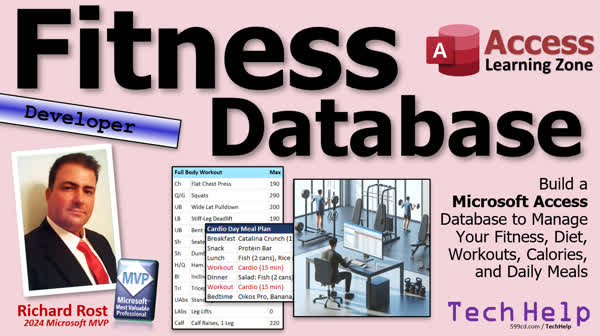
TechHelp Access, fitness database, diet tracking, meal planning, calorie tracking, macros, workout logging, exercise tracking, meal bundling, multi-user database, nutrition data, OpenAI API, ChatGPT integration, VBA, relational database structure, forms, reports, user custom plans, automation, online portal, table design, calorie, protein
 Subscribe to Fitness
Get notifications when this page is updated
Transcript Welcome to another TechHelp video series brought to you by accesslearningzone.com. I'm your instructor Richard Rost.
In this series, we're going to build a Microsoft Access database to manage your fitness, diet, workout, calories, daily meal plans, and lots more.
Now you might be thinking you don't care about any of that stuff. That doesn't matter. That's just the example that I'm using. We're going to build a new database from the ground up tracking all this stuff. There will be lots of cool tips and tricks in it, so it doesn't matter whether you're tracking sales, customers, products, inventory, diet, or exercise - it's all the same stuff. We're just going to be putting the Legos together in a different order. That's all.
So it's going to be a new series. I'm calling it the fitness database. We're going to build it together in Microsoft Access from the ground up. It's going to track both sides of fitness: your workouts and your diet, because you can't have one without the other. Like I said, whether or not you're personally interested in tracking your food or your fitness, this database is still for everybody because we're going to cover a ton of Access fundamentals: database design, proper query building, relational database structure, forms, reports, and maybe even eventually putting it online - maybe.
So even if you couldn't care less about calories or reps, this series will still teach you some valuable database techniques. Now, I know a lot of people are thinking, why a fitness database? But think about it - this kind of project hits all the major points. You're working with a real-world application. It is relational data, repeating structures, relationships, reporting, logging, some automation - all of the stuff that makes a good database useful. It's something you can personalize and expand as much as you want. We're going to make it fun and practical so that you're learning while building something that's actually useful and that you can use on a day-to-day basis.
Who is this database for? Well, this project's for everybody. Beginners will learn a lot from building it step-by-step, and developers, don't worry, I'll be sprinkling in more advanced stuff as we go. There's going to be something for someone at every level. I'm going to try to keep most of it so the beginners can follow along, and then I'm going to be like, okay, this part's for the advanced people - we're going to put some code in here. Beginners, if you don't know code yet, you can just skip that part, just glance over it or skip the rest of the lesson if I tell you. But don't worry, there's going to be something for everybody.
I am going to call it a developer level video, though, because there will be a little bit of VBA here and there, all right, but don't panic.
Now, why fitness? In my normal Access course, I use a fictional retail business called PCResale.net. It's a computer reseller, and some people complain they don't run a store, don't do any retail, do a service business, or are in a different industry or whatever. But the point isn't the specific business. It's the structure of the database, right? Most people can relate to retail because we've all shopped at a store or we've all bought something or sold something. Some of us have set up a lemonade stand as kids. So that's why I picked retail for my normal Access course.
So this time I picked something even more universal - food. We all eat, or most of us. Everyone's got to eat. So whether or not you care about tracking what you eat, this is an example that people can relate to, and I think a lot of us have tried to work out at some point, whether it's lifting weights or some cardio. So instead of a business, this project focuses on something everyone can relate to. But the database skills will apply everywhere. Tables, queries, forms - it's all the same stuff, just a different example.
So what are we going to be doing? We're going to start out with diet tracking. You'll be able to add food items like eggs, tuna, cereal, tortilla, whatever you eat, and for each one, you can track the nutritional data, the macros, whatever you care about - calories, protein, carbs, sugar. Personally, for me, I only care about calories and protein. That's what I focus on, but we're going to store it all in the database. This system will be flexible.
I'm going to show you how to group items into meals. So, for example, my breakfast is usually Catalina Crunch cereal (love Catalina Crunch), some soy milk, and some coffee. Coffee itself is a bundle product because I put collagen and creamer in it. So I'm going to show you how to take items and bundle them into meals - we'll call them meals. That same thing applies to other business types too, like I used to sell computers. So we'd make bundle items - you have a hard drive and memory and a floppy drive (floppy, I'm aging myself now), and then you bundle all those components together into a PC.
Same kind of concept here. You can bundle food items into meals and then you can add meals to your meal plan. We'll set up a meal schedule. You can check off items as you eat them. That's what I do; I plan out my food for the day and then I check them off as I eat them and see how many calories I have left.
On the workout side, we'll track exercises: chest press, curls, shoulder press, whatever exercises you're interested in, cardio. You can log reps and sets, the weights used, even what type of equipment you used: barbell, dumbbells, machines, whatever. In fact, one of my students suggested calculating plate sizes, so if you know you have to put 100 pounds on the barbell, it'll be two 45s and two 5s. I sometimes find when I'm in the middle of a workout, I get like what I call a gym dumb - I can't do basic math in my head. All right, I need 75 pounds; what does that work out to? Let's see, two 35s and two 2.5s. Oh, okay.
Now, this project is also going to include a bunch of extra goodies, some of which are for the members. I'm going to show you how to use the OpenAI API (ChatGPT) to pull macros from - not Access macros, the in-diet macros like protein, carbs, that kind of stuff. Those are your macros. But we'll use it to type in "banana," click a button, and it'll go out to ChatGPT, get the calories, the protein, the sugars, whatever you want, and feed them into your database automatically. That's something that I want for myself too. I'm sick of having to look up macros all the time.
Now, type in "one slice of provolone," and then it goes into your database. Then you don't have to do it anymore. It's just in your database. I mean, you add provolone into a meal, it's just you've got the stuff already. If you want to add something new, you hit the "get nutrition data" button and it pulls it in. So this is all about saving time while building a powerful tool, and some of this stuff will be covered in the regular video, some will be covered in extended cuts, but there's going to be a lot of goodies for everybody.
One important thing: I'm going to be building this as a multi-user database from the start. I know I cover this in some other videos, but we're going to build this in from the beginning here so that you can share this database with other people in your household: your spouse, your kids, your grandma, your grandma's boyfriend who's 20 years younger than her and looks at you weird and you don't want to call him grandpa. I don't know where that came from. But anyways, anyone can track their own meals and workouts in one shared database.
Now, some of the database items, like your food items, those are universal, so everybody can pull on those, but you can set up your own custom meal plans and workouts, for example. That'll be per user.
Now, who am I to talk about diet and exercise? Let me tell you a little bit about my personal story. In my early 30s I weighed about 340 pounds and I went on an extreme crash diet, like 1500 calories a day, three or four hours a day of cardio and lifting, and I lost about 145 pounds. Most of it, about 80 pounds worth, I dropped in about eight or nine months. But it wasn't healthy. I burned out. I hated my life. I didn't build good habits, and so slowly over the last 15-20 years or so it just slowly came back on because I'm one of those people where if I don't think about it, if I don't watch what I eat and get some exercise, I will just slowly gain weight. And that's what happened because I didn't make lifestyle changes. So I'm hovering around 300 pounds again. I'm not as big as I used to be, but I'm still a lot bigger than I want to be.
So about four months ago, I decided I'm going to change my diet and workout again, and this time I'm going to do it right though. I'm not going to go on a crash diet. So I'm not in a hurry. I'm just making lifestyle changes. I cut out sugary sodas, which I did the first time back in the early 2000s when I did this the first time. I actually used to drink diet sodas like Diet Coke and stuff, but I do once in a while like a full sugar, you know, ginger ale or a cream soda, but I got, I cut all that out, cut out alcohol.
I'm making sure I'm eating whole grains, lean protein, tuna, salmon, that kind of stuff. So now I'm trying to keep it around 2000 calories a day. But you got to watch what you eat. For me, for example, if I don't write everything down, I'm like, well, how much, what did I eat today? So that's where a database comes in handy. And I'm getting sick of using Excel spreadsheets for all of this.
So I've been doing it for about four months now and I feel great. I'm not hungry like I used to be. I'm feeling a lot better. I've been working out three times a week and getting some cardio, which I wasn't before, and especially with a desk job like mine, the weight just comes on if I don't work at it. So slow, steady results is what I go for. But I'm building this database for myself, so I figured I would share it with all of you.
Now, everything you see in this intro, all those screenshots, they're from my actual Excel sheet. I track my food and my workouts in Excel, and I haven't built this Access database yet.So we are going to be building it together. As we go along, I might add tables or change things because that is what real world development looks like. You think you know what you need, and then halfway through you realize something is missing. There is something you have to add or something that you did wrong. That is part of the learning process.
I am leaving my mistakes in the videos because if I make a mistake, chances are it is going to be a mistake that you might make, and you can learn from my mistakes. That is why sometimes I leave the mistakes that I make in, whether they are careless mistakes or intentional mistakes. You cannot tell the difference. You can usually tell the difference from the tone of my voice sometimes. I am like, oops, and sometimes I am like, now watch this, this is not how to do it.
Actually, when I am doing my workouts, I have my garage set up as a gym and I use a whiteboard. Here is the whiteboard back here - you can see it - and I like the whiteboard. Yes, that is a picture of my actual whiteboard and my actual garage, with all my sets and reps and stuff on it. I can keep two or three workouts and I row on there and you can see your progress. Then once a week or so, I will transfer it over to the Excel spreadsheet and then I will print out the new sheet and paste that on the whiteboard over here, so I can go from that.
But my end goal, like I said, is not only to have this in an Access database, but I want to also make a portal on the website so that I can see what my workouts are supposed to be that I set up in Access. Then I can enter in what my data is and have that get saved in the database. That is one of my goals. Whether or not I include that in the TechHelp videos, we will see.
This is going to be one of my longer series - probably a dozen or more. We will start with table design, move into forms and logging, and we will get into reports and analysis. The OpenAI integration and the online web app stuff - that might be extended cuts. We will see. But you will get the basics at least of how to build a nice solid database even just from the regular TechHelp videos.
I will keep making more free videos for this as long as you guys are watching them. I know sometimes with these longer series that I put together, after about five or six videos the views start dropping off. So I will keep building this and making the videos free as long as the views are up there, and as soon as the views start tanking, then maybe I will just switch everything else over to member videos. We will see.
If you want to see me make more videos, make sure you like, subscribe, and share this and get other people to watch it. Make your mom watch it. Make grandma watch it. Make your grandma's boyfriend watch it - call him grandpa if he wants. It is okay, you do not have to sit on his lap.
You know, I can dig in my little AI pictures. That is pretty cool stuff. I built the database to do that too. I am going to teach you guys how to do that soon.
All right, so bottom line, even if you do not care about diets or workouts, you should still follow the series. This topic is just the vehicle. We are going to be doing a professional level Access application. I am going to show you some real world techniques, some VBA tricks, some automation ideas, and more. We are going to have a lot of fun with this one. Just follow along, build with me, and enjoy the ride.
We will start actually building the database in tomorrow's videos, so tune in to tomorrow's - same bat time, same bat channel. Or if you are a member, you can watch it right now because I am going to record at least part two and part three probably tonight. We will see how far I can get. It is going to be a lot of fun.
So that is going to do it for today. I hope you learned something or learned what we are going to be learning. Live long and prosper, my friends. I will see you tomorrow for part two.
TOPICS:
Building a Microsoft Access fitness database from scratch
Tracking diet and nutritional data in Access
Adding and managing food items with nutrition info
Grouping food items into bundled meals
Creating daily meal plans and tracking consumption
Tracking workouts, exercises, sets, and reps
Logging workout equipment and weights used
Making the database multi-user for household sharing
Flexible tracking of macros: calories, protein, carbs, sugar
Bundling and scheduling meals for meal plans
Customizing meal plans and workouts per user
Laying out relational tables for diet and exercise tracking
Explaining real-world iterative database development
Creating forms for logging food and workouts
Structuring reports and analysis for meal and workout data
COMMERCIAL:
In today's video, we're starting a brand new series where I will show you how to build a Microsoft Access database step-by-step to track fitness, diet, workouts, daily meal plans, and more. You will learn essential database skills like table design, queries, forms, and reports, all while creating a project you can actually use. Even if you are not interested in fitness, these techniques are perfect for any kind of database, whether you want to manage customers, products, or anything else. This series covers both beginner and advanced concepts, and I even share some real world stories and practical automation tips using VBA. You will also hear about cool extras like ChatGPT integration for grabbing nutrition info automatically and how to make your database multi-user from the start. You will find the complete video on my YouTube channel and on my website at the link shown. Live long and prosper my friends.Intro In this video, we are kicking off a new TechHelp series where I will show you how to build a Microsoft Access database from the ground up to track fitness, diet, workouts, meal plans, and more. We will cover essential Access skills including database design, relational tables, queries, forms, reports, bundling food items into meals, logging workouts and exercises, and making the system flexible for multiple users. Whether you want to manage your own fitness or just learn solid database fundamentals for any kind of project, this series includes practical tips, step-by-step examples, and both beginner and advanced techniques.Quiz Q1. What is the main objective of the video series described in the transcript?
A. To promote fitness and healthy living
B. To build a Microsoft Access database tracking fitness and diet, teaching Access fundamentals in the process
C. To sell pre-made Access database solutions
D. To demonstrate advanced programming in Python
Q2. According to the instructor, what is the relevance of the fitness database example to viewers who may not be interested in fitness?
A. Only those interested in fitness will benefit from the series
B. The concepts taught are unique to fitness tracking and do not apply elsewhere
C. The skills and structure are applicable to any database project, regardless of topic
D. The fitness example is necessary to understand basic Access features
Q3. What two broad aspects does the planned database aim to track?
A. Financial accounts and customer support tickets
B. Workouts and diet
C. Inventory and sales
D. Habits and travel plans
Q4. What types of Microsoft Access skills will the series cover?
A. Graphics design and database encryption
B. Web scraping and network security
C. Table design, query building, relational structure, forms, reports, and some VBA
D. Video editing and writing documentation
Q5. Why was fitness and diet chosen as the example for the project?
A. It is a requirement from Microsoft
B. It applies only to people who want to lose weight
C. Food and fitness are universal experiences most people can relate to
D. The instructor is a fitness professional
Q6. What is one of the advanced features planned for the database, specifically involving external data?
A. Integration with a point-of-sale system
B. Using the OpenAI API (ChatGPT) to retrieve nutritional data for food items
C. Automatically recording workout videos
D. Sending automated fitness reminders via SMS only
Q7. How does the instructor plan to handle mistakes made during the development process?
A. Edit out all mistakes and only show the final results
B. Only show successful implementations to save time
C. Leave mistakes in the videos for learning purposes
D. Ignore errors and move on without explanation
Q8. What strategy does the instructor suggest for users who are beginners when the series covers advanced topics like VBA?
A. Beginners must learn VBA before proceeding
B. Skip or gloss over advanced parts if they are not ready for them
C. Only watch videos labeled for beginners
D. Only follow written documentation, not video
Q9. Why is it important that the database be designed as a multi-user system from the start?
A. Because Microsoft Access requires it for any project
B. To allow sharing and personalized tracking among multiple people, such as family members
C. To comply with legal requirements
D. It is the only way to use macros in Access
Q10. What does the instructor say about evolving the database design during development?
A. The original design should never change after starting
B. Real world development often requires changes and additions as needs are discovered
C. Once a design is made, it cannot be modified in Access
D. Rebuilding from scratch is always required if you make a mistake
Q11. What analogy does the instructor use for combining food items into meals within the database?
A. Building houses from bricks
B. Creating folders on a computer
C. Bundling computer components into a PC
D. Writing recipes in a cookbook
Q12. What is the main benefit of using a database for diet and workout tracking, according to the instructor?
A. It is required to become a certified trainer
B. It makes meal planning and tracking more automatic, organized, and personalized
C. It produces printable cookbooks
D. It forces users to use less technology
Q13. What is the instructor's ultimate goal for the fitness tracking application beyond the Access database?
A. To integrate with third-party health apps
B. To print paper reports for manual entry only
C. To create a web portal to view and enter workouts online
D. To develop smartphone games
Q14. How does the instructor recommend ensuring the continuation of the video series?
A. By buying the database immediately
B. By subscribing, liking, sharing, and watching the videos to keep view counts high
C. By sending feedback through email only
D. By attending live, in-person seminars
Q15. Which of the following most accurately describes the series' teaching philosophy?
A. Focus solely on delivering working finished products, skipping explanations
B. Encourage learning through step-by-step building, real-world examples, and embracing mistakes as learning opportunities
C. Only advanced users will be able to benefit
D. Prioritize speed over understanding foundational concepts
Answers: 1-B; 2-C; 3-B; 4-C; 5-C; 6-B; 7-C; 8-B; 9-B; 10-B; 11-C; 12-B; 13-C; 14-B; 15-B
DISCLAIMER: Quiz questions are AI generated. If you find any that are wrong, don't make sense, or aren't related to the video topic at hand, then please post a comment and let me know. Thanks.Summary Today's TechHelp tutorial from Access Learning Zone focuses on building a fitness tracking database using Microsoft Access. In this new series, I am going to walk you through the process of creating a database designed to manage fitness data, including diet, workouts, calories, daily meal plans, and more.
Now, you might be thinking that diet and exercise tracking is not relevant for you. That is not important. The point of this project is to use fitness as an example. You could be tracking sales, customers, products, or inventory, and the same database skills and techniques would apply. We are simply assembling the same building blocks in a different configuration.
This series, which I am calling the fitness database, will start from scratch in Microsoft Access. We are covering both sides of fitness - nutrition and exercise - because they go hand in hand. Even if you have no interest in calories or reps, you will come away from this project with a strong foundation in key Access skills, including proper database design, query development, relationships, forms, reports, and possibly even putting your database online.
Many people have wondered, "Why focus on a fitness database?" The answer is simple. This is a project almost anyone can understand. It involves all the major concepts of a real-world database: working with relational data, handling repeating groups and relationships, creating meaningful reports, logging activities, and introducing useful automation features. Everything covered here is applicable to any kind of database project. You will be able to personalize it and expand on it as needed. My goal is to keep things fun, practical, and directly useful on a daily basis.
This project is intended for everyone. Beginners will learn by following along step by step, and for developers, I will add in more advanced topics as we proceed. I am aiming to keep most of the lessons at a level that is accessible for beginners, but when I cover advanced material like VBA code, I will point it out. Beginners can skip those parts if they want, but there will always be something new for everyone to learn. Overall, I consider these developer-level videos, mostly because VBA will make an appearance now and again, but I promise it will not be overwhelming.
Now, let us talk a little more about why I chose fitness. My standard Access course uses a fictional retail business to teach database principles, mainly because everyone has some experience with shopping. However, some people have told me they have no connection to retail or product sales. That is why, for this project, I wanted to pick something universal - food and fitness. We all eat. Virtually everyone can relate to paying attention to their diet or exercise habits at some point. The skills you will learn apply to any field; all we are doing here is using food and fitness as a relatable example.
As for the database itself, the project begins with tracking diet. You will be able to add foods, ranging from eggs to cereal to tuna, and keep track of their nutritional data - calories, protein, carbs, sugar, and whatever else matters to you. I am mostly interested in calories and protein, so the database will be flexible to fit your needs.
There will be features to group individual food items into meals. For example, my breakfast usually includes cereal, soy milk, and coffee. The coffee itself is a combination because I add other ingredients like collagen and creamer, so it is a bundle. I will demonstrate how to create such bundles, just like I used to do when selling computers by grouping components. Once you have created meals, you can plan daily menus, check off foods as you eat them, and see where you stand nutritionally throughout the day.
Moving on to the exercise side, we will track individual workouts. You will have the ability to log exercises, record sets and reps, track the weights you use, and keep notes about equipment, such as using dumbbells, barbells, or machines. One feature I am excited about is plate size calculation for barbells, so you know exactly which weights to put on the bar when you are in the gym and you cannot do the arithmetic in your head.
Beyond the basics, I plan to include plenty of special features, with some reserved for members. For example, I will show you how to use the OpenAI API (ChatGPT) to automatically fetch nutritional information for foods. You could type in a food, click a button, and have the calories and macros pulled straight into the database. This is a huge time saver and eliminates the need to manually look up nutrition data every time.
Another important aspect - and one that many of you have asked about - is multi-user support. This database will be designed from the beginning to work with multiple users. That way, everyone in your household can use it, with shared food items but individual meal plans and workout logs.
Let me pause for a moment to share my personal connection to fitness and why I am passionate about building this database. In my thirties, I weighed about 340 pounds. I lost a significant amount of weight very quickly, but doing so in an unhealthy way led to burnout and eventually regaining much of the weight. I learned that real change requires lifestyle adjustments, not just quick fixes. I am doing things differently now: focusing on sustainable habits, eating sensibly, incorporating regular exercise, and tracking what I eat and do. I needed a better tracking tool than Excel, so I decided to build this in Access and share the process so you can benefit as well.
When you see screenshots in this introduction, they are from the Excel spreadsheet I use daily, since the Access database itself has not been built yet. We will be constructing it together from scratch. As we go, I might make changes or corrections to the design, because that is what real development looks like. Part of the learning experience is seeing and fixing mistakes. I leave those mistakes in the lessons so you can learn from them.
For my own workouts, I use a whiteboard in my garage, jotting down sets and reps. Once a week, I transfer this data to Excel, then print and paste a fresh sheet on the board. My long-term vision is to have this workflow completely digital and potentially accessible from a web portal - something I may feature down the road, possibly as a more advanced lesson.
The plan for this series is extensive. I expect to make at least a dozen lessons or more. We will begin by designing tables, then move into form creation, data logging, and reports. Other advanced topics like OpenAI integration and web app development may appear in extended cut videos for members, but everyone will get the core training on building a strong, functional Access database.
How far I go with the series will depend on your interest. If you keep watching and engaging with the videos, I will keep making them. Viewer support really matters, so if you want more content, be sure to like, subscribe, and share it with your friends and family.
Everything I am planning for this series is to help you build a professional-level Access application. You will see practical database design, useful automation, VBA tricks, and real-world examples. You will get both foundational skills and plenty of advanced techniques along the way.
We will begin building the actual database in the next video. For those of you who are members, you may get early access to future videos as I work ahead.
Thank you for joining me for this introduction. You can find a complete video tutorial with step-by-step instructions on everything discussed here on my website at the link below. Live long and prosper, my friends.Topic List Building a Microsoft Access fitness database from scratch
Tracking diet and nutritional data in Access
Adding and managing food items with nutrition info
Grouping food items into bundled meals
Creating daily meal plans and tracking consumption
Tracking workouts, exercises, sets, and reps
Logging workout equipment and weights used
Making the database multi-user for household sharing
Flexible tracking of macros: calories, protein, carbs, sugar
Bundling and scheduling meals for meal plans
Customizing meal plans and workouts per user
Laying out relational tables for diet and exercise tracking
Explaining real-world iterative database development
Creating forms for logging food and workouts
Structuring reports and analysis for meal and workout dataPrimary Topics database design, Microsoft Access, diet tracking, workout logging, multi-user support, meal bundling, relational structure, forms, reports Secondary Topics OpenAI API integration, VBA automation, flexible macros tracking, user customization |




