Fitness 6
By Richard Rost

 15 months ago
Combining Filters, SQL Where Clause, ApplyFilters Sub In this Microsoft Access tutorial, I will show you how to combine multiple filter boxes in your fitness database so they work together as an AND condition, rather than OR, by building a custom WHERE string in VBA. We will clean up and centralize your filter logic with a single subroutine, make the filters interact properly, and discuss how you can adapt this for tracking other types of data. This is part 6. MembersIn the extended cut, we will add sorting functionality to the fitness database. I will show you how to click on column headers to sort your data, making it easy to sort by things like highest calorie foods or any other field you choose. Silver Members and up get access to view Extended Cut videos, when available. Gold Members can download the files from class plus get access to the Code Vault. If you're not a member, Join Today!
PrerequisitesLinksRecommended CoursesUp Next
Keywords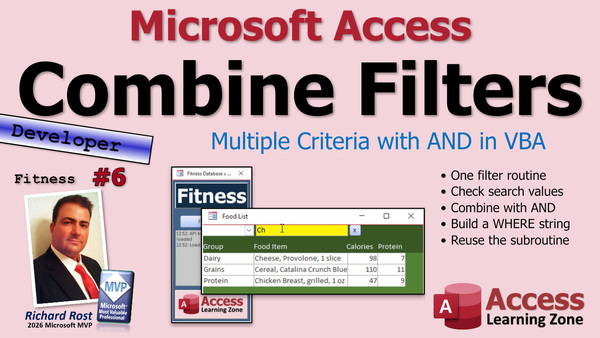 TechHelp Access, fitness database series, category filter box, product name search, AND condition, OR condition, filter subroutine, WHERE string, SQL statement, concatenation, ApplyFilters, custom filter, filter off button, filter fruits, search banana, food log, food scale, calorie tracking, weight loss tracking, body composition scale, weight training, strength training, group food items meals, sorting column header, database accountability
 Subscribe to Fitness 6
Get notifications when this page is updated
More InformationTranscript Today is part six of my fitness database series, and as I remind everybody, whether or not you are into fitness, if fitness to you just means "fitness pizza in my mouth," that's fine with me.
This is an Access tutorial above all else, so it doesn't matter what you're tracking. I am teaching you all kinds of cool things to put in your Access database. I just happen to be doing a fitness database as the example, but this will work just fine even if you're doing a customer database. So let's see what we're doing today.
Of course, if you haven't watched parts one through five yet, go watch those first. There are lots of other cool tips and tricks in those, and then come on back.
All right, so last time, we built our category filter box, and we also built a product name, a food item name search box. So if I type in CH, I get those, but the two don't work together. If I do that, it overrides this guy.
So in this video, let's make these work together so this is an AND condition, not an OR condition. Right now it's OR. So let's go take a look at our code, and I have a button up here on my quick launch toolbar that I use to get quickly back to the code editor. That's great. That's the view code button.
Now right now, we're duplicating - this and this are basically the same thing. But what I want to do is call a single subroutine that's going to look at both of those conditions, decide which one has a value, and then we're going to build a custom WHERE string. This right here is essentially a WHERE string for an SQL statement. Select field name from table name, and then this is your WHERE - WHERE food description LIKE that, or WHERE food group ID equals the filter.
What we're going to do is tack those on together. We're going to use concatenation and put those in the same string if there's a value in each of those fields.
So let's make a new subroutine right here. Private Sub. We're going to call it ApplyFilters. Both of those other guys are going to just call ApplyFilters, and ApplyFilters is going to build that WHERE string based on who's got values.
So we need to put it in a string. So Dim f As String for filters, or whatever you want to call it. I like to keep my variable names short. There's only one in this subroutine, so f is fine. You know what it is. I don't like to make it single-character variable names if I got a bunch of them. All right, what's f? What's n? What's s? But in this one, it's pretty self-explanatory. That's what f is. We're going to initialize it to an empty string.
Now let's take a look at the food group filter first. So I'm going to say If Not IsNull(food group filter), then we got something in there. Let's set that as the beginning of our WHERE string, and it's literally going to be the same as this right here. So we're going to say f equals that. So if I got something in the food group filter, we're going to start it off by saying food group ID equals six or whatever.
End If. We're done with that one now.
Next, we're going to do the same thing with the food description filter. If Not IsNull(food description filter), then it's the same thing, but we have to tack it on to the other one. So f = f & this guy right there. End If.
Now we have one more issue to take care of right here. If both of those are set, we're going to get f = food group and food group filter. So it's going to say food group ID = 3, and if you also have this guy, it's going to be f = f, which was this stuff, followed immediately by food description LIKE whatever.
So we need to put an AND in the middle between those guys if there is a food group filter, because if not, we don't want to put the AND there. So in here, I'm going to say if f is not an empty string, then f = f & " AND " (with spaces around it). Don't forget those spaces.
So see what f's going to look like. If we only have a food group filter, it's going to be food group ID = 3. If we only have a food description filter, it's going to start as blank, it's still blank, so you don't get your AND. And it's going to be food description LIKE avocado or whatever. If both of those are selected, you're going to get food group ID = 3 AND food description LIKE avocado. See how that works?
We're building a WHERE string in here. Now it's just a matter of applying that filter. So if f is not empty, well, let's rewrite it: If f equals empty, then I like to try to get the empty first. That's the easy one. That filter on equals false; just turn the filter off. Otherwise, do the same thing we did before, which is this stuff right here. Me.Filter = f, Me.FilterOn = True, End If.
See that? So now we've taken all of those things into consideration. Now, down here, we don't need all of this duplicated code. This just becomes ApplyFilters. This one also becomes ApplyFilters.
Someone's beaming in. Hold on, let me check the transporter pad. It's just my yeoman. Yeoman.
Now, these guys, we got rid of some duplicated code. We also have to modify our "close" or "turn off the filter" button. This guy, the filter off button, we also need to say here: food description filter = Null.
All right. Save it. Debug. Compile once in a while. Close it. Close it. I'm going to shrink this because we need the space now.
All right. Food list. Let's filter for fruits. Now, let's filter for BA. Look at that. I got fruits with banana. See how they're working together? Now, if I turn them both off and just type in BA, I only got one thing with banana.
Let's see what we got, something that's two of. I think CE maybe? Yeah, okay, so CE brings up both of those. But now if I filter it just to grains, it works on both of them together. Isn't that cute?
You can add as many fields as you want to this. If you're doing a customer database, you got first name, last name, email, address, whatever - just keep building that WHERE string.
This is one of the concepts that I cover in my Search Seminar. We've got lots and lots of examples like this with filtering and searching and sorting. If it has to deal with searching, sorting, filtering, it's covered in this seminar. Check it out. Here's a link. I'll put a link down below. I have to sneak some advertising in here and there. This video is paid for by our sponsor, and our sponsor is me.
Oh, and I also almost forgot I got this thing called the Search and Sort Template, where I do something similar with little boxes across the top of each column. We've got an AND or an OR box so you can make it an AND or an OR condition. You can say I want to find this OR this. You can do date ranges. You can do number ranges, and you can click on the headers across the top and it will sort on that field. Click once to sort ascending, click again to sort descending. We're going to do something similar with the sorting in the extended cut today for the members. We're going to make it so you can click on these header labels here and make it so that it sorts bases.
So if you want to see the highest calorie foods, you click on that. By the way, what I like to do in here, speaking from a usability standpoint, I like to make these one serving. So when I'm adding this to my food log - we're going to get to food logs soon - it's one serving. If you normally put two slices of provolone on your sandwich, make this two slices and adjust the calories and protein and stuff accordingly so you don't have to constantly keep changing the quantities and the amounts. If you normally eat one banana, great. If you eat three bananas at a time, make it three. Like blueberries, one cup. When I get a little handful of blueberries, I usually get a couple blueberries. For the longest time, I had to measure it with an actual cup. I still measure my cereal because I can't eyeball it for some reason, but I can eyeball blueberries. It's weird.
Let me put my little extended cut slide together. That's what we're going to do in the extended cut today: click on the column header to sort. Don't go anywhere though, because we're going to do some Q and A. I'm going to try to address some of the questions and comments that you guys post on both YouTube and my website after each video, since we're starting to get a lot of comments now.
This user says good luck to everyone that uses this for their weight loss journey. Just remember, you can build whatever database to help you track this, but the database won't help with the underlying factor: the willpower to set a routine, eat healthier, and stick with it. I agree 100 percent.
I will, however, say that one thing that initially helped me with my weight loss journey years ago when I first started was tracking everything. A lot of people have no clue how much they're actually eating. They have no idea how many calories they're eating in a day. While I don't recommend it's something that you do for the rest of your life, I think when you're first starting off on a fitness journey, whether it's weight loss or whatever, journal everything you eat, write it down or put it in a database, which is what we're working on here today.
Actually measure your food, get a food scale, weigh it. They're cheap nowadays. For 10 or 15 bucks on Amazon, you can get a little food scale. I'll put a link down below to the one that I use. Here it is. I just bought a new one last month because I couldn't find my old one. Ten bucks, little food scale. Get yourself some measuring cups. When you pour yourself some cereal, measure that out in the cups. Weigh your meat, that kind of stuff. Actually keep track of it. A lot of people have no idea how much they're actually eating. If I would have just guessed before I knew this how much I was eating in a day, I probably would have guessed about half the amount of actual calories.
Certain things really are calorie bombs. They sneak up on you, like olive oil. I love olive oil; it's healthy for you, it's great, it's fantastic, but a lot of calories. Same thing with things like walnuts and almonds. I love a handful of walnuts, but there are tons of calories in them. They're very healthy for you, but you just have to watch that stuff because losing weight is all about calories in versus calories out. So you have to be careful. Just track it. Keep track of what you're actually eating, and you'll see where you can maybe make some room for improvement.
As far as making major shifts to your diet, just make little changes here and there that you can live with. Little changes that you can sustain. For example, I switched from full sugar soda to diet soda. It took a little while to get used to it, but once I got used to it, I can't go back. Regular soda now just tastes like syrup to me.
As far as an exercise routine, everyone always asks me what's the best exercise. The best exercise is the one you're going to stick with, one that you enjoy doing. I hate running. I've always hated jogging. I don't do it. I like riding my bike.So I try to ride my bike whenever I can. It was difficult when I lost an eye, but I manage. I refuse to ride in traffic though, because, especially down here in Florida, everyone is crazy.
But yeah, just pick something that you enjoy and you're going to stick with it. You're more likely to meet your goals if it's something you like doing.
One of my users on my website, Antony, posted: Soy milk is phytoestrogen. It's bad for men to consume. He removed it from his diet and dropped five kilograms within two months. And that's fantastic, Antony. I'm glad that worked for you.
Based on what I've read, soy milk does contain some phytoestrogens, but the science does not support the idea that they're harmful in moderate amounts. I posted some additional things here if you want. Here is also a link to an article on Harvard's website that breaks it down in more detail. I'll include this link down below.
One thing that I've seen online, especially on TikTok and on Facebook, is that there is a lot of fear mongering out there. A lot of people are trying to tell you, don't eat this, it's dangerous, it's going to kill you, it's not good for you. Very few foods are super dangerous.
There are a lot of people saying that artificial sweeteners cause cancer. Well, yeah, in lab rats, when they inject the thing with eight times its body weight in sucralose, it might cause cancer. But you'd have to drink like 30 diet Cokes a day for years for it to have a negative effect on you.
So when it comes to stuff like this, I always follow the science. I always look for a reputable study or two, and I do not just listen to everything that I read on TikTok. But if it works for you, everybody is different.
I am not a fitness professional. I am not a nutritionist. I am not a doctor. I'm only speaking from my personal experience. So if something works for you, great. I'm not going to take it away from you, but I'm just sharing with you my experience and what I've read.
Another one of my users, Chris, said it would be cool to have weight loss challenges if people could join online and enter their weight and track it for a given period to see the biggest loser. Remember the biggest loser competitions they used to have?
Here are my thoughts on that basically, and I think I mentioned this before. To me, it's not just about the scale. I joined a biggest loser competition way back when I lived in Buffalo. We're going back like 20 years now. And that's all it was. Of course, if your only goal is to drop pounds, there are ways to drop pounds fast. You could lose water weight really quickly.
But if body composition, which is the most important thing, is what's important to you, you can actually gain muscle and burn fat. And you're a lot better off health wise, but the scale is not going to move and that discourages a lot of people.
So again, that's one of the things I recommend is getting yourself a scale that calculates your body percentage. It will tell you how much fat you have on you, how much muscle you have on you, your bone density. Again, I'm not trying to push products here. That's not my goal. Yes, I am giving you links to my Amazon affiliate, but I get like pennies if you buy one of these.
But it's a 50 dollar scale and it calculates all that stuff. I've been using it for a while now and it's really fantastic. I love it. I'll put a link to this down below.
But I do love accountability if you have other people that you're working out with. It's awesome, but don't just look at the number on the scale. Me, for example, I try to celebrate when I lose 10 pounds of fat when the scale says I've gone down 10 pounds of fat. And I try not to lose muscle. So make sure you include that weight training as well.
Your body, you do not have to try to build muscle when you're in a fat loss program, when you're in a cut phase. It's hard to do both. It's hard to build muscle and lose fat. So you're better off optimizing for one or the other. But when you're cutting calories, you still want to do strength training to remind those muscles that they still have a job to do. So you still want to try to do some weight training so that you do not lose that muscle mass.
So that's my experience.
Jeffrey said that he put on some extra COVID. I call it the COVID 50. That's what I put on. He said that after contracting COVID, he lost his sense of taste. I can understand how after that, when your sense of taste starts coming back, you really want food that has a lot of sugar, salt, or spice so you can actually taste it.
The one thing I'll say for me is, yeah, I put on some weight too with COVID, not being able to go anywhere obviously helps. But it actually helped my business because during COVID in 2020 is when I started the TechHelp series that I'm doing now. I had a lot of extra time on my hands, so I started recording a lot of videos and making them into the series that you see today.
So COVID was actually beneficial for me. It got me off my butt recording videos. It's just nice to see all the comments from people who are excited about this series.
So from both a database building standpoint and from a fitness standpoint, I'm here to try to help you as much as I can. Again, I am not a fitness professional, but I'm here to assist as much as I possibly can.
This is my second time trying to lose weight. I gained. I was really big and heavy in my 30s and I lost a lot of weight, doing a lot of it the wrong way. I was crashing, dieting, and working out way too much. So I've learned a lot since then. So I'm on a fitness training myself right now to try to get healthy, and I'm here to help you guys too if I can.
So yeah, I'm having fun with this. I hope you guys are too. Keep the comments coming.
All right, so that's going to do it for part six. Tomorrow, we're going to start part seven, and I think we're going to start with the meals. We're going to group food items together into meals. We'll start working on that.
Don't forget members, we're going to do some sorting in today's extended cut. For everybody else, that is your TechHelp video for today. I hope you learned something. Live long and prosper, my friends. I'll see you tomorrow for part seven.
TOPICS:
Combining multiple filters with an AND condition
Building a custom WHERE clause in SQL
Creating a reusable ApplyFilters subroutine
Using variable concatenation for dynamic SQL
Applying record source filters based on user input
Refactoring duplicated code into a single subroutine
Implementing filter reset functionality
Testing filter logic for combined search criteria
Filtering Access form records based on multiple fields
COMMERCIAL:
In today's video, we're continuing with part six of the fitness database series. I'll show you how to make multiple search filters work together in Microsoft Access by building a dynamic WHERE string to combine conditions from different fields, so you can filter by food group and description at the same time. We clean up duplicated code, implement a shared ApplyFilters subroutine, and improve your search interface. I'll also answer your questions about nutrition, diet tracking, and share some tips from personal experience. In today's Extended Cut, we'll also set up sorting by clicking on column headers. You'll find the complete video on my YouTube channel and on my website at the link shown. Live long and prosper my friends. Intro In this video, we continue with part six of the fitness database series in Microsoft Access. I will show you how to combine multiple search filters using an AND condition, create a reusable ApplyFilters subroutine, and build a dynamic WHERE clause to filter records based on both food group and description. We will refactor and clean up duplicated code, set up filter reset functionality, and test the logic to ensure your filters work together for more precise searches. I also discuss common questions and share some practical tips about diet tracking and maintaining healthy habits. This is part 6. Quiz Q1. What was the main programming goal achieved in this tutorial video?
A. To make two filter boxes work together using an AND condition
B. To add new data entry forms
C. To replace Access with Excel for data analysis
D. To remove all filters from the database
Q2. Why was creating the ApplyFilters subroutine important in the filtering process?
A. It cleanses raw data by removing duplicates
B. It builds a custom WHERE string that combines multiple filter conditions
C. It exports the database to a website
D. It adds a timer to automatically refresh the data
Q3. When both filter fields (food group and food description) contain values, what logic is required between them in the WHERE string?
A. An OR condition
B. An XOR condition
C. An AND condition
D. No condition is needed
Q4. In the context of Access filtering, what does this kind of WHERE string achieve: food group ID = 3 AND food description LIKE banana?
A. Returns all records regardless of filters
B. Returns only records where both filter conditions are true
C. Returns records that either match food group or the description
D. Deletes records that do not match either filter
Q5. What is a practical benefit of using short variable names like "f" in a small, simple subroutine?
A. Makes it harder for others to read the code
B. Reduces typing and potential for confusion when there are few variables
C. Makes debugging impossible
D. Improves security of the code
Q6. What was recommended regarding measuring food when starting a fitness or weight loss journey?
A. Guess the amounts since it saves time
B. Measure and track what you actually eat using scales and measuring cups
C. Only estimate calorie count without measuring
D. Rely on online averages for portion sizes
Q7. According to the video, why is it important to apply a filter only when the filter string is not empty?
A. Otherwise, the database will delete all records
B. So that the filter is turned off when no conditions are selected
C. To prevent users from entering new records
D. It has no effect; filters always run
Q8. What usability suggestion was made for tracking foods in a fitness database?
A. Always enter the USDA recommended portion size regardless of habits
B. Adjust serving sizes to match what you actually eat to avoid repetitive entry adjustments
C. Use metric units only
D. Only track high-calorie items
Q9. Which of the following is NOT a functionality mentioned for the Search and Sort Template?
A. Sorting by clicking column headers
B. Adding AND/OR conditions to search filters
C. Exporting data to PowerPoint presentations automatically
D. Filtering by date and number ranges
Q10. Why is it crucial not to rely exclusively on the number on the scale according to the presenter's advice?
A. The scale never works correctly
B. Weight is not the only important metric; fat loss and muscle mass matter too
C. People can memorize their weight over time
D. The scale does not measure calories
Q11. What advice was given regarding which exercise is best for fitness?
A. Weightlifting is the best for everyone
B. Running is required for weight loss
C. The best exercise is the one you enjoy and will stick with
D. Yoga should be avoided
Q12. How does the presenter suggest handling conflicting information about nutrition found online?
A. Trust everything seen on TikTok
B. Always follow the latest social media trends
C. Look for reputable scientific studies and follow the science
D. Only eat foods mentioned in the video
Q13. What is stated as a likely reason for initial weight gain during events such as COVID lockdowns?
A. Increased opportunities for outdoor sports
B. Lack of access to grocery stores
C. Reduced activity and more time spent indoors
D. Better access to healthy foods
Q14. What was the presenter's opinion on group weight-loss competitions like the Biggest Loser?
A. They are always the healthiest way to lose weight
B. Focusing only on the scale can be misleading because body composition is important
C. Competitions guarantee muscle gain
D. Participation is required for all database users
Q15. What change did the presenter mention making to their own diet that worked well for them over time?
A. Switched from bread to rice exclusively
B. Went vegetarian for a year
C. Changed from regular soda to diet soda
D. Ate only one meal per day
Answers: 1-A; 2-B; 3-C; 4-B; 5-B; 6-B; 7-B; 8-B; 9-C; 10-B; 11-C; 12-C; 13-C; 14-B; 15-C
DISCLAIMER: Quiz questions are AI generated. If you find any that are wrong, don't make sense, or aren't related to the video topic at hand, then please post a comment and let me know. Thanks. Summary Today's TechHelp tutorial from Access Learning Zone continues our ongoing fitness database series with part six. As always, whether or not you are interested in fitness, the real focus here is on Microsoft Access. The skills I am teaching can be applied to any Access database, whether you are tracking workouts, managing customers, or storing any other information. I just happen to use a fitness example to demonstrate these concepts, but they are universally useful.
Before you continue, I recommend watching parts one through five if you have not already, as each part builds on the last and there are many helpful tips and techniques throughout the series.
In part five, we created a filter box for categories along with a name search box for food items. Previously, each filter worked independently, meaning if you set both, one would override the other. Today, we are going to make them work together using an AND condition so that both filters combine to narrow down your results, instead of acting as separate OR conditions.
Looking at the code, you may notice we were duplicating similar logic for each filter. What we need is to centralize the filter logic into a single subroutine. I call this ApplyFilters. ApplyFilters looks at the filter fields, checks whether each of them has a value, and dynamically builds a WHERE clause for the SQL statement that drives your form's filtering.
The process involves initializing a string variable that will accumulate the pieces of the WHERE condition. We first check if there is a value in the food group filter, and if so, add a piece to the WHERE string. Then, we check if the food description filter has a value. If both filters are set, we need to insert an "AND" between them so the combined condition works properly.
If only one filter has a value, the WHERE string reflects only that filter. If both are set, the string becomes something like, "food group ID = 3 AND food description LIKE avocado." This approach allows you to expand easily by adding more filter fields for other types of databases such as customers, where you might want to filter by first name, last name, email, and so on. Just keep building the WHERE string accordingly.
After building the WHERE string, the filter is applied to the form. If no filters are active, we simply turn off the filtering. This new method streamlines the code, reducing duplication and making future enhancements easier.
In practice, when you use this form, you can select a category, enter part of a food name, or apply both filters at the same time, and the food list updates accordingly. For example, filtering for "fruits" and typing "BA" should bring up bananas and any other fruit with "BA" in the description.
This concept is part of what I cover in detail in my Search Seminar, which provides many more examples and explores searching, sorting, and filtering in Access in depth. I also offer a Search and Sort Template, which includes even more sophisticated features like AND/OR options, date and number range filters, and sortable column headers with a single click. In today's extended cut for members, we will add functionality so that clicking on a column header will sort by that column, such as sorting by highest calorie foods.
From a usability standpoint, I suggest that you define food items based on one serving as you would usually eat it. This makes tracking food in your log much simpler, since you do not have to constantly adjust quantities. For example, if you usually eat two slices of cheese at a time, make two slices your standard serving when you add it to the database.
Before moving on, I answered a few questions and shared some personal advice on fitness and nutrition. One follower reminded everyone that a database is only a tool for tracking - you still need the willpower to stick with your goals. I completely agree. When I first started my own weight loss journey, I found tracking everything I ate to be extremely helpful. Most people underestimate their calorie intake, so actually weighing and measuring your food can be eye-opening and effective, even if you do it only temporarily while starting out.
There are plenty of inexpensive scales and measuring tools available, and they can help make your tracking more accurate. Foods like olive oil and nuts can be surprisingly high in calories, so it makes sense to measure them carefully. Ultimately, weight management comes down to calories in versus calories out.
I also advise making small, sustainable changes to your habits. For instance, I switched from regular to diet soda. It took some getting used to, but once I adapted, I preferred it.
As for exercise, the best activity is the one you enjoy and will actually stick with. I personally dislike running but enjoy biking. The key is to pick something that you will continue doing long term.
I also addressed a comment about soy milk. While it does contain phytoestrogens, research does not indicate that moderate consumption poses harm. There is a lot of misinformation online, so I recommend following reputable scientific sources.
One viewer suggested building a database for weight loss challenges, which reminded me of contests where participants compete to lose the most weight. While tracking body weight is one measurement, body composition is more meaningful if your goal is to burn fat and build muscle. Some scales now provide estimates of muscle mass, fat percentage, and bone density, which can offer better insights than the scale alone.
Supportive communities and accountability partners can also help, but it is important to remember that lasting change comes from consistency and sustainable habits. Focusing only on the number on the scale can be discouraging, especially if you are gaining muscle at the same time.
Another user mentioned how COVID affected their sense of taste and eating habits. Personally, I gained weight during the pandemic but used the extra time to launch the TechHelp series and create more instructional content, which has been very rewarding.
I want to make it clear that I am not a doctor, nutritionist, or fitness professional. I simply share what has worked for me, along with tips that can help you build better Access databases and healthier habits.
That concludes part six of this series. In part seven, we will begin working on grouping food items together to create meals.
For members, do not forget to check out the extended cut where we will implement column sorting. For everyone else, you can watch the complete video tutorial with step-by-step instructions demonstrating everything mentioned here on my website at the link below.
Live long and prosper, my friends. Topic List Combining multiple filters with an AND condition
Building a custom WHERE clause in SQL
Creating a reusable ApplyFilters subroutine
Using variable concatenation for dynamic SQL
Applying record source filters based on user input
Refactoring duplicated code into a single subroutine
Implementing filter reset functionality
Testing filter logic for combined search criteria
Filtering Access form records based on multiple fields Primary Topics Access filtering, dynamic SQL WHERE clause, combining filters, VBA subroutines, code refactoring, filter reset, user interface workflow, form search logic
Secondary Topics data tracking best practices, user experience tips, basic nutrition tracking, fitness database examples, pitfalls of only tracking weight
|




