Fitness 43
By Richard Rost

 13 months ago
Use a Recordset Loop to Log Every Food Item in a Meal In this Microsoft Access tutorial I will show you how to loop through meal items when adding a meal to your fitness log, handle both individual food items and bundled meals, update your code to include quantities and meal descriptions, and ensure that each food item from a meal is logged properly using recordsets and subroutines. This is part 43. MembersThere is no extended cut, but here is the file download: Silver Members and up get access to view Extended Cut videos, when available. Gold Members can download the files from class plus get access to the Code Vault. If you're not a member, Join Today!
PrerequisitesRecommended CoursesUp Next
Keywords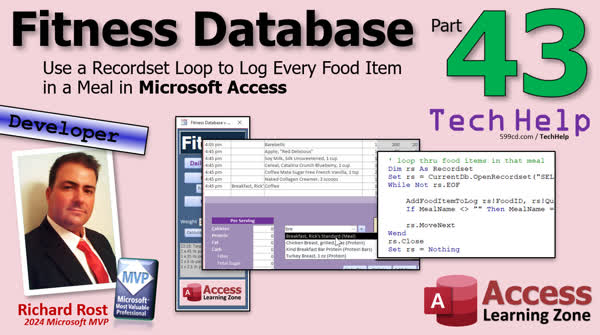 TechHelp Access, fitness database series, loop through meal items, combo box meal selection, add meal to log, union query, recordset loop, meal detail table, food item quantity, dlookup meal name, optional parameters, add food item to log, custom sort field, time offset, counter variable, sort meal log
 Subscribe to Fitness 43
Get notifications when this page is updated
More InformationTranscript Welcome to another TechHelp video brought to you by AccessLearningZone.com. I'm your instructor, Richard Rost. Today is part 43 of my fitness database series.
Again, this is not necessarily about fitness. If you do not care about fitness, that is fine. We are building a database. We have lots of cool stuff.
Today we are going to loop through the items in a meal if the user picks a meal from our combo box. If they just pick a food item, it just adds it to the log. If they pick a meal, you have to loop through all of the food items in that meal and add each of those to the log.
This is analogous to if you are building an order entry system or you are doing invoicing and you have bundles of stuff. I used to sell computers. You can bundle a bunch of items together into a computer system and then if you add that, it adds all of the items. This has ramifications for all kinds of different databases.
It is going to be a lot of fun. Here we go.
We are back so far. We have put together a union query. We have both food and meals in this box. We are working on adding the things to the up top here. That is the technical term, the things to the up top of this.
We have our add to log, which is right here. We have added food items just fine. Now it is time to add meal items. We are going to make another instead of just message boxing it. Now we are going to add meal to log. It will fix it in a minute. Then we will send in the native ID and now we have to write that.
So, private sub add meal to log. The declaration is where you make sure you have your camel casing properly. We are sending in a meal ID as a log.
I think I can help with the Pam problem. Movie quote. Who knows it? Love my movie quotes.
So, we are dealing with a meal. I really like the way that I have been manually adding stuff in here. Like here, this day is just garbage stuff, but this is how I like doing it. I like having the name of the meal on the first item, and then I do not do it on the other ones. It helps to break it up where the next one starts.
I am going to do the same thing in the code. I am going to put the meal's name here if I am adding a meal, and then the items over here one at a time.
I initially thought of just adding the meal itself in here with the total calories and total protein, but I like having all the individual components of the meal in the log because sometimes I might have had 1.5 cups of soy milk or a cup and a half of this or three of these instead. Sometimes I like to make the call audible on the meal when I add it to the log, but I want to keep the meal the same. I do not want to change the meal but make little changes. I had a few more croutons today with the salad.
So, that is what we are going to do. The first line item is going to have the meal's name, and then each of the line items will have the food name in it. So we have to get that meal name from the ID. Get the meal name and add it along with the first item only.
So, dim meal name as a string, and meal name is going to be, we are going to dlookup the description from the meal table. We can get it directly where the meal ID equals the meal ID.
Just in case the user did not type in a proper meal name, which they should not, but just in case, this is one of those things where the user could break it. So we will nz it, comma, and we will just put the word meal in there then. If somehow they got a meal in there without a name, which should not be allowed, just in case it happens, we will just tack the word meal. You want something in there.
Now, we are going to loop through the food items in that meal. So we need a recordset. So dim rs as a recordset. Set rs equals... Now where do I get it from? It is the meal detail table. If you remember how we built this, the meal has the meal information. That is the name we are looking up. You can see it here. Here are the detail items. It is just a food item and a quantity from the meal detail table. Here is meal one. So we have got the food items right here. Now we have the food item and the quantity. We can just add it to the table.
So, rs equals... We are going to open a recordset. So CurrentDb.OpenRecordset. It is going to be select * from MealDetailT where the meal id equals the meal id we are dealing with.
When it comes to recordsets, I like to put together the pieces of bread first and then I put the peanut butter and jelly in the middle. So while not rs.eof, we are looping through records. rs.MoveNext. Do not forget your increment. When rs.Close, set rs = nothing. Then in here, we put in the jelly filling.
I always do that with my recordsets because I always forget something at the bottom because my brain goes immediately into the jelly filling.
I talk about this a lot in my developer course. I have this recordset loop on a mousepad, on a shirt, whatever you want, send my store, check it out.
What I want to do in here is I want to call that add food item to log subroutine that we already wrote. Here it is. This just takes a food item. I also need to send into it the quantity, because there could be three cans of tuna in the meal. I need to add quantity, and I need the meal description to put on the first line. So we have to add some parameters to this.
As long as you add these as optional parameters at the end, it does not affect anywhere else that gets called. So we will make it an optional quantity as long and we will set the default equal to one, because that is what it is expecting now. In fact, I do not think we have quantity in there at all, so it is just using the one from the table. I want to also send in optional meal description as a string and the default for that will be blank, which is what the default is now. I just have to make sure that I add those in here somewhere. It does not matter where.
So, rs log quantity equals quantity and rs log meal description, which these are already in the table, equals meal description. Right. So it takes the values I am sending in or uses the defaults and adds those in there. Those are already fields in the log table. We do not have to worry about adding those now. We just did not use them before when we wrote this, but now it can handle more stuff.
So now my jelly filling is really simple. Now all I have to do for each food item is add food item to log. What am I sending? The food ID rs food ID, the quantity is in that table too rs quantity, and the meal description we just looked up a minute ago, meal name. Now I only want the meal name for the first record. So once that happens, meal name equals blank.
If you want to get technical, you come in here and say if meal name is not blank, then blank it, but it really does not slow it down much not doing that. That is proper pinky up programming right there though. Do not change it if it does not need to be changed.
Are you ready to test it? Let's give it a test. Save it, debug compile once in a while, close it, close it, reopen it.
Here we go. We are going to add in an apple, works just fine. Let's add in a meal. Which one do you want to add in? Let's add in Rick's standard breakfast and go. Look at that. There they are. Looks good. Looks really good.
Now there is one other minor issue. Notice this is the first record. They all came in with exactly the same time. That is okay. It is technically correct, but I kind of want them to come in in the right order, so this one is up top. There are a lot of different ways you can do this.
I would say that the ultimate best proper way to do this would be to add a custom sort field so that if two items have the same exact time, you just go by the sort as the second field. But there is a simpler way to do it with the database that we are working with.
Since in this database, I do not really care. I barely care about it to the minute. I really only care about maybe to the half hour - that I eat at 11 or 11:30. That is about the amount of precision that I need for this database. I am not working with NASA probes here, so we do not have to be exacting.
What I am going to do is add a tiny offset. I am going to add a one second offset. Then we can still sort it by time. Each item will come in one second later than the previous one. I am not going to delay it. I am just saying we are going to add a counter variable to make it a little easier to deal with so that this comes in in the right order. We will do that in tomorrow's video.
That is going to do it for your TechHelp video for today. Hope you learned something. Live long and prosper my friends. I will see you tomorrow for part 44.
TOPICS:
Looping through meal items to add to the log
Using a union query to combine food and meals
Retrieving meal name with DLookup
Handling null or missing meal names
Opening and using a recordset for meal details
Iterating through MealDetailT records
Sending food item and quantity to a subroutine
Modifying a subroutine to accept optional parameters
Populating log with meal and food item details
Managing meal description for first item only
Testing meal addition functionality
Discussing record time order and sorting options
COMMERCIAL:
In today's video, we are continuing with part 43 of building our fitness database and learning about how to handle adding meals to a log. I will show you how to loop through all the food items in a selected meal from a combo box, add each one to the log with the meal name at the top, and make sure quantities and descriptions are recorded properly. This applies to any database where you might have bundles of items, not just fitness tracking. Plus, I will talk about handling situations where multiple items have the same timestamp and how you can keep them sorted correctly. You'll find the complete video on my YouTube channel and on my website at the link shown. Live long and prosper my friends. Intro In this video, we continue building the Microsoft Access fitness database in part 43 by handling the process of adding entire meals to the log. I will show you how to loop through all the food items in a selected meal from a combo box, retrieve and use the meal name, work with union queries and recordsets, modify subroutines to accept optional parameters, and add each food item and quantity to the log. We will also talk about ways to handle sorting when multiple items have the same time. This is part 43. Quiz Q1. What is the primary functionality being added in this video tutorial?
A. Adding new meals to the meal detail table
B. Looping through meal items to add each food item to the log
C. Creating a new meal entry form for users
D. Modifying the calories calculation for meals
Q2. When a meal is selected from the combo box, what must the code do?
A. Add only the meal name to the log
B. Calculate new nutrition totals for the entire database
C. Loop through all food items in that meal and add them to the log
D. Display a warning message to the user
Q3. Why might you use a similar technique in an order entry or invoicing system?
A. To display multiple reports at once
B. To calculate tax on each product individually
C. To allow for bundles where adding one item adds several items together
D. To speed up record deletion
Q4. How does the video suggest dealing with an improper or missing meal name when adding to the log?
A. Skip the entry entirely
B. Use a default value such as the word "meal"
C. Show an error and stop the process
D. Substitute the first food item's name
Q5. What database technique is used to retrieve all the food items associated with a selected meal?
A. Union Query on the Meal and Food tables
B. DLookup in the Food table
C. Opening a recordset from the MealDetailT table for the given meal id
D. Filtering the combo box manually
Q6. When looping through meal items with a recordset, what programming analogy does the instructor use?
A. Baking a cake before adding icing
B. Creating a pizza before toppings
C. Making a sandwich: bread first, then peanut butter and jelly filling
D. Building a car, starting with the engine
Q7. Why does the code only include the meal name description on the first line item in the log?
A. To reduce database size
B. To prevent errors in calculations
C. To visually separate individual meals and make logs clearer
D. Because Access requires it for sorting
Q8. What modification is made to the add food item to log subroutine to accommodate meals?
A. It is rewritten to accept arrays of food IDs
B. Optional parameters for quantity and meal description are added
C. It is renamed to add meal item to log
D. It now runs asynchronously
Q9. What issue arises when multiple items are added to the log at once, and how is it proposed to be solved?
A. Items may have duplicate IDs; adding a checksum field solves it
B. All items get exactly the same time; adding a small offset (such as 1 second) for each item solves it
C. Data corruption occurs; restoring from backup is necessary
D. Items are not saved properly; saving each item twice is suggested
Q10. What is a key reason for adding individual food items of a meal to the log, rather than only the meal as a whole?
A. So that the meal can be more easily deleted from the log
B. To allow slight modifications to the meal without changing the meal definition
C. To enable better calorie calculations at the meal level
D. To group all meal items under the same record
Answers: 1-B; 2-C; 3-C; 4-B; 5-C; 6-C; 7-C; 8-B; 9-B; 10-B
DISCLAIMER: Quiz questions are AI generated. If you find any that are wrong, don't make sense, or aren't related to the video topic at hand, then please post a comment and let me know. Thanks. Summary Today's TechHelp tutorial from Access Learning Zone is part 43 in my Fitness Database series, but remember, while the database is tailored to track meals and food, the concepts apply to many types of databases, not just fitness. The focus today is on handling situations where users can select either a single food item or a whole meal from a combo box and log it accordingly.
If a user selects a single food item, it gets added directly to the log as before. However, if a user chooses a meal—which is really a group or bundle of food items—the program needs to loop through each of those meal components and add them all individually to the log. This is similar to an order entry system where you might offer bundled packages. When such a bundle is selected, every constituent item needs to be logged. So, even if your main interest is not fitness tracking, understanding how to process and log bundle items is widely applicable to databases for invoicing, inventory, and more.
Let me walk you through what we already have and what we are building today. Earlier, we set up a union query to display both individual food items and meals in a single combo box. Adding single food items to the log works well. Now, our task is to process meals. That means we need a way to add each item within a selected meal individually to the log.
To accomplish this, I am setting up a procedure that accepts a meal ID. The process first retrieves the meal's name from the relevant table using Dlookup. This ensures the log entry shows the meal's name for the first item, effectively serving as a header or group indicator. If, for any reason, the meal name cannot be found, I ensure there's still a placeholder by substituting the word "meal." This prevents the log from having missing or blank data.
Next, the program obtains a recordset of all food items associated with the meal by querying the meal detail table. This table simply contains each food item in the meal and the quantity for each. The code then loops through this set, and for each food entry, calls the existing subroutine for adding food items to the log. This subroutine needs to be updated slightly—it now accepts optional parameters for quantity and meal description, allowing for flexibility if, for instance, someone modifies quantities or wants to note specific meal combinations.
By making these parameters optional and setting defaults, the rest of the application remains unaffected, and this part of the logic becomes more robust. As a result, as each food item is added, the meal description is included on the first line, and subsequent lines list just the food items. This setup helps visually organize logs, making them easier to read and understand.
The process works smoothly. For example, logging an apple functions as before. When logging an entire meal, such as "Rick's Standard Breakfast," the program pulls in all of the meal's elements. This results in clear, organized log entries for bundled meal selections.
There was one small issue I noticed. When a meal is added and its items are logged, all of those items share the exact same timestamp. While technically accurate, it can make sorting and readability in the log a bit more challenging. Ideally, records should appear in the order they are entered. One way to handle this would be to use a custom sort field to sort records that share a timestamp, but given the purpose and granularity of this database, a simpler solution is sufficient. Since it's not important to record the time of eating down to the exact second, adding a slight one-second offset to each entry as they are logged will neatly solve the problem. Each successive food item in a meal will show up one second after the previous, ensuring the log appears in the correct order. I'll demonstrate how to do this adjustment in the next session.
That wraps up today's lesson. You can watch the complete video tutorial with detailed, step-by-step instructions on my website at the link below.
Live long and prosper, my friends. Topic List Looping through meal items to add to the log
Using a union query to combine food and meals
Retrieving meal name with DLookup
Handling null or missing meal names
Opening and using a recordset for meal details
Iterating through MealDetailT records
Sending food item and quantity to a subroutine
Modifying a subroutine to accept optional parameters
Populating log with meal and food item details
Managing meal description for first item only
Testing meal addition functionality
Discussing record time order and sorting options Article In this article, I will walk you through how to handle adding meals to a log in a Microsoft Access database application using VBA. The goal is to differentiate between when a user selects a single food item and when they select a meal from a combo box. If they pick a food item, you simply add it to the log. If they select a meal, you need to loop through all the food items contained in that meal and add each individual item to the log.
This technique is widely applicable, not just for food or fitness tracking databases, but also for things like order entry systems where you might have product bundles or kits. For instance, if you are selling a computer system that consists of several bundled parts, you would want to add all those parts to an order when someone selects the bundle.
The solution involves using a union query that combines individual foods and meals in your combo box. When a meal is selected, we need a subroutine that loops through each food item in the chosen meal and adds it to the log, instead of just adding the meal as a single entry. This approach also allows for flexibility if you want to tweak individual item quantities at the time you log them, rather than altering the meal definition itself.
The strategy I like to use is to add the meal name as the "description" on the first item logged from that meal, with the rest of the items just showing their food names. This makes it visually clear in your log when a new meal starts.
To set this up in VBA, first declare a subroutine to handle adding the meal to the log. Pass in the MealID as a parameter. You will need to look up the meal's name from the database using DLookup to display the name with the first line. For example, you can use:
dim mealName as string
mealName = Nz(DLookup("Description", "MealT", "MealID = " & mealID), "Meal")
The Nz function handles the case where something goes wrong and no meal name is returned, providing a fallback value so your code does not break.
Next, you need to loop through each food item that is part of the meal. For this, you will use a recordset that retrieves all food items from the meal's details table by the given MealID:
dim rs as Recordset
set rs = CurrentDb.OpenRecordset("SELECT * FROM MealDetailT WHERE MealID = " & mealID)
Loop through each record in the recordset:
while not rs.EOF
' Call your subroutine to add a food item to the log here
rs.MoveNext
wend
rs.Close
set rs = nothing
Within each iteration of the loop, grab the food item and its quantity. You are going to make use of a subroutine you have already written to handle adding a single food item to the log. To accommodate the meal context, update your add food item subroutine to accept extra parameters: quantity (default to 1 for backward compatibility) and meal description (default blank). Define them after any required parameters and mark them Optional:
Public Sub AddFoodItemToLog(foodID as Long, Optional quantity as Long = 1, Optional mealDescription as String = "")
' existing code to add the item to the log
rsLog!Quantity = quantity
rsLog!MealDescription = mealDescription
End Sub
If these fields already exist in your log table, you do not need to change your table structure. You just have to make sure the new parameters are passed properly in your code.
In your loop, you can now call the subroutine like this:
AddFoodItemToLog rs!FoodID, rs!Quantity, mealName
You only want the meal name to appear for the first item in the meal, so after the first iteration, set mealName = "". This way, only the first food log entry gets the meal description.
Now, test your setup by running through adding both a single food item and a meal through your user interface. You should see individual food items logged separately when a meal is chosen, with the meal name attached to only the first item in the group. This helps keep the log easy to read and allows you to customize entries as you add them.
One additional note: when adding all items from a meal at once, they will end up with exactly the same time stamp if you are logging the date and time. This order might not be guaranteed when reviewing your table. If order matters to you, and you want the meal heading to appear above its related items, you could add a tiny time offset (for example, one second) to each successive item, or introduce a custom sort field. For many applications, especially ones that do not require second-by-second accuracy, the tiny offset is an easy solution.
This approach can be adapted for any situation where selecting a group or bundle calls for logging or processing multiple related items individually. By writing your code in a modular, flexible style, you make it easy to extend and maintain your application later. Primary Topics looping through meal items, union query for food and meals, DLookup for meal names, recordset operations, MealDetailT iteration, parameterized subroutines, log population, optional parameters in VBA Secondary Topics error handling for missing meal names, data entry workflow testing, sorting and time stamps, generalization to order entry scenarios |




