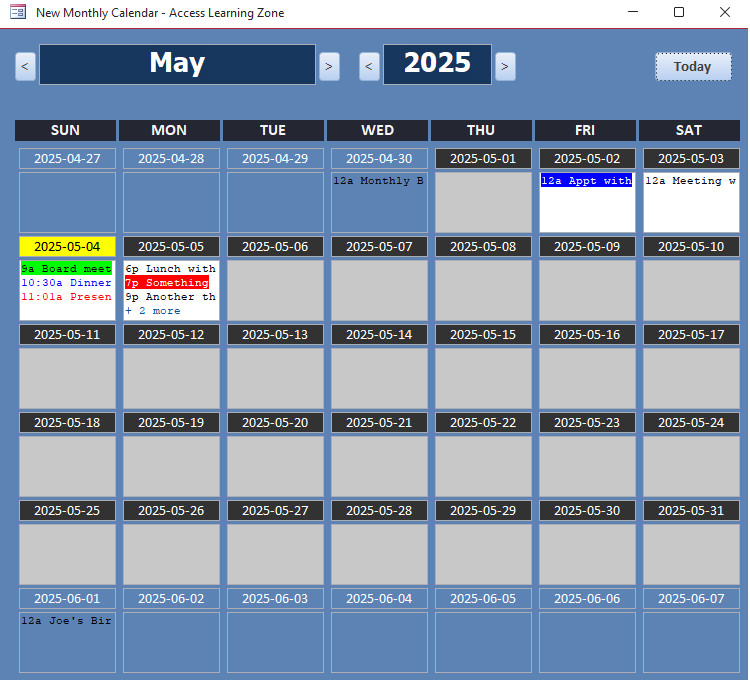
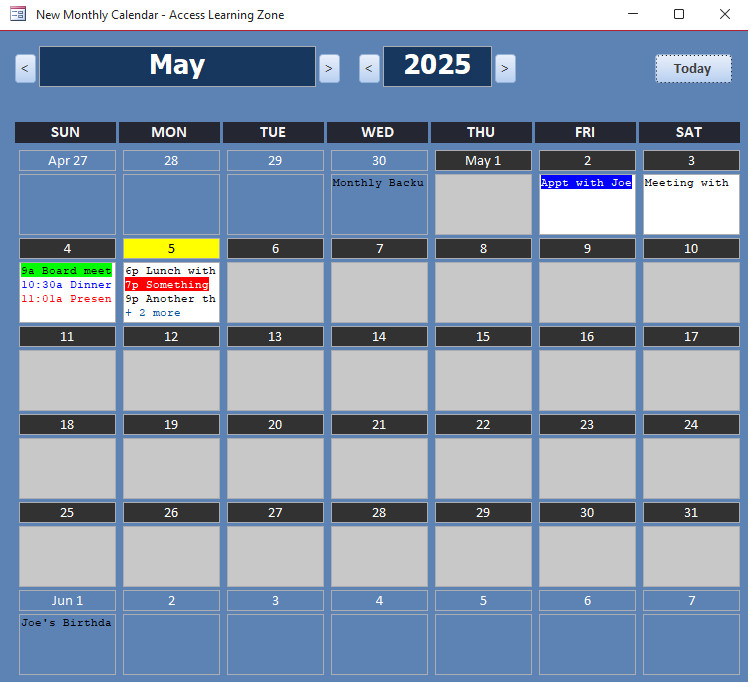
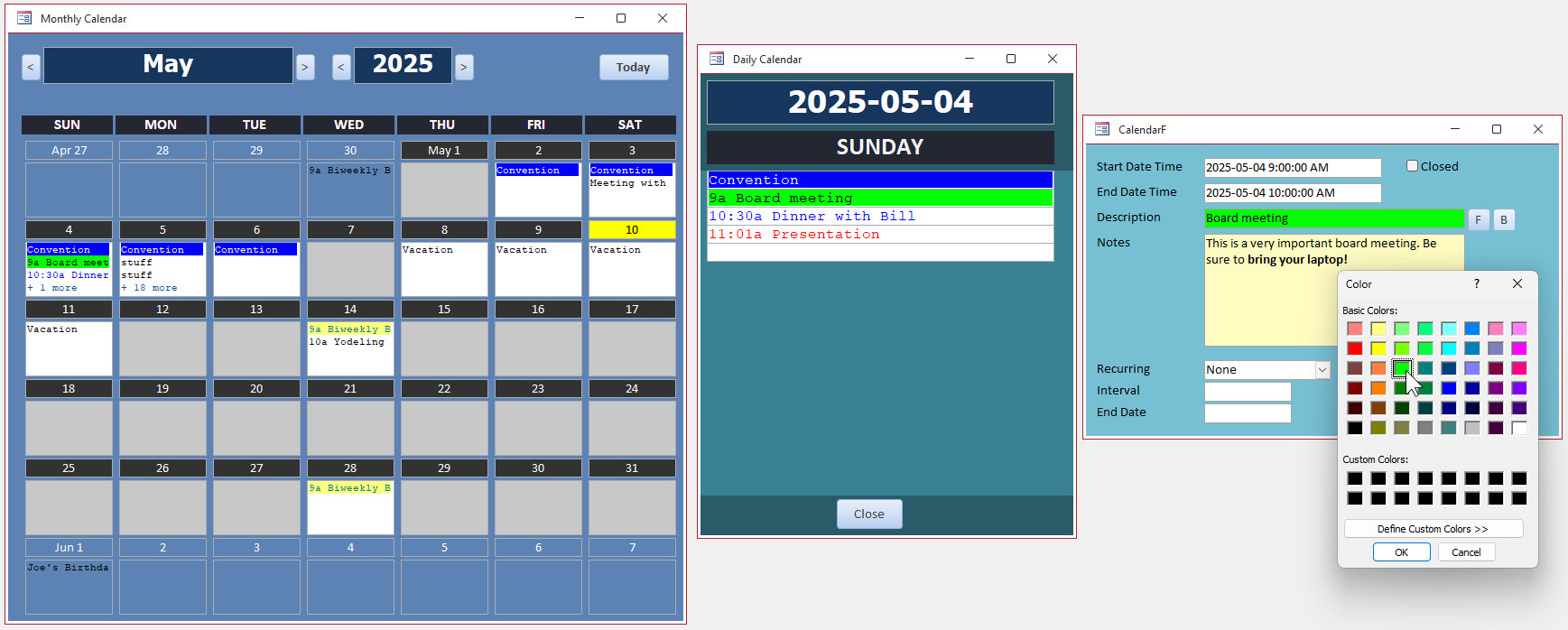
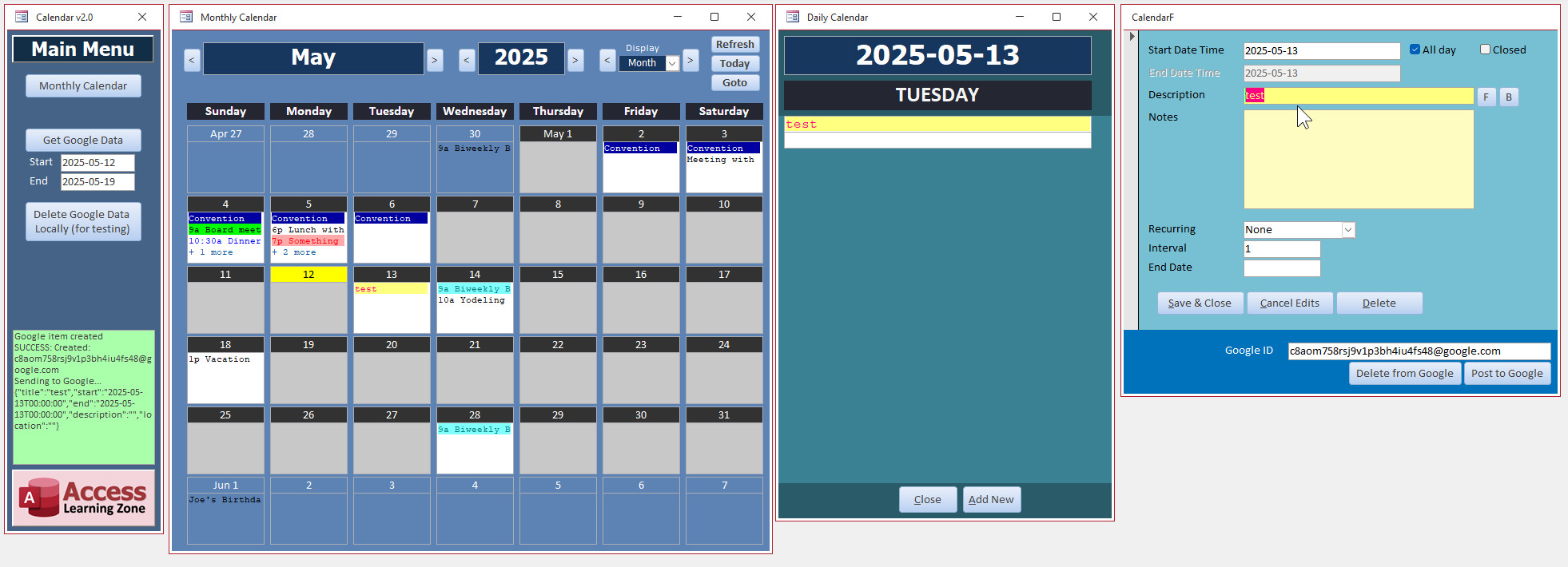
Had some free time tonight, so I played around with making a new Calendar Form. Wow, it's amazing how much I've learned about this stuff in the 15 years since I built the original.
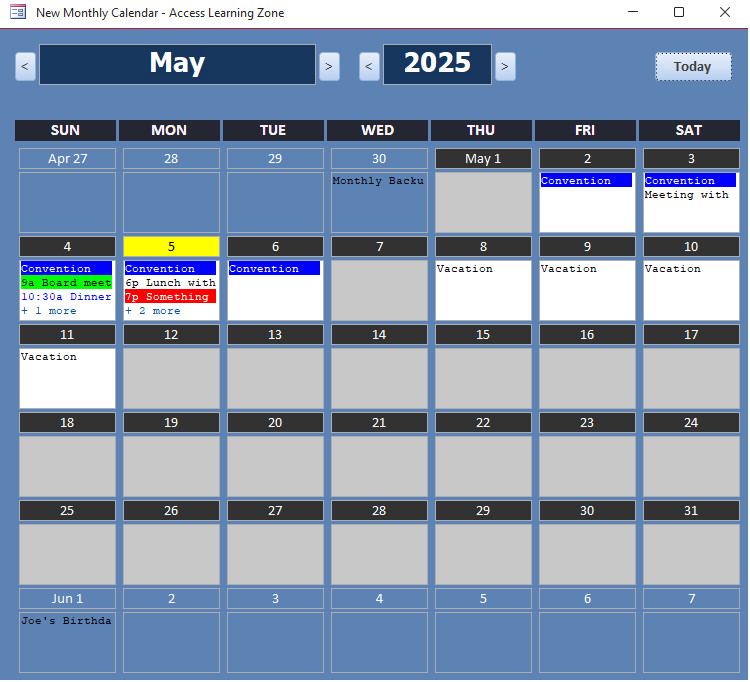
Finally added some color to the calendar items. Got rid of a bunch of stuff that was just... so 2009. Gave it a nice update. Buttons to change the month and year (and you can type in a year now).
And most importantly, it doesn't rely on another form (the DatePickerF). It's stand-alone.
Very nice! I like it a lot better with just the day instead of the complete date.
Thomas Gonder
@Reply 16 months ago
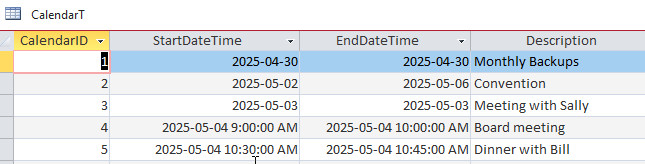
Yes, it looks better, to me at least. Your last calendar was just a calendar, for picking dates if I recall (unless you had more than one). So, is this meant to be more of a "calendar" for appointments/time management? Are you making it flexible to handle journaling (things like phone calls to clients {bahahaha}) and tasks? Does Dinner with Bill include a link to Bill? Double click on a day and see the whole day in lines, like Outlook? In the mid 1990s I tried to use Outlook and Exchange server I think it was, but it had so many bugs and growing pains that I never fully implemented it. Are we going in that direction?
Sam Domino
@Reply 16 months ago
Loving it!!! Will date/time formats be configurable (i.e. ISO-8601, US, European, Stardate)?
Did a little more tweaking today. Created a single day view which keeps the daily formatting, and of course the add/edit/delete form complete with a color picker for your appointments (unlike the small palette that Google Calendar gives you).
Kevin Robertson
@Reply 16 months ago
I am assuming you are using Courier New. I looks great both the Monthly Calendar and the Daily Calendar.
Kevin yeah, I had to use a monospaced font to get the boxes to line up just right because I'm setting the background color using HTML, and if you use a proportional spaced font then you can't judge how far across to make that background color go.
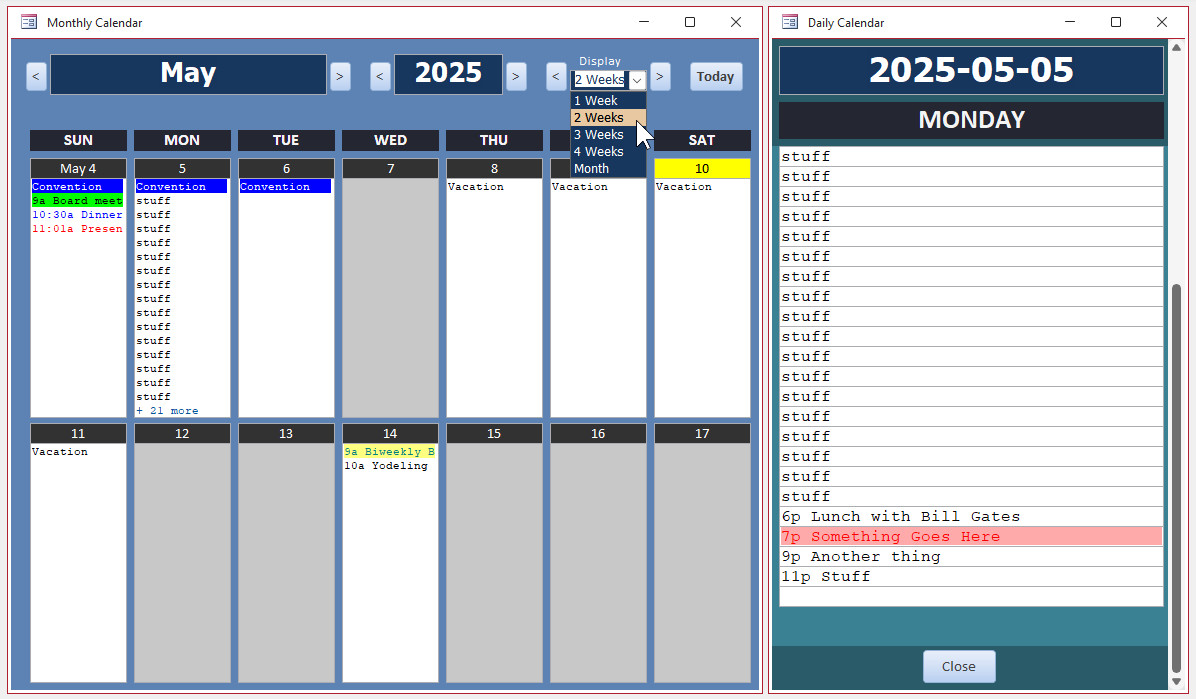
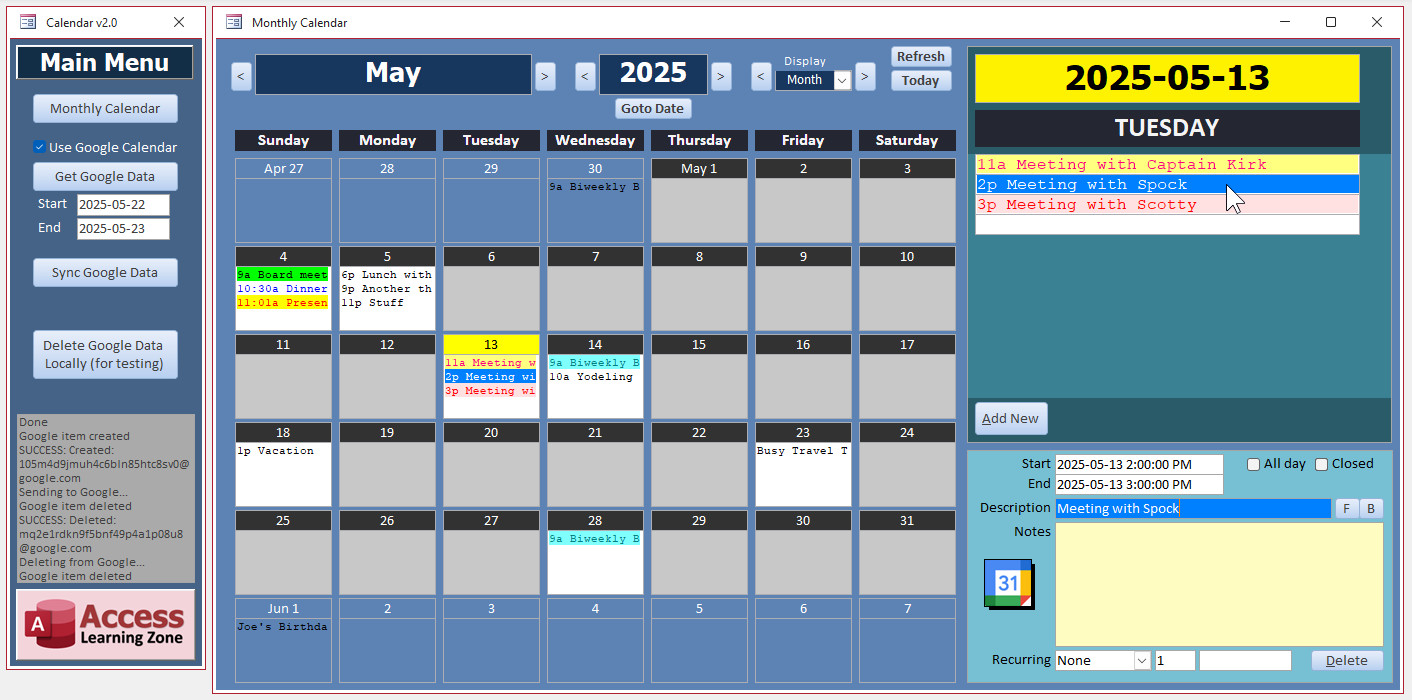
But the good news is it's no longer just a monthly calendar now - you can specify the number of weeks to see. You wanna see 2 weeks, 3 weeks, 4 weeks, or the whole month? Just change the box and you can slide back and forth between weeks too.
I was going to leave 5 weeks on there, but I wouldn't want people to select 5 weeks and then move to a month that has, say, the 31st day as the Sunday, and the next week they forget that there's another day so I intentionally got rid of 5 weeks.
Lars Schindler
@Reply 16 months ago
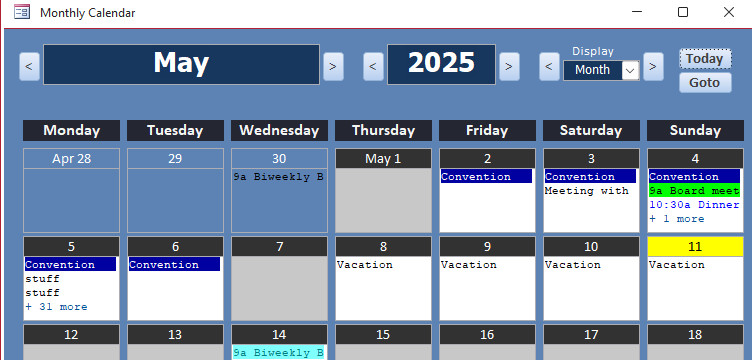
Since we are talking about ISO 8601, I would also argue in favour of Monday as the first day of the week.
After all, the weekend (Saturday and Sunday) should be at the end of the week.
I played around last night with getting calendar items to sync to and from Google Calendar because that's what I use personally, and it'd be nice to be able to click a button and have it sync. That might take a lot more work though, so that's just not promised - I'm not saying it's definitely going to be in there, but I think it'd be cool because I use Google Calendar myself and I love Google Calendar because it's available on every platform. You can use it on your desktop, it's on your phone, you can even pull it up on your smartwatch. To be able to tie your Microsoft Access database into that would be wonderful. But coding for Google's API, especially with VBA, is not easy. I've done it before for some other projects, and it's a pain in the behind. I played with it for about an hour last night and I gave up. I'm going to try a different approach later.
There's a lot of extra stuff on there. Some buttons and some fields and stuff that are for testing and development. I'm going to clean up the interface a lot before I release it, but it's coming along nicely.
Thomas Gonder
@Reply 16 months ago
Does this work for just one person or a group? Personal items may want to be encrypted so people that can read the table (one table right?) can't read about your honeymoon activities. Similar to what Alex said, different levels of the organization might want to add items that individuals can see, like corporate dates (all those holidays), department dates, work group dates, etc.
As time marches on during a day with +18 more, does the day scroll? Maybe just one row at the top of the day with |-10 +8| (left and right justified)?
Does the recurring handle birthdays, that may have an interval different than 365 thanks to leap years? (You may want to add day, month and year option buttons?)
Right now, it just handles a single person, but I am planning on making it multi-user aware. As far as personal items go, that is definitely a possibility. As far as encrypting the table goes, you could do that, or if it's that critical that the stuff is private, you just put the data on SQL Server. Don't put honeymoon activities on your work calendar lol. A corporate calendar is a good idea - days off, that kind of stuff. The boxes in the monthly calendar at the size I've got right now show three items. If there's more than that, it will just say +3 more at the bottom. And then when you click on the month calendar, it will open up the daily calendar to the right which will show an unlimited number of items and will scroll up and down. The form to the far right is where you can add, edit, and delete items. It's easier doing it this way than it would be to edit in place because I'm using HTML and formatting tricks to display things with the colors and properly like that. As far as recurring items go, right now there's daily, monthly, and annually. And yes it uses a true DateAdd, so leap years are not an issue.
Dave Clark
@Reply 16 months ago
How about a user configurable count down list for special events like weddings, births, vacations?
Thomas Gonder
@Reply 16 months ago
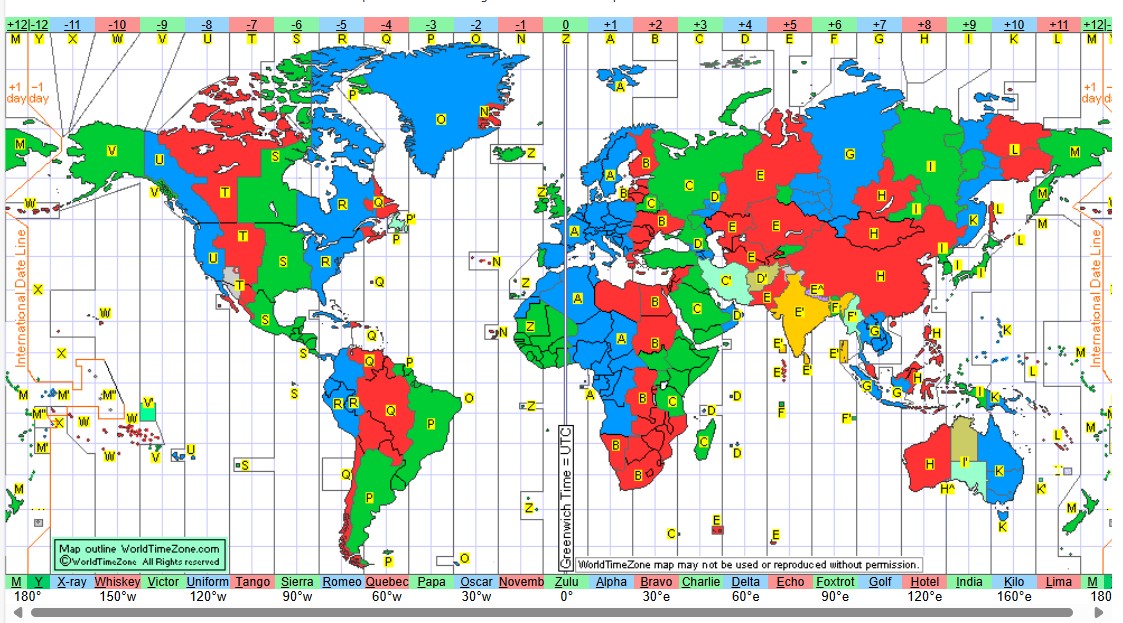
Hey Richard, You may want to delete the map I added above (for copyright) and add this link to the message just above. www.worldtimezone.com.
Thomas I don't think they'd mind. We're not profiting off their work. Fair use. If anything, now that you gave the link, it's helps promote their site. I'll hyperlink that for you.
Integrated all three forms together. I think it works much better this way. Daily and the Edit form are now subforms in the Monthly form. Flows a lot better.
Google Calendar sync is coming along. Still some quirks I'm working out. If you just do all of your editing, adding, and deleting from the database, it works perfectly. Still having an issue though if you create an appointment with the database, then modify/delete it on the web, and then modify it in the database BEFORE you sync. Still have to deal with some conflict resolution.
Sorry, only students may add comments.
Click here for more
information on how you can set up an account.
If you are a Visitor, go ahead and post your reply as a
new comment, and we'll move it here for you
once it's approved. Be sure to use the same name and email address.
This thread is now CLOSED. If you wish to comment, start a NEW discussion in
Captain's Log.