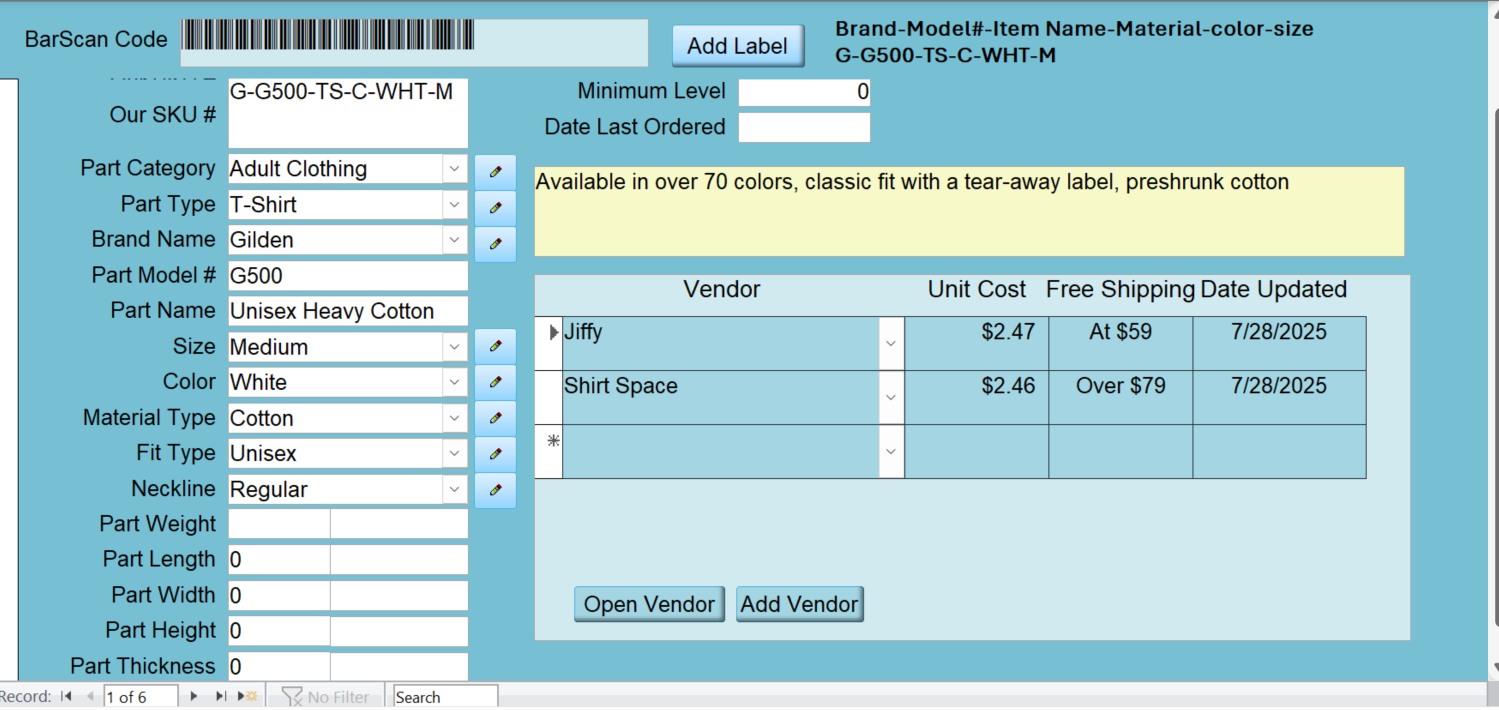
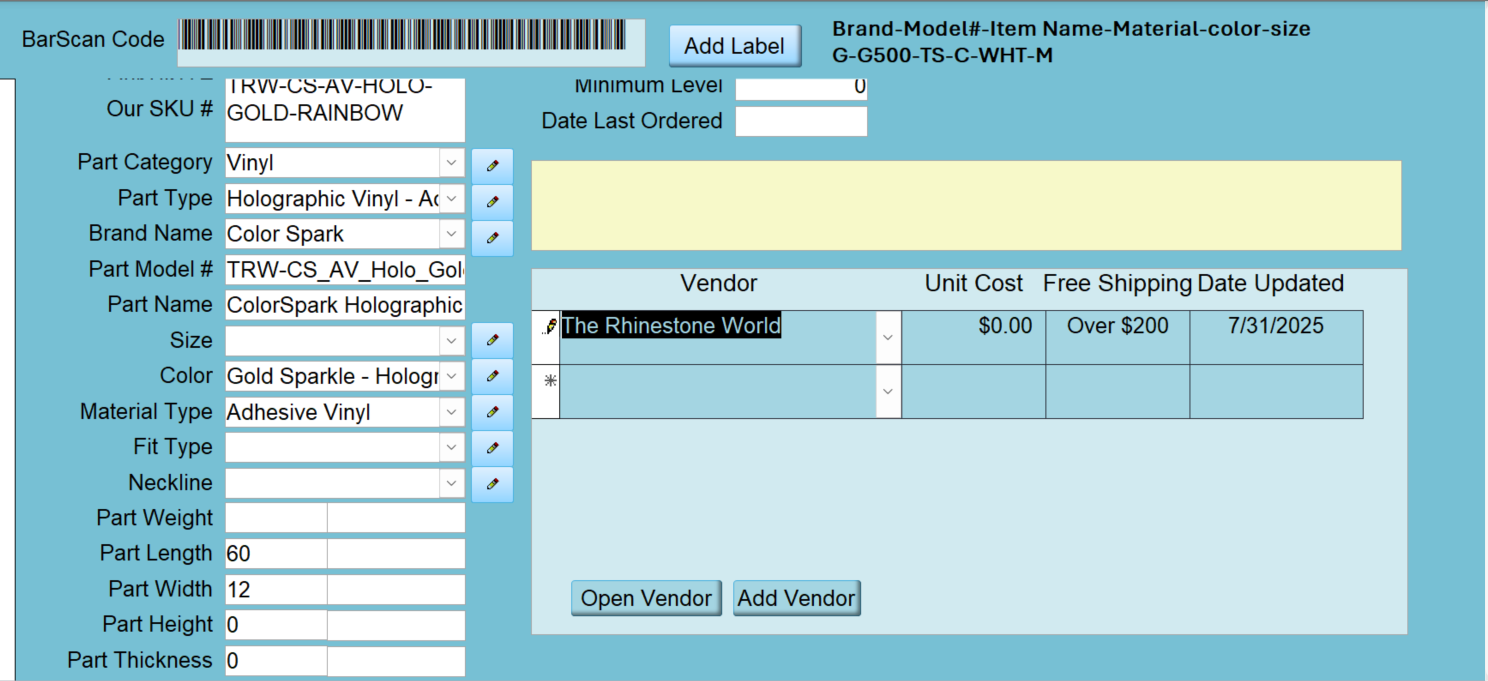
I have a Parts table where I am entering all the things that we use to create Products. Things work fine with parts that are a single part. But having trouble figuring out how and where I need to calculate my Unit Cost when the Part is a roll of vinyl or a gross of rhinestones and when i place an order i want to be able to distribute the shipping to each item as part of the cost of that item. I have my PartF to enter all new parts and have them associated with the vendors we use for each item. Is there a video that would help me do this? I appreciate any direction. I am attaching a view of my form. the Unit cost right now in the subform just has the unit cost which is for the one item. I cant figure out how to take into account all of the different options that could go into figuring out the unit cost, per square inch for vinyl, per rhinestone for rhinestones for example. Thanks in advance!
Shallena AyersOP
@Reply 15 months ago
Shallena AyersOP
@Reply 15 months ago
Shallena AyersOP
@Reply 15 months ago
Shallena AyersOP
@Reply 15 months ago
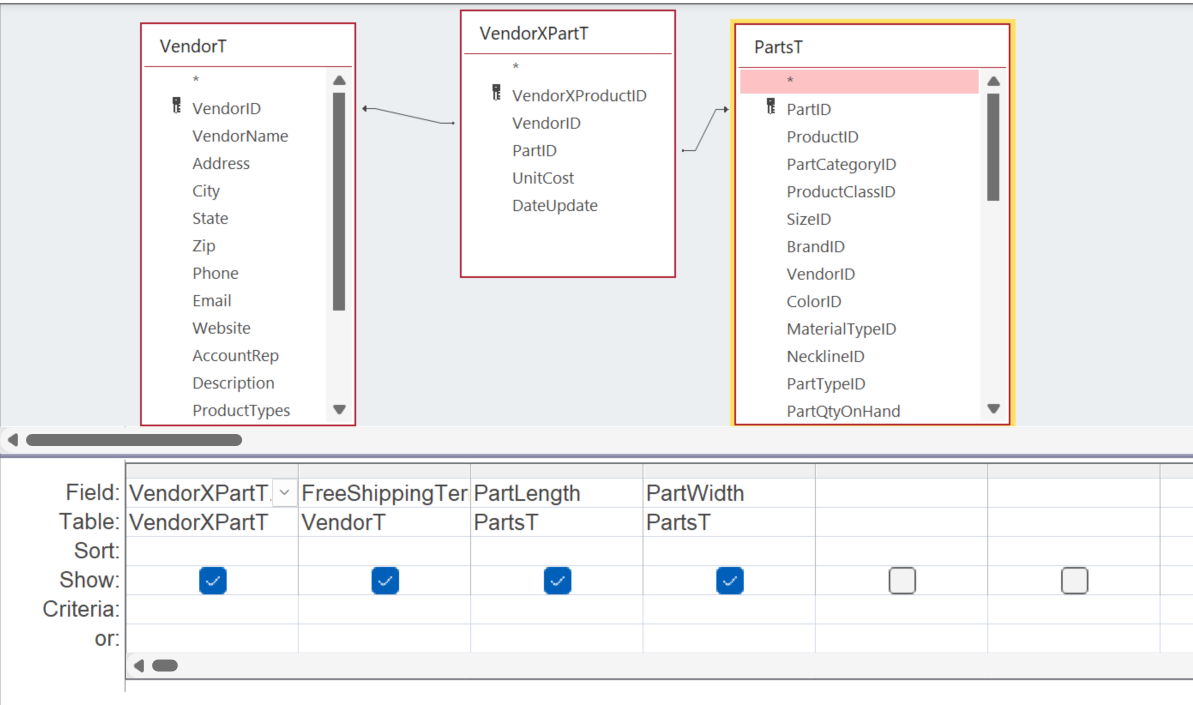
The first 2 images are of my Parts Form to get all my parts entered with all of their information. The vendor subform is fed by a query which is the 3rd image. I added the length and width but then got bogged down in it not being just straight forward....
Shallena AyersOP
@Reply 15 months ago
I wanted to say that when i have the unit cost for each thing i will be able to use those numbers in Developer 29 to Assemble a Product from Parts. I am hoping with the 2 Developer classes that there is one that joins the info in number 42 and the info in number 29.
Donald Blackwell
@Reply 14 months ago
Hi Shallena,
Calculating the unit price is easy enough, however, having the database be able to figure out how to calculate how to calculate the unit cost of different parts that all may have different groupings is where it gets tricky (i.e. unit cost = per piece/shirt, unit cost = per square inch, unit cost = per square foot) unless you manually type it in. However, that would defeat the purpose.
One possible solution would be to add a field to the PartsT such as Unit Type (UnitTypeID) that could be related to a helper table that which would include different unit types (piece, square inch, pound, gross, etc) and then the database could use that to determine how to calculate the unit cost.
Then, if you select "Square Inch" in a combo box for that part, it would calculate Unit Cost = Total Cost / (Part Length x Part Width); or select "Gross" and it would calculate Unit Cost = Total Cost / 144, etc., either in a query or VBA.
Hopefully this will help or give you some ideas. Or, let me know if I missed the mark completely and I'll try again.
Don
Shallena AyersOP
@Reply 14 months ago
Okay... That makes sense to me Donald... going to give that a go. I appreciate the idea. Sometime I make things more difficult than they need to be :)
Sorry, only students may add comments.
Click here for more
information on how you can set up an account.
If you are a Visitor, go ahead and post your reply as a
new comment, and we'll move it here for you
once it's approved. Be sure to use the same name and email address.
This thread is now CLOSED. If you wish to comment, start a NEW discussion in
Access Developer 42.