Free Lessons
Courses
Seminars
TechHelp
Fast Tips
Templates
Topic Index
Forum
ABCD
 
Home   Courses   TechHelp   Forums   Help   Contact   Merch   Join   Order   Logon  
 
Back to Beginner Level 1    Comments List
Upload Images   @Reply   Bookmark    Link   Email   Next Unseen 
Your Requests
Richard Rost 
           
2 months ago
Anything you guys would like to see in this course, let me know!
Lisa Snider  @Reply  
       
2 months ago

Lisa Snider  @Reply  
       
2 months ago
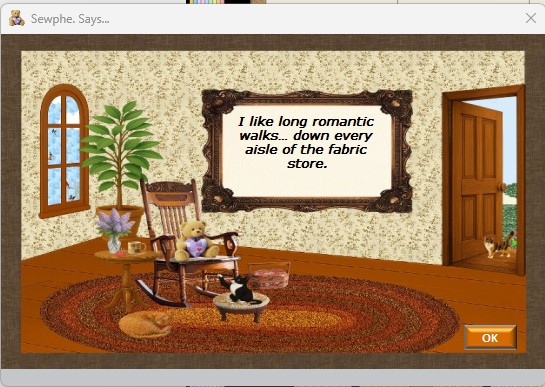
Since it appears we're both up late... just thought I'd give you another peek into a popup.
Lisa Snider  @Reply  
       
2 months ago
This one "pops" as a surprise... with the text changing randomly.  
Monica Jones  @Reply  
       
2 months ago
I didn't catch the name until just now. Sewphe. LOVE it!!
Matt Hall  @Reply  
          
2 months ago
I have wandered down this path myself.  I am anxious to see how much I have gotten right and what I may not have.  

I am especially interested to learn about the options for table data change logging/history, back-ups, and automation.
Alex Lewis  @Reply  
       
2 months ago
User level security and encryption in tables would be good to learn. You’re always saying SQL Server is the only real way to secure data in Access.
Michael Craytor  @Reply  
     
2 months ago
Monica Ah, just clicked for me. Love it.
Michael Craytor  @Reply  
     
2 months ago
It was a year ago that I first attempted to migrate to SQL server, so I can't remember the details of all the headaches I had, but I remember a lot of headaches. Forms linked directly to server tables lagged withe every click, SQL needed translated to T-SQL, queries couldn't be edited directly so I had to make edit functions.  But then, also, I started learning about things SQL server could do that Access could not, like more advanced table triggers. I made a pass-through query function to simplify updating vba modules to work with the server. So, things I'd like (or would have liked at the time) would be a) understanding what's different - appreciating the differences between Access and SQL server, understanding what features will no longer work or will not work the same; b) understanding migration - best practices for linking forms; how to use views, temp tables, or cache data; translating SQL to T-SQL; and c) a tour of the fancy new bag of tricks available, like table triggers, server-side functions, or more advanced sql not available in access.
Sam Domino  @Reply  
      
41 days ago
Lisa Love it!!!  Several years ago, I built an Access db to track action items (owner, due date, current status, etc.) for a military organization.  On the login screen I would show random pictures of military "stuff" like ships, tanks, planes, missiles, etc.  Your picture brought back a lot of good memories!  Thank You!!!
Lisa Snider  @Reply  
       
41 days ago
Sam Glad I was able to brighten up your day!

This thread is now CLOSED. If you wish to comment, start a NEW discussion in Beginner Level 1.
 

Next Unseen

 
New Feature: Comment Live View


The following is a paid advertisement
Computer Learning Zone is not responsible for any content shown or offers made by these ads.
 

Learn
 
Access - index
Excel - index
Word - index
Windows - index
PowerPoint - index
Photoshop - index
Visual Basic - index
ASP - index
Seminars
More...
Customers
 
Login
My Account
My Courses
Lost Password
Memberships
Student Databases
Change Email
Info
 
Latest News
New Releases
User Forums
Topic Glossary
Tips & Tricks
Search The Site
Code Vault
Collapse Menus
Help
 
Customer Support
Web Site Tour
FAQs
TechHelp
Consulting Services
About
 
Background
Testimonials
Jobs
Affiliate Program
Richard Rost
Free Lessons
Mailing List
PCResale.NET
Order
 
Video Tutorials
Handbooks
Memberships
Learning Connection
Idiot's Guide to Excel
Volume Discounts
Payment Info
Shipping
Terms of Sale
Contact
 
Contact Info
Support Policy
Mailing Address
Phone Number
Fax Number
Course Survey
Email Richard
[email protected]
Blog RSS Feed    YouTube Channel

LinkedIn
Copyright 2026 by Computer Learning Zone, Amicron, and Richard Rost. All Rights Reserved. Current Time: 3/16/2026 1:13:30 AM. PLT: 1s