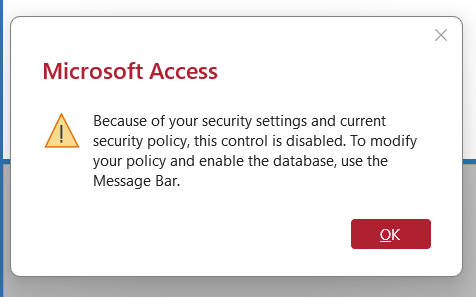
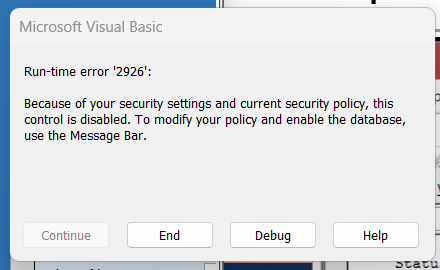
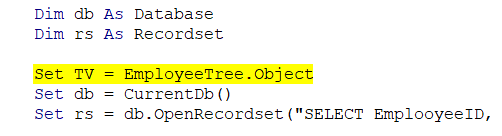
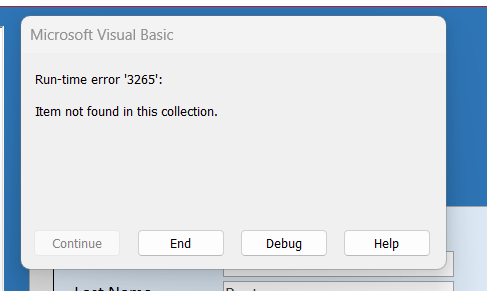
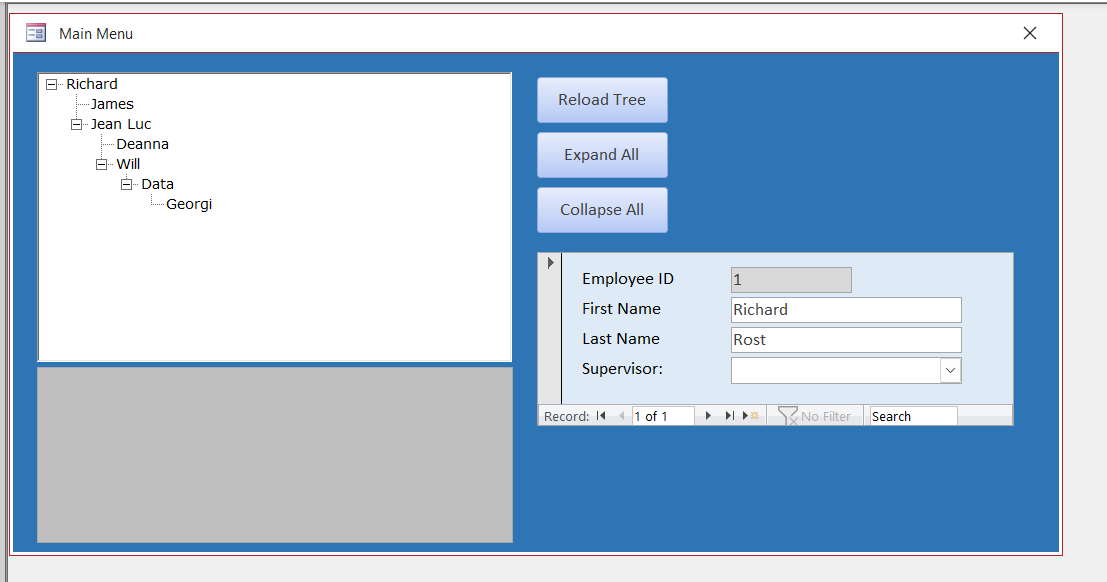
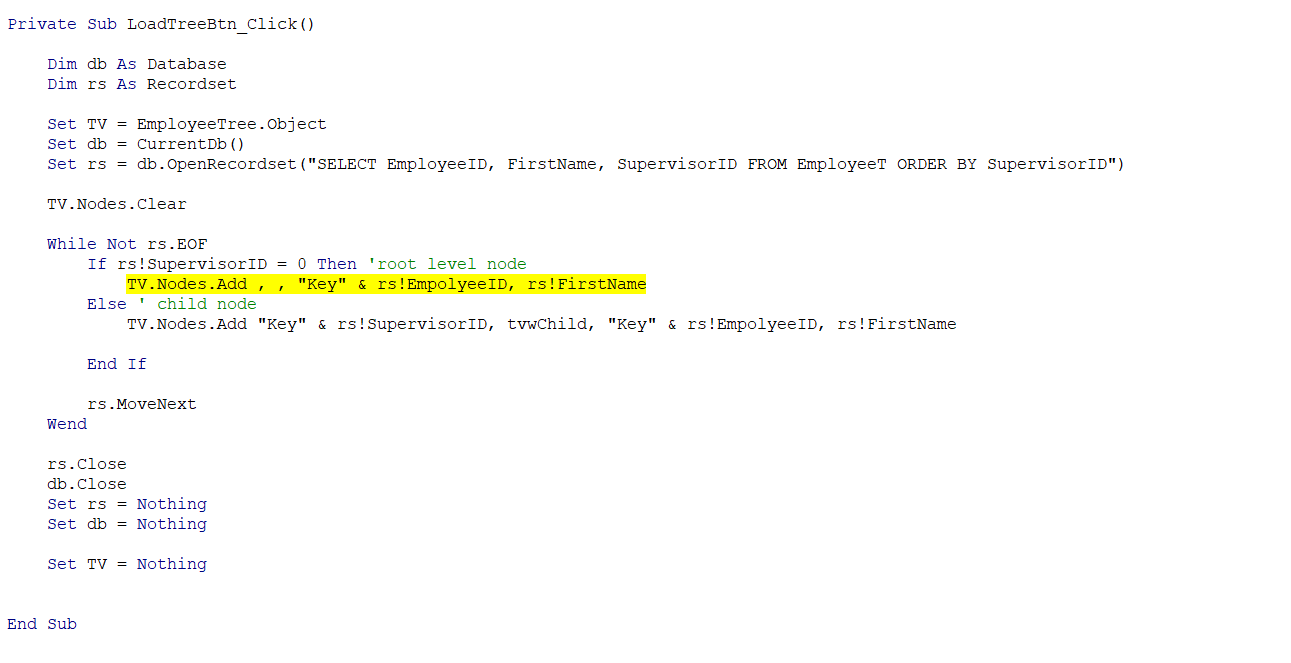
Well, it's been a few lessons, and now a big stumper as I start the TreeView process. I copied the TreeView lesson from the database, like I have been doing, because I can never locate the blank template that Richard shows in the videos, as they have all changed since these lessons were made. When I hit the MainMenu button, I get an error message that is about a security issue. And this lesson is in a trusted folder too on my E: drive. Then, when I hit the load button, I get another error message 2926. I then hit debug, and it shows me the yellow line thing.
Ken WykoffOP
@Reply 8 months ago
Ken WykoffOP
@Reply 8 months ago
Ken WykoffOP
@Reply 8 months ago
Jeffrey Kraft
@Reply 8 months ago
It's been awhile since I watched that one. Is it because of ActiveX restriction? I assume one of the regular goes who recall everything might have the answer.
Ken WykoffOP
@Reply 8 months ago
Thanks, Jeffrey, I do appreciate that.
Donald Blackwell
@Reply 8 months ago
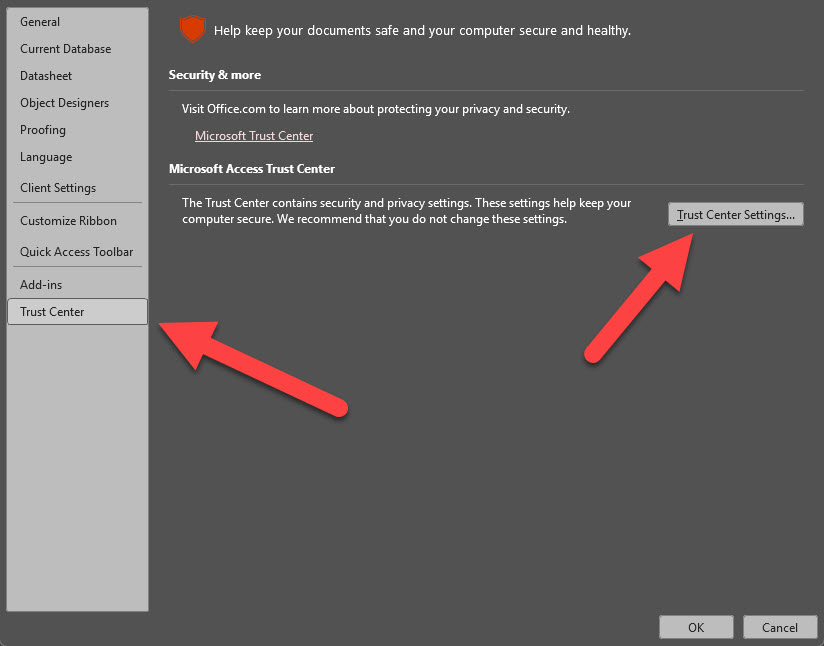
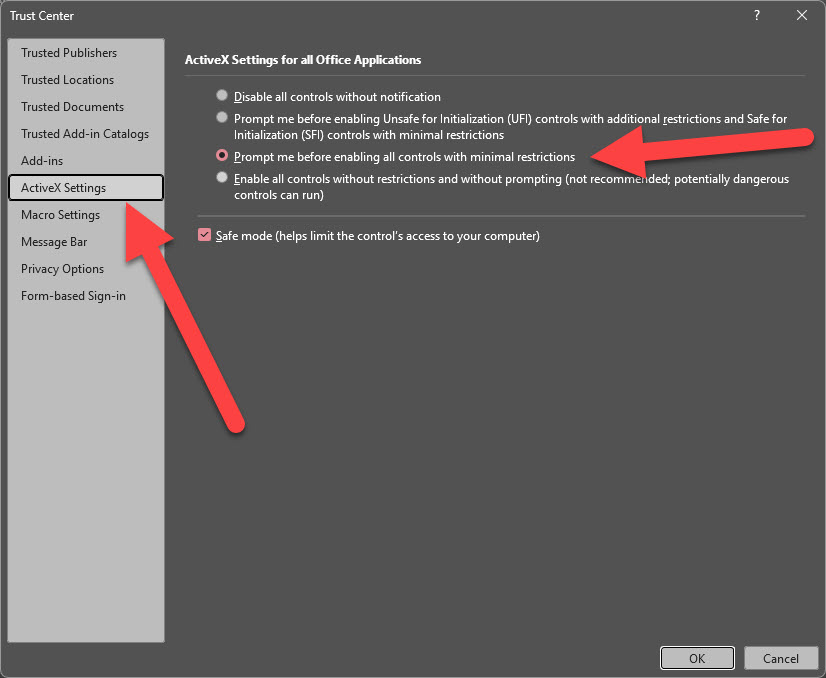
I suspect Jeffrey is correct. Check your settings in Access.
File > Options > Trust Center > Trust Center Settings > ActiveX Settings
It will bring up a list of permissions. I always select either the 2nd or 3rd radio button option and check the "Safe Mode" box
Raymond Spornhauer
@Reply 8 months ago
Open your Database, Go to Options then....
Raymond Spornhauer
@Reply 8 months ago
Raymond Spornhauer
@Reply 8 months ago
Raymond Spornhauer
@Reply 8 months ago
After you set these, you'll have to close and reopen your database.
Raymond Spornhauer
@Reply 8 months ago
Also.... in general, please show your entire code. It's better if you can copy and paste it into the message. Showing partial screen shots of code will make it difficult to help.
-Raymond
Ken WykoffOP
@Reply 8 months ago
Thank you, Donald and Raymond. I had researched that and found out that it may be the issue, but I was afraid to pick one for fear of messing up my computer. After you both showed me what to do and how, I did that, and all the error messages went away, and it is now usable. Raymond, as far as the code, there wasn't much more to show, as I had just gotten in the lesson before that all started.
Ken WykoffOP
@Reply 8 months ago
That might be something that should be mentioned in the video or handbook as well so that others will be aware of it too.
Ken WykoffOP
@Reply 8 months ago
I'm sorry, but once again, there is another issue with Lesson 5. I have typed in the clear node info as instructed per the video. Shut the main menu down, open it again, and it is fully loaded and not cleared. I also tried to do the tree properties as shown, but my only option is convert, and it does nothing. I am truly beginning to think the TreeView ActiveX thing will not work for my newest version of Microsoft Office 365 with my subscription. It seems like you get one thing fixed, and then a couple more lines later, and you're back to errors. The worst part is no explanation, just a yellow line. Not sure what to do on this.
Ken WykoffOP
@Reply 8 months ago
Ken WykoffOP
@Reply 8 months ago
Ken WykoffOP
@Reply 8 months ago
Ken WykoffOP
@Reply 8 months ago
Kevin Robertson
@Reply 8 months ago
You have spelled EmployeeID wrong. It says rs!EmpolyeeID.
Ken WykoffOP
@Reply 8 months ago
Kevin, thank you again. I found 2 places where it was spelled wrong. I swear it all runs together after a while. Again, many thanks!
Ken WykoffOP
@Reply 8 months ago
Kevin, do you know why I only have the tree property for convert? I cannot change anything in that field like the video shows to add the "+" sign in front of the root person.
Sorry, only students may add comments.
Click here for more
information on how you can set up an account.
If you are a Visitor, go ahead and post your reply as a
new comment, and we'll move it here for you
once it's approved. Be sure to use the same name and email address.
This thread is now CLOSED. If you wish to comment, start a NEW discussion in
Access Developer 20.