As requested I am transferring this question from my post on Facebook -
"Richard, God bless ya, but I am totally not getting Lesson 34 of the Search Seminar. I have all this vba allowing me to search a large table just about any way anyone could want and view it in a form.....but I can't translate that search method into a report? Your example of "Wh2" has left me stumped..... I've not been successful getting that to work. Where can I get more insight and understanding on selectable data reports?"
Hi Stephen. I'm not sure what you don't understand. Explain to me the problem, please. Do you need more help understanding string concatenation?
Stephen SouthcombeOP
@Reply 5 years ago
Hello Richard;
No, I'm having trouble understanding / programming my reports to show the data I want.
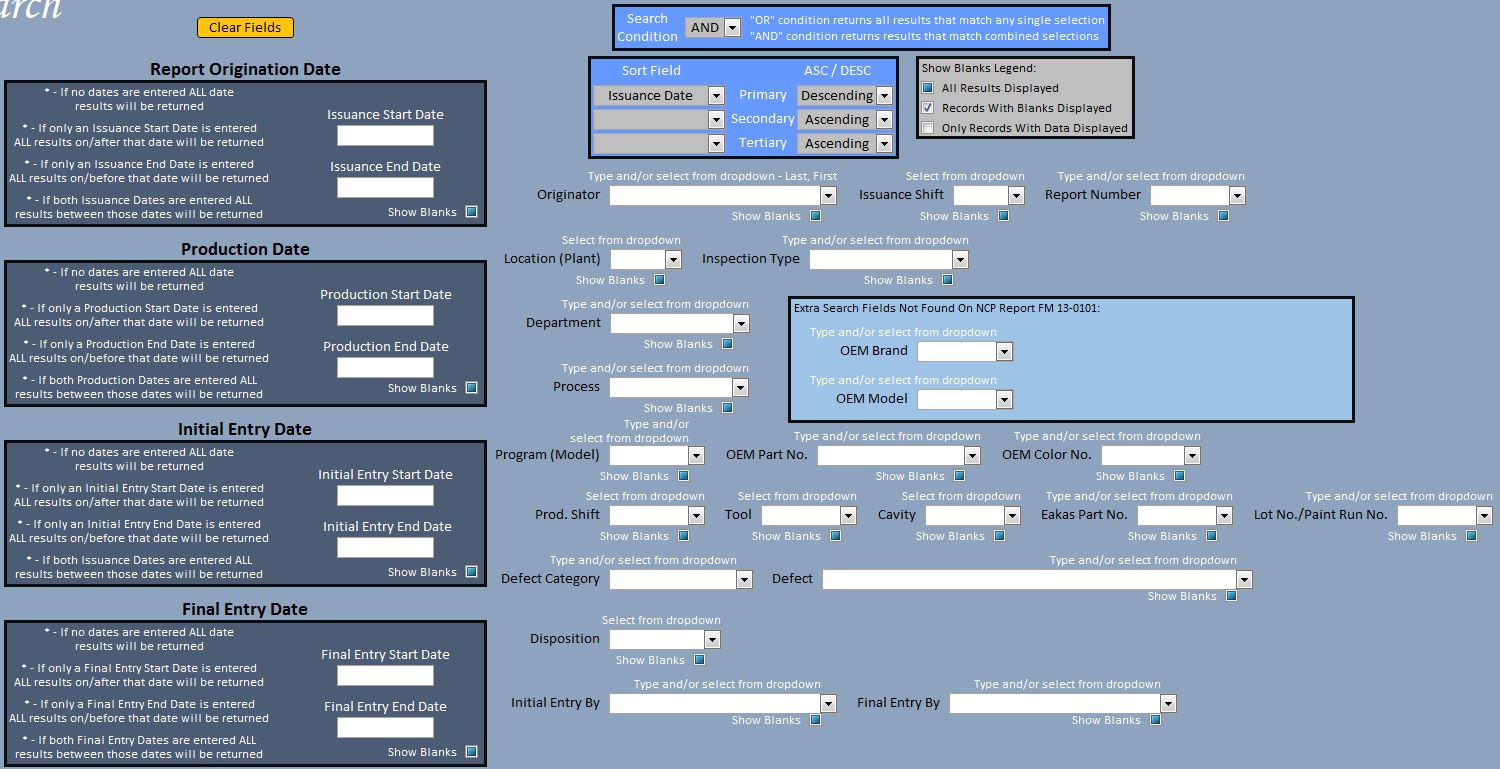
I have a complex search form with more than 30 different combo box fields for which I have vba written to look up data according to the values selected (additionally with tri-state conditions). Everything works great for showing the desired data in a form when I run the vba.
My trouble lies in trying to translate that into a report.
I am able to get a "start date" and an "end date" to work together for a report. But when I go beyond that I start getting parameter query boxes popping up on the screen asking me for values that it should be getting from the search form.
I know you state in the Search Seminar 34 Lesson that reports don't function the same as forms and then you go into creating "Wh2" as a means to work around this but I am not understanding how to code it.
Stephen SouthcombeOP
@Reply 5 years ago
Stephen SouthcombeOP
@Reply 5 years ago
Stephen SouthcombeOP
@Reply 5 years ago
Figured it out. Sometimes you get so in depth into complicated coding that you forget basic things. So, in this instance I had forgotten to add the correct fields to the query...resulting in multiple parameter boxes popping up.
If you are a Visitor, go ahead and post your reply as a
new comment, and we'll move it here for you
once it's approved. Be sure to use the same name and email address.
This thread is now CLOSED. If you wish to comment, start a NEW discussion in
Access Search Seminar.