I have been following the seminar and did the exercice along with the lessons.
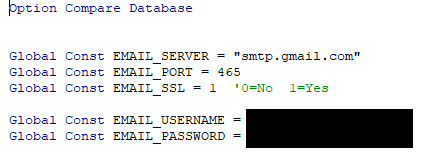
In lesson 12, I have setup the Gmail SMTP configuration as explained on the video, except when I try to send the e-mail I get an error "The transport failed to connect to the server"
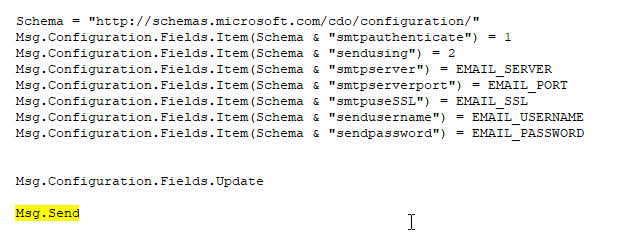
When I hit the Debug button, it highlights the "Msg.Send" part of the code. The error message doesn't mean anything to me.
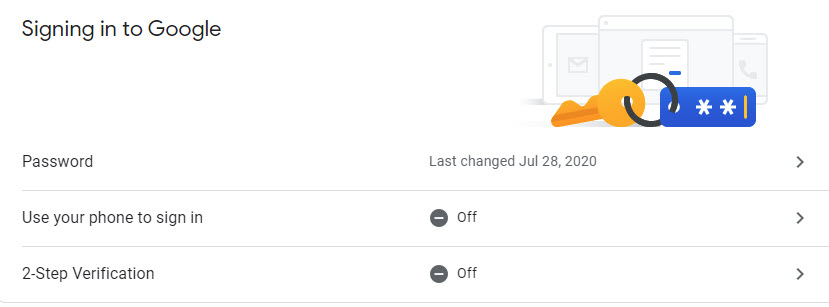
I have checked my G-mail configuration and the double verification is turned off.
You have to make sure two-factor authentication is off. Make sure your ports are correct. There's not much more I can tell you. As long as you followed the steps from the seminar exactly, it should work. Is your password correct? Check all of your spelling. Without seeing your database, it's impossible for me to tell what's wrong. Does the sample database work?
Michel PaulOP
@Reply 5 years ago
Michel PaulOP
@Reply 5 years ago
Michel PaulOP
@Reply 5 years ago
Michel PaulOP
@Reply 5 years ago
Michel PaulOP
@Reply 5 years ago
Michel PaulOP
@Reply 5 years ago
Hi,
Thanks for your time.
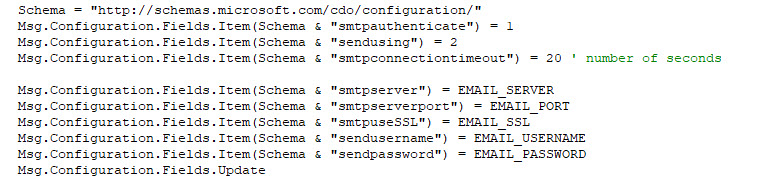
I have uploaded screen capture of the problem and also captures from the VB editor.
I have verified my Gmail account and confirmed the two-factor authentication is off.
I also verified my user and password for Gmail by adding the account to Outlook without any problems.
I believe that I have followed the instruction correctly.
Hope you can find the issue or I will have to use the outlook methods, because these seem to work.
Scott Axton
@Reply 5 years ago
Michel -
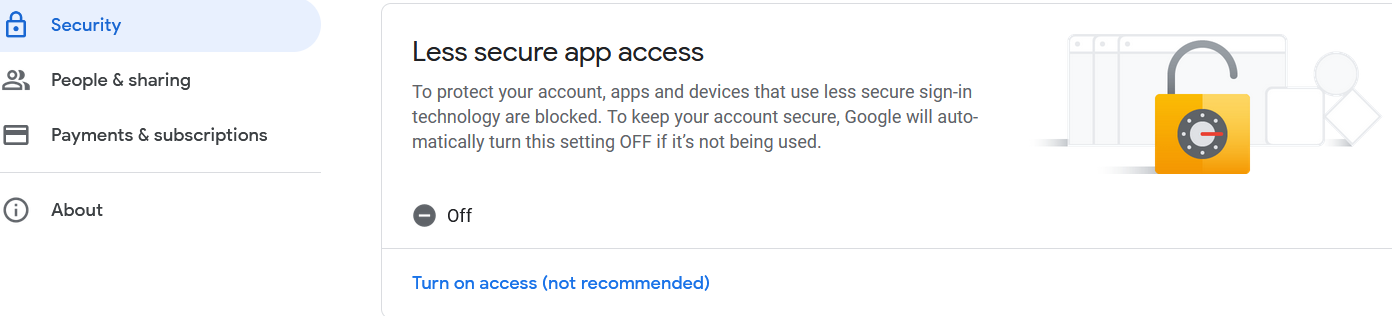
Have not tried this but you may need to turn on the Allow less secure Apps.
Its on the account management page under the security tab.
This is new. It was added after I recorded the Seminar. I never had to do it, but from what I see online some people say this fixes problems: Display Unlock Captcha.
This could also be a FIREWALL problem. If you have a firewall on your network (hardware or software) you may need to open up the port you're using.
Michel PaulOP
@Reply 5 years ago
Hi everyone that responded.
Sorry for the delay in responding.
Finally Scott solution about turning on the Allow less secure Apps in the Gmail account, seem to have done the trick.
I don't receive errors anymore and the e-mail go through fine
Thanks Scott and everyone else that have responded.
Sorry, only students may add comments.
Click here for more
information on how you can set up an account.
If you are a Visitor, go ahead and post your reply as a
new comment, and we'll move it here for you
once it's approved. Be sure to use the same name and email address.