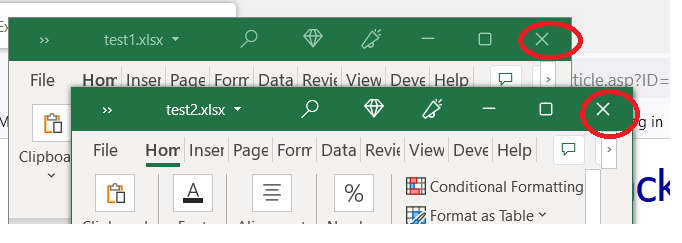
When I open excel I see the x for excel But I do not the x to close only the file I only have one x to close
Scott Axton
@Reply 4 years ago
If you open up two different files they each have their own close button. They each open in a separate window.
Scott Axton
@Reply 4 years ago
Kevin Robertson
@Reply 4 years ago
Excel used to have a Multi-Document Interface (MDI). This is no longer the case which is why you are only seeing one set of the Min, Max, Close buttons instead of the 2 sets you see in the video.
Scott Axton
@Reply 4 years ago
Kevin -
Do you know if MDI is an option you can turn on or off?
I haven't looked.
Kevin Robertson
@Reply 4 years ago
Just had a quick look Scott and can't see any option for MDI.
Scott Axton
@Reply 4 years ago
I couldn't either Kevin. I hated it any way. I like opening two or more side by side.
I finally figured out how to shut off the damn "back stage" save. I much prefer the old dialog box.
I guess I'm unusual I don't want everything in one central documents folder.
Armand RatelleOP
@Reply 4 years ago
Thank you
Hendra Gunawan
@Reply 4 years ago
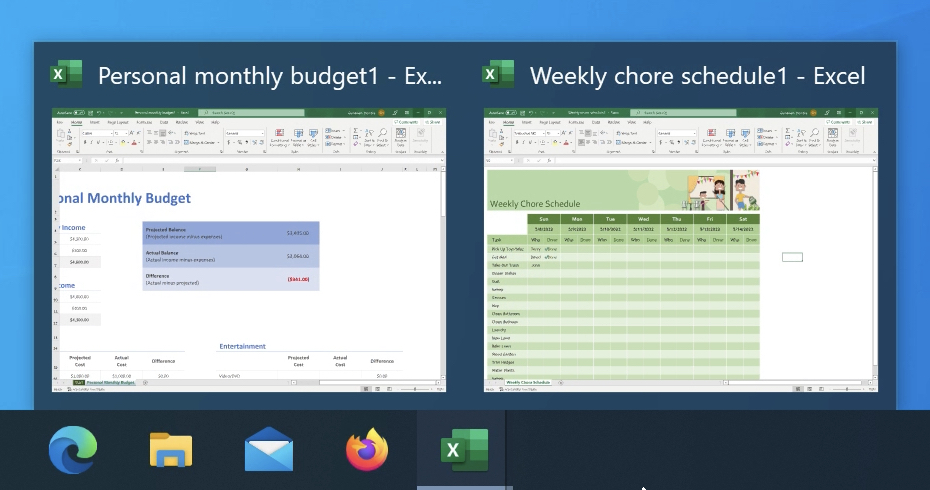
Even though newer Excel no longer has MDI interface, you could still easily switch back and forth between two workbooks by using Windows taskbar. Just click the one you want to bring to the front.
Hendra Gunawan
@Reply 4 years ago
Hendra Gunawan
@Reply 4 years ago
and if you want to place them side by side, shake the title bar of the first workbook with your mouse and drag it to the left side of the screen. This will fill the half left of the screen with the first workbook. Do the same thing with the second workbook but drag it to the right. This will fill the half right of the screen with the second workbook. You now have the two workbooks side by side.
Sorry, only students may add comments.
Click here for more
information on how you can set up an account.
If you are a Visitor, go ahead and post your reply as a
new comment, and we'll move it here for you
once it's approved. Be sure to use the same name and email address.
This thread is now CLOSED. If you wish to comment, start a NEW discussion in
Excel Beginner 2.