I have not used Access in the past twenty years and needed some help setting up a database to keep track of the many tools I have collected over the past 65 years. (I am 78 now.) I have pictures of most of the tools that have collected in various boxes. First step was finding Richard Rosts tutorial on putting an image on a form. After that, I found his Search Template course for $39.95. It was the best investment I have ever made!
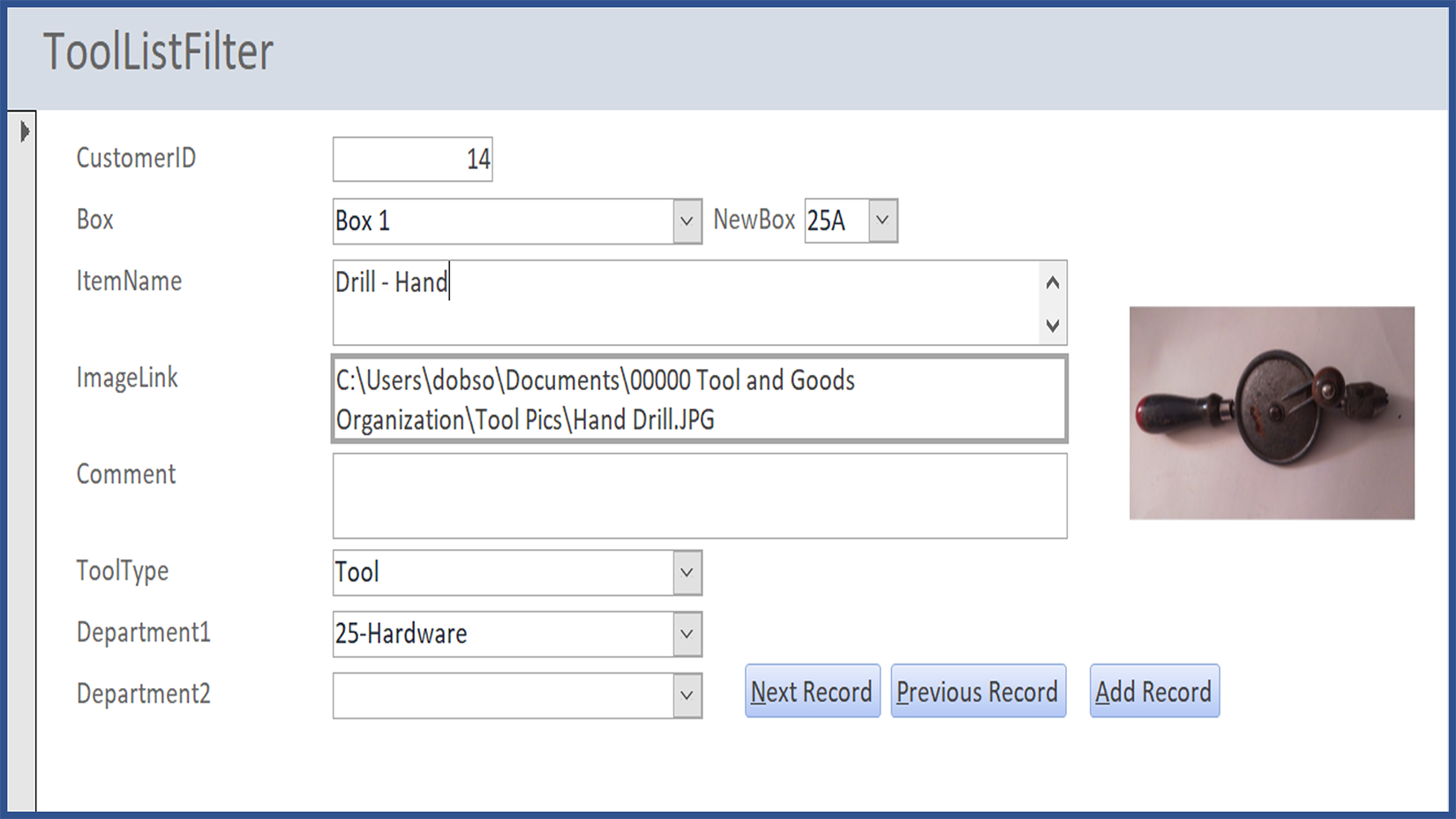
I set up my search form with fields for Box #, Item Name, Image Link, Type of Item (Tool, Part, Accessory, Other),and what section of the hardware store it would be located in (Electrical, Plumbing, etc.).
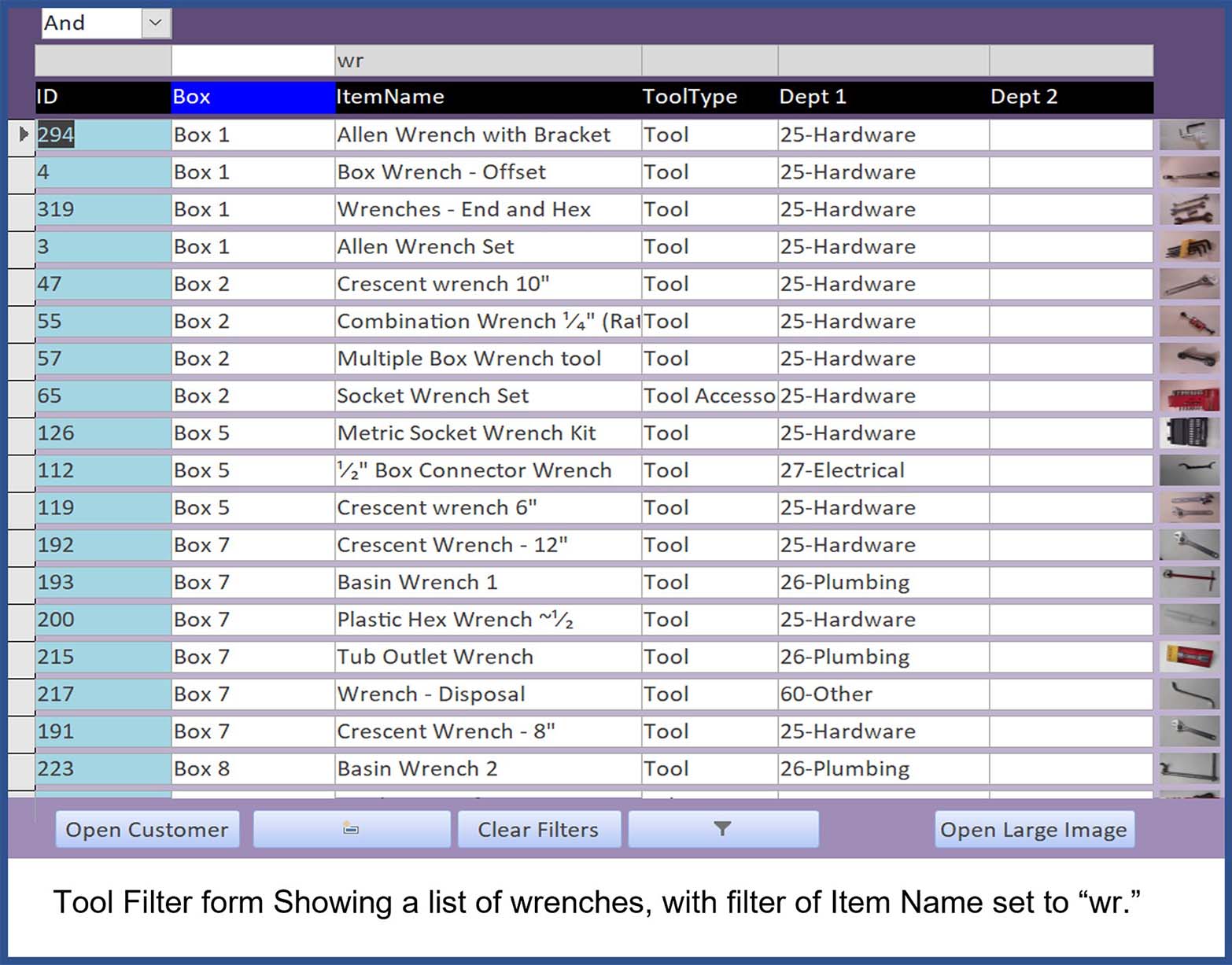
Following the step-by-step instruction, I have a working database. For example, I have about 30 different wrenches scattered among a bunch of boxes. I can now use the search box by entering "wr" and up pops a list of all my wrenches along with the box they are in.
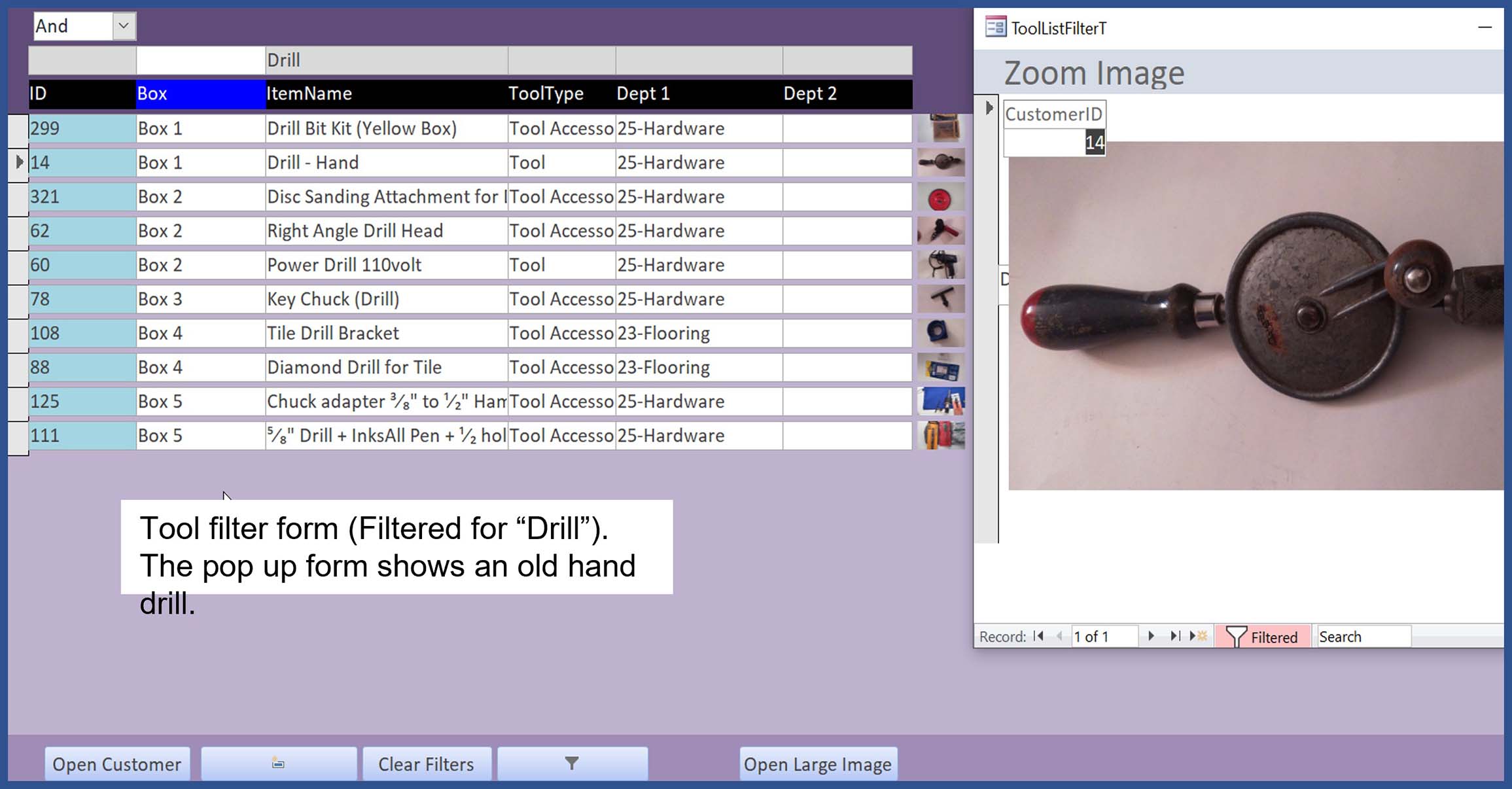
I have also added a small thumbnail size image of each item. I also used Richard's tutorial on the open form button. Now I can set the focus on the specific tool, click the button and I have a pop-up image form.
I agree with other people who have tried other learning sites, and Richard's are by far the best. He presents all the details in clear and logical fashion. It goes without saying, but I will say it anyway: success in programming is dependent on attention to every detail. Richard's presentations make it so much easier to follow all those important details.
I am sure I will be able to refine my database using other tutorials on this site, but for now, it works.
Richard DobsonOP
@Reply 4 years ago
Richard DobsonOP
@Reply 4 years ago
Richard DobsonOP
@Reply 4 years ago
Scott Axton
@Reply 4 years ago
Richard D. Great job! and Great Review. Looks like you did a bang up job. I wanted to keep clicking through the screens looking at all of the tools. LOL
If you are a Visitor, go ahead and post your reply as a
new comment, and we'll move it here for you
once it's approved. Be sure to use the same name and email address.
This thread is now CLOSED. If you wish to comment, start a NEW discussion in
Testimonials.