Free Lessons
Courses
Seminars
TechHelp
Fast Tips
Templates
Topic Index
Forum
ABCD
 
Home   Courses   TechHelp   Forums   Help   Contact   Merch   Join   Order   Logon  
 
Back to Access Developer Forum    Comments List
Upload Images   @Reply   Bookmark    Link   Email   Next Unseen 
Invoicing Partial or in full
Marc Spragg 
     
4 years ago
Hi Folks,
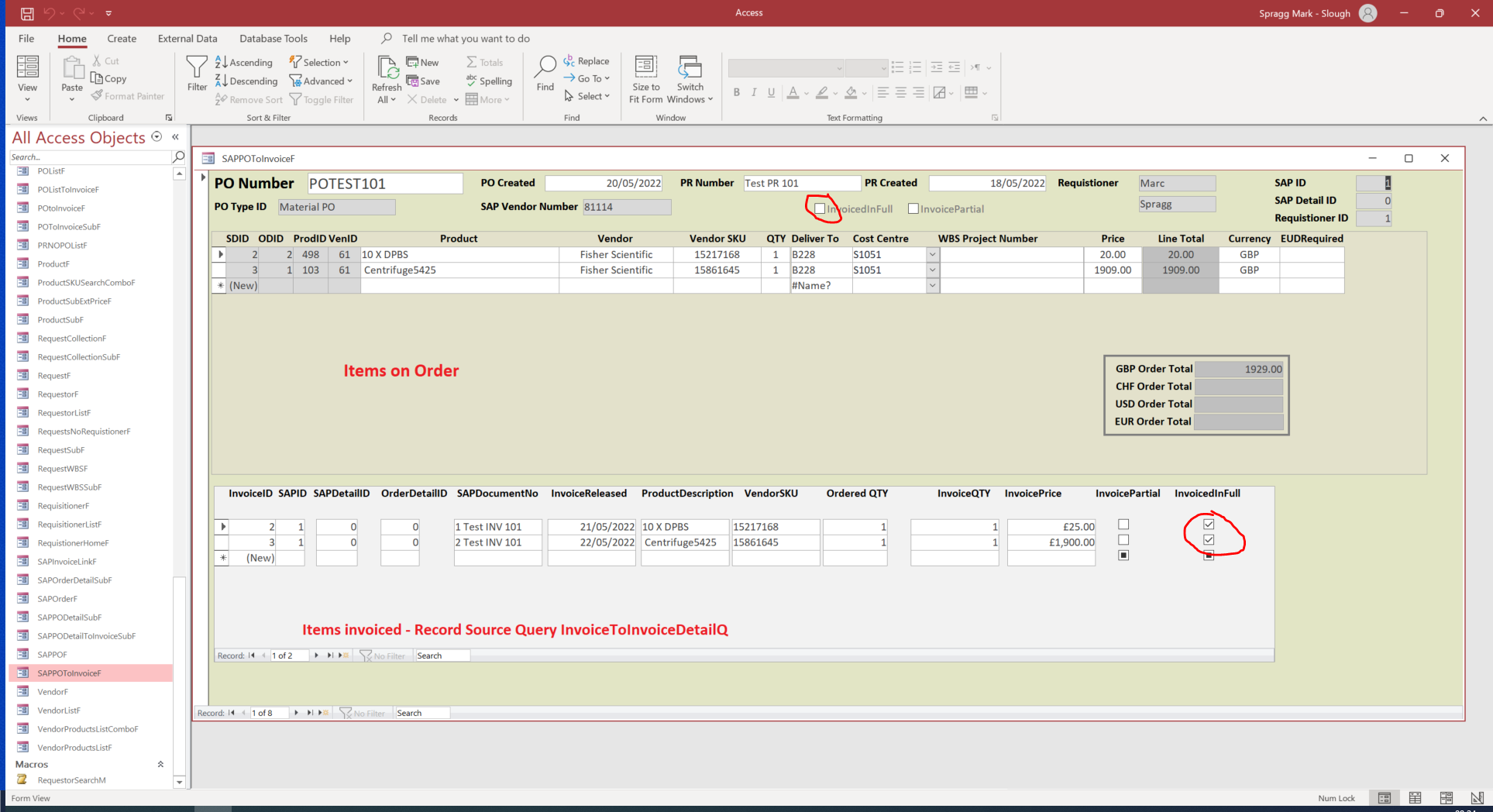
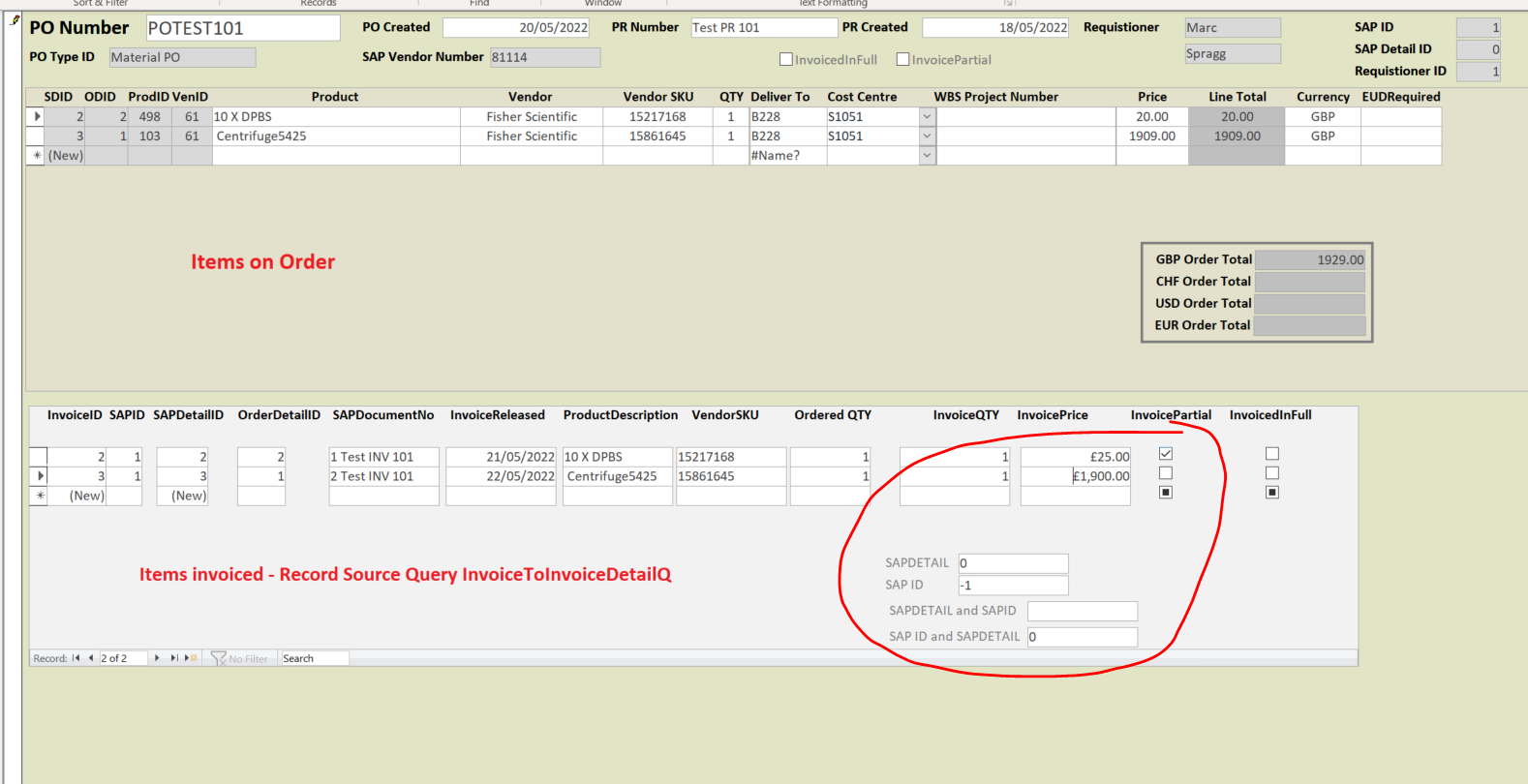
Im using check boxes to indicate if line items on an order have been partially invoiced or fully invoiced. The Order itself has the same, fully or partially invoiced. I would like the line item check boxes to update the order check boxes. So if all line items are fully invoiced then the order updates to fully invoiced or if a line item is partially invoiced the order updates to partially invoiced.
Any help/direction would be most appreciated.
Many thanks Marc
Marc Spragg OP  @Reply  
     
4 years ago

Marc Spragg OP  @Reply  
     
4 years ago

Marc Spragg OP  @Reply  
     
4 years ago

Richard Rost  @Reply  
           
4 years ago
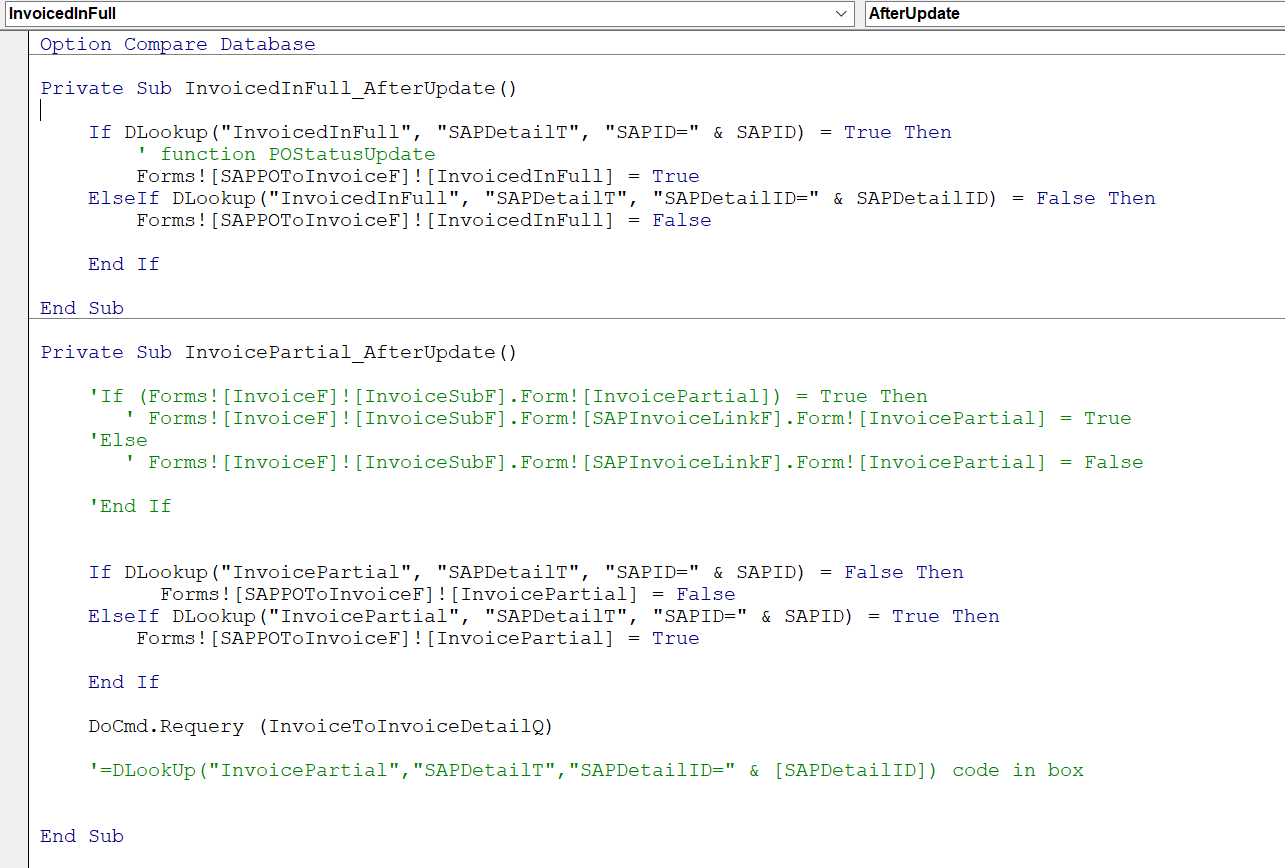
To do it the way you have it, you'd need an AfterUpdate event for each of your detail checkboxes to check and see if ALL of the checkboxes for that order are checked, and then update the parent form accordingly. DLookup should do it.

I wouldn't store that value in the parent record though - a function to check the status should suffice.
Kevin Yip  @Reply  
     
4 years ago
I agree with both of Richard's points: use DLookup, and don't store the boolean values in the table.  It is actually impossible for you to store the necessary booleans.  What if an item exists in an order but has not yet been invoiced?  The item wouldn't exist in your invoice table, so there wouldn't be checkboxes for you to check.  I had a similar challenge in my company's invoicing system, and it was mostly due to nonexistent invoice items I had to account for.  It would need some kind of outer-join (or left join) queries, which are often daunting.  

Most companies need something like this, but in my company's case, it was for shipping, not invoicing.  Invoicing was always the final step when everything was shipped.  It was more crucial for us not to undership or overship, because customers might have penalties for that.  So our system flagged undershipped orders prominently ("ORDER OPEN?  Y/N") .  P.S.  An "open order" is industry lingo for an order that has unshipped quantity.
Marc Spragg OP  @Reply  
     
4 years ago
Thanks both for your replies. I am struggling to get my head around how to write this. Even at the Dlookup stage. I spent sometime watching the after update videos and Dlookup video's and the public functions modules but can get the ball rolling.
Could you elaborate for a dummie?

Rabid Follower - this is my first database and i have spent many weeks going around in circles, its getting there and im quite proud of it so far (Not saying its perfect though) Your absolutely this situation is kinda backward
The database is set up so requestors can order items from many vendors and charge them against many budgets (Shopping list). From there Requisitioner's pick up the requestors shopping lists and have to convert the request into a corporate order. (Corporate order can only be raised against 1 vendor) The vendors then invoice the corporate order as the items are supplied and the Requisitioner records the invoice details to the corporate order (This is the bit im on now)              
Marc Spragg OP  @Reply  
     
4 years ago

Marc Spragg OP  @Reply  
     
4 years ago

Marc Spragg OP  @Reply  
     
4 years ago
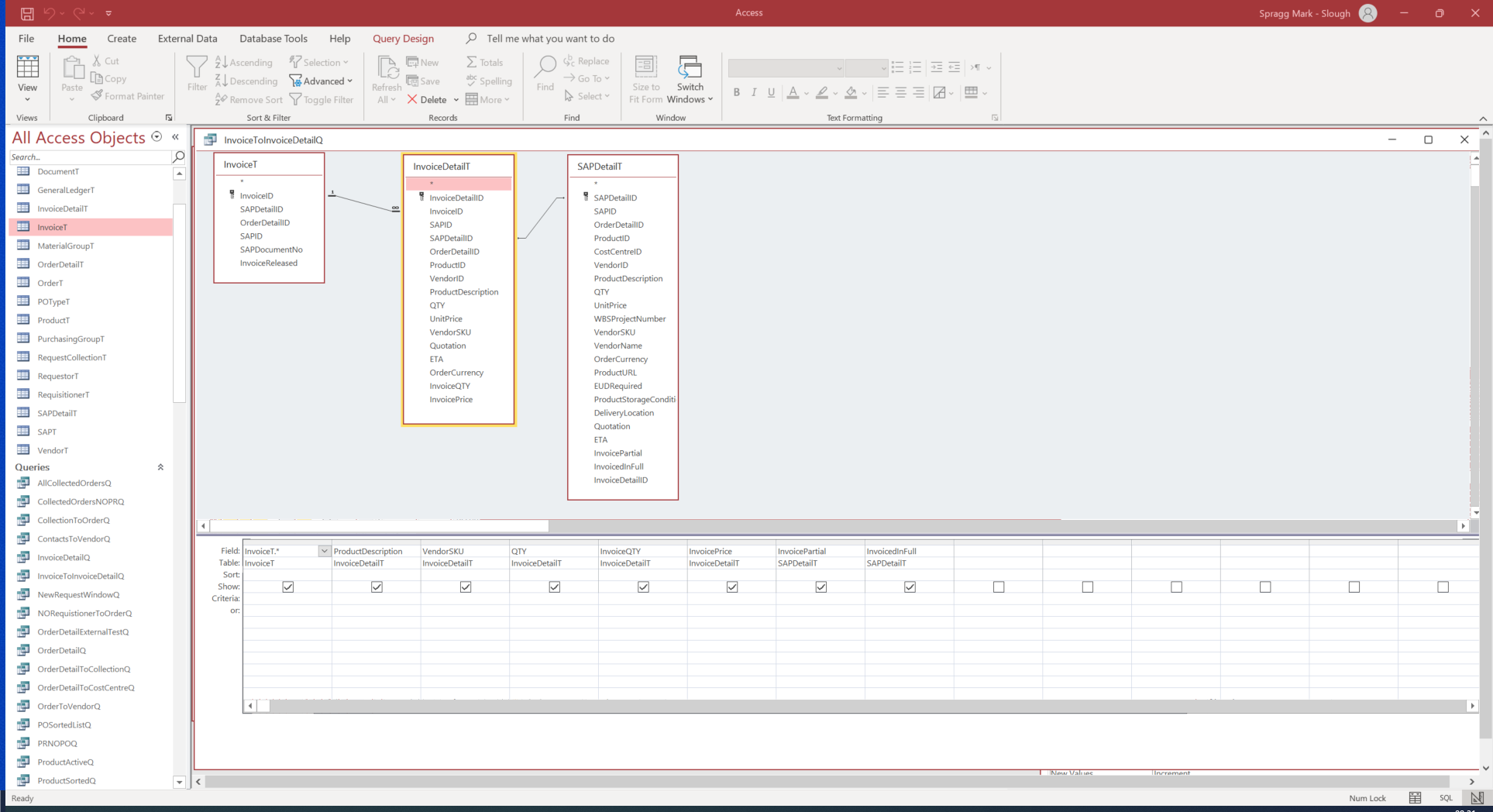
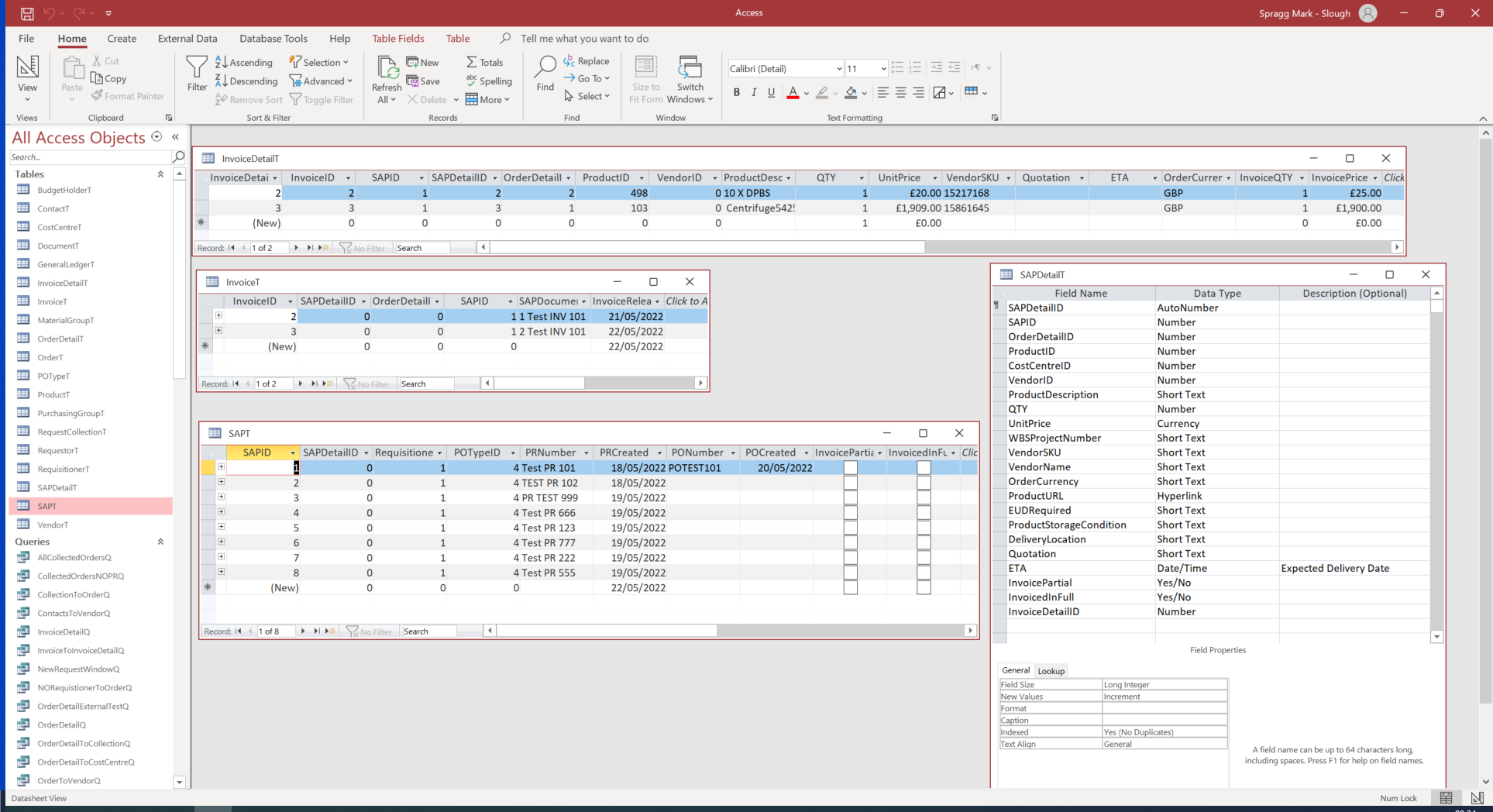
I've added a couple of shots, i know the code is terrible but i just want to show i am trying, i added a couple of text boxes to the form to see if it would help me understand whats going on.
Kevin Yip  @Reply  
     
4 years ago
DLookup() only returns the first occurrence of a match. So if multiple invoice items are marked fully invoiced, DLookup() only finds the first one, which is not what you want. You need to find ALL fully invoiced items to know if the order is fully invoiced. With partially invoiced items, you only need to find one to know if the order is partially invoiced. So Dlookup() probably won't help here. Maybe you can use a recordset loop to check every single invoice item to see if every one is fully invoiced. I hope I understand your situation fully here.

You may also check if ordered qty equals invoiced qty; if it does, it's a fully invoiced item. Use a recordset loop to check all invoice items in the order. Whenever the invoiced qty is updated (AfterUpdate), check if it equals to the ordered qty. That way, you don't even need the checkboxes. The less manual user entry, the better. What if you have hundreds of invoice items and you miss checking a box?

This thread is now CLOSED. If you wish to comment, start a NEW discussion in Access Developer Forum.
 

Next Unseen

 
New Feature: Comment Live View


The following is a paid advertisement
Computer Learning Zone is not responsible for any content shown or offers made by these ads.
 

Learn
 
Access - index
Excel - index
Word - index
Windows - index
PowerPoint - index
Photoshop - index
Visual Basic - index
ASP - index
Seminars
More...
Customers
 
Login
My Account
My Courses
Lost Password
Memberships
Student Databases
Change Email
Info
 
Latest News
New Releases
User Forums
Topic Glossary
Tips & Tricks
Search The Site
Code Vault
Collapse Menus
Help
 
Customer Support
Web Site Tour
FAQs
TechHelp
Consulting Services
About
 
Background
Testimonials
Jobs
Affiliate Program
Richard Rost
Free Lessons
Mailing List
PCResale.NET
Order
 
Video Tutorials
Handbooks
Memberships
Learning Connection
Idiot's Guide to Excel
Volume Discounts
Payment Info
Shipping
Terms of Sale
Contact
 
Contact Info
Support Policy
Mailing Address
Phone Number
Fax Number
Course Survey
Email Richard
[email protected]
Blog RSS Feed    YouTube Channel

LinkedIn
Copyright 2026 by Computer Learning Zone, Amicron, and Richard Rost. All Rights Reserved. Current Time: 6/17/2026 12:10:05 PM. PLT: 1s