Free Lessons
Courses
Seminars
TechHelp
Fast Tips
Templates
Topic Index
Forum
ABCD
 
Home   Courses   TechHelp   Forums   Help   Contact   Merch   Join   Order   Logon  
 
Back to Access Forum    Comments List
Upload Images   @Reply   Bookmark    Link   Email   Next Unseen 
how to adjust thereport height
Alexis Cao 
    
4 years ago
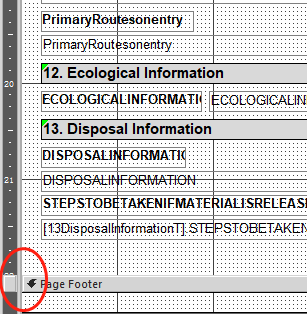
i have met a problem, i am make one report database, and how to adjust the height to make more large, i found that the height only to increase 22inches, but the context i need more space, how can i adjust it?
Alexis Cao OP  @Reply  
    
4 years ago

Dan Jackson  @Reply  
            
4 years ago
Not sure on height but i've come across a width limit of 55 inches (I think). Sounds like you've hit the access limit for reports.

Are you printing these? If so, you don't really want to go bigger than your printed page size anyway.

Unless one of the more experienced access veterans has any suggestions, my best work around would be to export to word or something similar
Scott Axton  @Reply  
        
4 years ago

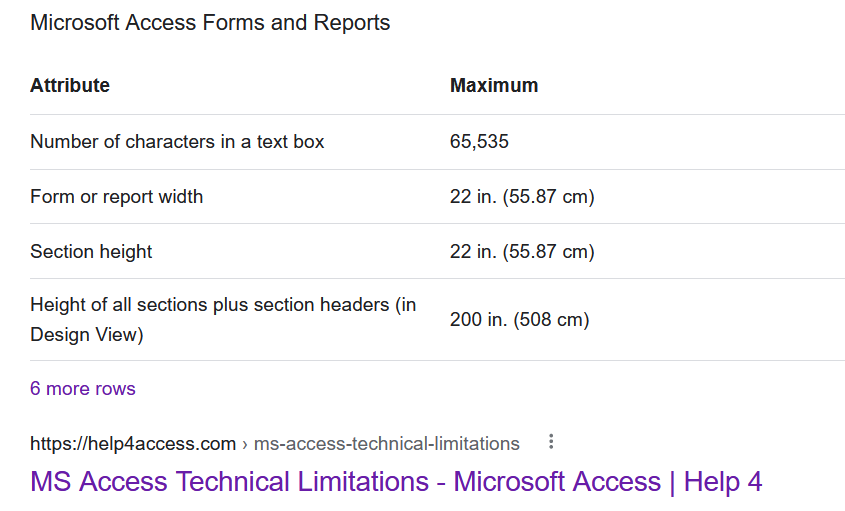
Dan is correct, it appears you hit the limit of Access reports.  See the Google results below.
Scott Axton  @Reply  
        
4 years ago

Dan Jackson  @Reply  
            
4 years ago
That begs the question, how would you do a report spanning multiple pages? I'm guessing exporting would be the way to go
Scott Axton  @Reply  
        
4 years ago
Dan
My understanding is the 22in (55.87cm) is the limit in design mode.  If the data is longer during print time it would 'spill over' to the next page automatically depending on the Print settings for the page.

The only way I can think of to get around this limitation **possibly** would be to create SubReports to insert into the main report.  I have not tried that however - I've never had the need to design a report larger than a sheet of paper.

I can't see Alexis' whole report but I'm guessing there may be some extra space that is taking up design room.  Since you can set auto expand you can squish up fields in the header and not loose data.

The only other thing I can think of to get around this would be to create a Part A and Part B (two reports) using the same data set.
Maybe one of the others will have some input into this.

This thread is now CLOSED. If you wish to comment, start a NEW discussion in Access Forum.
 

Next Unseen

 
New Feature: Comment Live View


The following is a paid advertisement
Computer Learning Zone is not responsible for any content shown or offers made by these ads.
 

Learn
 
Access - index
Excel - index
Word - index
Windows - index
PowerPoint - index
Photoshop - index
Visual Basic - index
ASP - index
Seminars
More...
Customers
 
Login
My Account
My Courses
Lost Password
Memberships
Student Databases
Change Email
Info
 
Latest News
New Releases
User Forums
Topic Glossary
Tips & Tricks
Search The Site
Code Vault
Collapse Menus
Help
 
Customer Support
Web Site Tour
FAQs
TechHelp
Consulting Services
About
 
Background
Testimonials
Jobs
Affiliate Program
Richard Rost
Free Lessons
Mailing List
PCResale.NET
Order
 
Video Tutorials
Handbooks
Memberships
Learning Connection
Idiot's Guide to Excel
Volume Discounts
Payment Info
Shipping
Terms of Sale
Contact
 
Contact Info
Support Policy
Mailing Address
Phone Number
Fax Number
Course Survey
Email Richard
[email protected]
Blog RSS Feed    YouTube Channel

LinkedIn
Copyright 2026 by Computer Learning Zone, Amicron, and Richard Rost. All Rights Reserved. Current Time: 5/8/2026 8:32:20 AM. PLT: 1s