In lesson 3, we need to convert the AVG(NumEmployees) function to Long Integer by using CLNG (AVG(NumEmployees)) because if we don't, there will be a mismatch data type. NumEmployees is a long integer but AVG returns a double.
I think there is potential problem with this approach.
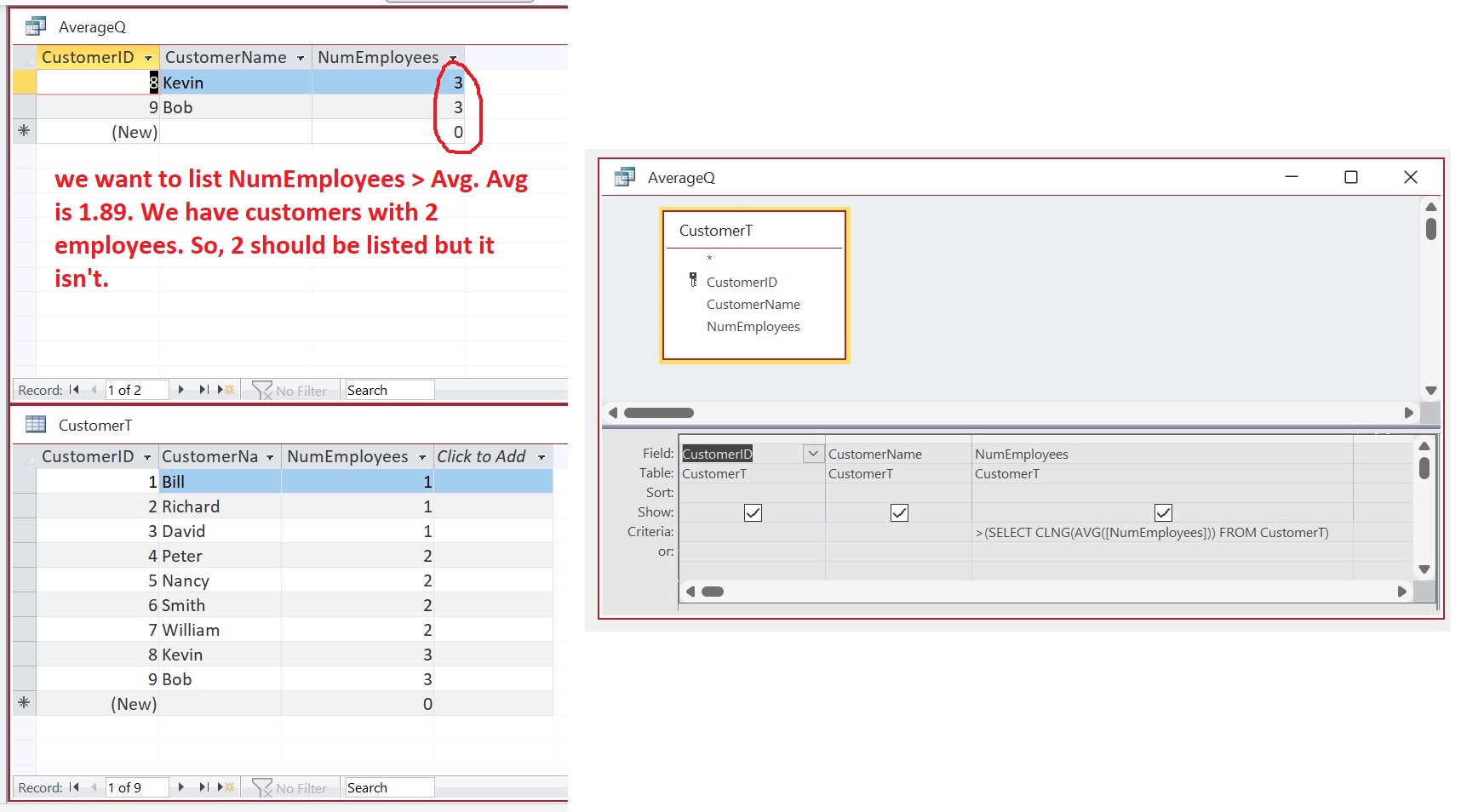
See FIGURE 1: Let's say you have 9 customers whose NumEmployees are 1, 1, 1, 2, 2, 2, 2, 3, 3. The AVG is 1.89. If you convert this to long integer, you will get 2. And if you run the subquery >(SELECT CLNG(AVG([NumEmployees])) FROM CustomerT), the query will return two customers whose NumEmployees are 3 and 3. This is incomplete. The average 1.89. There are employees who have 2 employees each. But they are not listed in the query because we convert the average from 1.89 to 2 (rounding error). So, the query looks for NumEmployees > 2, instead of > 1.89.
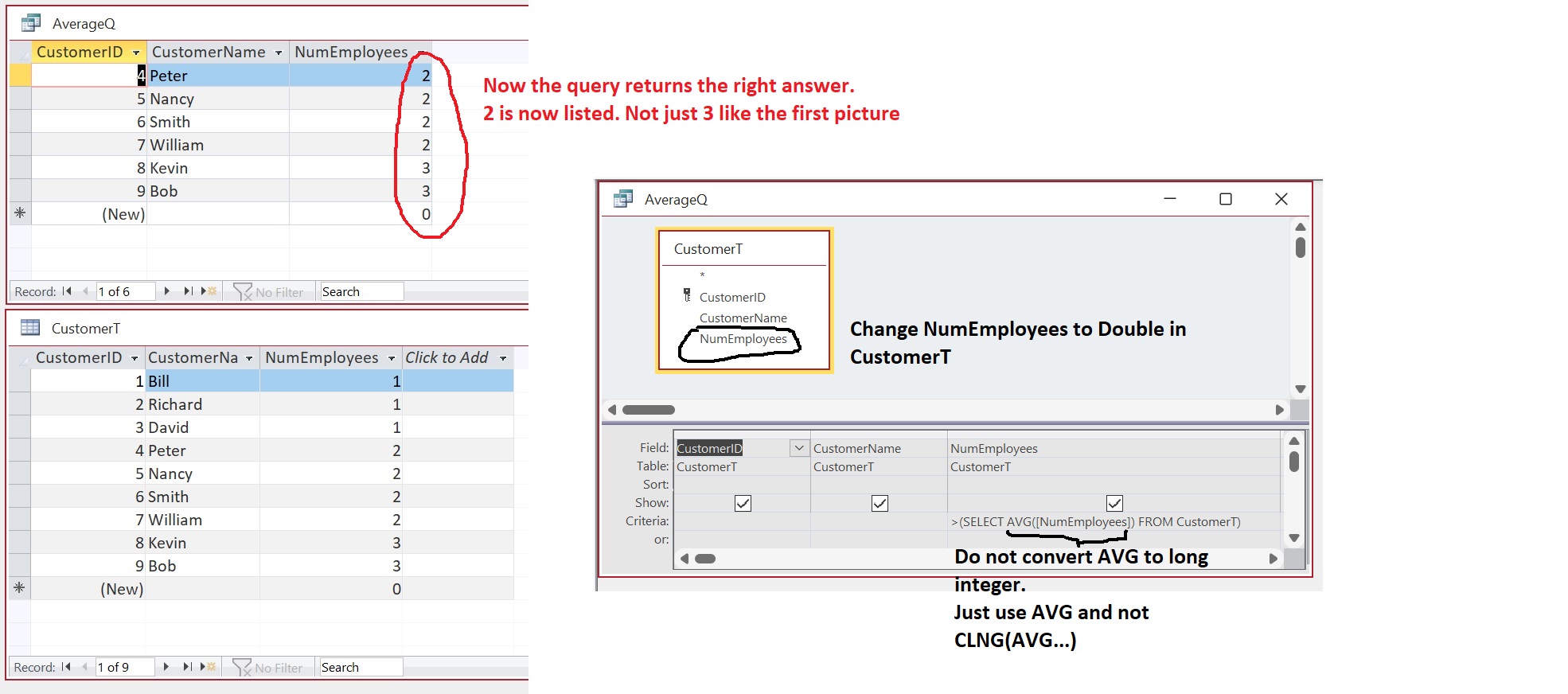
Now see FIGURE 2: Instead of converting the AVG to double, why not change the NumEmployees from Long Integer to Double in CustomerT and this time do not convert AVG to long integer. That way the precision of every number is preserved. There will be no rounding error.
If you are a Visitor, go ahead and post your reply as a
new comment, and we'll move it here for you
once it's approved. Be sure to use the same name and email address.
This thread is now CLOSED. If you wish to comment, start a NEW discussion in
Access Expert 32.