Free Lessons
Courses
Seminars
TechHelp
Fast Tips
Templates
Topic Index
Forum
ABCD
 
Home   Courses   TechHelp   Forums   Help   Contact   Merch   Join   Order   Logon  
 
Back to Access Forum    Comments List
Upload Images   @Reply   Bookmark    Link   Email   Next Unseen 
Form property panels error
David Cummins 
      
3 years ago
I usually develop on a Windows 10 desktop computer, but sometimes I use a laptop. Unfortunately, my company made the mistake of providing mew with a Windows 11 Laptop. As a result, when I open the properties panel for a form or query, the panel fills the entire screen and then some making it impossible to use. I would show a screen shot but Windows snipping tool at the moment is still vaporware. Should I install Windows on my laptop or is there a newer version of Access that works on 11? (By the way, don't install Windows 11 on your machine, it is totally buggy and unreliable. Why Microsoft would release an OS still Beta dev is beyond me!)
Scott Axton  @Reply  
        
3 years ago
I just upgraded as well (new laptop) but I'm not seeing that issue.  11 is definitely different.

Windows key - Shift - S still works as far as I know for screen capture.  Sorry but I don't have it with me.

Is your Properties panel docked or floating?
Kevin Robertson  @Reply  
          
3 years ago
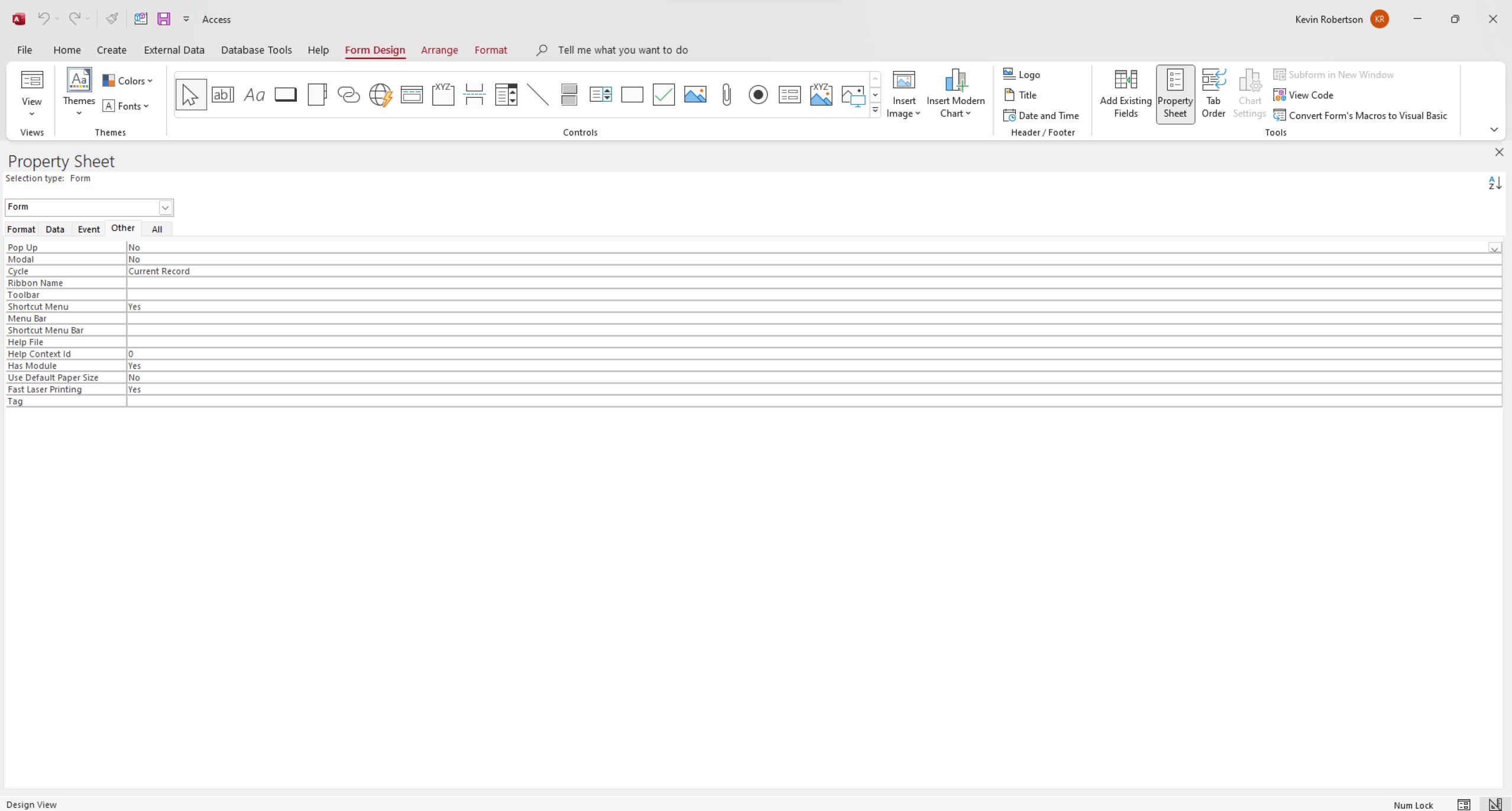
Is this what you are seeing (see screenshot below)?
Place the pointer all the way to the left until you see a double pointed arrow then click and drag to the right to resize the Property Sheet.

If the Snipping Tool isn't working you can simply press the PrtScn key and paste in to MS Paint. Then save the image.
Kevin Robertson  @Reply  
          
3 years ago

John Davy  @Reply  
         
3 years ago
Hi David
Try the little down arrow on the right top of the property sheet and resize it. See if that works. It may have been set to full size
HTH  John
David Cummins OP  @Reply  
      
3 years ago
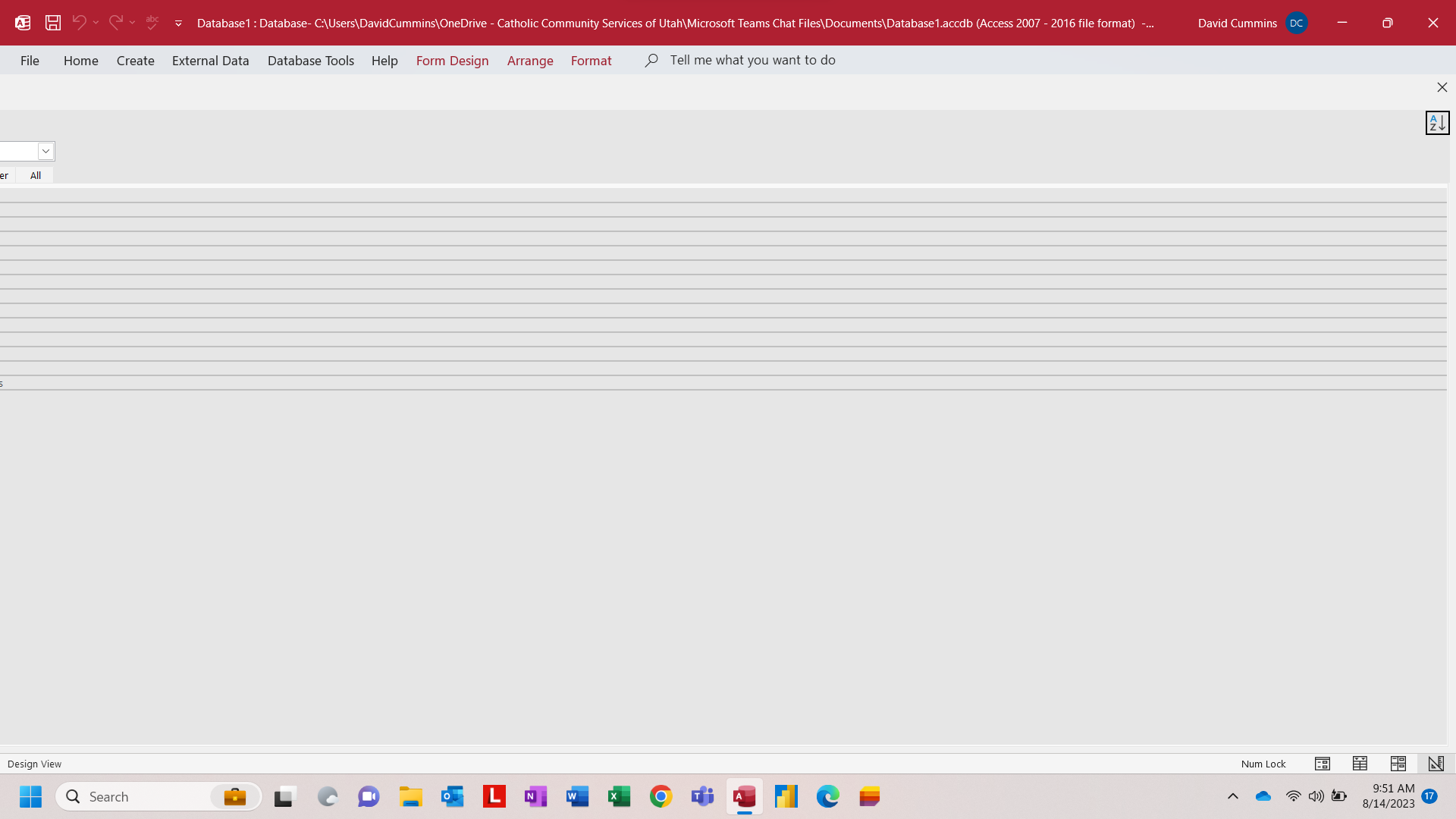
HI, This is the screen shot. Notice the control panel exceeds the screen width. I have not find a way to change the size. I have Access set for overlapping windows. It looks like a Windows 11 error. I'm going to ask IT to install Windows 10 on my laptop.
David Cummins OP  @Reply  
      
3 years ago

Kevin Robertson  @Reply  
          
3 years ago
If you move your mouse pointer to the title bar of the property sheet until you get a 4-way pointing arrow, are you able to move the property sheet to the right? Then you should be able to resize it.
David Cummins OP  @Reply  
      
3 years ago
I tried that. It doesn't work. I'm thinking I may have an issue with display driver. Anyway, I am now using a Windows 10 laptop that I will use instead of this Win 11 machine. No issues with Windows 10.

Thanks
Scott Axton  @Reply  
        
3 years ago
Another thing to try: Click and hold on the white line just to the left of the small x (close).  While holding Drag it down to undock the properties.
Re-size the properties to a manageable size.  if you want to re-dock it just double click the title line of the properties.
That should fix the issue.

This thread is now CLOSED. If you wish to comment, start a NEW discussion in Access Forum.
 

Next Unseen

 
New Feature: Comment Live View


The following is a paid advertisement
Computer Learning Zone is not responsible for any content shown or offers made by these ads.
 

Learn
 
Access - index
Excel - index
Word - index
Windows - index
PowerPoint - index
Photoshop - index
Visual Basic - index
ASP - index
Seminars
More...
Customers
 
Login
My Account
My Courses
Lost Password
Memberships
Student Databases
Change Email
Info
 
Latest News
New Releases
User Forums
Topic Glossary
Tips & Tricks
Search The Site
Code Vault
Collapse Menus
Help
 
Customer Support
Web Site Tour
FAQs
TechHelp
Consulting Services
About
 
Background
Testimonials
Jobs
Affiliate Program
Richard Rost
Free Lessons
Mailing List
PCResale.NET
Order
 
Video Tutorials
Handbooks
Memberships
Learning Connection
Idiot's Guide to Excel
Volume Discounts
Payment Info
Shipping
Terms of Sale
Contact
 
Contact Info
Support Policy
Mailing Address
Phone Number
Fax Number
Course Survey
Email Richard
[email protected]
Blog RSS Feed    YouTube Channel

LinkedIn
Copyright 2026 by Computer Learning Zone, Amicron, and Richard Rost. All Rights Reserved. Current Time: 5/7/2026 7:07:27 AM. PLT: 1s