Free Lessons
Courses
Seminars
TechHelp
Fast Tips
Templates
Topic Index
Forum
ABCD
 
Home   Courses   TechHelp   Forums   Help   Contact   Merch   Join   Order   Logon  
 
Back to Access Forum    Comments List
Upload Images   @Reply   Bookmark    Link   Email   Next Unseen 
Rotating Text boxes Reports
Yonatan Weinberg 
     
2 years ago
Hi,

Does anyone know how I can rotate textboxes, labels & Reports?

I'm looking to rotate them more than just vertical & horizontal
Adam Schwanz  @Reply  
           
2 years ago
Cant do it. You can do vertical with a thin textbox and maybe a little trickery but if you want like diagonal you're going to need to make an image for it. And while you could probably write up a script to make a new image everytime, if the data in the diagonal box changes it's going to be difficult
Richard Rost  @Reply  
          
2 years ago
The best way I found to do this is to make them as images using some other application such as Word, Excel, or PowerPoint, and then copy it as an image into Access.
Yonatan Weinberg OP  @Reply  
     
2 years ago
Thanks Richard & Adam,

The issue is that one of the fields is something that needs to be changed weekly.
Also it's not just one form, I would have to do this with 60 different items.

So I'm guessing that aside for an image there is no other solution?
Richard Rost  @Reply  
          
2 years ago
Not that I know of. Sorry. You can make vertical text, but you can't rotate the text 90 degrees. Limitation of Access. There are third-party ActiveX controls you can use, however I have not tried them nor do I endorse them.
Kevin Yip  @Reply  
     
2 years ago
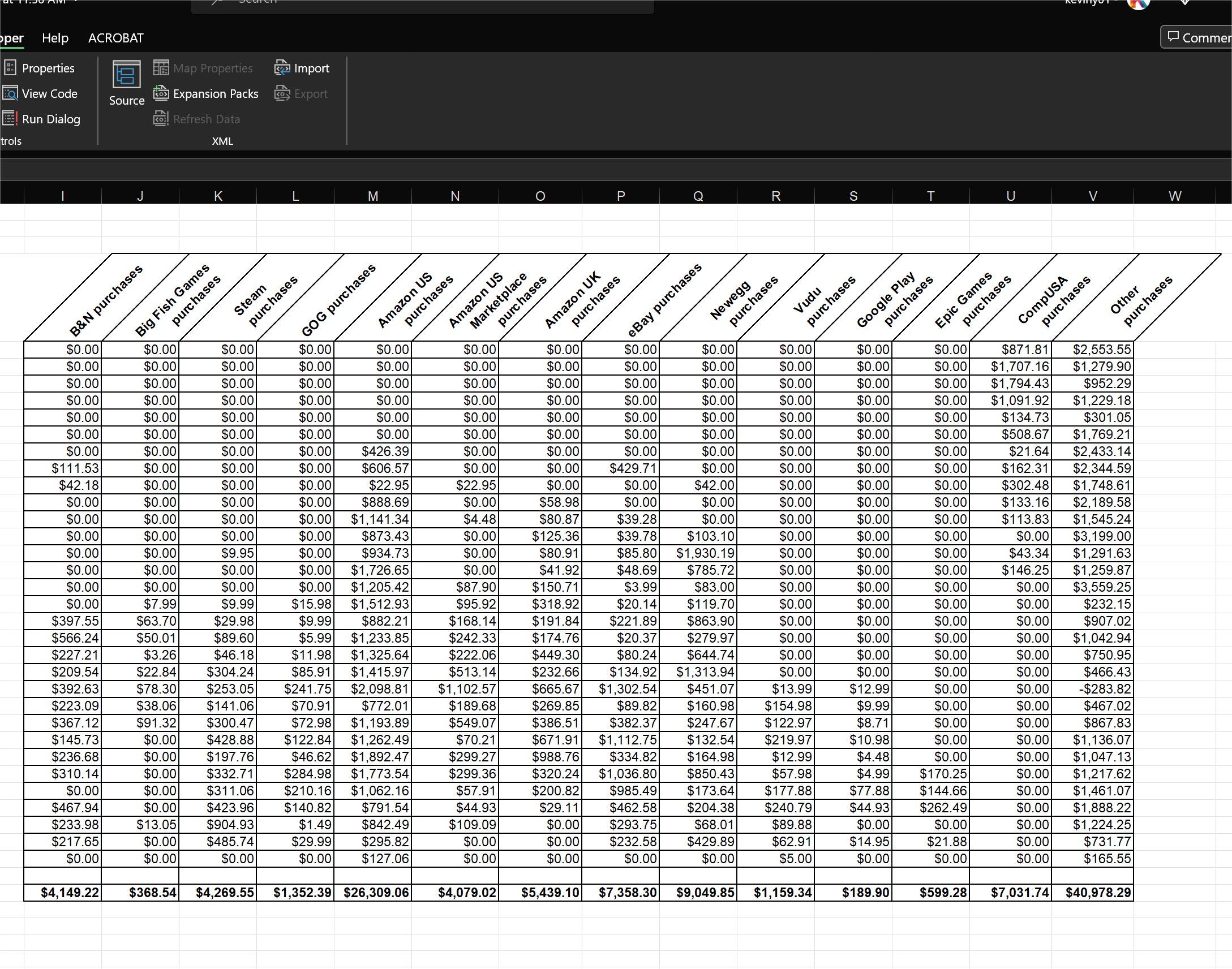
If this is done for reports, then you may consider exporting to Excel, where text can be rotated.  The result shown in the picture below can be automatically created with VBA.  With automation, you can also write Access VBA to create such results in Excel.  You need to have deep knowledge of the Excel VBA objects to do this.  And I don't know if Richard has a lot of such material on this site.  In my old job, I often had to create Excel tables and charts out of Access data, so I used this technique often to automate things.
Kevin Yip  @Reply  
     
2 years ago

Yonatan Weinberg OP  @Reply  
     
2 years ago
Thank you Kevin,

But that solution isn't really applicable for me.

BTW how do I add things to the ActiveX registry? It isn't showing up after I downloaded the files.
Richard Rost  @Reply  
          
2 years ago
Yes, I do cover this in my Excel lessons. It's actually quite easy to do in Excel. But alas, as always, Access is left behind.

Yonatan: I'm afraid if it's not an ActiveX control that I've used, I can't offer much help - and I've used very few of them.
Kevin Yip  @Reply  
     
2 years ago
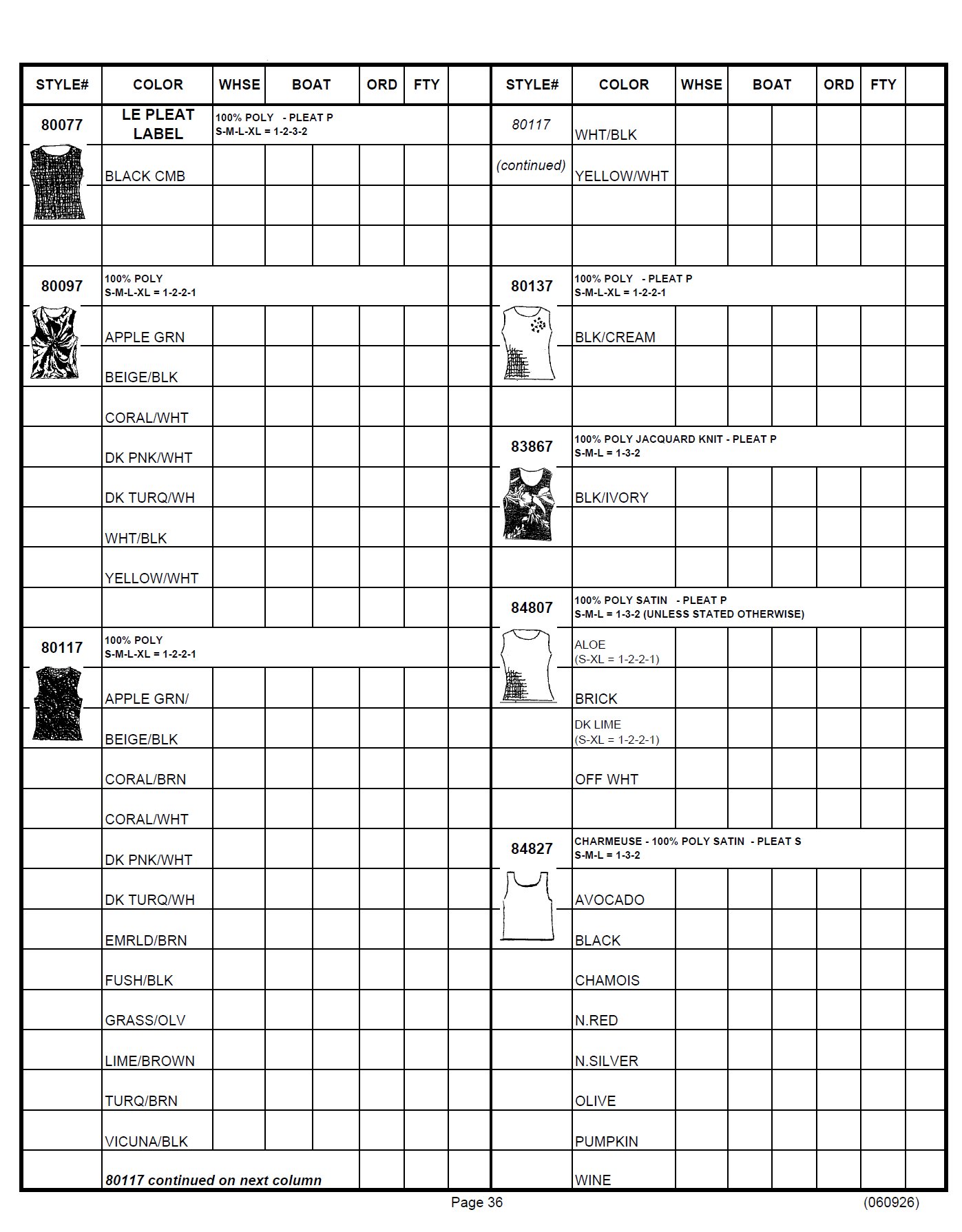
Hi Yonatan, so what sort of result is applicable to you?  Do you need more freedom in layout design?  Show us a sample of your needs.  Whenever I need more freedom in report layouts and style (such as angled text), I use Excel instead of Access, because Excel precisely offers more "free form" designs in outputs than Access.  The result pictured below is all done automatically with VBA.  Yes, the coding is more complicated, but an Access developer may need this in his or her arsenal, because there are surely output formats that can only be possible and/or easier to create in Excel than in Access.
Kevin Yip  @Reply  
     
2 years ago

This thread is now CLOSED. If you wish to comment, start a NEW discussion in Access Forum.
 

Next Unseen

 
New Feature: Comment Live View


The following is a paid advertisement
Computer Learning Zone is not responsible for any content shown or offers made by these ads.
 

Learn
 
Access - index
Excel - index
Word - index
Windows - index
PowerPoint - index
Photoshop - index
Visual Basic - index
ASP - index
Seminars
More...
Customers
 
Login
My Account
My Courses
Lost Password
Memberships
Student Databases
Change Email
Info
 
Latest News
New Releases
User Forums
Topic Glossary
Tips & Tricks
Search The Site
Code Vault
Collapse Menus
Help
 
Customer Support
Web Site Tour
FAQs
TechHelp
Consulting Services
About
 
Background
Testimonials
Jobs
Affiliate Program
Richard Rost
Free Lessons
Mailing List
PCResale.NET
Order
 
Video Tutorials
Handbooks
Memberships
Learning Connection
Idiot's Guide to Excel
Volume Discounts
Payment Info
Shipping
Terms of Sale
Contact
 
Contact Info
Support Policy
Mailing Address
Phone Number
Fax Number
Course Survey
Email Richard
[email protected]
Blog RSS Feed    YouTube Channel

LinkedIn
Copyright 2026 by Computer Learning Zone, Amicron, and Richard Rost. All Rights Reserved. Current Time: 6/30/2026 8:08:14 AM. PLT: 5s