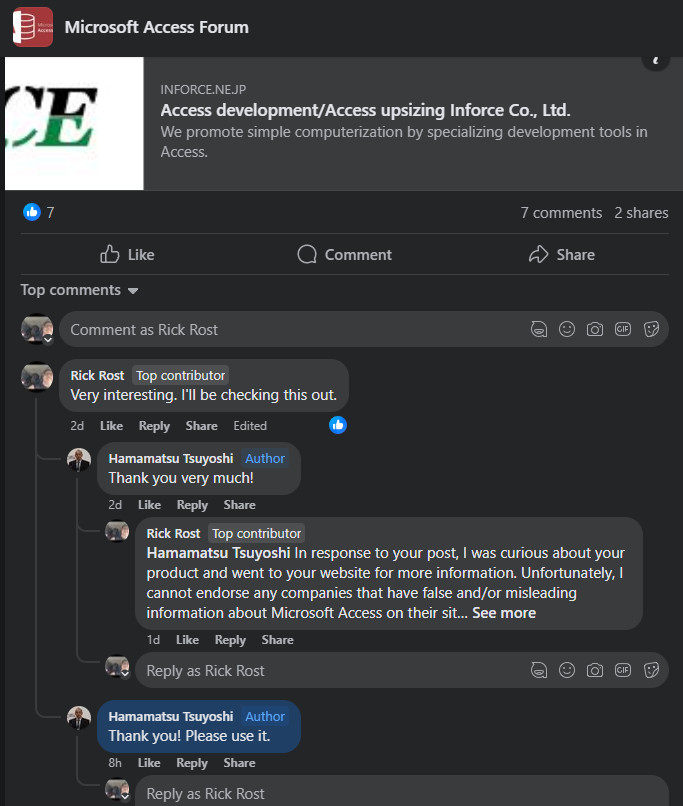
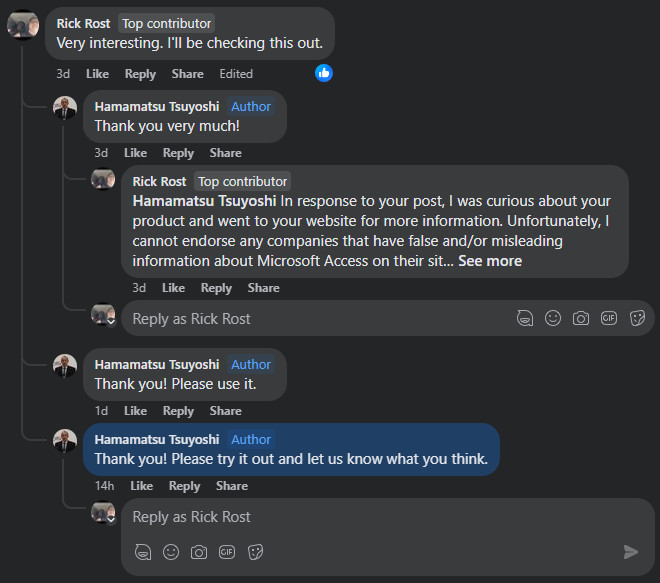
I recently came across this post on Facebook (yeah, I know, I know... Facebook, ugh) in one of the Access groups I frequent. This company is offering an "Upsizing Wizard" to get Access databases in the cloud and working on Azure SQL. OK. I'm definitely interested. So I went to their website to learn more about the product, and I was INSTANTLY turned off by the amount of misinformation presented. Here's the review I'm posting on FB for them.
---
In response to your post on Facebook, I was curious about your product and went to your website for more information. Unfortunately, I cannot endorse any companies that have false and/or misleading information about Microsoft Access on their site in an attempt to push prospective customers into their solution.
First of all, your website mentions "major weaknesses of Microsoft Access," such as it not being designed for use by multiple users, which is simply not true. I have set up many hundreds of multi-user database solutions with Microsoft Access. The primary issue is that they all have to be on the same network, an in-house LAN. On your site, you claim that data can be corrupted when two people manipulate the same data, and that Access is designed to be standalone by nature, which is, again, not true. This shows your unfamiliarity with a concept as simple as record locking. A properly designed database will not have this problem.
Next, you say that Access has no "system operational functions" such as security, backup, log management, etc., but these are all things that any capable Access Developer can build into the database; it just takes a little knowledge. In fact, I have lessons available on all of this, so saying that Access does not have these features is misleading. It just requires a bit of setup by someone who knows what they're doing. While true table-level security involves a database server, like SQL Server, a capable Access developer can still build a system with "good enough" security for most environments.
You then list "performance degradation and capacity limitations," which I will agree with. As you start adding more and more users, and more data, the database will slow down, but of course that will happen with ANY database system. You mention the two-gigabyte capacity limit of an Access database, but do not mention that you can chain multiple backend databases together for essentially unlimited storage. Once again, your website is misleading in an attempt to push people into your solution.
You then say that Access can't be easily changed to a client-server architecture and cannot be cloud-based. I'll agree with the statement that you do need SQL Server to be a true client-server platform, and such an upgrade isn't simple. However, you claim that there's a problem using linked tables. I've set up many databases, both on-premises and cloud-based, using SQL Server with linked tables, and as long as they are set up properly, there are absolutely no problems whatsoever with this method. I use it daily myself, so again, your site is misleading.
As for your pricing, I understand that to setup a single system, you are charging 300,000 yen, which at current conversion rates is about $2,000 US, and then you charge 20,000 yen monthly as a maintenance fee, which is about $128. Is this per user or per database? Your page simply says "1 system" so it's not clear. If this is a per-user price, that's quite steep.
While I was really looking forward to reviewing your product for my YouTube channel, I'm a bit skeptical of any company that puts misleading information on their website. Should you decide to update your site to give Access the credit it deserves for being a perfectly capable and robust LAN-based database, then I'll reconsider my review.
Thank you.
Richard Rost AccessLearningZone.com
---
Thoughts?
Sami Shamma
@Reply 2 years ago
Straight and to the point.
Thomas Gonder
@Reply 2 years ago
Hey Richard, good response (I think, not even 1% up on SQL Server or Azure). So, I've watched your videos on SQL Server and other services. What do you think they mean by saying Access isn't "true" client/server? Is it just how the data gets passed from the Access BE that doesn't make it "client/Server"? To me it's just a question of what is being served. The client part remains the same (but again, I'm not up on the SQL Server environment).
I didn't see anything about how they will convert the actual Access application (forms, reports, etc.) to do this marvelous "professional" transformation.
And of course, we would all like to use our favorite Access application on our smart phone, but my experiment with this was very painful, even with my smallest of designed forms. Have you seen anything converted from Access full screen that is acceptable on a smart phone?
About a year ago I saw a site advertise that they will host the FE and BE on their servers, then people just connect over the Internet with a "terminal viewer" allowing phone, tablets and Macs to get in on the action. Have you had any experience with this kind of environment? This seems a good solution to me, because then the Internet can do what it does best, which is send lots of small packets to faraway places (which is perfect for a terminal viewer solution). With this there's also the advantage that even the slowest workstation only has to be powerful enough handle the screen/keyboard functions. Even one of my newer HP laptops that has a "student" configuration with a HD is kinda slow with my Access ADS.
When it comes to a database being a true client-server, Access is not that. Access is a file-based database system where the front end has to do all the work, and the server isn't smart. In a true client-server database, the server handles the actual processing of the data. So the front end just says, "Hey, show me all the customers from New York," and then the server will actually do the crunching and send back the requested records. Access by itself doesn't do this.
As far as using Access on a phone goes, right now you have two basic solutions. You can use some kind of virtual desktop like Chrome Remote Desktop or Access Database Cloud, or you can build your own web page with something like ASP, which is what I do.
Not exactly sure if he read my review that I posted... seems to be oblivious to it. I know it's a Japanese company. Maybe it's the language barrier? IDK...
If you are a Visitor, go ahead and post your reply as a
new comment, and we'll move it here for you
once it's approved. Be sure to use the same name and email address.
This thread is now CLOSED. If you wish to comment, start a NEW discussion in
Captain's Log.