Once upon a time, people identified the god Neptune as the source of storms at sea. Today we call these storms hurricanes. The only people who still call hurricanes acts of god are the people who write insurance forms.
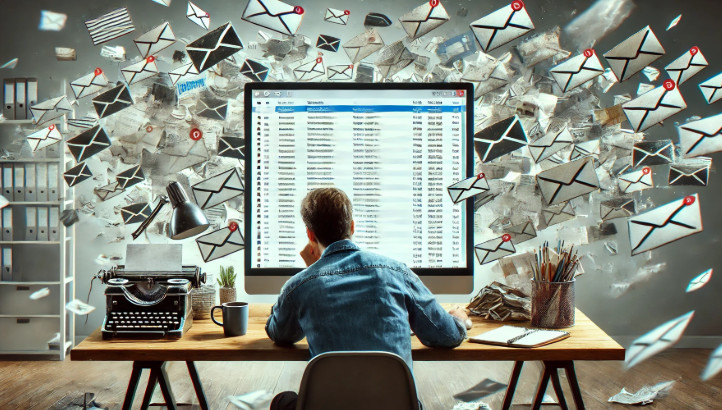
This morning, while half asleep and scrolling through email in bed, I managed to pull off what I'm now calling the Great Gmail Mass Archive of 2025. See, I have my Gmail set up with a whole bunch of filters. Anything that's not urgent, like newsletters, local news, and random notifications, gets shunted off to what I call Inbox 2. That's my "read it when I get time" folder. Usually that means when I'm in my other office or just waking up, scrolling through stuff I don't really need to see during my workday.
And why is that important? Well, I'm the kind of person where if I see something pop into my inbox, I have to read it right away. It's kinda like how Cartman has to finish singing "Come Sail Away" if anyone else starts it. Even if I'm in the middle of something else that's actually important. I can't help myself. I don't like that distraction, so I set up meticulous filters to make sure unimportant email goes into Inbox 2 and stays out of my way. Yes, I should probably just minimize Gmail when I'm working, but let's be honest, I don't.
The routine is simple. I scan through the subject lines in Inbox 2, open anything that looks interesting, and when I'm done, I hit Select All and Archive. Clean and easy. Then I switch back to my regular inbox, which is where the important emails live, like messages from you guys.
Well, this morning, being half asleep, muscle memory kicked in. I thought I was in Inbox 2. I wasn't. I checked Select All and archived everything in my actual inbox. And of course, Gmail gives you that handy little "Undo" button... but only if you catch it right away. I didn't. I went off to do other things, only to realize later what I'd done. I had released The Kraken.
And here's the kicker. Gmail has no way to undo that once it's gone. There's no "show me everything I archived in the last 24 hours" button. There should be. Any good database would store an archived date and let you filter by it. Google, if you're listening, add that.
Now sure, you might say, just go back through your recent email. But that's not so easy. A lot of what I lost are reminders I've been snoozing for years. I send myself daily, weekly, monthly, and quarterly reminders. Things like changing the batteries in my front door smart lock, scanning paperwork, making sure I kiss my wife at least once a week*, or other random tasks. I snooze them forward every time I complete them, so the original dates on those emails are years old. Without digging through thousands of messages, some of those are just gone now.
Fortunately, I know that most of what I snoozed recently was set to come back after my mother-in-law's visit, which ends tomorrow. So at least a bunch of it will bubble back up. But I'm sure a few things slipped through the cracks.
And just to clarify, this only applies to my personal Gmail. Customer service emails from the website go straight into my Access database, which is far more reliable than Gmail could ever dream of being. Yeah, I'm calling you out, Google**.
So if you emailed me recently and don't hear back, now you know why. Feel free to follow up.
And let this be a reminder. Gmail, like everything else, is fragile. Yes, I use Google Calendar, but that's mostly for things tied to specific dates. Appointments. Deadlines. Course release schedules. Things that have to happen at a certain time. But for general, repeating tasks like "do this once a week" or "check on that once a month," I've always just kept those in my inbox as reminders.
Well, after today, I'm rethinking that strategy. Maybe it's time to build an Access database for all of those loose reminders. I've built who knows how many task managers and to-do list databases for other people over the years, but do I use one myself? Of course not. I use Gmail. As I've often said in my videos, I'm like the auto mechanic who drives a beat-up old car. I could build myself the Cadillac of all databases. Do I? Ha ha***.
And why? Because Gmail is easily accessible on every device. It's on my phone. It's on my tablet. It's on my desktop. I could build a database that does all of that too, but then I'd have to build a web interface for it. Maybe this is the motivation I need to finally finish my Access Form to Web Page Template that I've been working on.
And as today has shown, Gmail is fragile. It's easy to break. I'm trusting Google not to lose my stuff, and while none of it is world-ending, it's the little things that keep life running smoothly. Just the fabric of life, woven into email threads and snoozed reminders, now floating somewhere in the archive, hoping I stumble across them again.
Live long and prosper. RR
* Just kidding. She gets plenty of love. :)
** just kidding. I love you, Google. :)
*** just kidding. My database is pretty sweet, but it's like Scotty with the Enterprise engines - a patchwork of cables like Xmas tree lights, and it's definitely only something I know how to work on. Not what you'd call "best practices." :)
I've used Outlook tasks for years. It sits right there on one laptop. Never failed me. Don't see the need to take it everywhere with me. See no need to create a database to do the same.
Tasks and emails are two different things to me. I have thousands of tasks over the past 30 years or so of using Outlook. I used to use Journal in my business. It was great. It seems Office got rid of that very useful feature in 2013.
Sorry, only students may add comments.
Click here for more
information on how you can set up an account.
If you are a Visitor, go ahead and post your reply as a
new comment, and we'll move it here for you
once it's approved. Be sure to use the same name and email address.
This thread is now CLOSED. If you wish to comment, start a NEW discussion in
Captain's Log.