Microsoft Word
Whether you're using Microsoft Word 2007, 2019, 2024, or Microsoft 365, these beginner lessons are still a great place to start. The fundamentals of Word haven't changed much over the years, and the skills you'll learn here, like creating and formatting documents, working with text, using the Ribbon, and printing your work, are just as relevant today as they were when these lessons were first recorded. I'm currently in the process of re-recording and updating the entire Word series with fresh lessons and modern examples. If you purchase any of these courses today, you'll receive the updated versions at no additional charge as they're released.
| Microsoft Word Courses | Options Sort: Date Title | Display: Full Compact | | | | | Word Beginner 1 Learn to navigate the Microsoft Word interface, including the ribbon, Quick Access Toolbar, and status bar, while building core skills like entering, editing, and formatting text. The course covers essential features such as creating bulleted lists, using the clipboard for cut, copy, and paste, and customizing indents and paragraph spacing. You will also discover how to save, open, and print documents, manage file types and locations, and use practical formatting options like font size, color, and alignment. Step-by-step guidance helps you create and edit a professional business letter from start to finish. | | 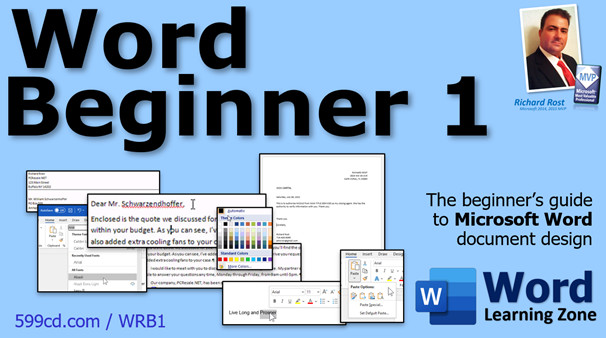 |
| | | | Word Beginner 2 Take your Microsoft Word skills to the next level with this beginner-friendly course focused on essential formatting tools and features. Learn how to use different document views, work with advanced font formatting options like underline styles and highlighter, and master the Paragraph group for alignment, indents, borders, and spacing. The course covers customizing bulleted and numbered lists, applying styles and themes, using the Format Painter, efficient text editing with Find and Replace, and finishing your document with the Shrink One Page function. Perfect for users who want practical, hands-on training for clean and professional documents. | |  |
| | | | Word Beginner 3 Learn essential Microsoft Word skills including page setup options such as margins, orientation, and columns, plus how to work with headers and footers, add tables, customize page backgrounds, and insert hyperlinks to web pages and email. The course covers inserting cover pages, page numbers, managing paragraph indents and spacing, and formatting tables with rows, columns, and alignment tools. Each lesson provides step-by-step guidance for creating well-formatted, professional documents and shows where to find these features on the Word ribbon, helping you build confidence working with documents in Microsoft Word. | |  |
| | | | Word Beginner 4 Learn how to enhance your documents with pictures, clip art, shapes, SmartArt, charts, and WordArt in Microsoft Word. This course covers inserting, resizing, moving, deleting, and formatting illustrations, including text wrapping, brightness, contrast, borders, and effects like shadows and 3D. You will also work with Excel chart data, manage images from the web, and learn to customize styles, recolor graphics, and use advanced layout options. Perfect for beginners, this course guides you step-by-step through using all the key illustration tools to make your documents stand out. | |  |
| | | | Word Beginner 5 Learn to enhance your documents with Word's advanced features, including drop caps, footnotes, and end notes for professional formatting, along with adding signature lines and inserting both static and auto-updating date and time fields. Discover how to insert symbols, use the equation editor, and efficiently create, print, and attach envelopes and labels. You'll also explore downloading and customizing templates from Office Online to streamline your document creation process. Perfect for anyone looking to expand their practical Word skills beyond the basics. | |  |
| | | | Word 2003 Courses | | |
Other Links
 Subscribe to Microsoft Word
Get notifications when this page is updated
|


