Let's talk about the difference between training and practice.
Training is what you're doing when you're watching my videos. Reading. Studying. Learning new concepts. That's the training phase. It's where you're filling your head with new knowledge, figuring out how things work, and hopefully saying, "Oh, that's cool... I didn't know you could do that in Access."
But training is only half the story.
The other half is practice. And that's on you.
You've got to take what you learn and go use it. Build something. Make mistakes. Break things. Then fix them. Start your small business database, or your home inventory, or your baseball card collection if that's your thing. Create something that matters to you. It doesn't have to be perfect. It just has to be yours.
Then when you hit a wall, come back for more training. Learn the next thing. Then practice again. The cycle repeats.
The truth is, learning never stops. I'm still learning new things every day. I read, I explore, I experiment. But I also use this stuff every single day. I'm not just sitting in the captain's chair telling you what to do. I'm down in engineering, wrench in hand, getting dirty with the same tools.
I used to try including practice assignments and homework-style exercises in my lessons. But honestly, so few people ever did them that I gave up on that. So now, I just leave the practice part up to you. Build what matters to you, and when you get stuck, ask questions. That's what I'm here for. Between me, the forums, and our awesome moderators, we'll get you pointed in the right direction.
So go out there. Learn. Build. Break stuff. Then build it again. That is how you level up.
Make Scotty proud.
LLAP/RR
Lisa Snider
@Reply 17 months ago
So true. When I started building this database, I knew very little. Following the advice of a friend, I tried to "learn" by looking at how Northwind was structured. My interest waned quickly because there was no "connection". So I flipped, and decided, if I could learn Excel by applying it to my life and interests, I could do the same with Access. And thanks to your videos, and sage advice, I deliberately broke my database to make it more efficient, and more intuitive. There is still a way to go, but nearly every broken form is redesigned and working, VBA code is in place to automate some processes, and deleted queries replaced with far more efficient ones. Soon I'll have something that resembles the reports I had envisioned in the first place. Now, what I'm building may not be of interest to the majority, but it has made my life so much better. And because my data is based on my life, it's easy to determine what I need, and when something isn't working just right.
Bryan Enbey
@Reply 17 months ago
It does make it more interesting when you do things in Excel or Access about things not only that which you need, but that which is interesting to you. If you have some personal vision for something you're doing related to a hobby, family info, or just otherwise "cool", you'll be more inclined to play around with it and do more cool things with it, than merely some "boring" something just generated out of necessity.
Lisa Snider the original Northwind database that came with Access 2.0 back in the 90s, I tore that thing apart. I learned a lot from that. I had a copy of the Access Bible, which at the time was my bible lol, and then if I wanted to see how they did something, I would just tear it apart.
Bryan Enbey I tell the story in one of my beginner lessons that I first got into computer programming on my TRS-80 Color Computer back in the 80s because I wanted to be able to design my own games and utilities for games. I made a dice roller for Dungeons and Dragons and then a character generator, which got me into programming because it was something that I loved to do. I took one passion and developed another out of it. Same thing with databases. One of the first databases that I built was to store my Magic: The Gathering cards.
And then I actually decided to do real consulting work and make money with it and stuff like that, lol. Yeah.
Thomas Gonder
@Reply 17 months ago
The first "computer" that I could call my own, and afford, was a TI-58. No way to save your programs, that required a much more expensive card reader model. I got pretty good at programming a pseudo assembly on that, but got very tired of having to re-enter programs because of the missing reader.
Nope. That was just before my time. I do remember seeing punch cards, but I never used them myself.
Sami Shamma
@Reply 17 months ago
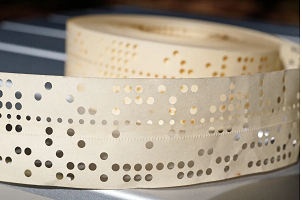
I worked on a Swiss photo typesetting camera that we programmed with these 8-hole Punch tapes.
lol
This reminds me of the scene from the original "Jaws" When they were sitting in the boat at night trying to one-up each other with their nasty experiences with sharks.
Sami Shamma
@Reply 17 months ago
Thomas Gonder
@Reply 17 months ago
Answer in other posts. I'm not the only one here to punch tape on a teletype.
Bryan Enbey
@Reply 17 months ago
Happy Friday y'all,
Great stories, fellows! 🤣 Kinda telling on your ages, although I'm 48 myself. I remember seeing punch cards when I was a young one, but never heard of punch tape. That's actually more brilliant (if it can remain undamaged); no worrying about the cards being in order. An old boss of mine told me horror stories out at NASA someone dropping a large box of cards back when and had to play 100s of cards pick-up and re-sort them and it wasn't fun LOL.
A 286 is far back as I go, but have seen some crazy stuff from old equipment still in service, etc. I like to imagine this website running on some huge tape reels with lots of blinking lights like some late 60s sci-fi mad-scientist's warehouse.
Sami Shamma
@Reply 17 months ago
Brian, since you started revealing ages, I can tell you I am 69 years old. And we had to use all kinds of tricks to make sure that putting the deck of cards back in order after we dropped it is a little bit easier. First, we tried to number all the cards, but that wasn't always sufficient because we would insert cards in different locations. Then we revert it using colored markers, and we will go and draw lines in different directions with different colors on the top of the deck. This way you can easily spot cards that are out of place.
Bryan Enbey
@Reply 17 months ago
Good meeting you Sami. Didn't think about edge-marking them, but that would help lots. Colored markers are your friend and unlike those ScanTrons we had to use for some tests in schools, stray marks aren't going to get you in trouble.
Thomas Gonder
@Reply 17 months ago
@Bryan My dad was an 8th grade math teacher. When ScanTron first came out (sometime in the 60s), he was estatic! In minutes he would grade a whole class and post the scores before the day ended. Then he would pass me the worksheets that showed their work, with a red pencil. Ahhh, the life of a teacher back then.
Thomas Gonder
@Reply 17 months ago
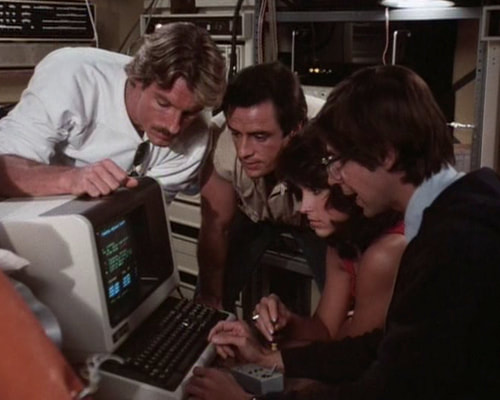
@Bryan Much later, at Microdata in the early 80s, we were tasked with making a "computer" that blinked lots of lights and would run the 1/2" tape back and forwards a lot. It was used on a TV series called Riptide. So, what you saw on TV was "enhanced", just like now when you see CCTV images zoomed in from 100 yards to read a license plate and people panning around in the air on holographic screens.
Thomas Gonder
@Reply 17 months ago
Bryan Enbey
@Reply 17 months ago
@Thomas, wow, ScanTron goes back to the 60's?!! Here I thought it was some cutting edge 80's thing; that's pretty crazy.
Funny you mention the reading the license plate from afar thing; it makes me think about shows like CSI where they take some crap camera vid from the corner of a building and somehow able to read a plate or see a face perfectly a block down the road. LOL. Love the image too BTW, but dang if I can remember what that is from! Have a great weekend!
If you are a Visitor, go ahead and post your reply as a
new comment, and we'll move it here for you
once it's approved. Be sure to use the same name and email address.
This thread is now CLOSED. If you wish to comment, start a NEW discussion in
Captain's Log.