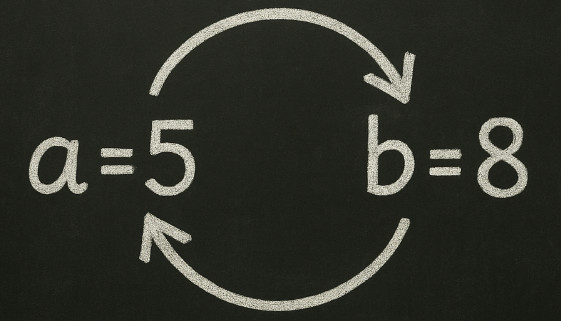
Every so often I like to toss out a little programming challenge to get people thinking. Today's is an old classic:
How do you swap the values of two integers without using a third variable?
At first glance, it feels impossible. Normally, if a = 8 and b = 5, you'd use a temp variable to hold one value while you shuffle the other around. But what if you're not allowed that luxury?
Want to give it a try? Answer in the Details.
DetailsOK, here's how you to it:
a = a + b
b = a - b
a = a - b
By walking through the math step by step, the values naturally fall into place. When you add a and b, you've got both values stored in a single spot. Then by subtracting one from the total, you isolate the other. No extra storage needed, just some arithmetic sleight of hand. It's simple, elegant, and it forces you to think differently about how information is stored and moved around. That's why I like it. The whole exercise isn't just about swapping numbers - it's about training your brain to work around constraints.
In VBA, Access, or any other language, the principle is the same: sometimes you don't have all the memory, variables, or tools you'd like to have. And sometimes the clever solution is sitting right in front of you if you're willing to break the problem down and look at it from another angle.
And if you're wondering why this matters? Well, it doesn't - at least not in the practical sense. Modern computers won't blink at an extra variable. But exercises like this sharpen your problem-solving skills. They make you more resourceful. They make you better prepared for the times when constraints do matter.
Usually, challenges like this show up in the optimization phase of building software. Whether it's an Access database or any other program, my process is always the same: get it working first, then circle back to make it better, faster, and more efficient. My brain still tends to think in loops because I grew up as a BASIC programmer, so my first instinct with records is often to reach for a recordset loop. But once it's working, I almost always find that the optimized solution is an Access SQL statement, which lets the server do the heavy lifting far more efficiently than my iterative loop.
This swap trick is a good reminder of that principle: sometimes, a little extra thought can turn a working solution into a smarter one.
That's what programming is all about. Not just knowing the commands, but knowing how to think your way out of a tight spot.
"a = a - b
By walking through the math step by step"
Actually, this is where I get confused, because I'm used to a different understanding of the equal sign in mathematics, and therefore when I see a = a - b, I tend to think that b must be 0. ^^
If you're checking for equality, it's usually in the form of
If a = 15 then x = 2
Which says "if a equals 15 then set x to 2"
In fact, some languages, like C, have a different operator for checking equality, which is ==
if (a==15) x=2
It can get confusing. :)
Lars Schindler
@Reply 14 months ago
Especially for my poor little students.
First, you spend hours explaining to them that an expression like 3 + 5 - 2 is not 3 + 5 = 8 - 2 = 6, because the equal sign requires that the left and right sides of the equal sign must always be equal – and then the computer scientists come along with their new ideas ^^
If you are a Visitor, go ahead and post your reply as a
new comment, and we'll move it here for you
once it's approved. Be sure to use the same name and email address.
This thread is now CLOSED. If you wish to comment, start a NEW discussion in
Captain's Log.