There are huge advertising budgets only when there's no difference between the products. If the products really were different, people would buy the one that's better... Advertising teaches people to be stupid.
Yesterday morning I got a frustrating reminder of how easily a business can drive away loyal customers with overzealous website security.
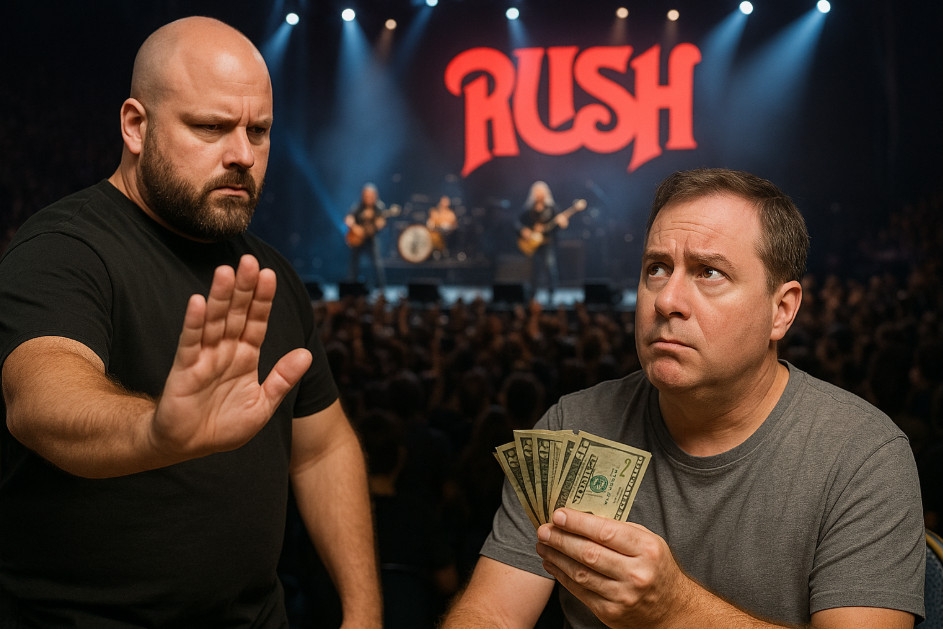
I was excited about picking up front-row tickets for a Rush tribute show at the Barbara B. Mann Performing Arts Hall next April. I'm a long-time supporter of "The B. Mann" as the locals call it. I was a season ticket holder there in the past for a few years, and I've bought tickets to many shows over the years - comedians, rock bands, Broadway shows, whatever looks good. I always spring for the best seats, and this time was no different. I had two pit-level seats in my cart, right where I wanted to be - front row center - so close I could count the sweat beads on the Geddy Lee wannabe's brow between Tom Sawyer and YYZ.
And then their website broke me.
At checkout the site threw an error: "The order can not be placed for the following reason: 12022-Billing information does not match card statement." I double-checked everything. I tried again. Same error. I tried different cards - MasterCard, Visa, AmEx, Discover - and even another computer and browser just in case it was a cache/cookie issue. Still the same frustrating result.
So I emailed support. To their credit, they got back to me within half an hour. Their rep said that everything on the order has to be an exact match. The billing address has to match exactly, even street abbreviations. I live on a "Terrace" and sometimes it gets abbreviated as "Ter" so you have to match that (bad web design, but OK). Even your name has to be exactly as it appears on your credit card statement. On some I'm "Richard Rost" and on others I'm "Richard D. Rost." OK, so I looked at my statement to match that up exactly. I even made sure to include the ZIP+4 because that shows up on my statement.
The site still refused to process the order.
I'll spare you the blow-by-blow, but the end result was simple: their system could get an authorization from my bank (1), yet it still would not let the transaction through. Their solution was for me to call the box office. Those of you who know me, know that I hate talking on the phone, which is why I was using the website in the first place. Plus, by this point, all of the front-row seats were gone.
Here's the lesson: you can't let your fraud prevention be so strict that it prevents actual customers from spending money with you. Yes, fraud is a real issue in e-commerce. I get it. I've been running websites for over 20 years, and I know you need to verify billing information. But there's a balance between protecting yourself and making it impossible for your paying customers to buy. I am a known customer (logged in) with a long-standing history with them. They shouldn't treat me like I'm some random visitor.
If I had a system like this on my own site, I'd be out of business in a month. And to be fair, I do have things on my own website that need fixing. For example, my shopping cart doesn't automatically apply discounts. You have to log into your account and click a link on your My Account page to get your member discount, which I admit is a little tedious. It's been on my rebuild list for a while.
This isn't just a lesson for e-commerce sites. It applies directly to database and software developers too. Don't make your security so tight that your users can't get their work done because of endless login prompts, constant "are you sure?" confirmations, or restrictions that block them from entering valid data. Build systems that protect against real threats, but also trust your users and give them room to work. Better yet, make it easy to undo mistakes instead of burying them under warnings. In Access development, I've seen databases where users had to click through five different confirmation boxes just to delete a record, when a simple undo or archive feature would have been more effective. I've seen developers lock down forms so tightly that users can't even correct a typo without begging an admin for permission. That's not security, that's sabotage.
This experience was a reminder that putting too many barriers between your customers and a purchase is dangerous. It doesn't just cost you a single sale. It costs you trust, goodwill, and repeat business. I probably won't go back to the Barbara B. Mann for shows anymore, and that's a lot more than one lost order.
So cut down on fraud, yes, but don't punish your real customers in the process. Otherwise, your "security" will cost you more than the fraud ever would. And now I don't get to hear it echo with the sounds of salesmen...
Sorry to hear that you couldn't get those tickets. I know Rush is your one of your favorite bands! Unfortunately, businesses have to protect themselves from theft or they will go out of business. Its frustrating because its a burden on "honest folks". Maybe someday Replicators and Holodecks will "solve" these problems, but as we've seen in Sci-fi stories and TV series, they introduce their own set of problems. Yes, I'm look at you Lt "Broccoli" :-)
Gary James
@Reply 13 months ago
Hi Richard,
Reading your log today reminded me of what I went through most of yesterday.
I’ve been accessing my VA healthcare account using my iPad for years without issue. It uses ID.me as the security authenticator, and that setup has worked fine. Recently, though, I decided I’d like to use my Windows laptop instead—but ID.me isn’t supported there.
No problem, I thought—the VA site also supports Login.gov.. I didn’t have an account with them, so I figured I’d just create one.
You can probably guess where this is going.
Two hours of filling out online forms, three rounds of snapping photos of my state ID front and back, and I finally reach the last step: verifying my Social Security number. “This should be a snap,” I thought.
Nope.
I enter my SSN and contact info, the site shows me a summary to confirm, I click “Continue,” and it tells me something doesn’t match what's on file. That’s strike one. I double-check everything, try again—strike two. I grab my iPad, log into my SSN account, and confirm that the stored info matches exactly what I entered on Login.gov..
Strike three. Locked out for 24 hours.
The government screwed me once, spraying me with Agent Orange. Now it’s screwing me again—just for trying to access my healthcare info from a laptop.
If you are a Visitor, go ahead and post your reply as a
new comment, and we'll move it here for you
once it's approved. Be sure to use the same name and email address.
This thread is now CLOSED. If you wish to comment, start a NEW discussion in
Captain's Log.