The method we used to descend from orbit to the surface of an alien world worked, but it would have been far more efficient and far less traumatic if we could just beam down.
I picked up the Plaud NotePin thinking it would be the perfect gadget for me. Record my thoughts, sync to the cloud, and boom - automatic transcripts I could read at a glance with AI-generated titles to make organizing my thoughts easier. That was the dream.
Reality? Not so much.
First off, it took me a good half hour - closer to 45 minutes - just to get this thing connected and working. I'm an IT professional. I play with devices and teach programming for a living. If it takes me that long, what chance does the average user have? The manual says white means "ready to connect." I never saw white. I got red, I got green, I got blue, sometimes red and blue at the same time like it was auditioning for a rave, but never white. That made me think it was never in pairing mode. I burned nearly an hour holding buttons, trying resets, fiddling with Bluetooth, and so on. In the end, the only thing that worked was uninstalling and reinstalling the app from scratch. Plug-and-play? More like plug-and-pray.
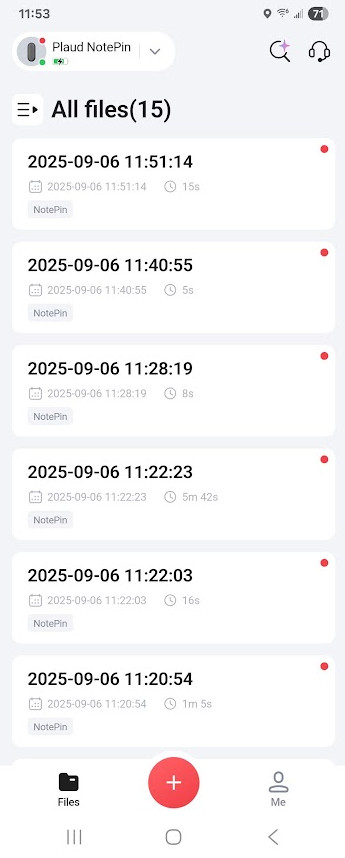
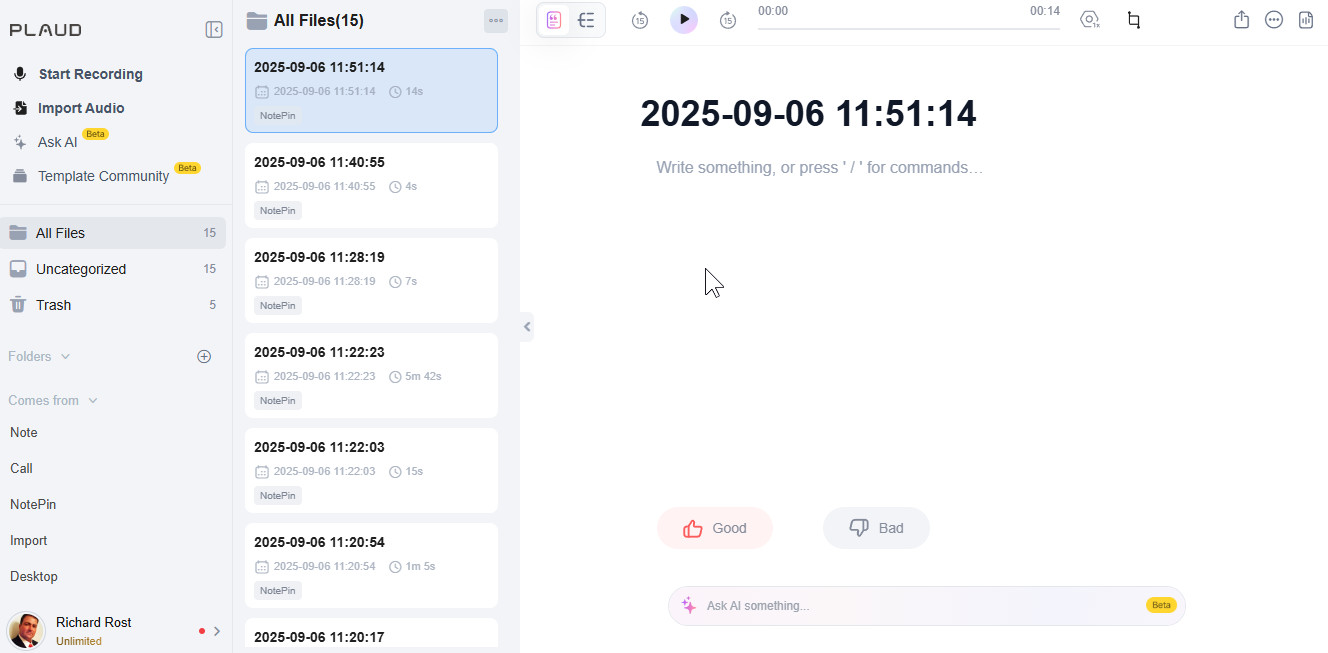
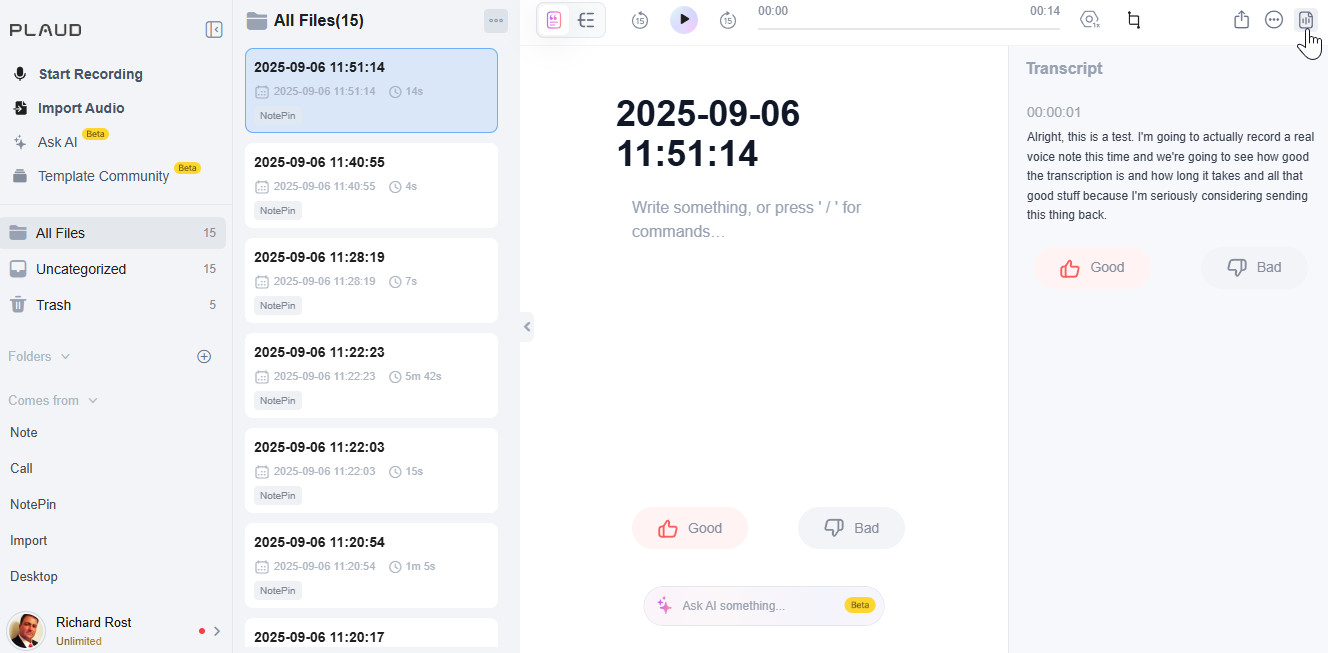
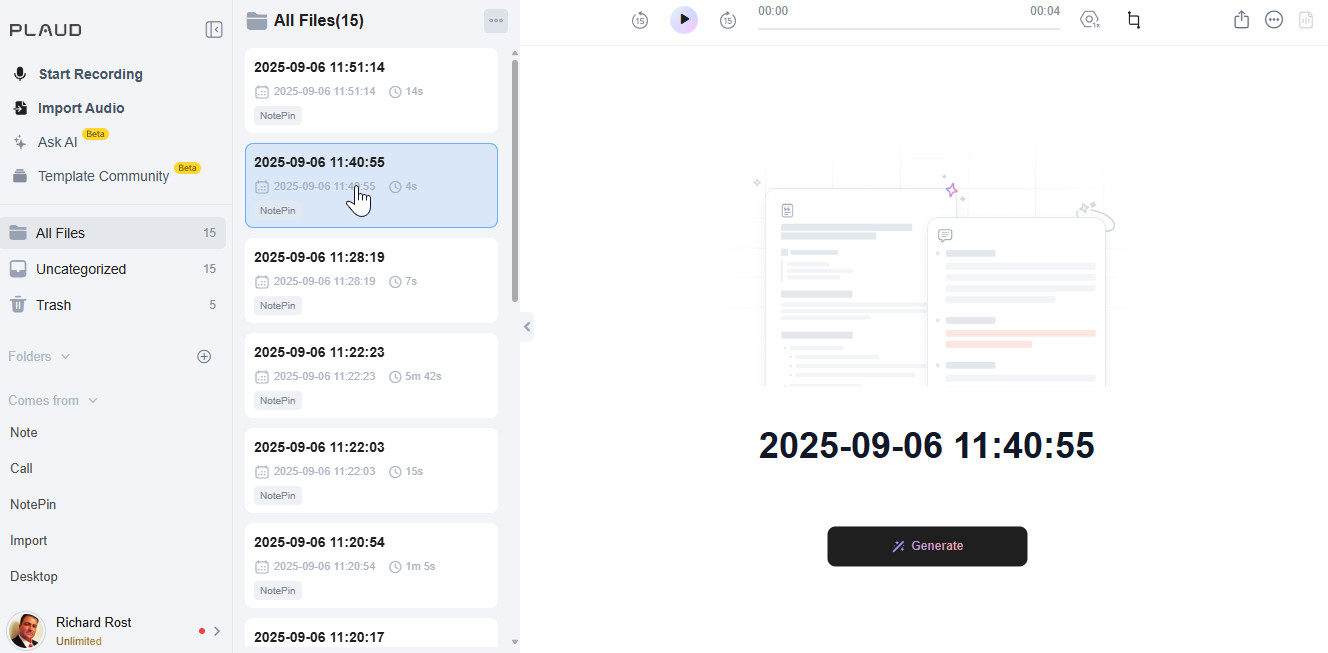
And even once I finally got it working, the whole premise fell apart. This thing does not automatically transcribe your notes. You have to manually click "Generate" on every single recording. Every. Single. One. Then the transcript doesn't even show up in the list view - it hides off to the side, and disappears when you move to the next recording! So instead of giving me a clean list of my thoughts at a glance, it plays peekaboo with my own notes. That's not productivity. That's punishment.
And here's the kicker: they want $99.99 a year for 12,000 minutes of transcription. That works out to about 40 minutes a day, which isn't bad in theory, but I can do the same transcription for free with OpenAI's Whisper in Python. That's like charging me a subscription for something my laptop can already do while it's half asleep. The whole point of the pin is moot if the software forces you to babysit every note.
Bottom line: the Plaud NotePin wasted my time up front and keeps wasting it every time I use it. It's about as useful to me as tits on a bull. Even a redshirt on an away mission is more reliable than this. Maybe they'll fix it in a future version, but right now, this little gadget manages to overpromise, underdeliver, and then send you a bill for the disappointment.
To make this device better, it needs to be much easier to configure, because it should not take me 45 minutes just to get it working. When I record something and it syncs to the cloud, it should automatically be transcribed, and that text should appear right in the main window without forcing me to open a separate pane. It should also generate an AI title automatically so I can scan down the list of my short 10 to 15 second notes at a glance, instead of opening each one, clicking transcribe, and waiting. This device should make my transcriptions easier to read through at a glance. It shouldn't add extra work to my day.
So... it's going back. This is why I buy things on Amazon Prime. You don't like something? You send it back. You don't have to deal with vendors. You don't have to deal with return shipping costs. You just put it back in the box, print a label, drop it off at the UPS Store, and say "K Byeee."
LLAP RR
P.S. I will say, it is kind of cool the way it magnetically clips to your shirt. That part actually reminded me of the comm badges in Next Generation. Honestly, if they cleaned up the interface, made it automatically transcribe your notes, and designed it to look like a Star Trek comm badge, I'd definitely give it another try.
P.P.S. Oh, and I've got another story coming up soon about a model Enterprise that I bought that was laughably different from the pics on the website. Coming soon...
But it doesn't automatically put a title on your note, which it should. AI can do that easily. And when you click on another note and back to it, you don't see the transcription unless you open up that pane again. That's stupid.
One of my favorite scenes in any Star Trek movie by far. I especially love the look they give each other when Scotty says, "How do we know he didn't invent the thing?" Then they just both smugly look at each other. LOL.
Sorry, only students may add comments.
Click here for more
information on how you can set up an account.
If you are a Visitor, go ahead and post your reply as a
new comment, and we'll move it here for you
once it's approved. Be sure to use the same name and email address.
This thread is now CLOSED. If you wish to comment, start a NEW discussion in
Captain's Log.