I think a lot of the criticism aimed at the Access team lately misses an important piece of context. I've seen people in Forums and such asking why Microsoft is "wasting time" on features like cascading combo boxes, form zooming, large-format monitor support, and other quality-of-life improvements when there are supposedly bigger issues to tackle. But after attending both the MVP Summit and Access Day presentations, it's pretty clear that many people misunderstand how the Access team actually operates.
The reality is that the vast majority of the team's day-to-day work isn't glamorous at all. They're constantly dealing with bug fixes, security patches, compatibility updates, compliance requirements from governments around the world, Office integration changes, Windows updates, and all the behind-the-scenes maintenance required to keep a product like Access alive and functional in 2026. That's the core work. That's what keeps the lights on.
A lot of these newer features that people are criticizing aren't massive corporate initiatives consuming huge budgets and armies of developers. In many cases, they're side projects created during Microsoft's internal innovation weeks, where developers are encouraged to spend time experimenting with ideas they're personally interested in. The Access team actually talked about this openly during the Summit and Access Day sessions. They get one week every year to just work on whatever they feel like. New stuff. Fun stuff. Break it and fix it stuff. Features like cascading combo boxes and form zooming came out of developers saying, "Hey, this would be cool," and then spending some of their own project time making it happen.
Honestly, I love that.
As a developer myself, I completely understand the urge to spend a weekend tinkering with something interesting just because you can. Sometimes those little experiments become genuinely useful features. And in this case, they absolutely are useful. Cascading combo boxes without VBA, especially working properly in continuous forms, is something Access developers have wanted for years. Anyone who's ever had to build that manually with hidden controls and event juggling knows exactly how messy it could get.
To me, these projects are actually a positive sign. They show that the Access team still cares enough about the product to experiment, improve usability, and modernize the platform where they can. They're not just keeping Access on life support. They're still trying new things. And considering how comparatively small the Access team is inside a company the size of Microsoft, I think they're doing a pretty impressive job balancing maintenance work with meaningful improvements.
Could there be bigger features? Sure. Every developer has a wish list. But acting like these quality-of-life improvements are somehow preventing critical work from happening just isn't accurate. Most of the people making those complaints probably didn't attend the sessions where the A-Team explained how this process actually works.
Personally, I'd rather have a team that's still enthusiastic enough to experiment than one that's doing nothing but maintenance mode updates forever. Sometimes the best ideas come from developers simply being allowed to play around with something interesting for a week.
What are some of your favorite side projects that ended up becoming pretty cool? Mine was a little side project where I made video lessons and sold them on CDs. It ended up being kind of a big deal for me... :)
It would be interesting to see the split of dev team members across each of the office apps. Would Access even be 1%?
Also getting a new Chart control before any other team was awesome to see. The dev had never used it before, researched it and built it, then it became available for all other apps. Wonder if that was a side project too.
Thomas Gonder
@Reply 5 months ago
Alex I'll bet the last Publisher team member just retired.
Richard is spot on again! The work the small team of Access Developers @ Microsoft is flat out amazing and they do listen. I don't remember which suggestion it was that was made during Access Day but it had already been implemented when the Microsoft team participated in DevCon 2026 less than a month later.
Donald Blackwell
@Reply 5 months ago
I agree 100%
I'll admit that I've grumbled when I didn't think something looked the way I think it should look or work the way I think it should work, but overall, Access, IMO, is the platinum standard for desktop database and rapid application development solutions. And seeing new features that most people never thought of doesn't mean they're not paying attention; if anything it means they're really paying attention because regardless of the features people outright ask for, one of the most valuable parts of Access is the Rapid Application Development part. Time saved building custom cascading combo boxes can be put into more fruitful operations.
What's the alternative? "New Access"? Like other "New" versions of Office products with little features that few people use, like scripting, forms, and/or reports, removed.
Nah, it's cool to see what they come up with.
Just my to slips of latinum
Juan Rivera
@Reply 5 months ago
Ah, I love this. Let's all take a trip down memory lane.
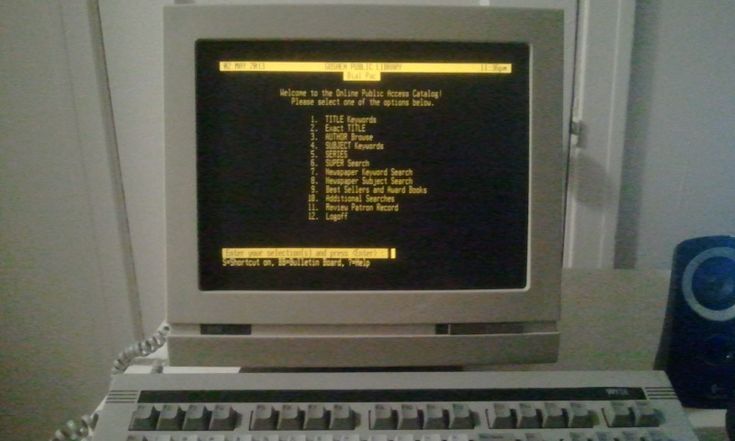
Remember when we programmed with punch cards, and dBASE was just a dot prompt? If you wanted a menu, you built it in ASCII and hoped it looked halfway decent.
Today, we have come so far, and somehow, we are still never completely content.
I posted something today about the Kanban setup, and Kevin shed some light on it. I had to stop and say to myself, "Holy smokes... he's right."
The Access team is doing great work, and sometimes we need to stop, take a breath, and simply say thank you. With every advancement comes more demand, more ideas, and more "can it also do this?" moments.
Access really is the best thing since apple pie and baseball.
Thomas Gonder
@Reply 5 months ago
Juan Agreed. Now if they would get instancing to work reliably, then I wouldn't have to create a db spawner for multiple use of the same form. That and shadow backups along with WIFI. And maybe add all the Access SQL/function features into SQL Server (oh, but that's not the Access guys, it would be Microsoft itself integrating their different product to work together).
Thomas Gonder
@Reply 5 months ago
Thomas Gonder
@Reply 5 months ago
Alex Publisher - It's still, for now anyways, on my to-use-list when needed. I'm not looking forward to losing years of work in it. "Use Word they say, or PowerPoint. They can do whatever you want." Which means Microsoft itself, or its writers, have no clue to what their products do.
Thomas > And maybe add all the Access SQL/function features into SQL Server
Which functions are you after?
Thomas Gonder
@Reply 5 months ago
Alex I'm not really sure since I haven't tried porting to SQL server, yet, but I do ask when I'm creating some pretty big SQL with ChatGPT if it would run on SQL Server and almost always it says no those features aren't supported on SQL Server. One that comes to mind is the IIF function in an expression. But here, let's get ChatGPT to answer:
https://chatgpt.com/share/69ff2823-9b88-83e9-9f49-5d50835ac09d
The final answer in the chat:
For your own programs, this means you usually cannot write one SQL string that works perfectly in both Access and SQL Server. You would normally need either:
one Access version, and
one SQL Server version,
especially anywhere you use dates, null handling, conditional logic, string concatenation, or wildcards.
All of which I use frequently. Nor do I want to straddle two development platforms.
If you are a Visitor, go ahead and post your reply as a
new comment, and we'll move it here for you
once it's approved. Be sure to use the same name and email address.
This thread is now CLOSED. If you wish to comment, start a NEW discussion in
Captain's Log.