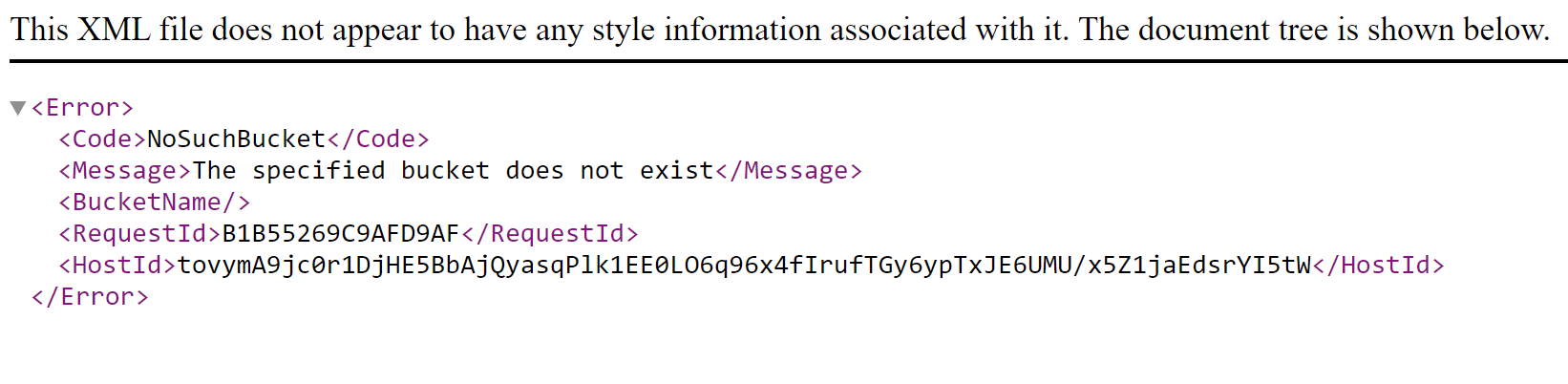
I'm going to download the sample database files for the images seminar and I get an errory message. I have office 365 I get an error message when i click on the link.
Remember, the Internet isn't perfect. In the future, if you try to visit a page or download a file and you get an error message, wait 5 minutes and try again. It could have been a glitch. Web servers go down all the time. I was frustrated by Microsoft's site the other day because I was trying to download something and it was erroring out. Waited a few minutes and it worked.
Joseph MessinaOP
@Reply 5 years ago
Ok thsnk you for letting me know. I use google chrome gor my browser and for office. I hzve 64 bit.
Joseph MessinaOP
@Reply 5 years ago
I got the download to come up like you said wait 5 minutes an dgot the dlownload popup and I clicked the link to open and got a error message saying only 32 bit, please see screenshot
Yep. The SAMPLE databases for people who have NOT purchased the seminar are 32-bit. That seminar is OLD. The FULL database for people who HAVE purchased the seminar (that's you) should work just fine under 64-bit. You may need that PtrSafe command I gave you above. See the Student Databases page.
The fact that the line is in red means you have a syntax error. I can see your quotes are wrong. I'll make it a learning experience for you. Figure out which quote shouldn't be there. :)
Joseph MessinaOP
@Reply 5 years ago
Ok Thank you for letting me know.
Joseph MessinaOP
@Reply 5 years ago
I know i'm still learning and on expert level. I'm watching the open programs lesson and watching the code you are doing to open the programs. I been playing around with the quotes and trying to figure it out what ones that shouldn't be in the code on the adobe. All the other files I have for word excel and etc open with no problem I have those right. I just opened up a file in excel and worked. I want to be able to this for my SCAT database. I just wan to have it right so when i put in the code the programs will open. It just the adobe line i need help with. Can you p[lease just help me with this one. I promise i will learn with more with the rest of the lessons. I'm doing what you saying to figure it out what qoutes that shouldn't be there. Just bothering me that I'm trying to figure out the quotes that shouldn't be there and not working. I know i learned not to have actual attachments in the database it seldf that why i'm doing this video to have the table and the form.
I took one quote off front of the line and still getting same message. I understand you are very busy. is there someone i can that can look at my database for me? really bothering me that not working.
Joseph MessinaOP
@Reply 5 years ago
I use Adobe Pro DC.
Joseph MessinaOP
@Reply 5 years ago
I meant to write my comment I copied the file location for adobe acrobat. and put the rest of the line in the code qwith the quotes. Here is the file location for the aboe acrobat.
Good boy. Here's a hint: you can do a search in the VBA window with CTRL-F (find) and if you select "Current Project" it will look for code in your entire database.
Joseph MessinaOP
@Reply 5 years ago
ok Thank you for letting me know that. I have awsome news. I did have to do that code. I figured it out. I fixed the quotes. Now when I look a contact in my database and double click on a pdf file of theirs it bow opens the file. I'm learning.
Joseph MessinaOP
@Reply 5 years ago
Now i can do the code in my SCAT database and take out the attachment field and replace it with the table and form and do the code. You are definitely an awsome instructor!
Sweet! So glad to hear that. And see... isn't it a lot more rewarding since you figured most of it out on your own? I just gave you a little nudge. You'll learn so much better that way. It's much better for YOU than me just telling you the answer.
Joseph MessinaOP
@Reply 5 years ago
I truly understand. You are right!. I believe you. Yes, it is a lot more more rewarding since I figured out most of it on my own.
Joseph MessinaOP
@Reply 5 years ago
hi Richard:
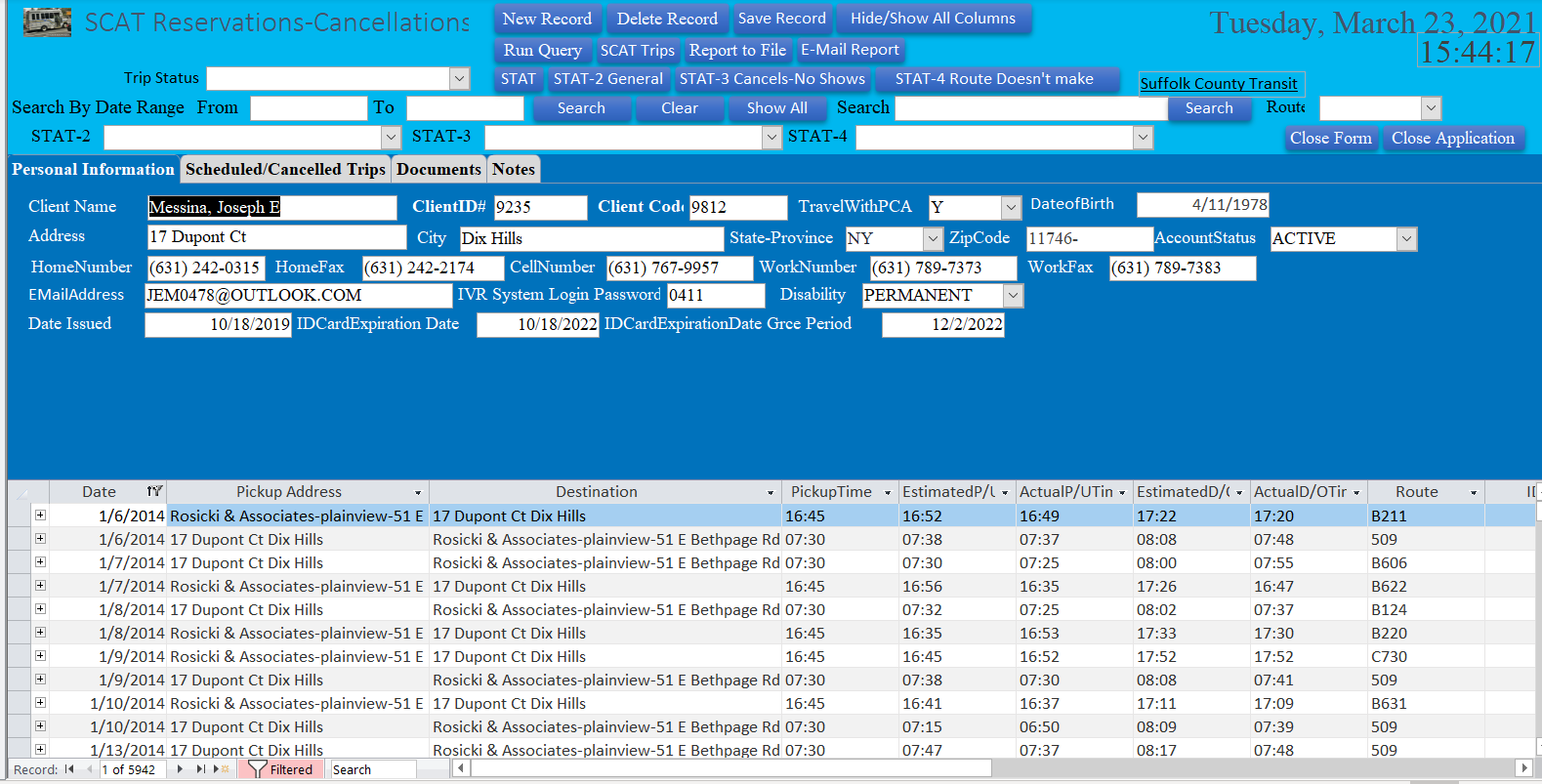
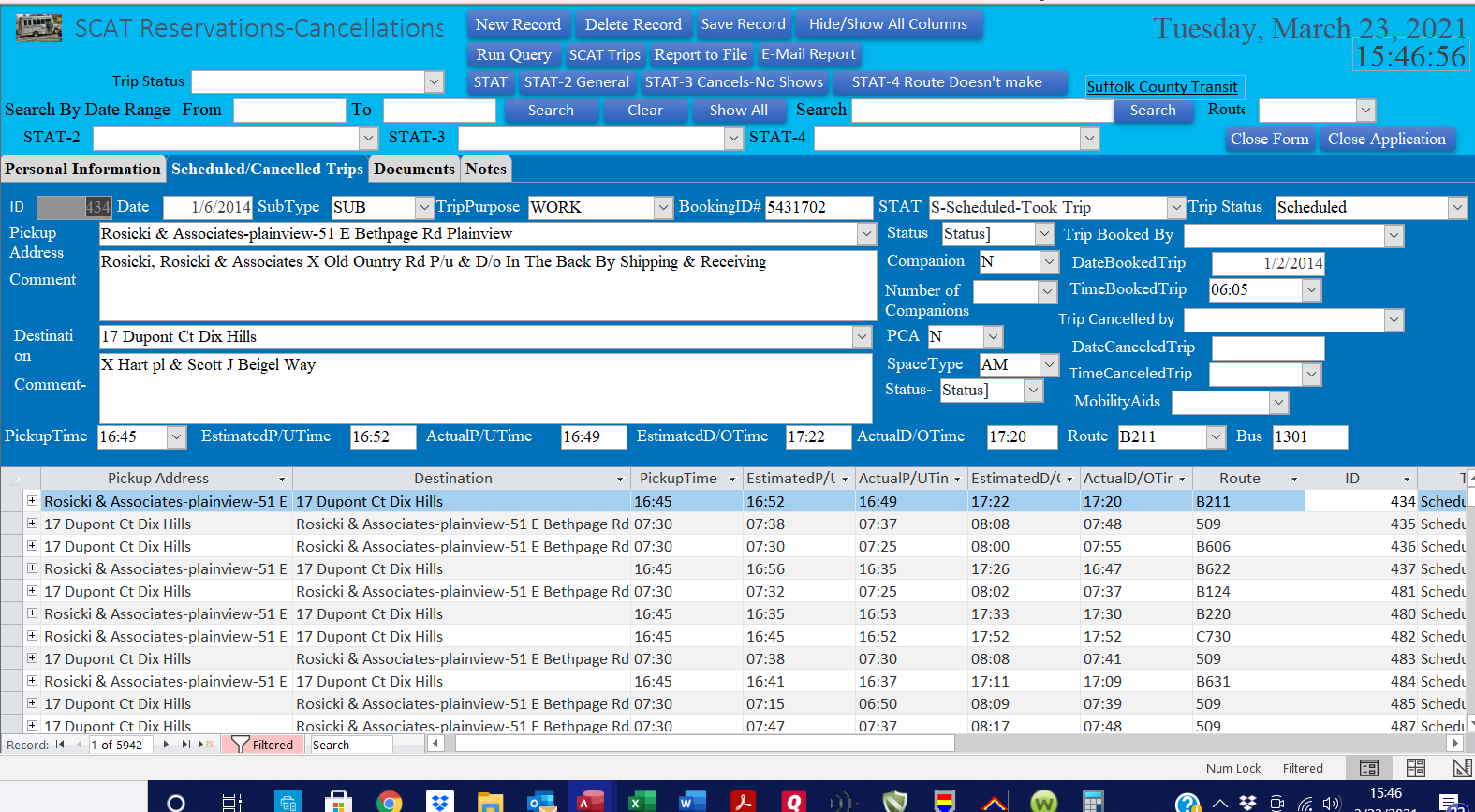
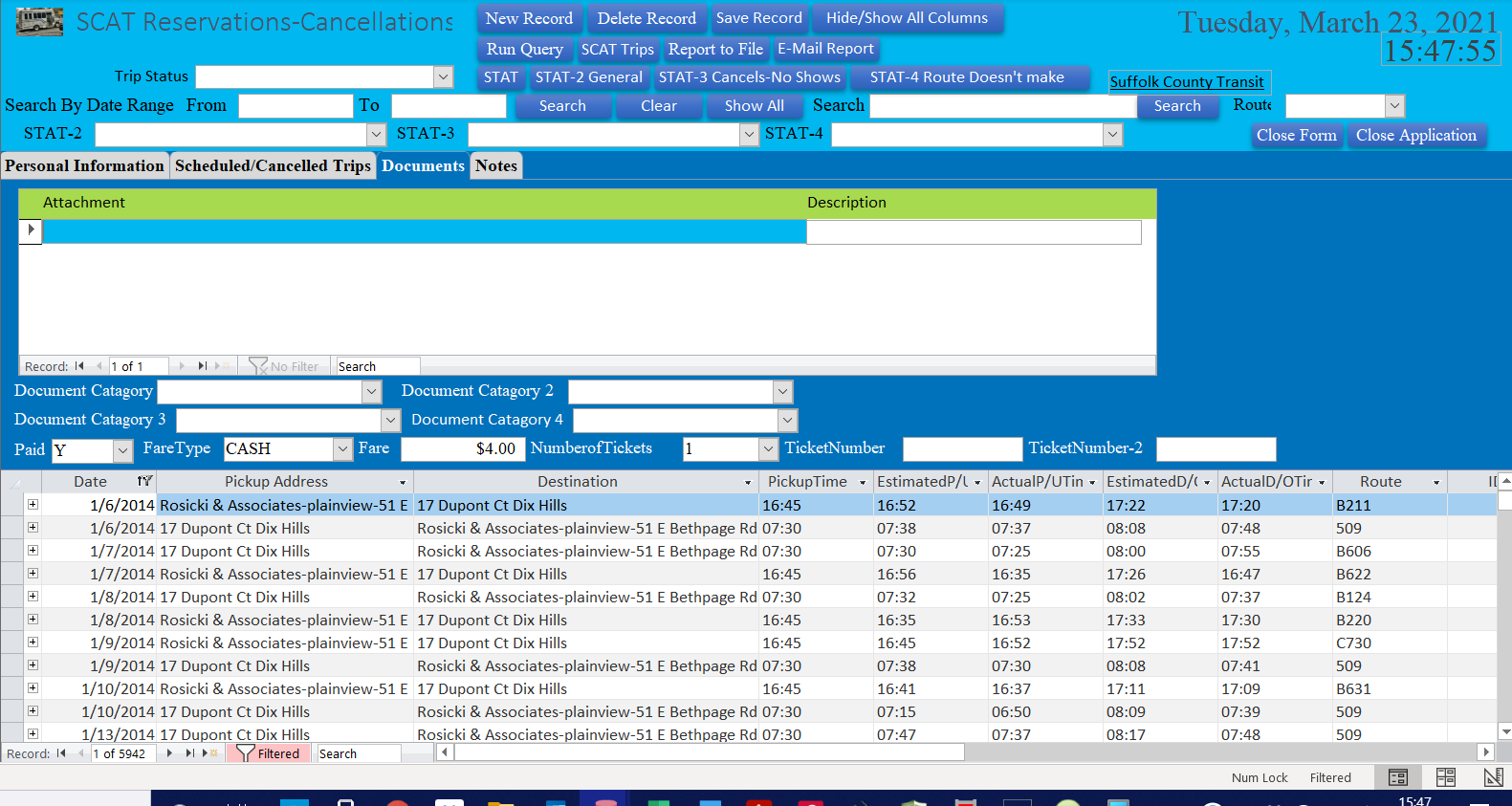
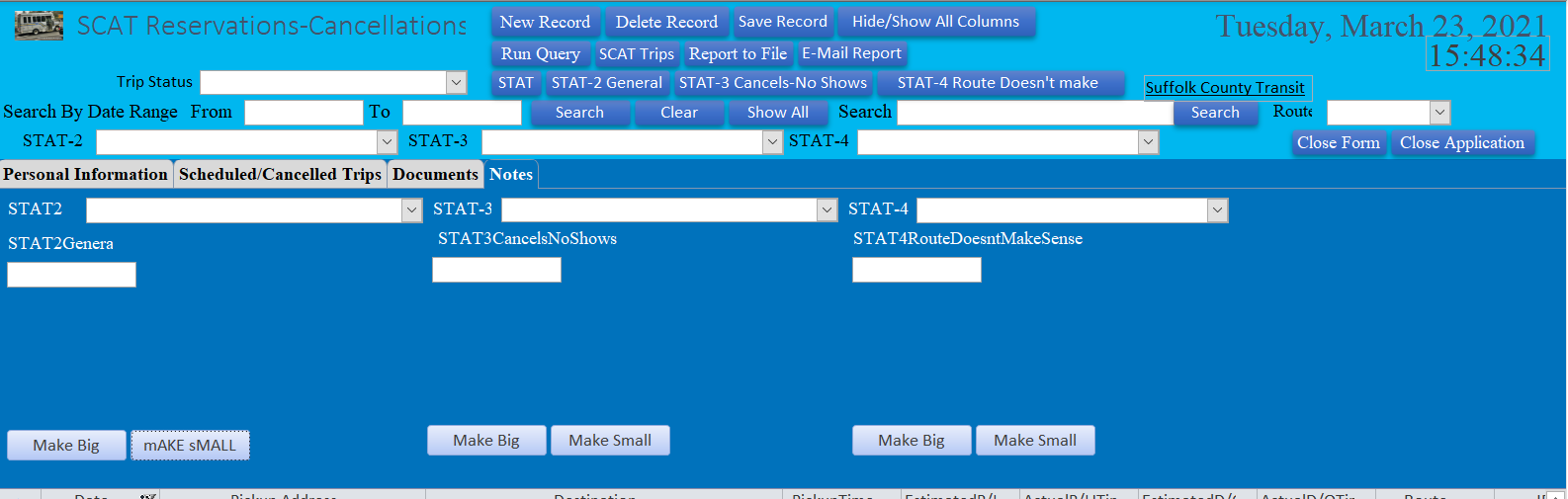
I want to send you screen shots of my SCAT database. I have 4 tabs in the database have tab control on it. I saved screen shots of the tabs so I can show you what my database looks like and want to also show you on the document tab what I did. I know i can upload screen shots on here. But, i have 4 screen shots want to show you. Do I have to send them individually or what can I do so I can swend them to you?
You can post them here if you like. Yes, sorry, you have to upload them one at a time. I wrote this image upload routine myself so it's not as sophisticated as a site like Crapbook. :)
Joseph MessinaOP
@Reply 5 years ago
Ok than you fo letting me know. I'm going to send them now. Let me know what you think about the database.
I want to thank you so very much for the amazing videos and lessons. I'm so glad that yiou did lesson and video on not storing attachments in a database in access and creating a tyable with the files and creating a form. I did it with my contact database and my SCAT database. I have question for you. Is there way I can upload the file into the form so i don't have to keep on copying and pasting the file location and what ever file I'm putting into a record? I'm not sure if you covered that in the open programs lesson. I don't remeber if I saw that.
Joseph MessinaOP
@Reply 5 years ago
Hi Richard:
I cannot thank you enough for the amazing lessons and techhelp videos. I did the lesson with creating a table and form to have files in my database and removed the attachment field and that i can double click on the file to open it in the program I have the file in. I understand if you been very busy. I want to know if you covered in the open programs in Access in any of the lessons to click on a button to browse and pick file to put in the dstabase like what you have with the images. I want to be able to do this with files and documents so I don't have keep keep on adding the file into the subform in my contact form. Can you please let me know. I'm definitetly learning with your amazing lessons and techhelp videos. So proud of myself that I was able to figure out the problem with the pdf and had to put the quotes in the write plsces for it to work.
Joseph MessinaOP
@Reply 5 years ago
Hi Richard:
I meant to tell you I did the table and form to hav files and documents in my database. I did it with my SCAT database and removed the attachment filed. I like this way much better instead of the attachments. Especially makes thwe database slow and I don't want any problems.
Did you watch all lessons of the Seninar?
Isn't there a lesson that runs through the OpenCD function that uses the picker?
It's been a while since I've seen it.
I have to go back and see. Maybe did watched it and just don't remember if i saw it. I will check.
Joseph MessinaOP
@Reply 5 years ago
Hi Alex:
I'm so proud of myself. I have a pprofile picture in my contact database and took the code from that button and when i did right click on the button did the code instead of saying Profgilepicture = PickFile()
I did
Attachment = PickFile()
Joseph MessinaOP
@Reply 5 years ago
Hi Richard:
I'm so proud of myself. I have a pprofile picture in my contact database and took the code from that button and when i did right click on the button did the code instead of saying Profgilepicture = PickFile()
I did
Attachment = PickFile()
So When I want to pick a file and upload it into my contact datasbase or my SCAT database. I don't have copy the path into the form everytime just have to click the button to put it into the form and just double click on the file when i want to open it.
If you are a Visitor, go ahead and post your reply as a
new comment, and we'll move it here for you
once it's approved. Be sure to use the same name and email address.
This thread is now CLOSED. If you wish to comment, start a NEW discussion in
Access Imaging Seminar.