My Word 2007 does not create an entire line by typing a few dashes like you illustrate. What setting do I need to change?
Kevin Yip
@Reply 2 years ago
It's well-hidden. Go to Word Options -> Proofing -> Autocorrect Options -> click the "Autocorrect Options" button -> Autoformat As You Type -> check the box for "Border lines".
I could have sworn that was a feature in Word well before 2007. Let's ask GPT...
The feature where Microsoft Word automatically converts a string of hyphens into a horizontal line has been around for quite some time. It was introduced in Word 6.0 for Windows, which was released in 1993. This autocorrect feature is part of Word's AutoFormat, and it automatically converts certain keystrokes, like a series of hyphens, into a formatted element like a horizontal line.
I knew I wasn't crazy. :)
Kevin Yip
@Reply 2 years ago
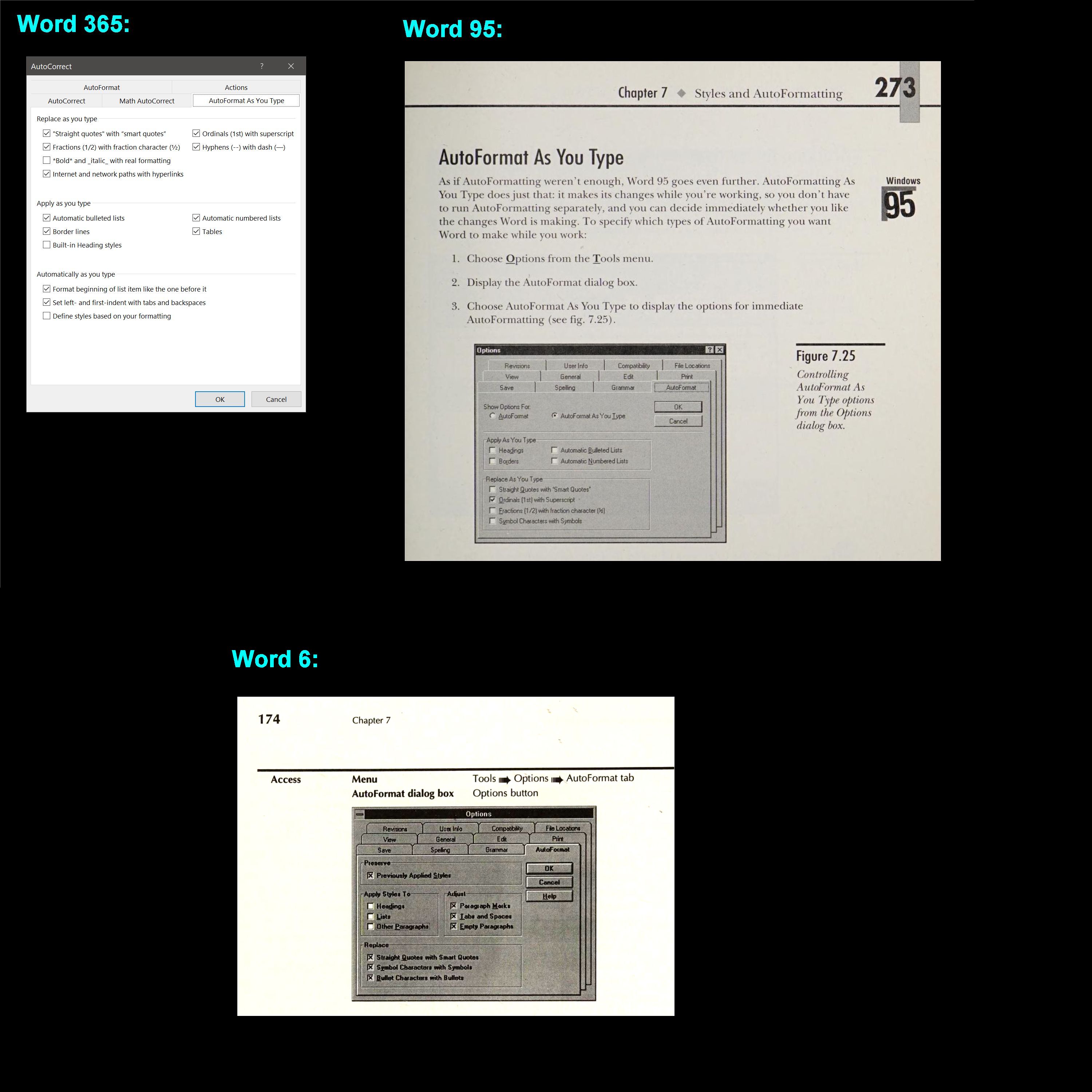
It was one version later, in Word 95. Making a border by typing a few hyphens is a specific feature called "AutoFormat As You Type." Both Word 365 and 95 have it in the options box as the picture below shows. Note the "Borders" checkbox under "Apply as you type" that appears in both Word 365 and 95, but not 6.0.
I got the older pictures by digging up old manuals of Word 6 and 95. I went to the trouble because I wanted to prove ChatGPT wrong, once again. As you may have noticed from my past comments, I'm not a big fan of ChatGPT. It may be helpful if factual accuracy is irrelevant to what you ask it to do (such as making artworks). But if you want something that you can count on to be right, then God help you if ChatGPT's result is all you have.
Yeah, that's what I get for not verifying information. I knew it was earlier than 2007, but I wasn't sure exactly which version. This is something that I'm okay asking GPT with; this is really just trivial. I always verify important information like coding stuff, or if I happen to get into a political debate on Facebook with my friends, LOL. But I busted GPT's balls about it and here's what it said...
It looks like I initially provided incorrect information regarding the version when the "AutoFormat As You Type" feature was added in Microsoft Word. This feature, which includes converting a string of dashes into a horizontal line (border), was actually introduced in Word 95, not Word 6.0 (1993). The feature is specifically tied to the "AutoFormat As You Type" settings under the "Border lines" option.
In Word 95 and later versions, you can enable this setting by navigating to Word Options > Proofing > AutoCorrect Options > AutoFormat As You Type and checking the box for "Border lines".
GPT is great for ideas like having it brainstorm for names, titles, or things like that. Sometimes I'll give it one of my video outlines and say, "can you think of anything that I'm missing?" and once in a while, I'll come up with something interesting.
But yeah, you've got to check the results it gives you if it's anything about factual accuracy. It's also good for tasks that you know how to do, but it's just repetitive or boring, like formatting a list, or even writing a block of code that you know how to write - you just don't feel like sitting there coding it all by hand.
Kevin Yip
@Reply 2 years ago
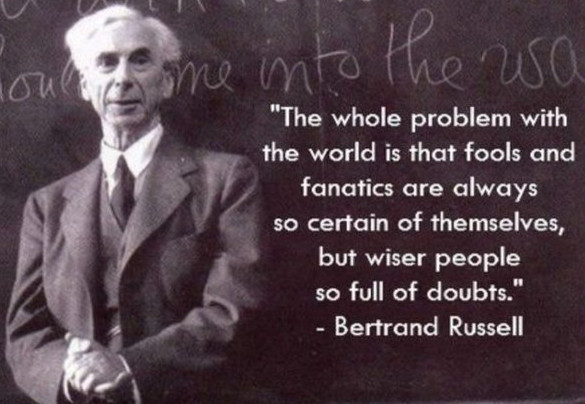
The disconcerting thing is that ChatGPT always sounds so sure in its answers. If a human is unsure, he will sound unsure ("Um... I think... I believe... My guess is... "), but not ChatGPT. Never has it sounded unsure about anything it says. It always passes its answers off as truth -- what it thinks is truth. This is another aspect why human intelligence is still a cut above artificial intelligence. If someone is unsure, and is of good enough character to admit it, his doubt and uncertainty are actually useful information to you in your search for answers. His doubt and uncertainty will actually lead you closer to the truth, as opposed to someone who lies about knowing the truth and continues to waste your time.
If you are a Visitor, go ahead and post your reply as a
new comment, and we'll move it here for you
once it's approved. Be sure to use the same name and email address.
This thread is now CLOSED. If you wish to comment, start a NEW discussion in
Word Beginner 5.