Posting Rules
By Richard Rost

 3 years ago Updated 2023-04-01
If you need help, here are the rules for posting questions in the Forums. Please read them. I try to run a quality web site, so anyone who violates the rules will lose posting privileges.
Update: This list goes equally well for people posting questions in the comments section of my YouTube channel. I get a ton of people posting "it's not working" with no details. See Rule #2.
In a Nutshell
- Be kind and courteous, always
- Technical support is not guaranteed
- Check first to see if your question has been answered
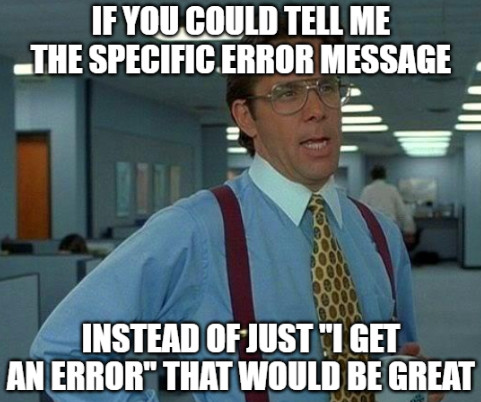
- Post specific error messages, not just "it don't work."
- Links to other sites (including shared files) are not allowed
- No videos or video links. Explain your problem with text and screenshots.
- Problems? Try the Troubleshooter
- Don't take advantage of someone helping you
- Try a Google search
- This is a support forum for my videos
- Moderators are volunteers, not paid employees. Be nice!
- Use a meaningful subject
- Don't post tons of source code
- Keep it brief
- No cross- or double-posting
- Before asking if you can do something try it yourself
- No soliciting
- No religion, politics, off-topic conversations
- If you have a bug, is it in the stock database from my site?
- English only, please
- NO SHOUTING!
- Do not post your contact info (phone, email)
- This is a safe space for learning. Do not talk down to people.
- Live long, and prosper
 The Details
Here are the specific details for each of the above items. Please read them. By posting anywhere on my website, you agree to follow all of these rules.
Rule #0: Yes, this is a rule before the rules because it is the most important rule to remember: the folks who answer your questions here are volunteers. They have graciously offered to donate their time to help you and answer your questions. They don't get paid. Be nice to them. Be kind, patient, and civil or you will lose your posting privileges. As a reminder, your purchase of a membership or my courses does not guarantee one-on-one technical support. This is spelled out very clearly in my Terms of Sale. The Forums are here as a courtesy, not something you paid for. We want to help you. We really do. But don't have an attitude with us because you're frustrated.
- Rule #0.1: As a subset of Rule #0, I expect all users to be kind and courteous to each other as well. This is a place where people come to learn, not be criticized or belittled. Any such comments will be deleted, and the commenters may lose their posting privileges.
Rule #1: Before posting your question, check to see if it's already been answered. You can use the Search feature to look for keywords. Save the moderators some time having to only point you to another post where your question has already been answered.
Rule #2: Make sure you post exactly what you're doing, what the specific error message is, what you've tried, and any other details we might need to help you. Don't just say, "I get an error." Tell us what the error is and what you're doing. We're not mind readers, we can't see your screen, and we don't know exactly what you've done. I wish. Also, be sure to read this article on Context. It matters! And if you're following along with one of my videos, tell me exactly which video and at what time index the issue occurs. This will help tremendously. Some of my videos were recorded over 20 years ago. I can't remember them all.
Rule #3: Links to files or images on other sites are NOT allowed. Don't try posting a link to your database on Dropbox or any other web site. If you have someone specifically offering to help you, you can email them your database. You can upload screen shots here using the Upload Images link provided on comments. Post your question, then you can upload a screen shot.
Rule #4: Before you ask for help in the Access Forum with a weird problem, meaning Access isn't behaving normally, then make sure you run down the Access Troubleshooter which covers solutions to many common problems. If you have a weird problem and you don't say "yes, I ran down the Troubleshooter" then we're just going to point you there.
Rule #5: I encourage students to help each other out. I love seeing that. However, don't take advantage of someone else's good will and ask to send them your database or call you for free tech support. I didn't work on projects for free, and I don't expect my Admins, Moderators, students or Access Veterans to either. If you're looking to have someone else fix your database, you can post a request for service in the Developer Network. Likewise, if you're not already working with someone for paid support, don't just email your unsolicited files to them. Post screen shots in the Forum, sure, but I don't accept email attachments, and I don't expect them to without compensation.
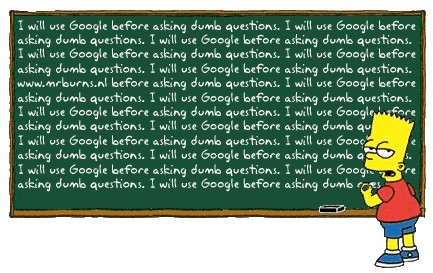 Rule #6: You may also want to try a quick Google search too. While I'd love to keep you here on my site, there are millions of other helpful articles on the rest of the InterWebz you can search through too. Sure, we'll do our best to help you, but if you need an answer now, try using the Google machine (or Bing if you prefer).
Rule #7: If you're posting a new conversation (thread, question, etc.) then please try to use a meaningful subject line. Don't just use "Access," "Help," or "Question." We should know what it's about just by looking at it. "Help with Input Masks," or "Print Mailing Labels." Something. It's like when I ask people on my post-order survey where they found out about me, and I'm looking for something specific like "Your YouTube channel" or "Google Search for Access Lessons" and they type in "Internet." Really?
Rule #8: Don't post a whole ton of your source code asking for us to troubleshoot it. A few lines are OK, but anything more than, say, 10 lines is too much. That's not what we're here for. If you want someone to troubleshoot your code, paid help may be available in the Developer Network. Remember, you pay for my videos. Technical Support is not included. We volunteer our time to help out here in the Forums answering specific questions, and we don't mind reading through a little bit of your code, but don't go crazy.
Rule #9: Keep it brief, please. Ask your question as succinctly as possible. I'll be completely honest with you, if I see a post that's going to take me 5 minutes to read, I'm likely just to skip it and maybe come back to it later. Maybe. Time is precious folks. Sure, give me enough information so that I can answer your question, but I don't want to have to read War & Peace to be able to finish your question. If your question makes sense without Detail A, then leave it out.
Rule #10: No cross-posting, please. Do not post the same thing in multiple Forums. This isn't Facebook or Twitter. You're not reaching a different group of people. The admins and moderators here read all of the new posts in all of the Forums. It's just extra work for us having to delete your duplicate posts. Don't do it.
Rule #11: Before posting a question here, ask yourself, "is this something I could figure out on my own?" If the answer to your question is "yes," then Try It Yourself. See that link for details. Experiment with your database. Try figuring it out on your own first. You'll feel better about yourself and save everyone some time if you just try it yourself first.
Rule #12: On the flip-side of the coin from Rule #5, if you are a developer seeking to help others, please keep all solicitations or self promotion in the DevNet Forum as well. Please don't go posting your email address or number in other forums in an attempt to solicit paid work. You're welcome to tell the student, "if you are looking to hire someone to help you, please post in the Developer Network forum." I don't want to turn all of my forums into classified ad postings. Remember, as it says on the Rules Page for the DevNet, "I'm only allowing my Developer students who have completed my classes to offer assistance on projects here." So unless you're a developer who has been personally invited by me, unless you have completed my Developer series of classes, please don't attempt to solicit paid work.
Rule #13: I shouldn't have to even list this, but this is a technology-based website. Please leave all discussions of controversial topics including religion and politics to other sites. Thank you. Well... unless, of course, you want to get into the political ramifications of the Romulans entering the Dominion War... then we can chat... Exception: I sometimes allow discussion of these topics in my Captain's Log as long as you're respectful.
Rule #14: If this is a database you downloaded from my website, Does this behavior happen in the stock database you downloaded from my website? If you've made any changes to the database then the error could have crept in at any time. Test the original database right after downloading it and if this problem occurs it may be a bug and I'll be happy to fix it. But if you've made changes then I don't know what you've done and I won't be able to tell what the problem is without knowing what you've done. Many of my databases are several years old and have been downloaded hundreds of times. If there was a bug, chances are someone else would have reported it by now. So unless you're dealing with something that was just released, check the stock database. If you've tinkered with it... well...
Rule #15: I only speak English and this is an English-only site so please make all posts and comments in English only. If you don't speak English feel free to use Google Translate and post the translated English. Don't make us do the translating.
Rule #16: My moderators are here to assist my students and to support me by answering questions pertaining to my videos. They are volunteers, not paid employees, and I deeply appreciate their contributions. While some may provide more detailed answers than others, I've instructed them from day one to direct people to my existing videos or lessons if those resources already address the question at hand. You don't have to re-invent the wheel. Many of the same questions get asked over and over again, and I have videos to answer most of them. We're not here to hold your hand while you build your database project; rather, the focus of my forums is to help people understand my videos and answer questions related to those videos. I value each and every one of my moderators for the invaluable service they provide to both me and my students.
Rule #17: This isn't Stack Overflow or Experts Exchange; it's a support forum specifically for my videos. If a user has a question that isn't covered in one of my existing resources, they're welcome to submit it, and if the question piques my interest, I may create a video addressing it. If you're solely seeking technical support for your database, there are plenty of other websites you can visit. That being said, I don't have any problem helping people with their projects. If you've got a database you're working on and want to post questions about it in the forums, that's perfectly fine. I love helping people with their projects when I have time. Just don't get upset if you don't receive any help.
Rule #18: NO SHOUTING! POSTS IN ALL CAPS WILL BE SCORNED... THEN DELETED.
Rule #19: Refrain from posting overly vague questions. While you shouldn't post a ton of information because no one wants to read a novel (see Rule #9 above), you need to give us enough information so that we have a chance of answering your question. Don't post something like "I built my database and it's not working. What could be the problem?" I have no idea. That's nowhere near enough information for me to tell you. Could be a million things. These Forums are for specific questions to specific problems. We're not going to walk you through building/fixing your database step-by-step. That's what my lessons are for. If you want a consultant to work with you one-on-one, then post in the DevNet Forum.
Rule #20: This is a public forum. If you post on my website, your name will be visible to the rest of the world. Yes, I require real names. It gives people accountability and prevents rude "keyboard warriors" which I don't want on my site. If you have extenuating circumstances, for example you're in witness protection, and don't want your real name published, contact me before you post and maybe I'll make an exception. Don't complain after the fact.
Rule #21: Please do not post your contact information such as your phone number or email address. I expect all communication between members and students to happen on the website. The only exceptions are the Access Developer Network (if you're looking to hire or be hired as a developer) and the Template Marketplace (if you're listing a template for sale).
Rule #22: This is a safe space for learning. Do not talk down to people. At Computer Learning Zone, we believe learning is a journey, and everyone is at a different stage. Our forums are a safe space for questions and respectful discussions, welcoming everyone from beginners to advanced developers. No question is too basic or advanced. Every expert started as a beginner, and asking questions is how we grow. Respect is key. Share your knowledge to uplift and educate, not to condescend. Unkind behavior or talking down to others will not be tolerated. Let us work together to create a positive, collaborative environment where everyone feels comfortable participating and learning.
Rule #23: Please do not post links to videos explaining your problem, whether they're on YouTube or anywhere else. I know you're trying to be helpful by recording your screen and walking us through what's happening, and I appreciate the effort, but videos are simply not an efficient way to ask for help in a support forum. Think about it this way: I can glance at three or four screenshots in a matter of seconds and usually get a pretty good idea of what's going on. Even a short, well-made video can take several minutes to watch, and that's time that I (and our volunteer moderators) could spend answering several other questions. Multiply that by dozens of people asking for help, and you can see why this becomes a problem. I personally don't watch videos that people post to demonstrate their problems, and I don't expect my moderators or other members to do so either. Instead, please explain your problem clearly in writing, include any relevant error messages, and upload a few screenshots directly to the forum. This makes it much easier for everyone to understand your question and help you quickly. Remember, external links are already prohibited under Rule #3, and that includes YouTube videos. No matter how short or efficient you think your video is, please don't post it here. A clear explanation and a couple of screenshots are almost always better. Thanks for understanding and for respecting everyone's time!
 Subscribe to Posting Rules
Get notifications when this page is updated
More InformationTranscript How many times have you heard this one? Somebody calls for computer help, and the entire description of the problem is, "It doesn't work." That's it, three words. Well, I've been teaching and working with computers for over 30 years, and I can tell you, those three words can lead to a very long afternoon.
Welcome to another Captain's Log brought to you by Computer Learning Zone. I'm your instructor, Richard Rost.
Today I want to talk about how to ask for technical help, whether you're dealing with Microsoft Access, Excel, a printer, your computer, or even an AI assistant. And this isn't about making fun of beginners. It's about giving people a better way to describe a problem so somebody else actually has a chance to help.
Years ago, back when I was doing hardware installations and consulting, we set up a bunch of new computers for a customer. Later, I got a call about the machine at the front desk. It didn't work.
I asked what that meant, and eventually we narrowed it down. When they pressed the power button, the computer didn't turn on. Okay, that's something I can work with. A computer that won't power on is a different problem from one that powers on but won't load Windows, or one that loads Windows but won't run a particular program.
So I started walking through the basics over the phone. Is the computer plugged in? Yes, try unplugging it and plugging it back in. We went through the usual checks. I even remember asking whether anything else nearby had power because I wanted to rule out a dead outlet or a problem with the circuit. There was a desk lamp working.
Okay, from what I was hearing, the computer had power available but still wouldn't turn on. Except there was one little detail neither of us had accounted for. The computer was plugged in. It was plugged into a power strip. Someone had accidentally kicked the switch with their foot and turned the power strip off. So the lamp really did work because the lamp was plugged directly into the outlet.
Once we figured this out, well, now it doesn't work. We have a reason why it didn't work.
Here's something I always try to remember. People don't know what they don't know.
Back when I trained a telephone support team for a children's software title, we got calls about disks that the computer wouldn't read. Now, this was in an era when CD-ROMs were becoming popular and kids were handling them, leaving their grubby little fingerprints everywhere. We had a standard fix for dirty CDs, but one call taught us that even when the technician thinks the instructions are perfectly clear, the customer may understand something completely different.
One of our technicians took a call about a disk read error. Because dirty CDs were so common, the technician assumed that's what the customer had. The advice was to clean the disk carefully using water and gentle handling, dry it before putting it back into the computer.
The customer followed the instructions and came back with a question that the technician wasn't expecting. How do I get all of the water out of it?
It turned out the customer had washed a floppy disk, not a CD, a floppy disk. Now that's funny in hindsight, but think about what happened. The customer followed the instructions they were given. The technician never confirmed what kind of disk they were talking about. One person said, "disk," and meant CD-ROM. The other heard, "disk," and thought floppy. Same word, very different object.
So the lesson goes both ways. If you're asking for help, be as specific as you can, and if you're giving help, never assume the other person knows your terminology. And yes, this was back in the 90s when a lot of software titles were switching over from floppy disk to CD, so it was a common mistake.
Now, before you send somebody a question, try the simple stuff. Close the application and reopen it. If it's acting strangely, do an actual Windows restart. That's different from just closing the laptop lid and waking it back up. Check the obvious things. Power, cables, network connection, whatever fits the problem.
If there's a specific error message, search for that exact wording. I've seen plenty of weird behaviors disappear after a restart. Now, I'm not saying you should reboot a production server without knowing what you're doing, but for your ordinary desktop computer, it's a sensible first step.
Now, in my case, I deal mostly with Microsoft Access, so people write to me and say something like, "My CKT431 isn't printing correctly." Okay, what's a CKT431? Is that a report, a product code, a form? I have no idea. I know databases, but I don't know your database.
You've spent months learning or building your system, so all those names make perfect sense to you. But to a stranger on the internet, they mean absolutely nothing. That missing background is often why the first response you get is another question.
And there's another layer to that. I might know Access, but I don't know your business. When I used to build databases for companies, I didn't walk in, open Access, and just start throwing tables together. I spent time learning how the business worked. I watched employees do their jobs. I looked at the old software and the spreadsheets they were using.
You can't build a useful system until you understand what the people actually do. So when you ask for help online, translate your special business terms into something familiar. Tell me it's a customer or an order or a product or a schedule. Then explain what your particular term means. Give me a bridge into your world.
A lot of people start by telling me the complicated way they're trying to solve something. They got a form, a subform, three combo boxes, some VBA they found online. Maybe ChatGPT suggested something. They saw someone else's tutorial.
But after 10 minutes of untangling the method, I find out that all they wanted was a simple calculated field. So tell me what you want to accomplish, not just the technique you've already chosen. What should the user be able to do when this is finished? Once I understand the destination, I might be able to suggest a much shorter road to get you there.
So here's the heart of a useful question. What did you expect to happen, and what actually happened?
"It doesn't work" could mean the button does nothing, or the program freezes, or it crashes, or it produces a report with the wrong numbers. Those are completely different situations.
And be careful about jumping straight to a diagnosis. "My database is corrupted" is a conclusion. "When I open this form, Access displays this message" is an observation. Give me the observation first. We can work together on what that means.
One of my favorite ways to put it is, "Show, don't tell." I know this isn't about Rush troubleshooting a database, although I would totally watch that video. If you can show me what you're seeing, it often helps more than a paragraph trying to describe it.
A screenshot of the form, the report, or the exact point where things go wrong can answer questions I didn't even know to ask. Show me the useful part, though. Don't send a tiny screenshot of three monitors where I can barely see the error box. Crop it so the important details are readable, while keeping enough surrounding context to know what I'm looking at.
And when it comes to source code or an error message, copy and paste the exact text if you can. I can search text. I can read and test a short code snippet, but I don't want to retype 50 lines of VBA from a blurry picture. Screenshots for what the screen looks like, text for code and exact error messages. Use whichever communicates the information best.
Next, walk me through the steps. What did you open? What did you click? What did you type? What happened immediately afterward? Does it happen every single time, or only once in a while?
If you can give me a short sequence that reproduces the problem, that's gold. "I open the customer form. I select the customer, click Print, and the report opens blank." That's something I can begin to investigate. But if you say, "The print thing is broken," well, that doesn't do me any good.
You don't need to understand the cause, but you do need to describe the path that gets you to the symptom.
Another question I always ask is, "Did it ever work?" If it worked yesterday and doesn't work today, well, what changed in between? Did Windows update? Did someone install some new software? Did you rename a field? Did you change a printer? Did you move a file?
Of course, the last thing you changed isn't automatically the cause, but that could be a clue. It gives us a starting point. If the same problem happens on another computer, that tells us something too. Troubleshooting is often a process of narrowing down possibilities, not throwing random fixes at the wall.
Then there's one of my favorites. "I tried everything." Everything? Really? Every possible combination of every possible setting? Of course not. It usually means, "I tried a bunch of things, and I'm frustrated," and I understand that. But I need to know what those things were.
Tell me you restarted Access, tried a different computer, tested an older backup, or searched for a particular error, and tell me what happened after each test. A failed attempt isn't wasted effort if it rules something out. It's useful evidence.
And when you're testing, change one thing at a time whenever you can. If you change five settings and the problem disappears, which one fixed it? You don't know. Keep a quick note of what you changed and what you observed.
And if you're dealing with an important database, always make a backup first. Test potentially risky changes on a copy, not on the only copy of your business data. You're trying to learn what's wrong, not create another problem while you investigate the first one.
And here's one from my students. If you're following one of my videos, tell me which one. Don't say, "Your video on the navigation thing isn't working." Okay, I've got videos about Navigation Pane and Navigation Form, and those are different subjects. Give me the title, preferably the exact URL, and the timestamp where you got stuck.
Some of these lessons are 10 or 15 years old, and I don't remember every sentence of every video I've ever recorded. But if you point me to the right spot, I can review what I showed in the video. And that will help me better understand how to help you with it.
And if you're building along with one of my courses, there's a very important test. Does the problem happen in the original sample database or only in your modified copy? You might be on level five, but the mistake that finally shows up today could have crept in back in level three.
Download the sample that goes with the current lesson and try the same steps there. If it works in the original and fails in yours, well, we've narrowed down the search. Now, that doesn't tell us exactly what changed, but it tells us where to start looking.
And the same idea applies to any project where you can compare your changes against a known starting version.
And here's a little pet peeve of mine. Don't open a forum post with, "Can I ask a question?" Well, you just did ask the question. And give it a meaningful subject line. "Help" or "Access problem" doesn't tell anybody anything. And I usually just scroll right on by those.
A subject like, "A report opens blank after I select the customer," that's much better. People browsing the forum can immediately see whether they know something about that issue. And the next person searching for the same problem might find your post and get helped. A good title is part of a good question.
I also don't need your entire company history before I can understand why a button isn't working. If you want to include extra background, fine, put it below the actual question. Start with the important stuff first. Don't paste thousands of lines of code and expect the volunteer to hunt through them looking for one line that matters.
Give enough information to understand the problem, but not a novel. There's a balance here. Too little detail leaves us guessing. Too much unrelated detail hides the answer. The goal isn't a long question. It's a useful one.
So here's what it looks like. The bad version is, "I followed your video and it doesn't work. I tried everything."
The better version is something like, "I'm following your lesson on printing a customer report. At the point where you click Print, my report opens up and shows no records. I expected it to show the selected customer. I tested your original sample, and it works there. I restarted Access, but my modified database still shows the problem."
See the difference? I still don't know the answer yet, but now I know the goal, the symptom, where it happens, and what's already been tried.
Now, there's also another side to all this. Most people answering questions in community forums are volunteers. They're giving their time because they enjoy helping people. My business is teaching. I make training videos. I love having a forum where students and moderators help each other, but that isn't a promise of one-on-one technical support.
People have jobs and families and their own projects. So be patient, be polite. If someone asks a follow-up question, they're usually not trying to make your life difficult. They're trying to get enough information to help.
And if you're the experienced person answering, remember that everybody starts somewhere.
And that's also why I direct technical questions to the forums instead of helping people by email privately. It's not because I don't want to help. There simply aren't enough hours in the day to troubleshoot everybody's database one-on-one. In a public forum, other students and moderators can contribute. And sometimes they have an approach I wouldn't have thought of.
Better still, the answer stays there for the next person who runs into the same issue. One good question can help dozens of people long after the original discussion is over.
Sometimes just explaining the problem clearly is enough to solve it. Programmers call this rubber duck debugging. You explain what the program is supposed to do, step by step, even if your audience is a rubber duck sitting on the desk. As you put the problem into words, you notice something you skipped.
And I've had this happen when I'm writing a question for ChatGPT. I'll start typing in what I did, what I expected, and what happened. Halfway through, I realize what I missed, and I don't even need to send the question.
Although I admit I don't often talk to a rubber duck, but I do talk to a rubber penguin.
And sometimes, of course, the next best step is to just stop. If you've been staring at the same code for three hours, get up, do something else, go watch some Star Trek, or go to bed. I've lost count of the times I've been stuck on a programming problem at night and had a much clearer idea the next morning.
Now, I'm not promising that sleep magically debugs your code. I'm saying a break can help you approach it with fresh attention. And you can come back, test the idea, and see whether it actually works.
Oh, and one last thing. If you do find the answer, come back and tell everybody what fixed it. Don't leave the thread hanging after somebody spent time helping you. Even if you solved it yourself, post the solution. Maybe it was a field name, maybe a printer driver, maybe the power strip under your desk. Whatever it was, the last message is often the most valuable part of the discussion for somebody searching for the same thing six months later.
I've even thought about adding a problem-solved indicator to my own forums. That's an idea, not a feature I'm announcing today, but it's one thing I've been wanting to add for a while now.
Now, for my Access students, I've also put together an Access troubleshooter. It starts with the basics and works through more of the specific Access issues. Make a backup first, try the original sample, look at exact errors. Depending on the situation, there are Access-specific things to check, like compiling your VBA project or using Compact and Repair.
I'm not going to turn today's Captain's Log into a two-hour troubleshooting course, but I'll point you to that checklist and to my forum posting rules, where you can see exactly what information makes a support question easier for us to answer.
So the next time you're tempted to say, "It doesn't work," remember the power strip, remember the floppy disk. You don't need to know the cause of the problem. If you already knew that, you probably wouldn't be asking for help. But you have to tell us what you're trying to do, what you expected, what actually happened, and what you've already tried. Show us the evidence if you can. Give us something to work with.
That's how you turn three frustrating words into a question somebody can actually answer.
If you enjoyed this video and you want more personal stories about computers, technology, science, whatever gets my brain working, check out my Captain's Log on my website. You can visit the link shown, or you can scan that little QR code thingy right there. I also have a separate Captain's Log channel for other topics beyond the usual Computer Learning Zone lessons.
Thanks for watching, and as always, live long and prosper. Intro In today's Captain's Log, we will discuss TEMP posting rules for asking effective technical support questions. Learn how to clearly describe what you expected, what actually happened, the steps that reproduce the problem, and what you have already tried. We will also cover using screenshots, copying exact error messages and code, testing sample databases, making backups, writing useful forum titles, and following up with the solution. Quiz Q1. What is the most important information to include when asking for technical help?
A. What you expected to happen and what actually happened
B. Your complete company history
C. The brand of computer you purchased
D. A statement that the problem is urgent
Q2. Why is "It doesn't work" usually not enough information for someone to troubleshoot a problem?
A. It does not identify the specific symptom or situation
B. It always means the computer has no power
C. It means the software must be reinstalled
D. It tells the technician exactly what caused the problem
Q3. A computer does not turn on, but a nearby desk lamp works. What is a useful possibility to check?
A. Whether the computer is plugged into a switched-off power strip
B. Whether the monitor brightness is too low
C. Whether Access needs Compact and Repair
D. Whether the keyboard batteries are dead
Q4. What lesson does the floppy disk cleaning story demonstrate?
A. Customers should never use removable media
B. Technical helpers should confirm terminology instead of making assumptions
C. Floppy disks can be cleaned with water
D. CD-ROM drives cannot read dirty disks
Q5. Before asking for help with a desktop software problem, what is often a sensible first troubleshooting step?
A. Restart Windows and reopen the application
B. Delete all program files
C. Replace the computer immediately
D. Change every setting at once
Q6. Why should a user include the exact wording of an error message when possible?
A. Exact text can be searched and analyzed more easily
B. Error messages are only useful to software developers
C. It proves the database is corrupted
D. It eliminates the need to explain the problem
Q7. What should you do when sharing a screenshot of a problem?
A. Crop it so the important details are readable while keeping useful context
B. Take a picture of all monitors from across the room
C. Hide the error message to protect the software
D. Include only the desktop wallpaper
Q8. What is generally the best way to share source code or an exact error message?
A. Copy and paste it as text
B. Take a blurry photo of the screen
C. Describe it from memory
D. Print it and scan it as an image
Q9. Which question best describes a reproducible problem?
A. "The print thing is broken."
B. "My database is corrupted."
C. "I open the customer form, select a customer, click Print, and the report opens blank."
D. "Nothing works anymore."
Q10. Why is it helpful to know whether a problem worked previously?
A. Changes made since it last worked may provide useful clues
B. It proves the user did not make a mistake
C. It means the problem will fix itself
D. It guarantees the software has a virus
Q11. Why should you tell a helper what troubleshooting steps you have already tried?
A. Failed tests can rule out possibilities and provide useful evidence
B. It prevents the helper from asking any follow-up questions
C. It proves you tried everything possible
D. It means the helper should not test anything else
Q12. Why is changing one setting at a time usually better than changing several settings at once?
A. You can identify which change caused the result
B. It makes the computer restart faster
C. It prevents all error messages
D. It automatically creates a backup
Q13. What should you do before testing potentially risky changes in an important database?
A. Make a backup and test on a copy
B. Delete old records first
C. Turn off all security settings
D. Rename every table
Q14. If you are asking for help with a lesson or tutorial, what information is especially useful?
A. The lesson title or URL and the timestamp where you got stuck
B. The number of videos you watched this year
C. The name of every database you have created
D. The color of your Access theme
Q15. What can comparing your modified database with an original sample database help determine?
A. Whether the issue is likely related to changes in your copy
B. Whether your computer needs a new monitor
C. Whether the original database is too old
D. Whether all reports need to be rebuilt
Q16. Which forum post subject line is most useful?
A. "Help"
B. "Access problem"
C. "A report opens blank after I select the customer"
D. "Can I ask a question?"
Q17. When explaining a technical problem, why should you describe the goal instead of only the method you are trying?
A. Someone may suggest a simpler or more appropriate solution
B. The helper does not need to know what result you want
C. The method you chose is always correct
D. Goals are less important than code details
Q18. What is rubber duck debugging?
A. Explaining a problem step by step, which may help you notice the issue yourself
B. Testing whether a computer is waterproof
C. Using a toy to clean a keyboard
D. A method for recovering deleted database records
Q19. Why is it important to be patient and polite when asking for help in a community forum?
A. Many people answering questions are volunteers giving their time
B. It guarantees an immediate answer
C. It prevents the need for screenshots
D. It means your problem will be solved without testing
Q20. What should you do if you solve your own problem after asking for help online?
A. Post the solution so future readers can benefit
B. Delete the entire discussion
C. Leave the thread without replying
D. Start a new thread with the same question
Answers: 1-A; 2-A; 3-A; 4-B; 5-A; 6-A; 7-A; 8-A; 9-C; 10-A; 11-A; 12-A; 13-A; 14-A; 15-A; 16-C; 17-A; 18-A; 19-A; 20-A
DISCLAIMER: Quiz questions are AI generated. If you find any that are wrong, don't make sense, or aren't related to the video topic at hand, then please post a comment and let me know. Thanks. Summary In this Captain's Log, I want to talk about a subject that applies to almost every kind of computer problem: how to ask for technical help in a way that gives someone a real chance of helping you.
After more than 30 years of working with and teaching computers, I have heard countless versions of the same support request: "It doesn't work." Those three words may accurately describe the frustration someone is feeling, but they do not provide enough information to diagnose the issue. A computer that will not turn on is very different from a computer that starts but will not load Windows. A computer that loads Windows but cannot print is different again. The details matter.
I remember a customer who called about a front desk computer that "didn't work." After asking some questions, I learned that pressing the power button did nothing. I began checking the usual possibilities over the phone. Was the computer plugged in? Was there power at the outlet? A lamp nearby was working, so it appeared that power was available.
The missing detail was that the computer was plugged into a power strip, while the lamp was plugged directly into the wall. Someone had accidentally kicked the power strip switch and turned it off. The computer was connected, but the power strip itself had no power.
That is a good reminder that people do not know what they do not know. The person calling for help was not trying to be vague. They simply did not realize that the power strip switch was important information.
I saw a similar problem years ago while training a telephone support team for children's software. We received many calls about disks that could not be read. At the time, CD-ROMs were becoming common, and children often handled them without much concern for fingerprints and dirt.
We had instructions for cleaning a dirty CD. One technician gave those instructions to a caller, explaining that the disk could be cleaned carefully with water and then dried before being returned to the computer. The caller later asked how to get all of the water out of the disk.
The caller had a floppy disk, not a CD-ROM. The technician assumed that the word "disk" meant CD. The customer understood it to mean floppy disk. Both people used the same word, but they were talking about completely different objects.
That experience taught me that the responsibility goes both ways. If you are asking for help, provide as much specific information as you can. If you are giving help, do not assume that someone understands technical terms the same way you do.
Before asking for help, it is often worth trying a few basic troubleshooting steps. Close and reopen the application. If the computer is behaving strangely, restart Windows properly. Closing a laptop lid and waking it back up is not the same as restarting the computer. Check power, cables, network connections, printers, and other obvious possibilities related to the problem.
If you receive an error message, search for the exact wording. Many strange problems disappear after restarting a normal desktop computer. Of course, you should not casually reboot an important server or production system without understanding the consequences, but for an ordinary workstation, restarting is often a sensible first step.
When people ask me Access questions, they sometimes use internal names that make perfect sense in their own database but mean nothing to anyone else. For example, someone might tell me that "CKT431 is not printing correctly." I do not know whether CKT431 is a report, a form, a product number, a query, or something else entirely.
You may have spent months or years building your database, so your own names and abbreviations are familiar to you. But someone helping you online does not have that background. Explain what the object is and what it represents in your business. Tell me whether it is a customer, product, order, invoice, schedule, employee, or some other familiar concept. Then explain what your special term means.
The same principle applies to business processes. When I built databases for companies, I did not simply start creating tables and forms. I spent time learning how the business operated. I watched employees work, reviewed their existing systems, and learned what information they needed. You cannot build a useful database until you understand what people are actually trying to accomplish.
When you ask for help, start with the goal. Do not only explain the complicated method you are trying to use. You may have a form, subform, several combo boxes, and VBA code you found online. You may have followed a tutorial or received suggestions from ChatGPT. But sometimes the whole complicated setup is unnecessary because the real need is much simpler.
Tell me what you want the user to accomplish. Explain the desired outcome. Once I understand where you are trying to go, I may be able to suggest a shorter and more reliable way to get there.
The most useful part of a technical support question is this: what did you expect to happen, and what actually happened?
"It doesn't work" can mean many different things. Perhaps a button does nothing. Perhaps Access freezes. Perhaps the program crashes. Perhaps a report opens with the wrong numbers. Perhaps it opens blank. Those are completely different symptoms and may have completely different causes.
Also, try not to begin with a conclusion. Saying "my database is corrupted" is a diagnosis, not an observation. Instead, describe what you saw. For example, explain that when you open a particular form, Access displays a certain error message. Give the evidence first, and then we can work together to determine what it means.
Whenever possible, show the problem. A useful screenshot can answer questions that you may not know to ask. If you include a screenshot, make sure the important information is readable. Do not send a tiny image of several monitors where the error message cannot be seen. Crop the image so the relevant form, report, message, or control is clear while leaving enough context for someone to understand what they are looking at.
For code and error messages, copy and paste the exact text whenever possible. Text can be searched, examined, and tested much more easily than a blurry screenshot. Screenshots are best for showing how something appears on screen. Text is best for code, error messages, and exact wording.
A good troubleshooting question should also include the steps that reproduce the problem. Explain what you opened, what you clicked, what you typed, and what happened next. Mention whether the problem happens every time or only occasionally.
For example, "I open the customer form, select a customer, click Print, and the report opens blank" is a useful description. It identifies the object involved, the sequence of actions, and the symptom. Saying "the print thing is broken" does not provide enough information to begin investigating.
Another important question is whether the feature ever worked correctly. If it worked yesterday but not today, think about what changed. Perhaps Windows updated. Maybe someone installed new software, changed a printer, renamed a field, moved a file, or altered a setting. The last change is not automatically the cause, but it can provide a useful clue.
Testing on another computer can also help narrow down the possibilities. Troubleshooting is often a process of eliminating possible causes one at a time. The goal is not to throw random solutions at the problem. The goal is to gather evidence and reduce the number of possibilities.
When someone says, "I tried everything," what they usually mean is, "I tried several things, and I am frustrated." I understand that frustration, but the specific tests are important. Tell the person helping you that you restarted Access, tried another computer, tested an older backup, searched for an error message, or checked the printer. Most importantly, explain what happened after each test.
A failed test is not wasted effort if it rules something out. It becomes useful evidence.
Whenever possible, change one thing at a time. If you change five settings and the problem disappears, you may not know which change fixed it. Keep a quick note of what you changed and what happened. This is especially important with databases and other important systems.
If you are working with an important Access database, make a backup before trying risky changes. Test repairs and major changes on a copy whenever possible. You are trying to solve an existing problem, not create another one while troubleshooting.
If you are following one of my lessons, tell me exactly which lesson you are using. Give me the title, the URL if possible, and the point in the lesson where you encountered the problem. I have created many videos over many years, and I cannot remember every detail of every lesson without knowing which one you mean.
If you are building a database along with one of my courses, compare your copy with the original sample database for the current lesson. Try the same steps in the sample file. If the sample works but your version does not, then we have narrowed down the problem. The mistake may have been introduced in an earlier lesson, but at least we know that the original file behaves correctly.
The same principle applies to any project. Comparing your modified version to a known working version is often one of the best ways to locate a problem.
When posting a question in a forum, use a meaningful subject line. Titles such as "Help" or "Access problem" do not tell anyone what the question is about. A title like "Customer report opens blank after selecting a customer" immediately tells people what type of problem you are experiencing. It also makes the post easier for future users to find when they search for a similar issue.
Put the important information first. You do not need to provide your entire company history before explaining why a button is not working. Extra background can be helpful, but it should come after the actual question. Likewise, do not paste thousands of lines of code and expect a volunteer to search through it for the one line that matters. Provide enough information to understand the problem, but avoid unrelated details that hide the important issue.
A poor question might be: "I followed your video and it doesn't work. I tried everything."
A much better question would be: "I am following your lesson on printing a customer report. When I click Print, the report opens but shows no records. I expected it to display the selected customer. I tested the original sample database, and it works there. I restarted Access, but my modified database still has the problem."
That does not immediately solve the issue, but it gives a helper the goal, the symptom, the location of the problem, and the tests already performed.
It is also important to remember that many people answering questions in forums are volunteers. They are giving their time because they enjoy helping others. I make training videos and operate a forum where students and moderators can help one another, but a public forum is not the same as guaranteed one-on-one technical support.
Be patient and polite. If someone asks a follow-up question, they are usually trying to gather enough information to help you. And if you are the experienced person answering questions, remember that everyone starts somewhere.
I direct technical questions to public forums rather than trying to answer every question by private email because there are only so many hours in the day. In a forum, other students and moderators can offer ideas and share their experiences. The answer also remains available for future users who encounter the same problem.
Sometimes, simply writing out the question clearly helps you solve it yourself. Programmers often call this rubber duck debugging. You explain the problem step by step, even if you are explaining it to a rubber duck on your desk. While describing what the program should do and what it actually does, you may notice something you overlooked.
I have had that happen while writing questions for ChatGPT. I start explaining what I did, what I expected, and what happened. Halfway through writing the question, I realize what I missed and solve the problem without needing to submit it. I do not usually talk to a rubber duck, but I do have a rubber penguin.
Sometimes the best next step is to take a break. If you have been staring at the same code or error message for hours, get up and do something else. Watch some Star Trek, take a walk, or get some sleep. A fresh perspective can make a big difference. Sleep will not magically debug your code, but a break can help you return with clearer attention and a better idea of what to test next.
Finally, if you solve the problem, return to the forum and post the solution. Do not leave the discussion unfinished after someone spent time trying to help. Even if you solved it on your own, tell everyone what fixed it. Maybe the issue was a field name, a printer driver, a missing reference, a setting, or even a power strip switch. The final answer may be exactly what another person needs when they find that thread months later.
For Access students, I have also created an Access troubleshooting guide that covers the basic steps as well as Access-specific items, such as making backups, testing original sample databases, checking exact error messages, compiling VBA projects, and using Compact and Repair when appropriate.
The next time you are tempted to say, "It doesn't work," remember the power strip and the floppy disk. You do not need to know the cause of the problem before asking for help. If you already knew the cause, you probably would not need assistance. But you should explain what you are trying to do, what you expected, what actually happened, and what you have already tried. Provide evidence when you can.
That is how you turn three frustrating words into a question that someone can actually answer.
You can find a complete video tutorial with step-by-step instructions on everything discussed here on my website at the link below. Live long and prosper, my friends. Topic List A Captain's Log discussion on how to ask effective technical support questions by clearly describing symptoms, expectations, steps, evidence, and prior troubleshooting. Primary Topics technical support question quality, expected versus actual behavior, reproducible steps, screenshots and error messages, troubleshooting basics, relevant context, reporting prior attempts, forum etiquette, Access support questions Secondary Topics avoiding assumptions, terminology clarification, business context, comparison with original samples, backups before risky tests, volunteer support limits, rubber duck debugging, documenting solutions |