Computer Learning Zone CLZ Access Excel Word Windows

Education is not the piling on of learning, information, data, facts, skills, or abilities... but is rather making visible what is hidden as a seed.

-Thomas Moore
 
Home   Courses   TechHelp   Forums   Help   Contact   Merch   Join   Order   Logon  
 
Imaging Seminar Addendum
By Richard Rost   Richard Rost on LinkedIn Email Richard Rost   5 years ago

I recently made an update to the template for the Imaging Seminar. I went to edit the VBA code so it would be compatible with 64 bit Access (which is just adding PtrSafe to one of the functions - but more on that later). In so doing, I decided that it would be better to just completely upgrade the code that allows you to browse for a file. Instead of using my old LaunchCD function (why I initially named it that is a long story) I decided to update it to my new PickFile function. 

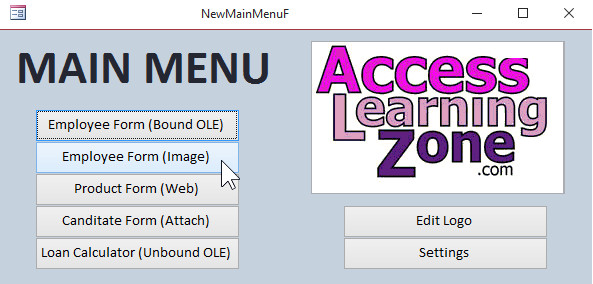
So from the Main Menu, click on the Employee Form (Image) button - which is the best way to be managing your images, by the way. It's the same concept I still teach in my newer lessons, like the Images TechHelp video.

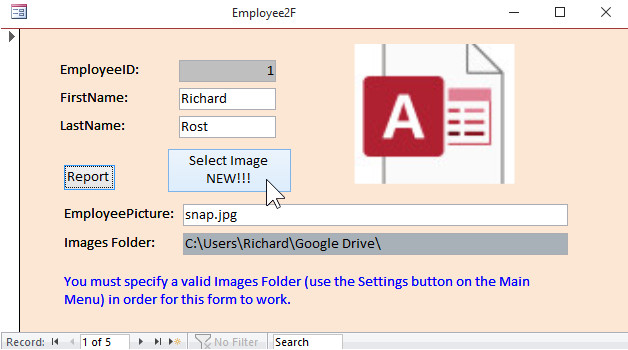
You'll see the Select Image button says NEW!!! on it. Go to Design View, right-click on that button and you'll see the new PickFile function. Right-click on that and it will take you directly to the module where the new code is. You'll see it's nice and simple - much better than the old one.

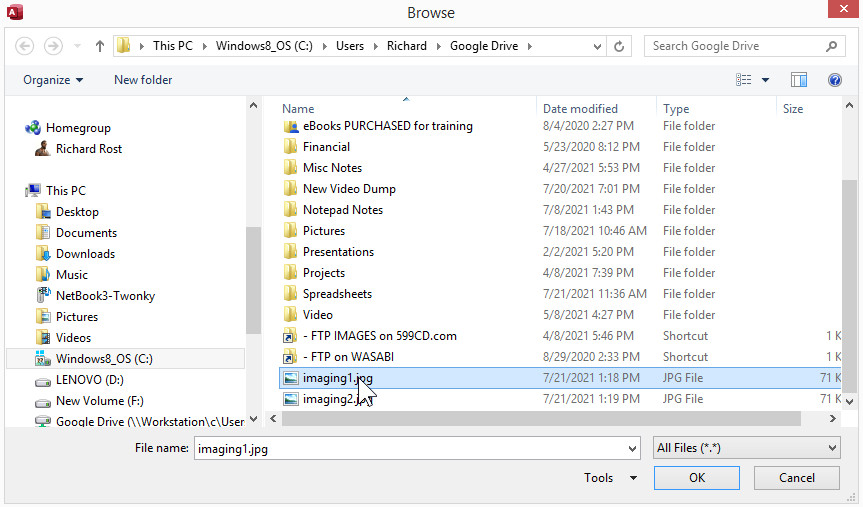
It will bring up the Windows File Dialog to whatever the Images Folder is that you've specified. Make sure you set that first in the Settings form.

You can download the new database template on the Student Databases page (yeah, it's an old seminar, so the database files are still there - too much work to upgrade all of those old seminars. I started. It wasn't fun. I'd rather spend my time being productive with NEW stuff). Remember you'll need your course password for the ZIP file, which you can find on your My Courses page. 

OK. That's all for now.

Enjoy!


Start a NEW Conversation
 
Only students may post on this page. Click here for more information on how you can set up an account. If you are a student, please Log On first. Non-students may only post in the Visitor Forum.
 
Subscribe
Subscribe to Imaging Seminar Addendum
Get notifications when this page is updated


The following is a paid advertisement
Computer Learning Zone is not responsible for any content shown or offers made by these ads.
 

Learn
 
Access - index
Excel - index
Word - index
Windows - index
PowerPoint - index
Photoshop - index
Visual Basic - index
ASP - index
Seminars
More...
Customers
 
Login
My Account
My Courses
Lost Password
Memberships
Student Databases
Change Email
Info
 
Latest News
New Releases
User Forums
Topic Glossary
Tips & Tricks
Search The Site
Code Vault
Collapse Menus
Help
 
Customer Support
Web Site Tour
FAQs
TechHelp
Consulting Services
About
 
Background
Testimonials
Jobs
Affiliate Program
Richard Rost
Free Lessons
Mailing List
PCResale.NET
Order
 
Video Tutorials
Handbooks
Memberships
Learning Connection
Idiot's Guide to Excel
Volume Discounts
Payment Info
Shipping
Terms of Sale
Contact
 
Contact Info
Support Policy
Mailing Address
Phone Number
Fax Number
Course Survey
Email Richard
[email protected]
Blog RSS Feed    YouTube Channel

LinkedIn
Copyright 2026 by Computer Learning Zone, Amicron, and Richard Rost. All Rights Reserved. Current Time: 5/2/2026 5:47:16 AM. PLT: 0s
Keywords: imaging seminar addendum  PermaLink  Imaging Seminar Addendum