|
||||
|
||||
VB 202Sales Tracking, Variables, Arrays, ReceiptsWelcome to Access Beginner 202. In this course you will learn how to build a hot dog stand application that tracks sales of hot dogs, French fries, and soft drinks, calculates prices including extended totals and sales tax, and appends order information to a text file for later analysis in Excel or Access. We will discuss printing formatted receipts, introduce concepts such as variables, user-defined types, arrays, modules, Sub Main, public subroutines, and constants, and review prerequisites and resources to help you follow along with the lessons. Lessons
ResourcesLesson SummaryWelcome! Hot Dog Stand App: Sales & Logs - In this lesson, we begin our introduction to Visual Basic by outlining how to create a hot dog stand application that tracks sales of hot dogs, French fries, and soft drinks, calculates extended prices, sales tax, and order totals, and appends sales information to a text file for analysis in Excel or Access. We will discuss how to print and format receipts, and introduce concepts like variables, user-defined types, arrays, modules, Sub Main, public subroutines, and constants. Prerequisites and class resources are also explained, along with recommendations for how to follow along with the material.
Lesson 1: Track Sales with Spinners & Scrolls - In Lesson 1, we will start building a hot dog stand application to track sales of hot dogs, french fries, and soft drinks. We will walk through setting up the form with text boxes and labels for each item, initializing their values, and adding vertical scroll bar controls as spinner buttons for easier input. I will show you how to configure these scroll bars, lock the text boxes to prevent manual changes, and write the code needed to increment or decrement the item counts while preventing negative values. This foundational setup prepares us for further development of the hot dog stand tracking system.
Lesson 2: Subtotals, Tax & Currency Formatting - In Lesson 2 of the Hot Dog Stand 2 tutorial, we will set up the events necessary to perform the calculations for our hot dog stand form, including calculating sales tax and the order total. We will walk through setting up text boxes for item prices, locking fields to prevent unwanted changes, and creating a subroutine to handle the pricing calculations. I will show you how to use the format currency function to properly display amounts, as well as how to organize and name your controls for clarity and consistency before discussing how to eventually log completed orders.
Lesson 3: Save Orders, Print Receipts, Import Data - In this lesson, we will walk through creating a log file to save all hot dog stand orders, including setting up buttons to clear and save order data, and ensuring values do not go below zero. I will show you how to open a text file in append mode, format each line with item counts, prices, subtotals, sales tax, order total, and a timestamp, and then how to view and import this hot dog stand log into Microsoft Excel for bookkeeping. Finally, we will discuss generating and printing a formatted customer receipt in Notepad.
Lesson 4: Variables, UDTs, Strings, Arrays - In this lesson, we will work more with variables by looking at a complete list of Visual Basic variable types, including some not previously covered like byte, boolean, object, and variant. We will discuss user-defined types, allowing you to group related information, for example, into a customer variable. I will show you how to create fixed-length strings, which are useful for working with file records, and how to build arrays of both standard and custom data types. Throughout, we will walk through practical examples so you can see how more variables can be used in your programs.
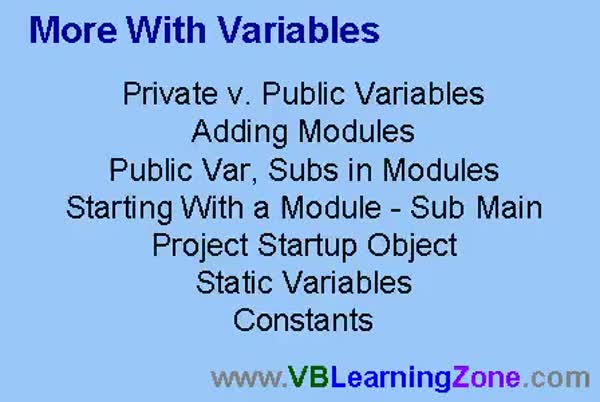
Lesson 5: Vars, Modules, Static, Const, Main - In this lesson, we are working with more variables and will discuss the differences between private and public variables, including how to create public variables and subroutines in modules so multiple forms can use them. We will walk through adding modules to a project, using public subs, and setting up a Sub Main to initialize values and control program startup. We will also talk about static variables and constants, showing how to declare and use values that remain unchanged or maintain their state throughout the program.
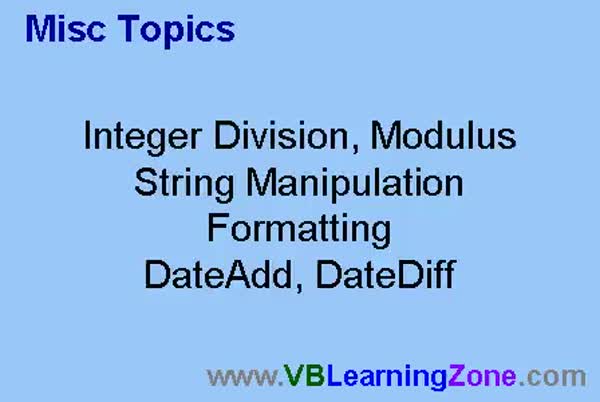
Lesson 6: Integer Division, Modulus, Strings, Dates - In this lesson, we are going to cover several misc topics including integer division, modulus (finding division remainders), exponentiation, string manipulation such as uppercase, lowercase, and proper case conversion, as well as string functions like left, right, mid, trim, and replace. We will also discuss how to format numbers, currency, percentages, and dates using the various format functions, including custom date/time formatting. Additionally, we will talk about useful date functions like DateAdd and DateDiff, and see some practical examples for each of these concepts.
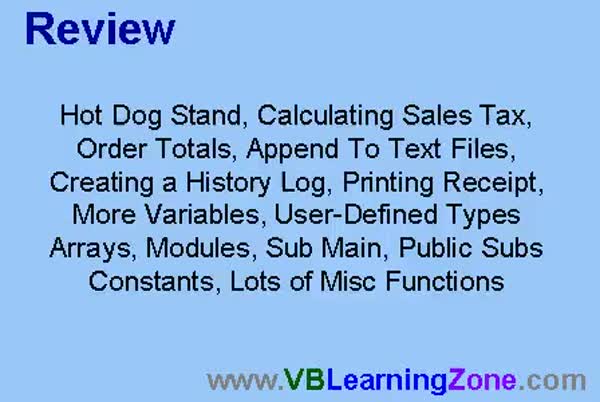
Lesson 7: Variables, Arrays, Files, Sales - In this course we learned how to build a hot dog stand application, track sales of items like dogs, fries, and drinks, calculate sales tax and order totals, append order history to a text file, and import that data into Excel for daily sales calculations. We also discussed printing receipts by creating text files, and covered Visual Basic concepts such as variables, user defined types, arrays, modules, Sub Main, public subroutines, constants, date formatting, string functions, and integer division. Information about next steps, questions, feedback, and staying updated through the website was also provided.
Navigation
Keywordshot dog stand app, sales tracking, text file logging, sales tax calculation, order total, append sales data, print receipt, format currency, variables, user-defined types, arrays, modules, Sub Main, public subroutines, constants, date formatting
More InformationTranscriptWelcome to Visual Basic 202, brought to you by VBLearningZone.com. I am your instructor, Richard Rost. In today's class, we are going to make a hot dog stand application. We are running a hot dog stand, and I want to be able to track how many hot dogs I am selling - hot dogs, French fries, and soft drinks. I want to calculate the quantity of each sold, the price of each, and then figure out the extended price, the sales tax, and the order total. Then, I am going to learn how to append to text files, so I can create a history log of all my sales. At the end of the day, I can load that information into Excel or Access and calculate my daily sales totals. We are going to see how to print a receipt and format it using Notepad. We will learn a lot more about variables, user-defined types, arrays, modules, Sub Main, public subroutines, constants, and many miscellaneous functions. The prerequisite for this class is Visual Basic 201. Before taking this class, I recommend you take 101 through 107, and then 201. There is, of course, a web page for this class located at vblearningzone.com?geovb202. On this page, you will find sample project files, the course outline, and the student discussion forum. If you have any questions about the material covered in today's class, post them here on the discussion forum. If you are watching this class in the Annecrane Video Player or online theater, you will see this page load up to the right of the videos. Join the discussion by posting your thoughts here in the student discussion forum. In today's class, I will be using Microsoft Visual Basic 6.0. If you are using a different version of VB, such as VB.NET or VB205, you will find that the interface is different. However, most of the Visual Basic programming code will work just fine. I strongly recommend you sit back, relax, and watch each video through once without doing anything. Then, replay the video again, and follow along with the examples, building each project as I do. Do not try to apply what you are learning immediately to other projects that you might be working on. Instead, build the sample project in class with me. IntroIn lesson 202, we will build a hot dog stand application in Microsoft Visual Basic 6.0 to track sales of hot dogs, French fries, and soft drinks, calculate item totals, sales tax, and order totals, and create a sales history log by appending to text files. We will also learn how to print and format receipts using Notepad, work with variables, user-defined types, arrays, modules, Sub Main, public subroutines, constants, and explore various miscellaneous functions. This lesson assumes you have completed Visual Basic 201 and earlier course lessons. QuizQ1. What is the main purpose of the hot dog stand application discussed in the class? A. To play a game involving selling food items B. To track quantities sold, calculate totals, and keep a sales log C. To design a website for a restaurant D. To provide nutritional information for customers Q2. Which items are tracked for sales in the application? A. Pizza, salads, and water B. Hot dogs, French fries, and soft drinks C. Burgers, ice cream, and coffee D. Sandwiches, chips, and juice Q3. What programming language and version is primarily used in this course? A. C++ B. Microsoft Visual Basic 6.0 C. Java D. Python Q4. What file operation will you learn to perform for logging daily sales? A. Read only from databases B. Append to text files to create a sales log C. Import images into the application D. Encrypt files for security Q5. Where can students find the sample project files and participate in discussion for this class? A. In the textbook provided B. On the class web page at vblearningzone.com?geovb202 C. Sent via email only D. At the local library Q6. What does the instructor recommend you do when watching the videos for this course? A. Skip to the exercises immediately B. Watch through once, then follow along on the replay C. Try to apply the concepts to unrelated projects right away D. Only read the course manual Q7. What will you learn to print and format during the class? A. Inventory reports B. Receipts using Notepad C. Marketing flyers D. Employee schedules Q8. Which programming concepts will be further explored in this class? A. Web development and animation B. Variables, user-defined types, arrays, modules, subroutines, constants, and functions C. Networking and security D. Machine learning and AI Q9. If a student has questions about the course materials, what should they do? A. Call the instructor directly B. Post them in the student discussion forum C. Search in unrelated forums D. Wait for the final exam for clarification Q10. What is the prerequisite for this course? A. No experience required B. Completion of Visual Basic 201 and preferably 101-107 C. Knowledge of JavaScript D. Prior experience with SQL Answers: 1-B; 2-B; 3-B; 4-B; 5-B; 6-B; 7-B; 8-B; 9-B; 10-B DISCLAIMER: Quiz questions are AI generated. If you find any that are wrong, don't make sense, or aren't related to the video topic at hand, then please post a comment and let me know. Thanks. SummaryToday's video from Visual Basic Learning Zone is Visual Basic 202. I'm Richard Rost, and I'll be guiding you through this session. In this class, we'll build a hot dog stand application. Imagine you're running a hot dog stand and you need to track sales of hot dogs, French fries, and soft drinks. We will cover how to record the quantity sold for each item, calculate the individual prices, and then determine the extended price, sales tax, and the final order total. We'll also explore how to append data to text files, which is useful for creating a history log of all your sales. At the end of your business day, you can then take this information and load it into Excel or Access to analyze your daily totals. Printing a receipt and formatting it using Notepad will also be included in this class. This project serves as a practical way to learn more about key programming concepts in Visual Basic. We'll work with variables, user-defined types, arrays, and modules. I'll show you how to use Sub Main, public subroutines, constants, and other helpful functions. To get the most out of this course, make sure you have already completed Visual Basic 201. It's also a good idea to take the earlier courses, 101 through 107, before starting 201 and this one. There is a dedicated web page for this class at vblearningzone.com?geovb202. On the site, you can find sample project files, the course outline, and a student discussion forum. If any questions come up while working through the material, be sure to post them on the discussion forum. If you are using the Annecrane Video Player or the online theater, the web page should appear next to the videos. This makes it easy to join in and interact with other students on the discussion forum. During these lessons, I'll be working in Microsoft Visual Basic 6.0. If you happen to use a different version, such as VB.NET or VB205, you'll notice some differences in the interface, but nearly all the programming code and logic will still apply. My suggestion is to watch each video completely one time through without doing any hands-on work right away. Then, watch it again and follow along, building the project step by step as I do. It's best not to try to adapt what you're learning immediately to other projects, but instead to focus on building the class project with me. You can find a complete video tutorial with step-by-step instructions on everything discussed here on my website at the link below. Live long and prosper, my friends. Topic ListCreating a hot dog stand application in Visual Basic Tracking quantity sold for hot dogs, fries, and drinks Calculating item prices and extended price Calculating sales tax and order totals Appending sales data to text files for logging Printing and formatting receipts with Notepad Using variables and user-defined types Working with arrays for sales tracking Creating and using modules and Sub Main procedures Defining and using public subroutines and constants Utilizing miscellaneous Visual Basic functions Primary TopicsVisual Basic 6.0, sales application, item tracking, price calculations, text file logging, receipt printing, variables, arrays, modules Secondary Topicsconstants, miscellaneous functions, user-defined types, public subroutines, Sub Main, exporting to Excel or Access |
||
|
| |||
| Keywords: hot dog stand app, sales tracking, text file logging, sales tax calculation, order total, append sales data, print receipt, format currency, variables, user-defined types, arrays, modules, Sub Main, public subroutines, constants, date formatting PermaLink How To Build a Hot Dog Stand App With Sales Logging, Receipts, and Variables in Microsoft Visual Basic 6 |